
WorkFlow: Organization Charts and Processes
Visual workflow editor for mapping steps, decisions, approvals, and handoffs in a clear process flow.
WorkFlow is the visual process-design app in WorkStudio.
Use it when a procedure is easier to understand as a path: a request arrives, someone checks it, a decision is made, and the work moves to the next person.
A workflow can stay very simple, or it can include branches, approvals, notes, layers, attachments, and print-ready pages.
Current WorkFlow articles: Canvas and Tools, Nodes in WorkFlow, Links and Flow Direction, Layers in WorkFlow, Text and Annotations, File Settings in WorkFlow, Saving in WorkFlow, Load, Copy, and File Actions, Generate WorkFlow, Print Setup in WorkFlow, and WorkFlow Patterns and Good Practice.
Related: WorkStudio, FileStudio, DocStudio, Saving in WorkStudio.
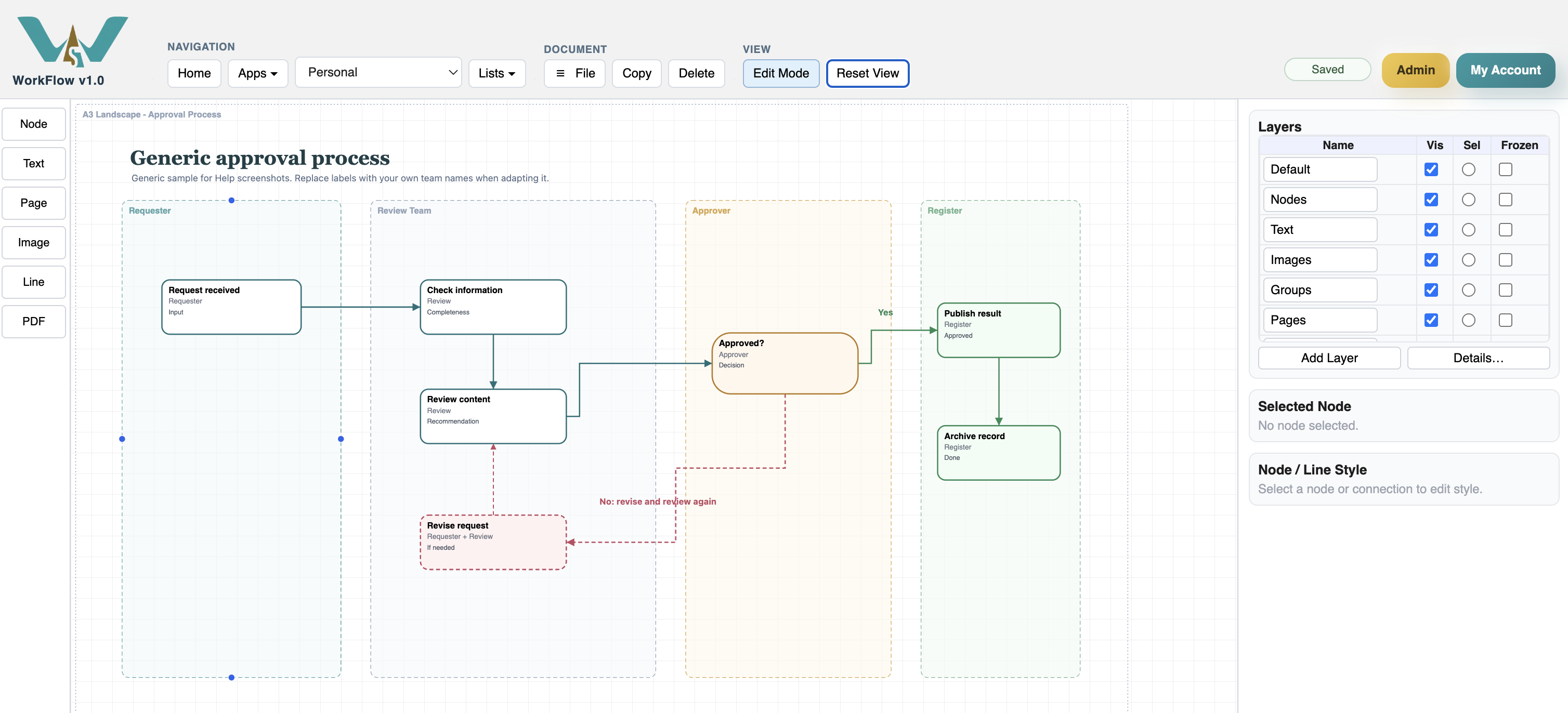
A finished process stays easy to scan
The example shows a simple approval flow with clear steps, decision branches, and a visible final outcome.
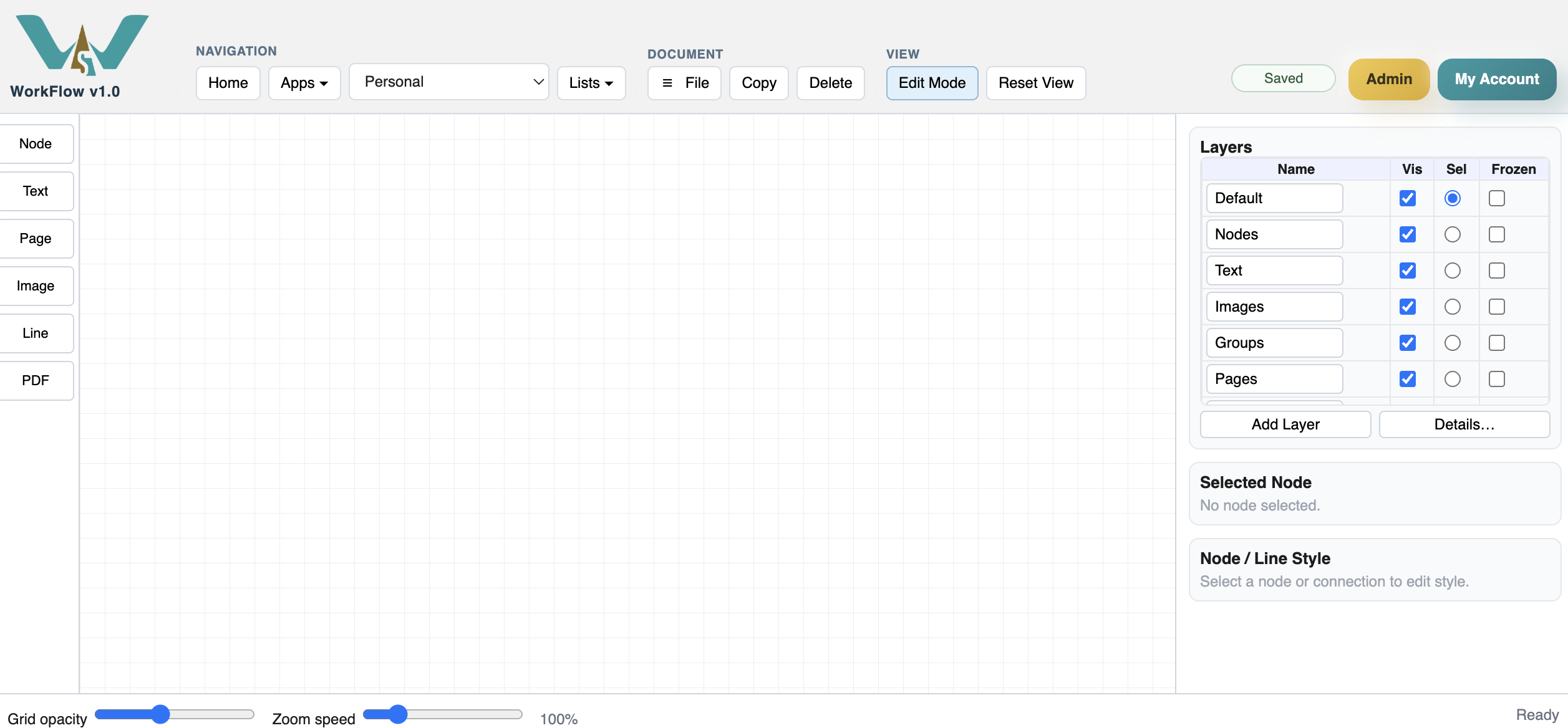
WorkFlow can also start from a clean canvas
Start with an empty workflow, then add nodes, text, links, layers, and settings as the process becomes clearer.
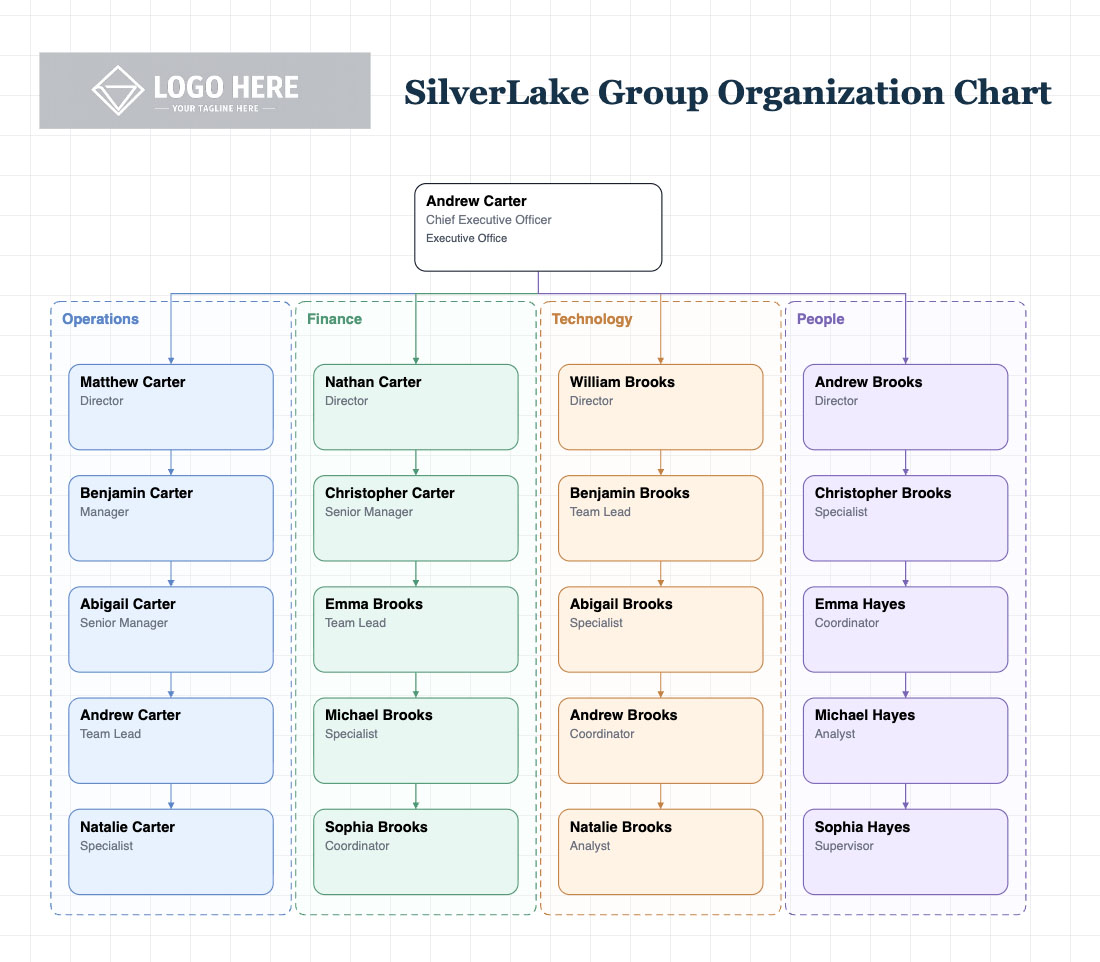
Marketing overview image
This general WorkFlow image is useful for presentations and launch material.
Enable JavaScript to use reading progress and usefulness ratings.