
Saving in WorkFlow
Explains how to save a WorkFlow file to the computer, personal account, or a workspace/project context.
WorkFlow can save the same diagram in different places.
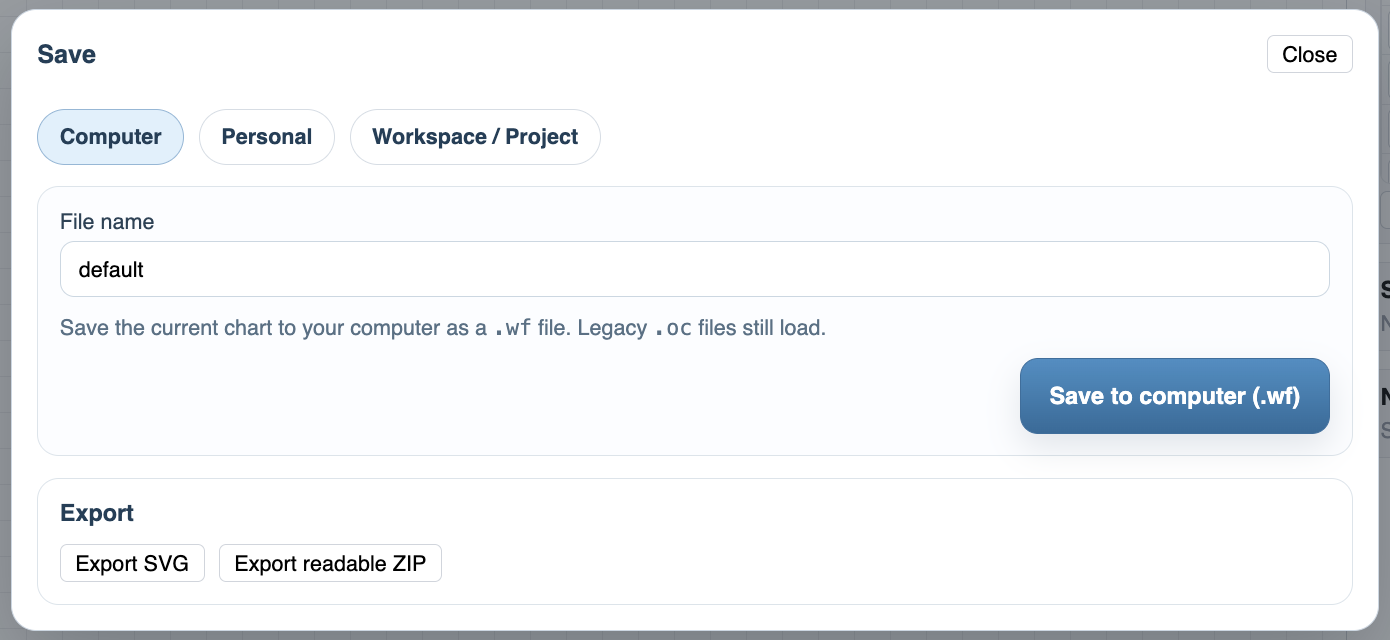
Use Computer when you want a local .wf file. This is the simplest option for downloading, archiving, emailing, or keeping a copy outside the account. Legacy .oc files can still load, but new WorkFlow saves use .wf.
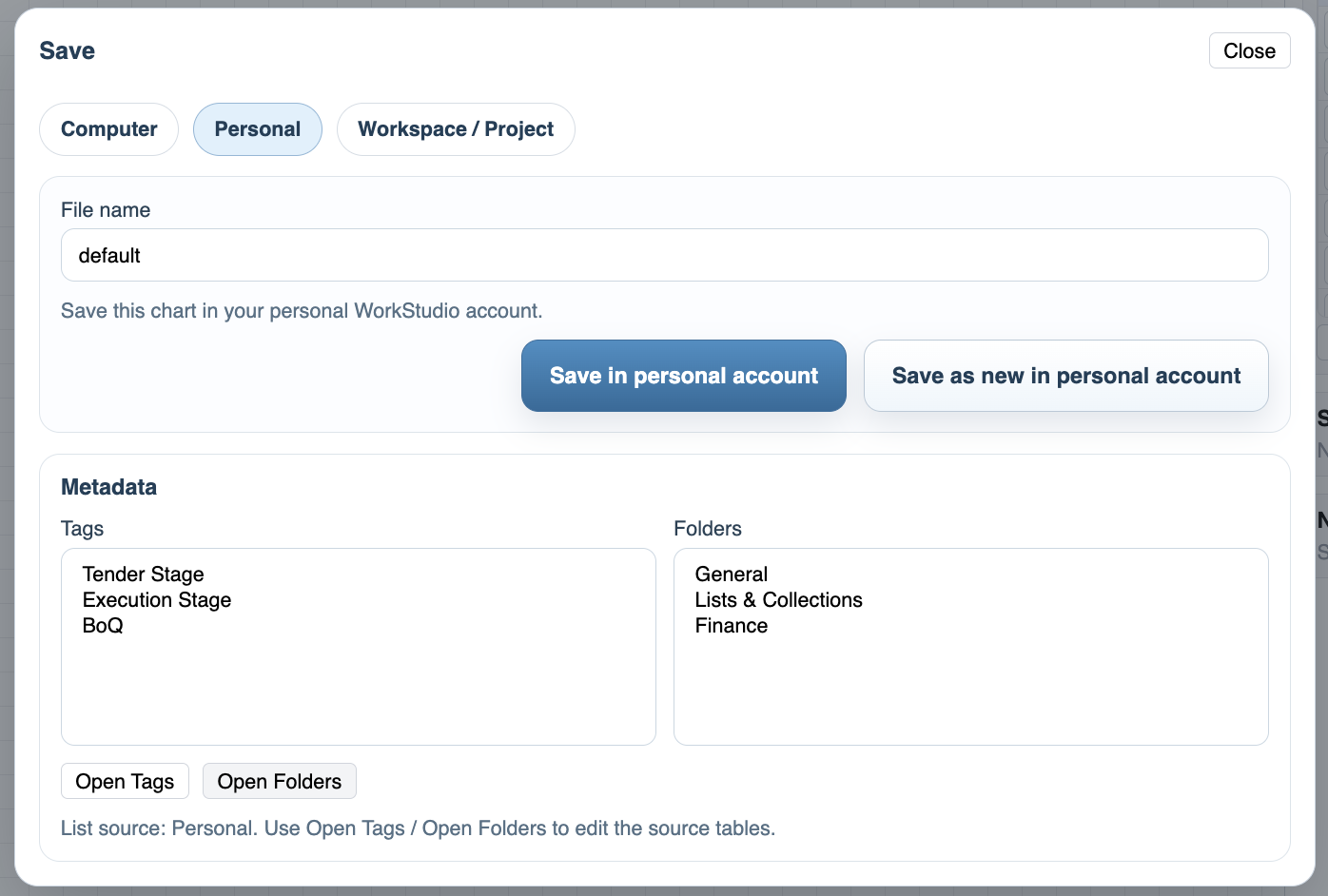
Use Personal when the workflow belongs to your own WorkStudio account. You can save over the current file or save as a new personal file. Personal saves can also use metadata such as tags and folders, so the file is easier to find later.
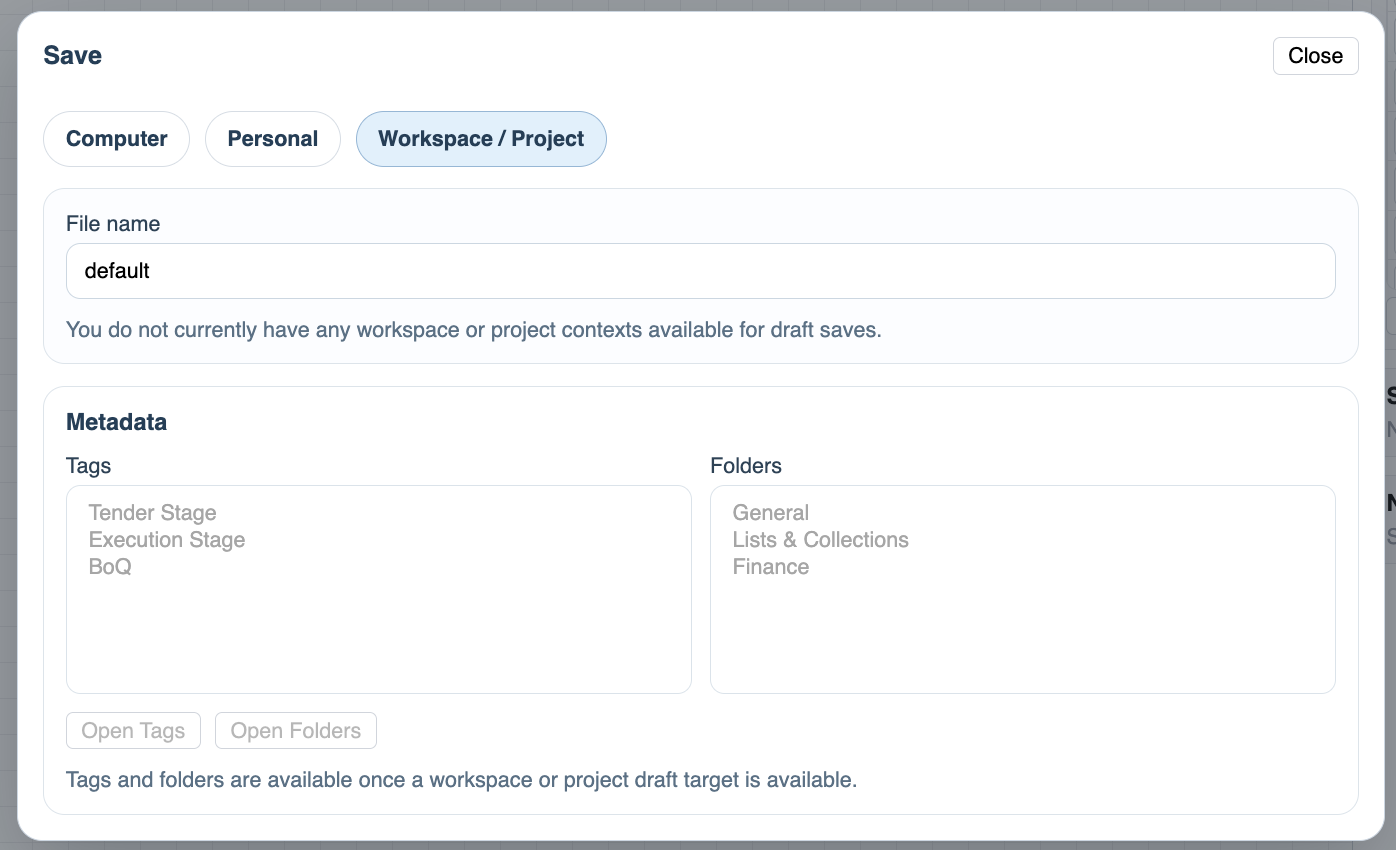
Use Workspace / Project when the workflow should belong to a shared context. This option depends on whether a workspace or project save target is available for the current account and context.
The file name is shown at the top of the save dialog. Keep it clear and practical, because this is the name people will see when they load the workflow later.
Tags and folders help organize saved workflows. In Personal saves, the source lists come from the personal account. In Workspace / Project saves, the lists become available when a shared save target is active.
The Computer tab also includes export options. Export SVG creates a visual file, while Export readable ZIP creates a package that is easier to inspect or archive.
Related: WorkStudio Context, Saving in WorkStudio, File Settings in WorkFlow, Load, Copy, and File Actions.
Save to computer
The Computer tab downloads the current chart as a .wf file and also offers export options.
Save in personal account
The Personal tab can save the current file, save as a new personal file, and apply personal tags and folders.
Workspace / Project save
The Workspace / Project tab is available when the current account has a shared save target for draft saves.
Enable JavaScript to use reading progress and usefulness ratings.