
Generate WorkFlow
Explains the Generate WorkFlow dialog for creating starter organigram and family-tree layouts.
Generate WorkFlow creates a starter layout automatically.
It is useful when you need a structured diagram quickly, especially for organigrams and family-tree style charts.
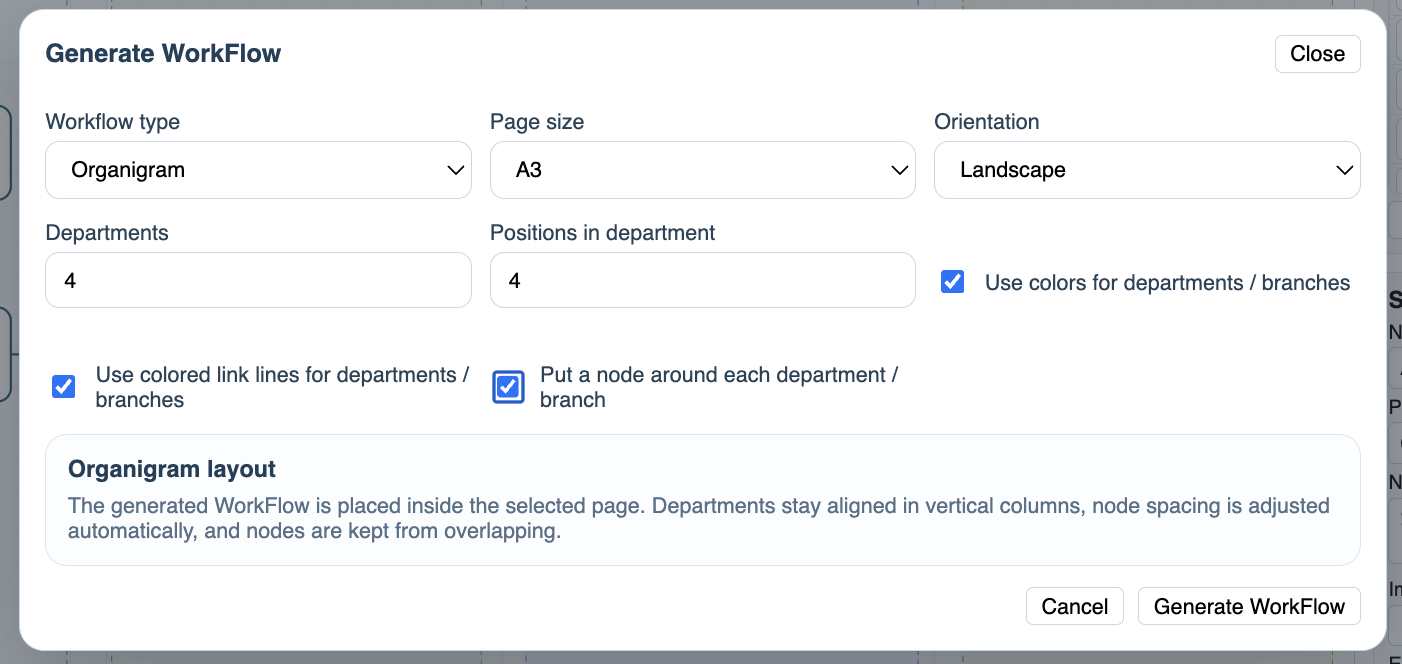
Choose the workflow type, page size, orientation, and structure options. For organigrams, you can set departments, positions in each department, department colors, colored link lines, and department wrapping. For family trees, you can set generations, node shape, and gender colors.
After generation, the result becomes a normal WorkFlow file. You can move nodes, edit text, adjust layers, style links, print, or save it like any other workflow.
Use generation as a starting point, not as a final answer. It gives you structure; you still decide the final wording and layout.
Related: Nodes in WorkFlow, Links and Flow Direction, Layers in WorkFlow.
Generate WorkFlow dialog
The generator creates a structured starter layout from a few selected options.
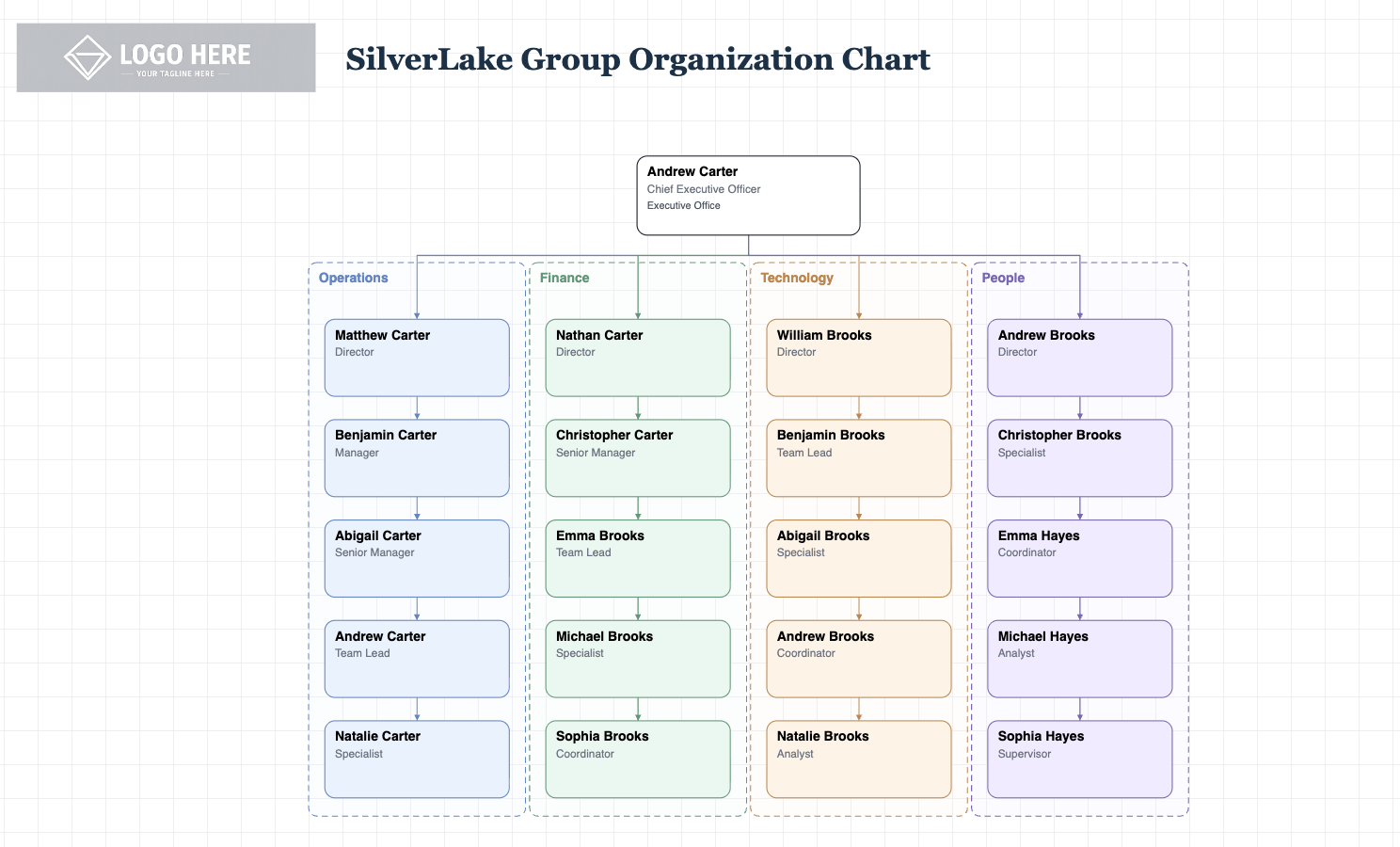
Generated result
The generated workflow can be edited normally after it appears on the canvas.
Enable JavaScript to use reading progress and usefulness ratings.