
WorkFlow Patterns and Good Practice
Shows practical workflow patterns for approvals, document intake, layered diagrams, and team handoffs.
A good workflow is easy to read before it is detailed.
Start with the main path first. Add branches only where the process really changes direction.
Use short node titles. Put longer explanations in notes, text annotations, or supporting documents.
Use layers when the workflow grows. Layers can separate process steps, annotations, pages, images, and lines, which makes editing safer.
Use color intentionally. For example, one color can mean review, another approval, and another rejection or blocked work.
Use File Settings and attachments when the workflow belongs to a policy, project, approval package, or recurring procedure.
Related: WorkFlow, Nodes in WorkFlow, Links and Flow Direction, File Settings in WorkFlow.
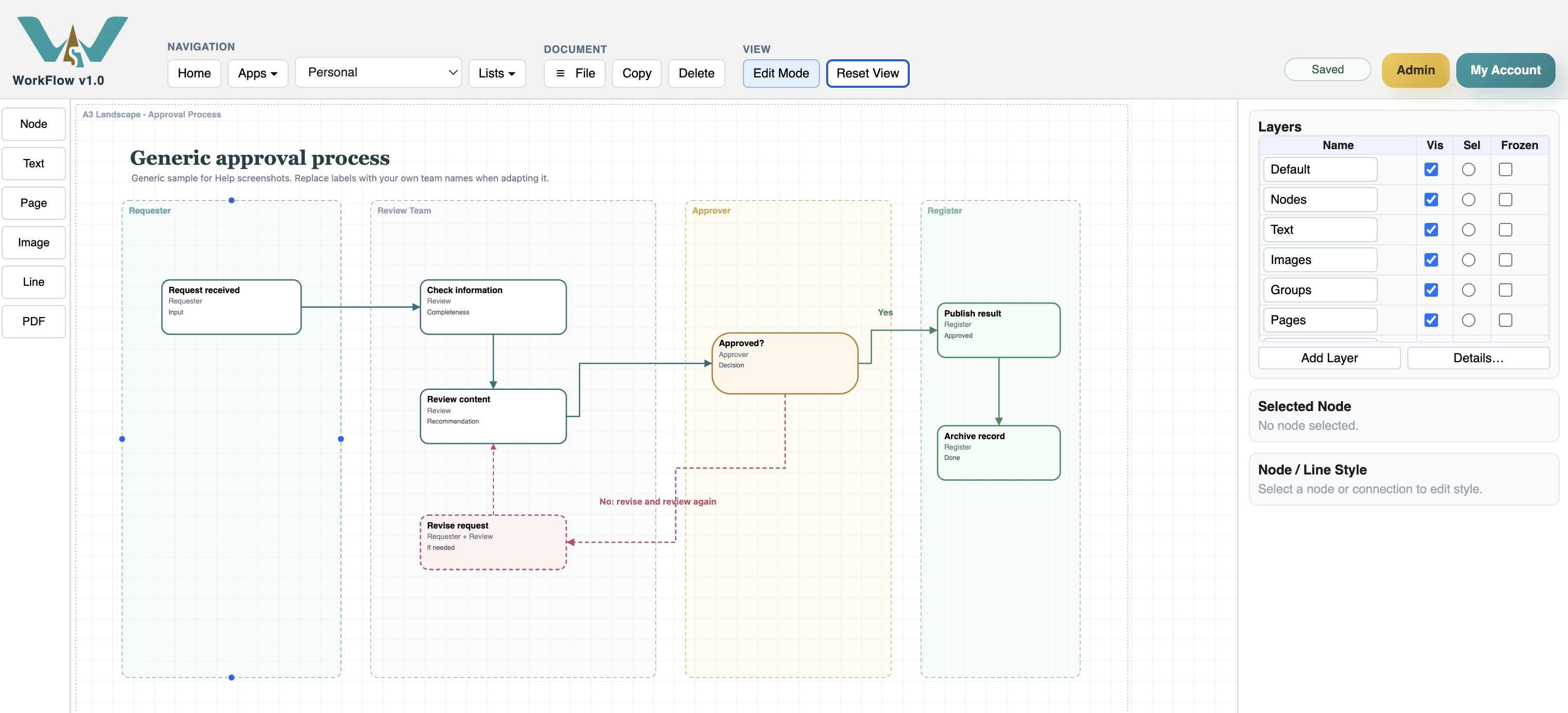
Approval process
Approval workflows work best when decision branches are visible and final outcomes are clear.
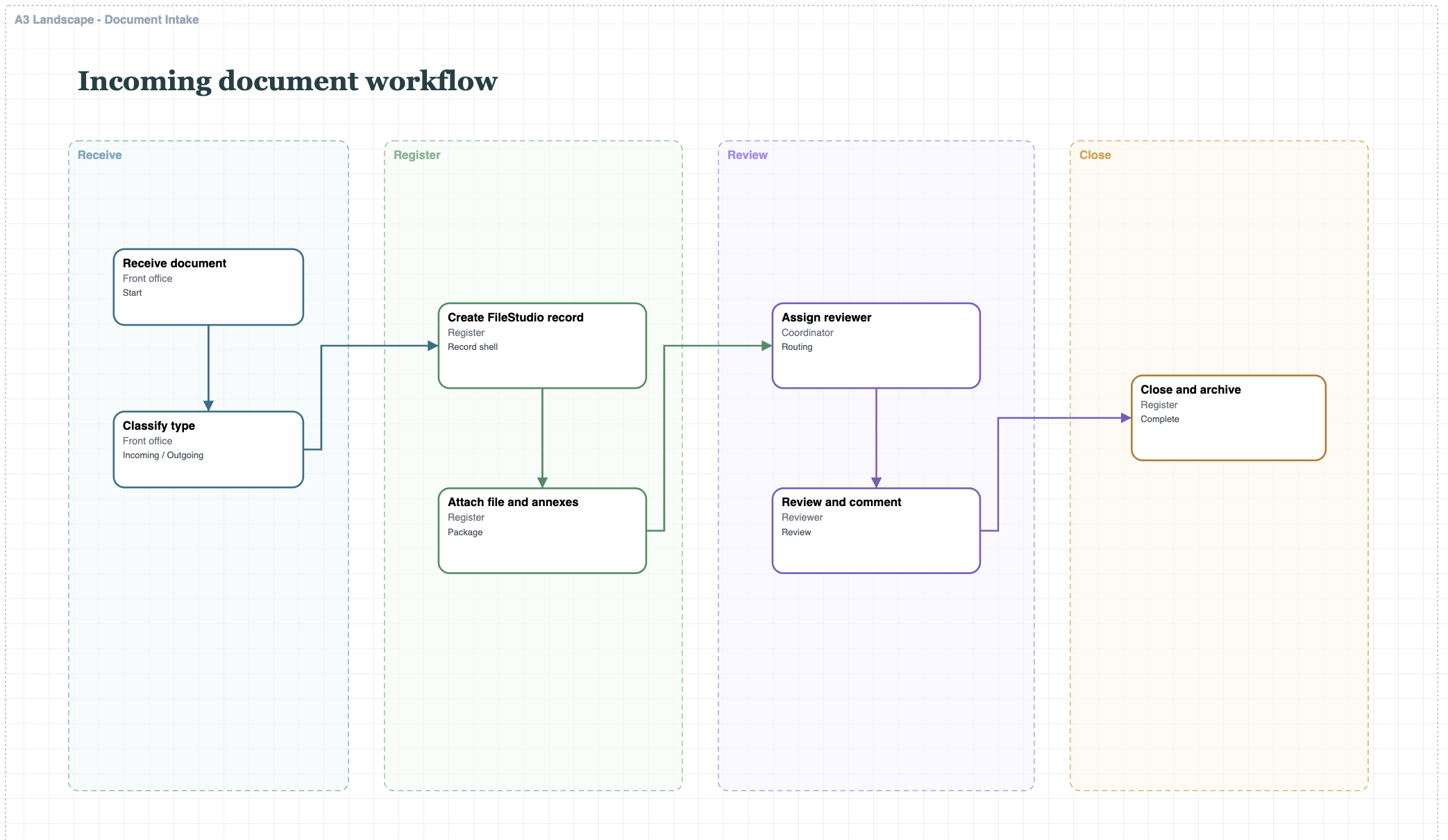
Document intake
Document intake workflows can show registration, review, routing, and archiving in one process.
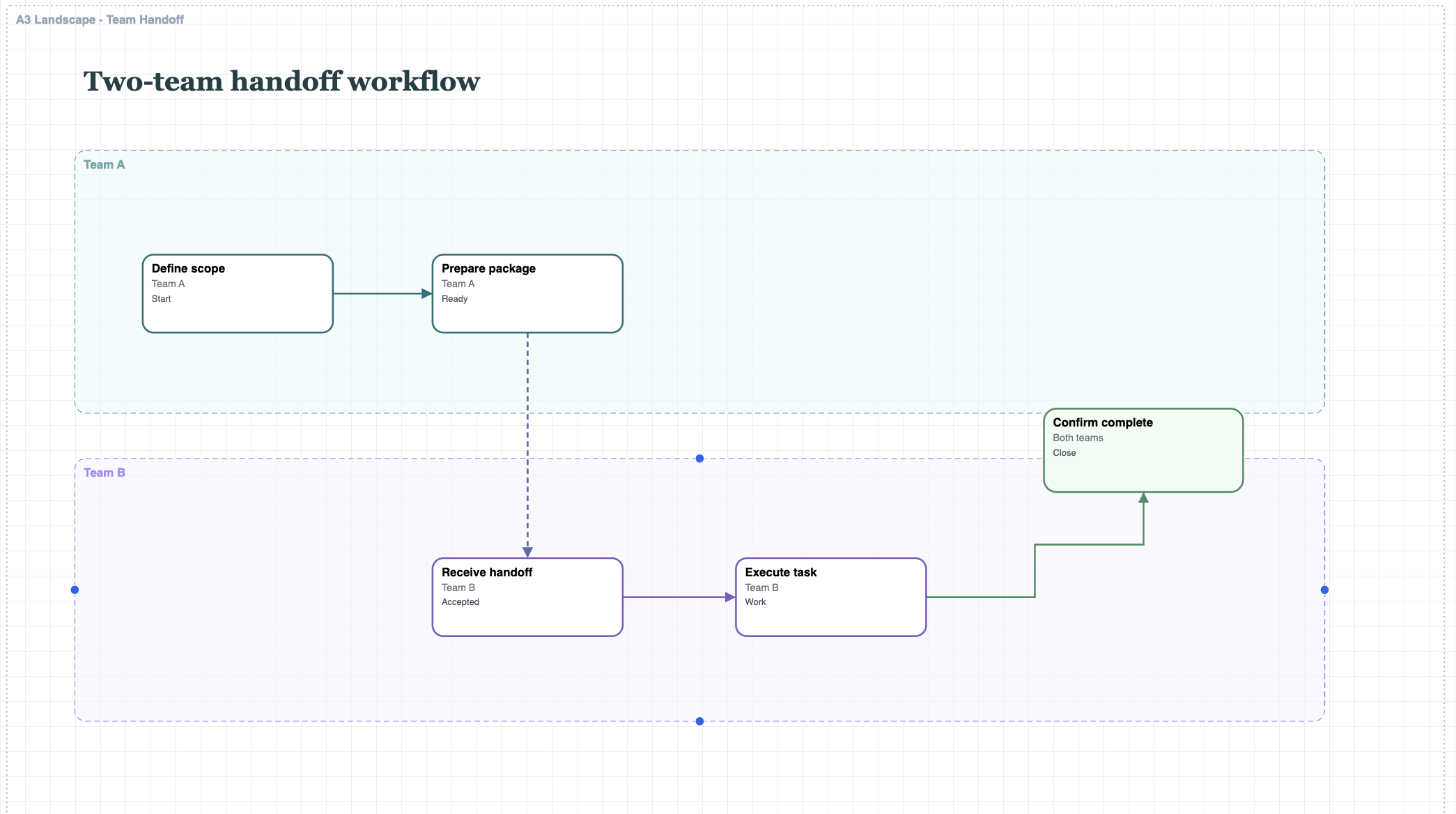
Team handoff
Team handoff workflows make ownership and next steps visible across roles.
Enable JavaScript to use reading progress and usefulness ratings.