
FileStudio General Guide
A general guide to FileStudio as the WorkStudio register for documents, app files, annex packages, extracted text, AI autofill, folders, tags, and history.
FileStudio is the WorkStudio app for registering, storing, finding, and packaging documents.
Use it when the important object is not only the file itself, but the record around the file: code, date, direction, parties, status, folders, tags, related records, annexes, extracted text, summaries, and history.
The active WorkStudio Context decides which register you are using. The same screen can work in personal, company, or project space.
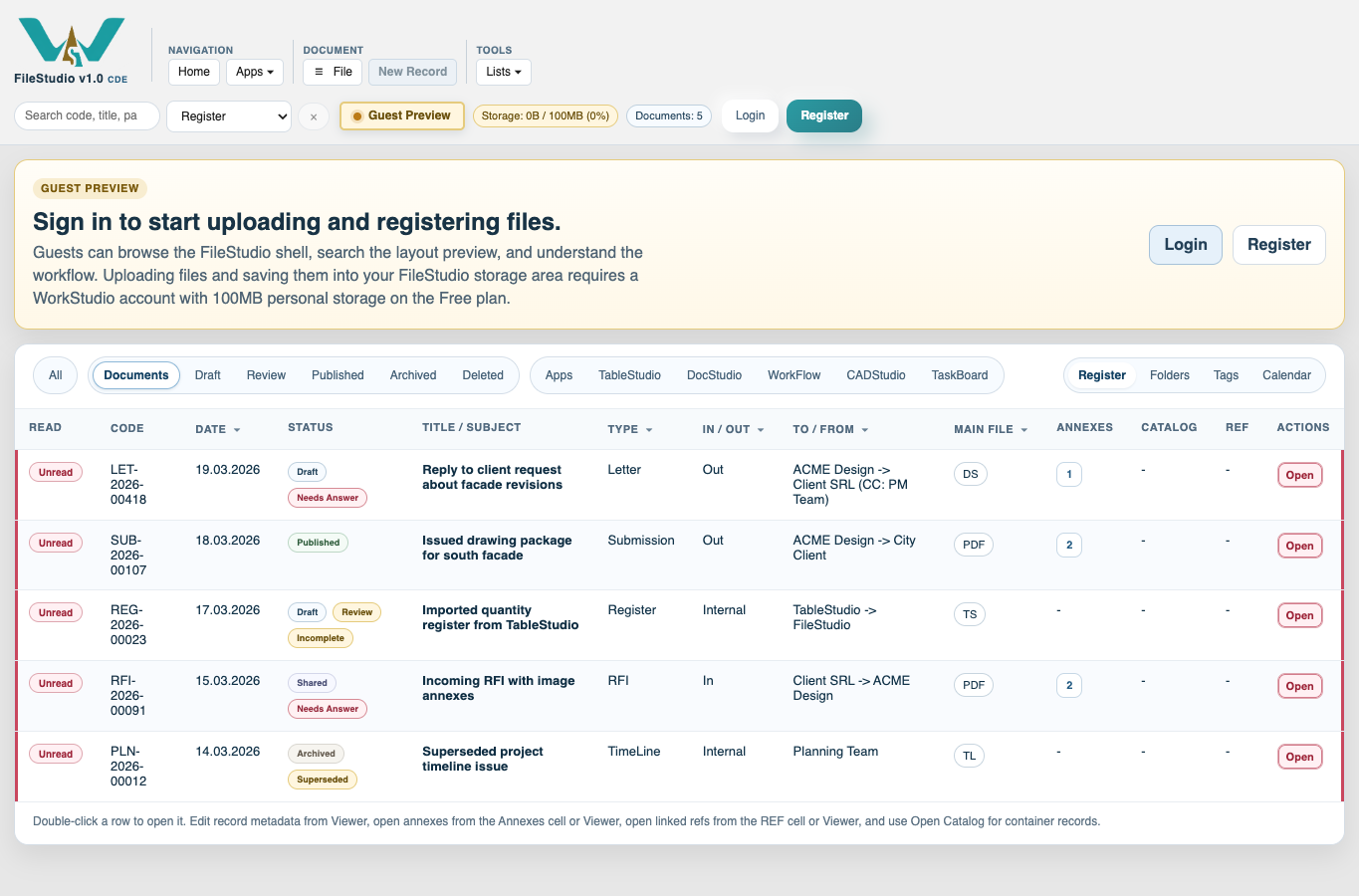
The main screen starts with the register. It shows document records and app files in rows, with filters for Documents, Draft, Review, Published, Archived, Deleted, and Apps.
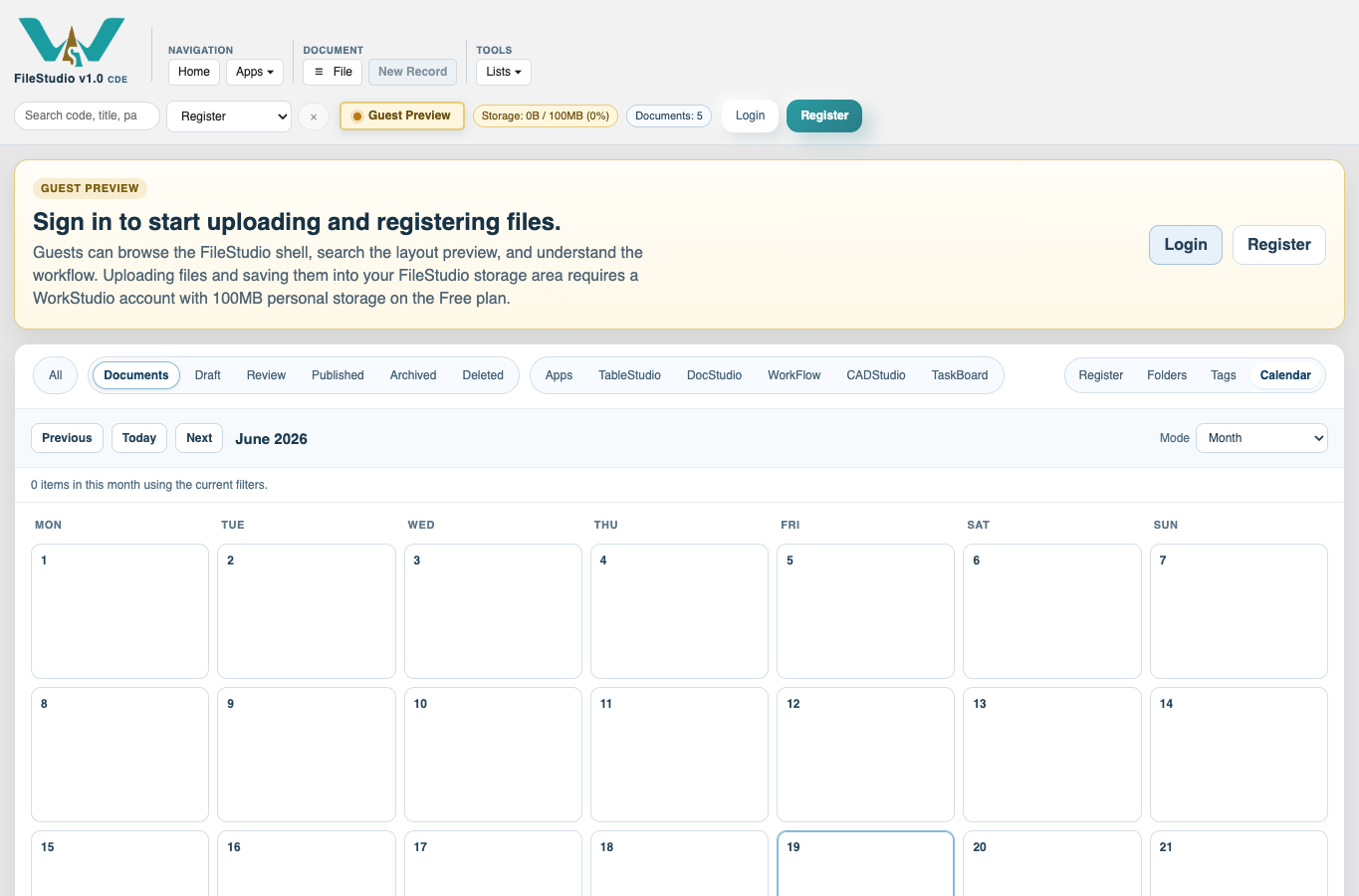
The same records can also be browsed by Folders, Tags, or Calendar.
A FileStudio record can be created before a file is attached. This is useful when you need to reserve a code, log a received item, or create a catalog/container before all files are ready.
The main record keeps the business metadata. The main file keeps the stored document. Annexes keep supporting files attached to the same record.
A package can therefore contain:
- one main document
- an optional main editable file or linked editable app source
- one or more annex files
- internal annex links to other FileStudio records
- title, separator, and folder rows inside the annex package
When a PDF or text-readable document has extractable text, FileStudio can store that text with the file. That makes document search different from register search: you can search only record fields, only extracted document text, or both.
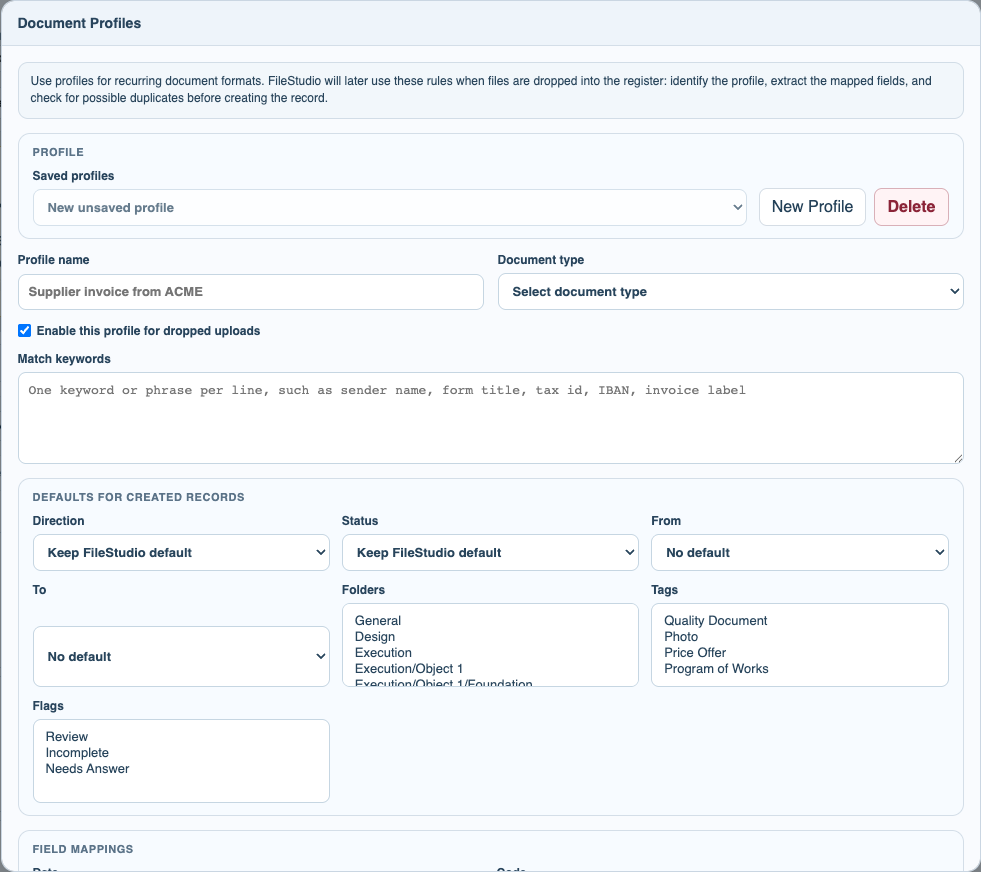
Document Profiles are for recurring document formats. A profile can recognize a document by keywords, extract fields such as date, code, title, notes, and amount, set default folders or tags, and check possible duplicates.
AI Autofill is for more flexible uploads, especially scanned or inconsistent documents. It can read selected pages, use OCR when needed, fill the New Record form, save extracted text, optionally save a summary, and propose metadata for review before the record is saved.
REF links connect records that belong to the same conversation. The REF chart shows the interaction chain, elapsed days, direction, parties, and export options for the graph or the linked record package.
FileStudio does not replace DocStudio, TableStudio, TimeLine, WorkFlow, or CADStudio. It registers the outputs and keeps the controlled file package. App-native files can still open in their source app when FileStudio stores or links them.
Start with the register, create or open a record, attach the main file, add annexes when needed, and use folders/tags/calendar/search to find it later.
Tutorials: Use AI Upload to Register a Document in FileStudio, Create and Test a FileStudio Document Profile, Add Annexes to a FileStudio Record, Review and Export a REF Chart, Select and Export Several FileStudio Records, and Stamp an IN Code and Prepare a Confirmation Email.
Related help: Registering a Record in FileStudio, FileStudio Record Fields, Main Files, Final Files, and Annexes, Selecting and Exporting FileStudio Records, Annexes in FileStudio, REF Chart and Exports in FileStudio, Attach DocStudio Files to FileStudio, Attach TableStudio Files to FileStudio, Column Type: Document, WorkStudio Account Types.
The FileStudio register
The register keeps document records readable while showing code, date, status, parties, main file type, annex count, references, and actions.
Calendar view
Calendar view lets users review records by month, day, year, recent registrations, or a custom period.
Settings for register behavior and AI
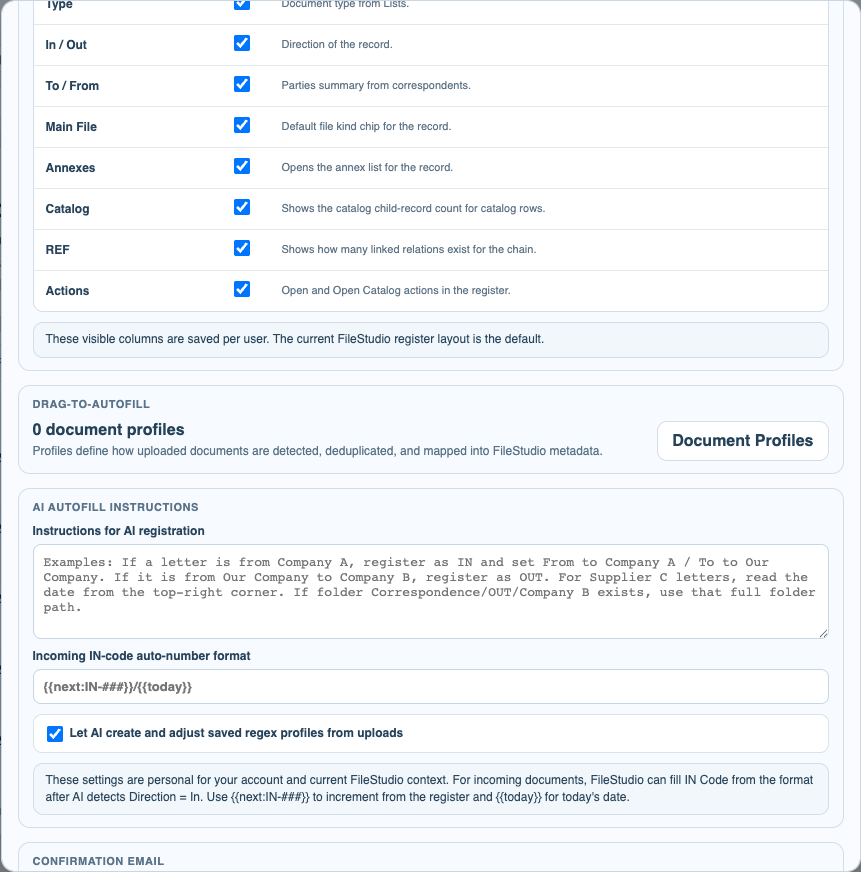
File Settings keeps personal display choices, Document Profile access, AI registration instructions, IN-code numbering, email text, and download filename formats.
Document Profiles
Profiles define how recurring document formats are detected, mapped into record fields, and tested against extracted text.
Enable JavaScript to use reading progress and usefulness ratings.