
REF Chart and Exports in FileStudio
Explains how REF links create a conversation chart, what the chart display modes show, and how SVG, PDF, ZIP, and indexed PDF exports are used.
REF links connect FileStudio records that belong to the same conversation or response chain.
A REF link can be used for replies, related records, superseded records, or any other controlled relationship that should be visible later.
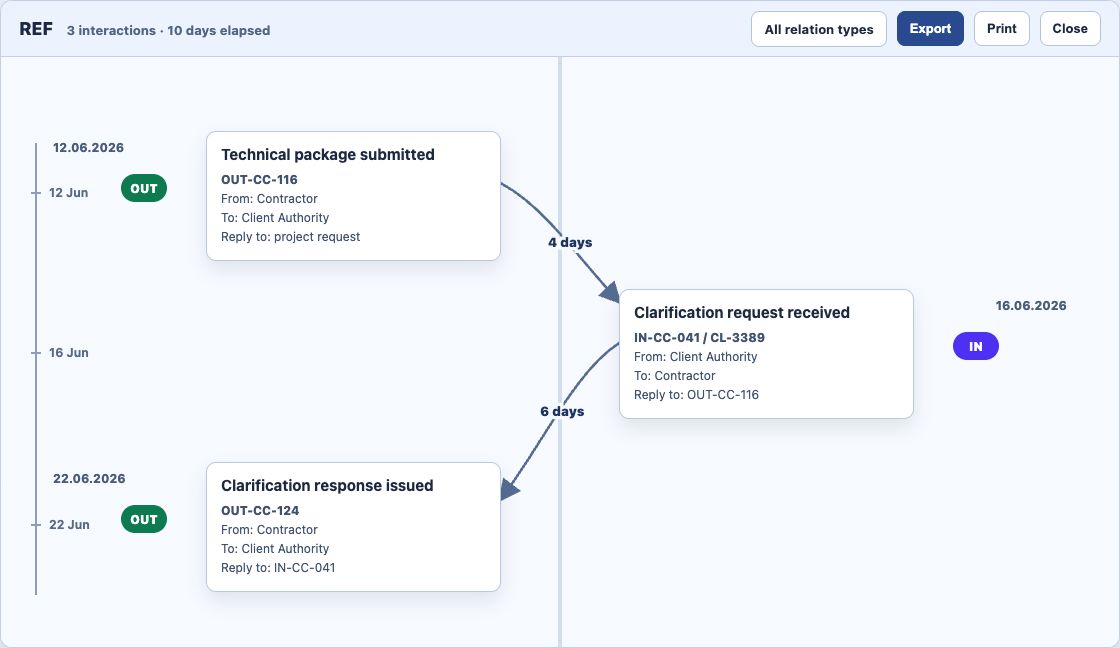
Open the REF chart from a record to review the linked events together. The title bar shows how many interactions are in the visible chain and how many days elapsed between the first and last visible record.
The chart is designed to answer four questions quickly:
- what happened first and last
- which records are incoming or outgoing
- who sent each item and who received it
- how many days passed between connected events
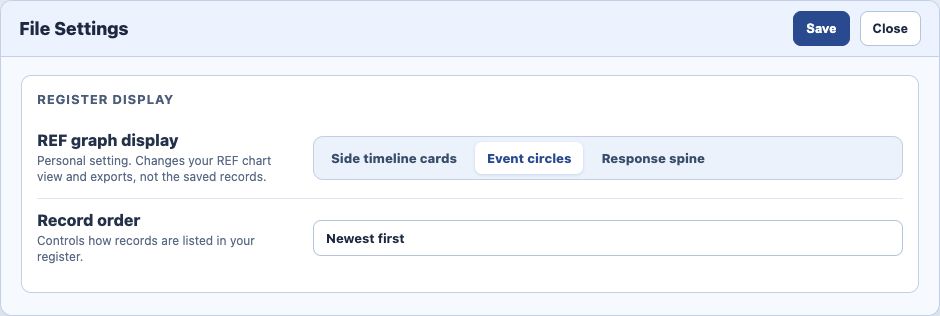
File Settings controls the personal REF graph display. The current display choices are Side timeline cards, Event circles, and Response spine. This is a user-only setting. It changes how you see and export the REF chart, but it does not change the saved records.
Hovering a chart node highlights the connected nodes, connection lines, and days-between labels while fading unrelated items.
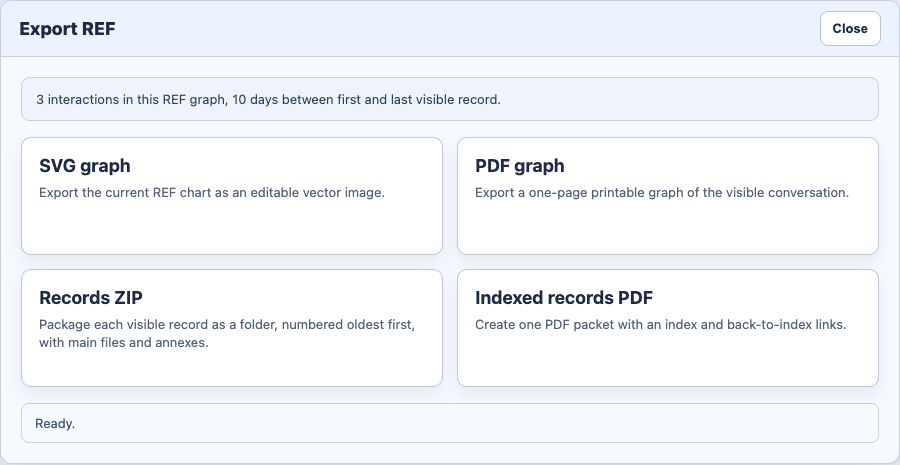
Use Export from the REF chart when you need to share or archive the conversation.
Export options are:
SVGfor an editable vector graphPDFfor a one-page printable graphRecords ZIPfor the original records and annexes, grouped into one folder per recordIndexed records PDFfor a single readable PDF package with an index and back-to-index links
The Records ZIP uses the visible REF records and numbers folders oldest first. Folder 01 is the oldest record in the visible chain.
The indexed records PDF is useful when the main files are PDFs or images and you want one review packet. Files that cannot be embedded as PDF pages are represented with placeholder pages. Use the ZIP export when you need the original files, annexes, editable sources, CAD files, spreadsheets, or other non-PDF originals.
Related: Review and Export a REF Chart, FileStudio File Settings, FileStudio Record Fields, Registering a Record in FileStudio, Annexes in FileStudio.
REF chart with event circles
Event circles keep incoming and outgoing events separate while the vertical time scale shows the elapsed days between connected records.
REF export choices
Export can create a graph as SVG or PDF, a records ZIP with originals and annexes, or an indexed records PDF package.
Personal REF graph display setting
REF graph display is a user-only File Settings option. It changes your view and exports without changing the records.
Enable JavaScript to use reading progress and usefulness ratings.