
Column Type: Document
Links table rows to FileStudio records and can display document metadata or a file-style pill in the grid.
Use the document column type when a row should link to a FileStudio record without forcing all document metadata into the visible grid.
A document column can show many FileStudio fields such as Title / Subject, Code, Date, Direction, Folder, File Name, or Document Pill. The pill view displays a file-style badge inside the cell and opens the linked file when clicked.
Document settings let you choose the FileStudio context, what the current column should display, whether main documents and annexes are allowed, and which linked target columns should also update in the same row.
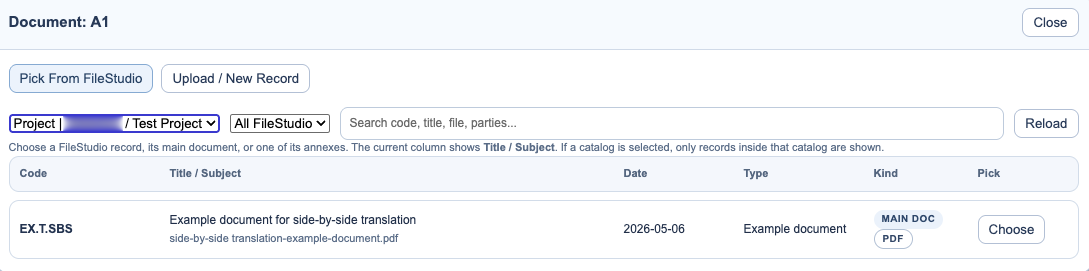
From a document column, users can pick an existing FileStudio record or upload a new file and create a linked record directly. FileStudio-linked browsing and upload require a signed-in account. For the FileStudio side of that workflow, see Registering a Record in FileStudio.
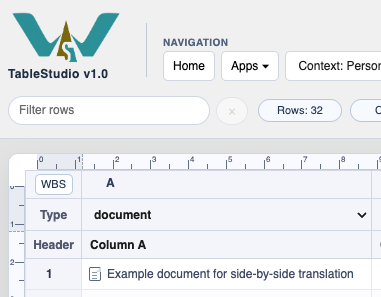
Document cell indicator
Document indicators make attached documents visible in the grid.
Document picker
Use the picker to choose linked document content.
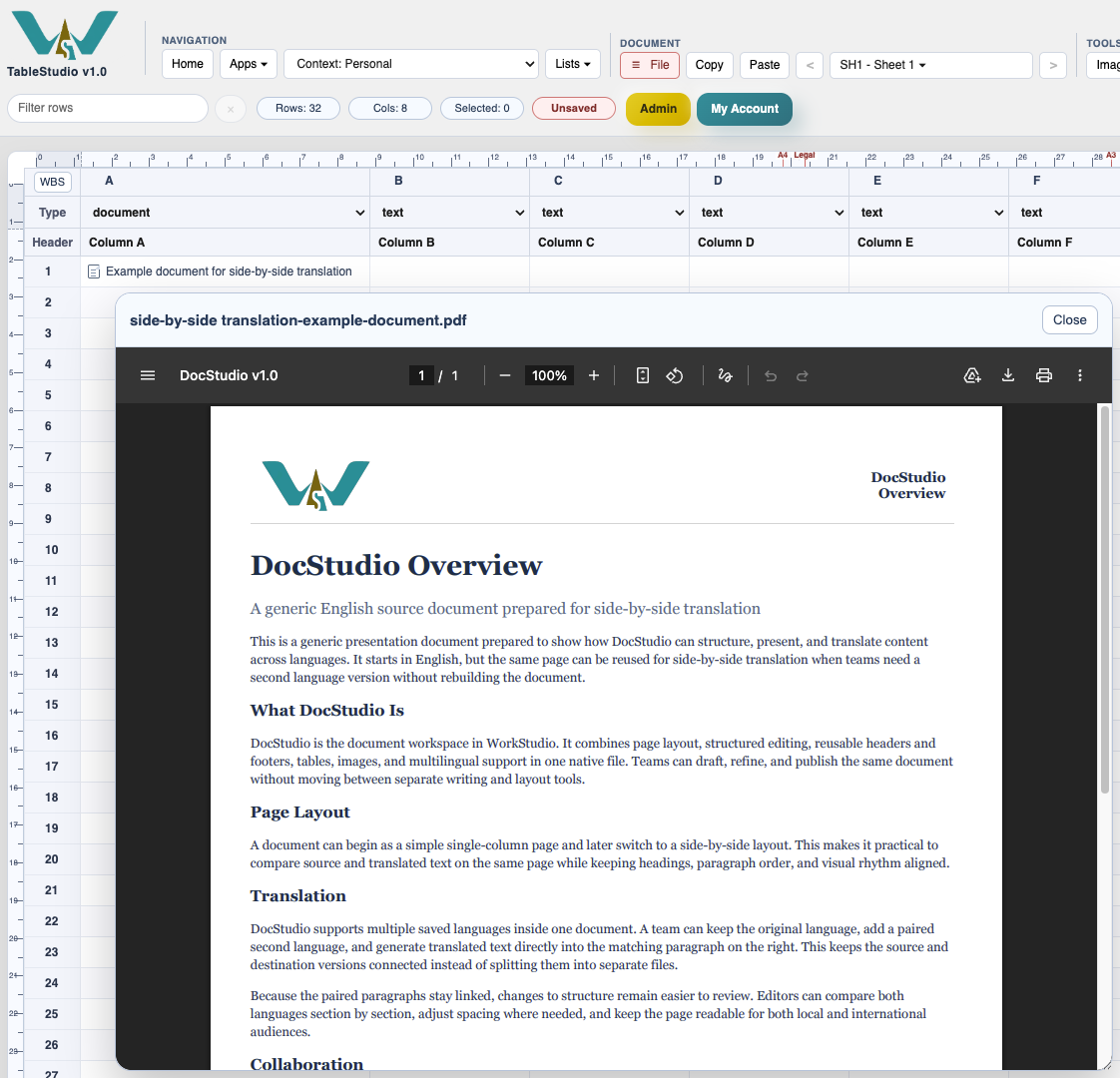
Document preview
Preview linked files without leaving the workbook.
Enable JavaScript to use reading progress and usefulness ratings.