
Create and Test a FileStudio Document Profile
Create a profile, drop a readable sample, mark extracted text, test rules, and review AI-generated profile suggestions.
Open Document Profiles
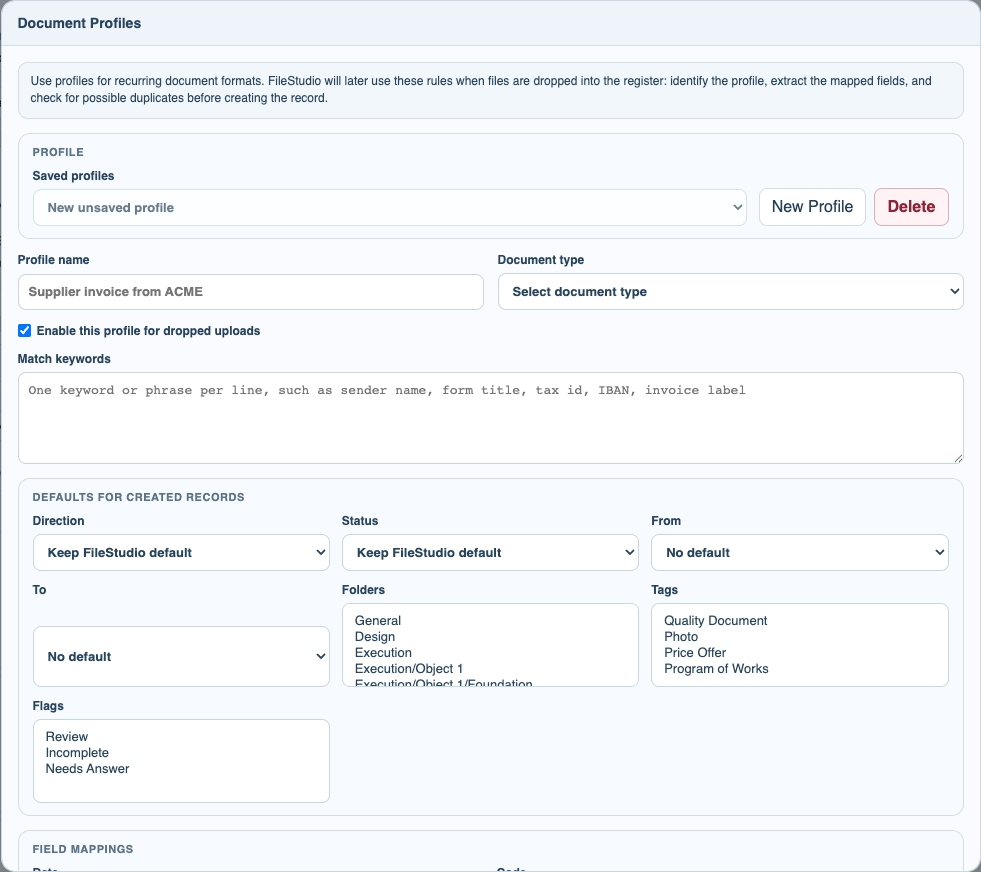
Open File Settings or the File menu and choose Document Profiles. Start a new profile or select an existing saved profile.
Add keywords and defaults
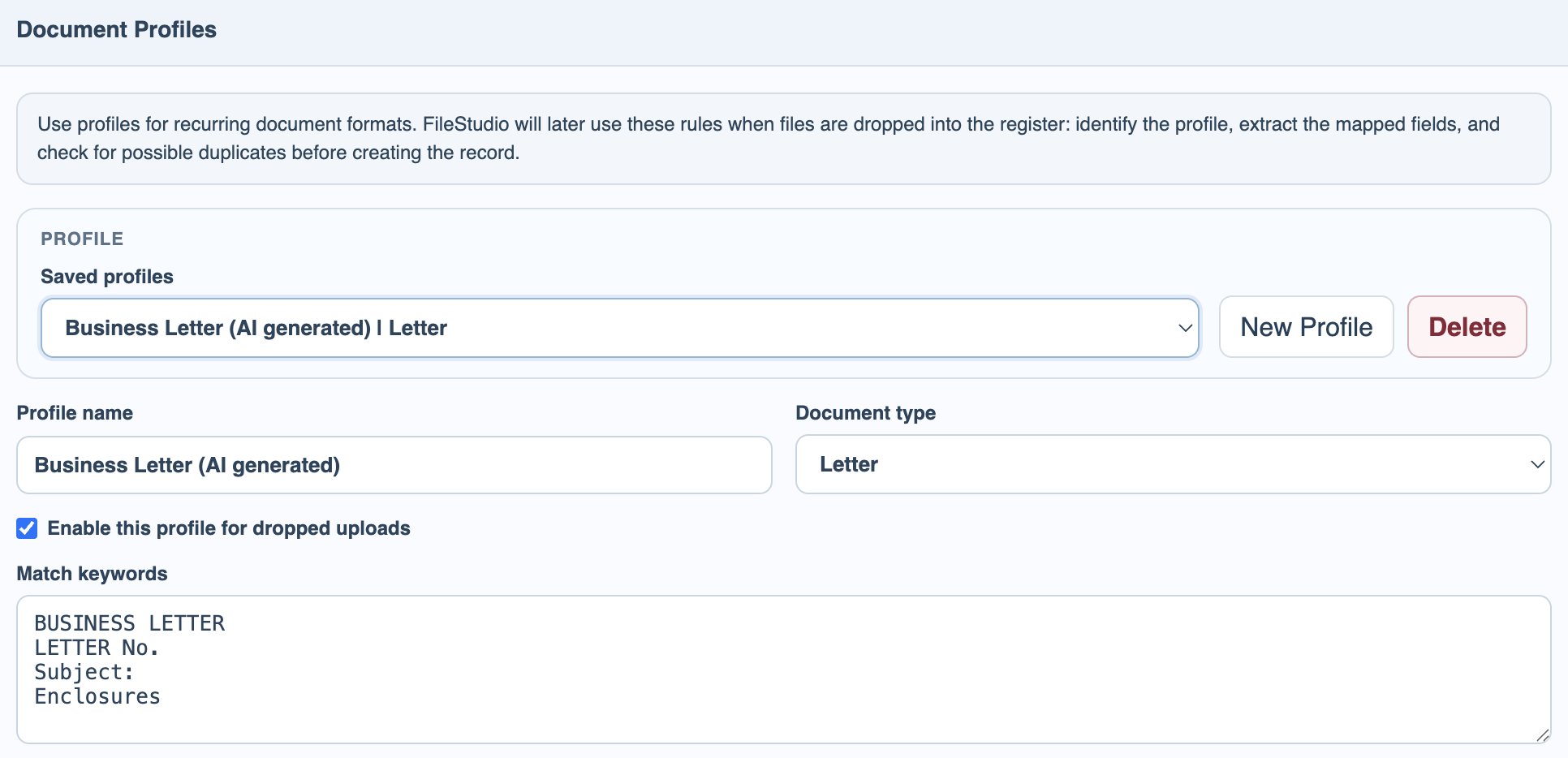
Set match keywords first. Add defaults for direction, status, parties, folders, tags, and flags if this document type usually uses the same metadata.
Drop a readable sample
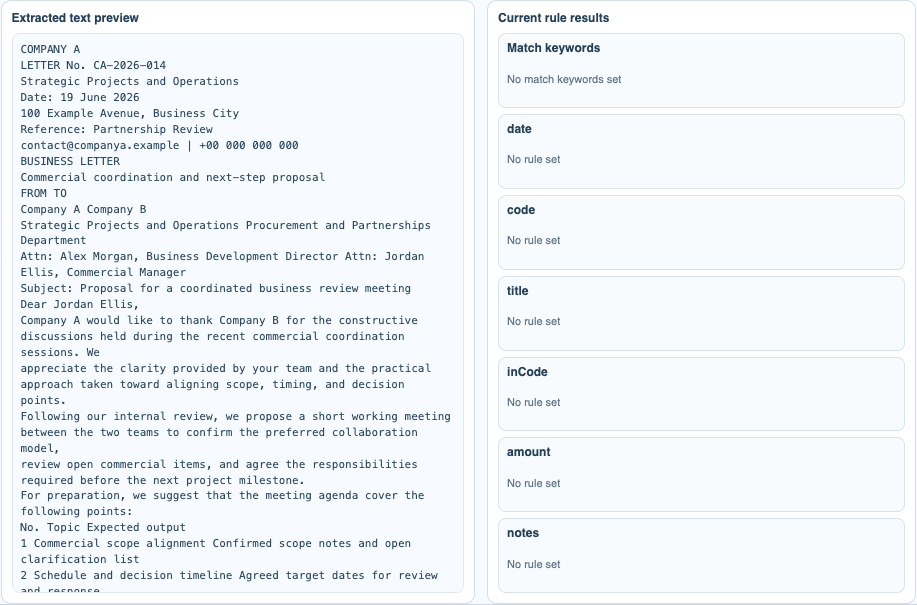
Use Test Rules with a text-readable PDF or text file. Scanned files should use AI Autofill + OCR instead of this test area.
Review generated profile suggestions
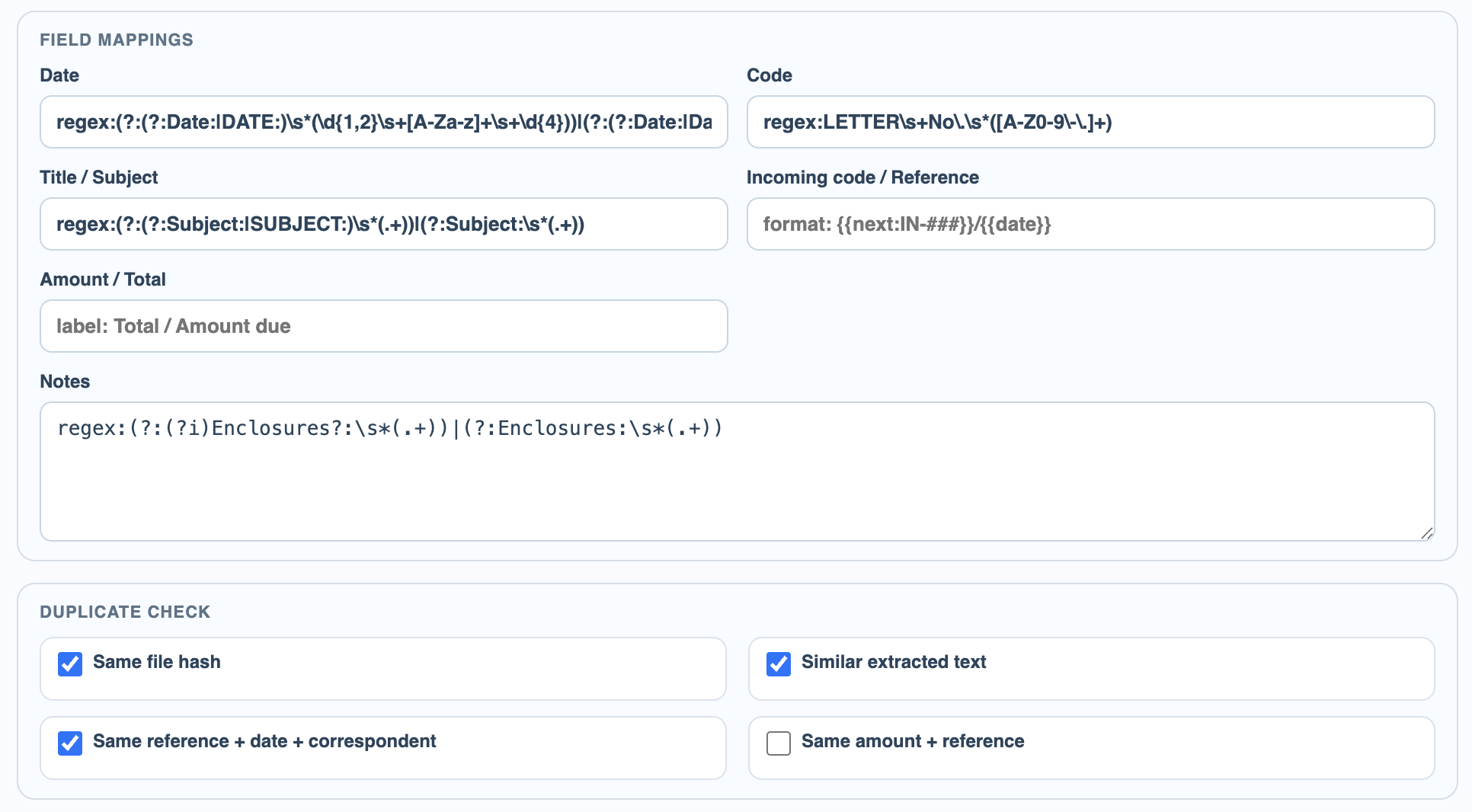
If AI profile updates are enabled, AI-generated profiles and regex suggestions appear as editable rules. Review them before relying on them.
Check field mappings and duplicate checks
Review date, code, title, notes, incoming reference, amount, and duplicate check options before saving the profile.
Enable JavaScript to use reading progress and usefulness ratings.