
TableStudio Column Types
Explains what the Type row controls and opens detailed help for each supported TableStudio column type.
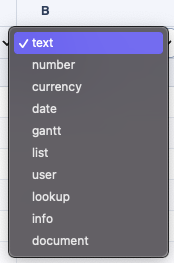
The Type row controls how each TableStudio column behaves. Right-click a type cell to open that column's settings directly, and use the Header row to control the visible title.
A column type can be scoped with Apply current column type to: All Rows, Normal Rows Only, or WBS Phase Rows Only. When a row falls outside that scope, the effective behavior for that row becomes text in that column.
Common types include:
textfor plain labels, codes, and general valuesnumberandcurrencyfor numeric workdatefor calendar valuescheckboxfor checklist tracking, row-status styling, and missing-document countslistfor controlled dropdown choiceslookupfor searching another table and writing related valuesuserfor assigning one or more accepted company/project users while showing initials in the cellinfofor longer notes behind a compact indicatordocumentfor FileStudio-linked records
Open a type article directly: Text, Number, Currency, Date, Checkbox, List, Lookup, User, Info, Document.
Column settings
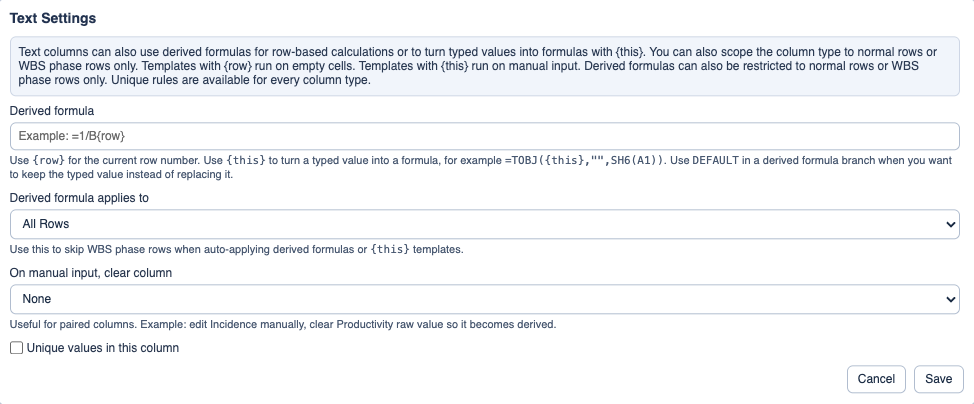
Column settings control type-specific behavior and derived formulas.
Enable JavaScript to use reading progress and usefulness ratings.