
Getting Started with Invoice Manager
Import, review, approve, validate, export, and store incoming or outgoing invoices with linked FileStudio storage and audit history.
Invoice Manager is the invoice workspace inside WorkSpace.
Built and checked first for Romania. Compatible UBL / EN16931 e-invoices from other countries may also import successfully.
It is especially tested for RO e-Factura ZIP or XML packages, companion PDFs, and local signature evidence.
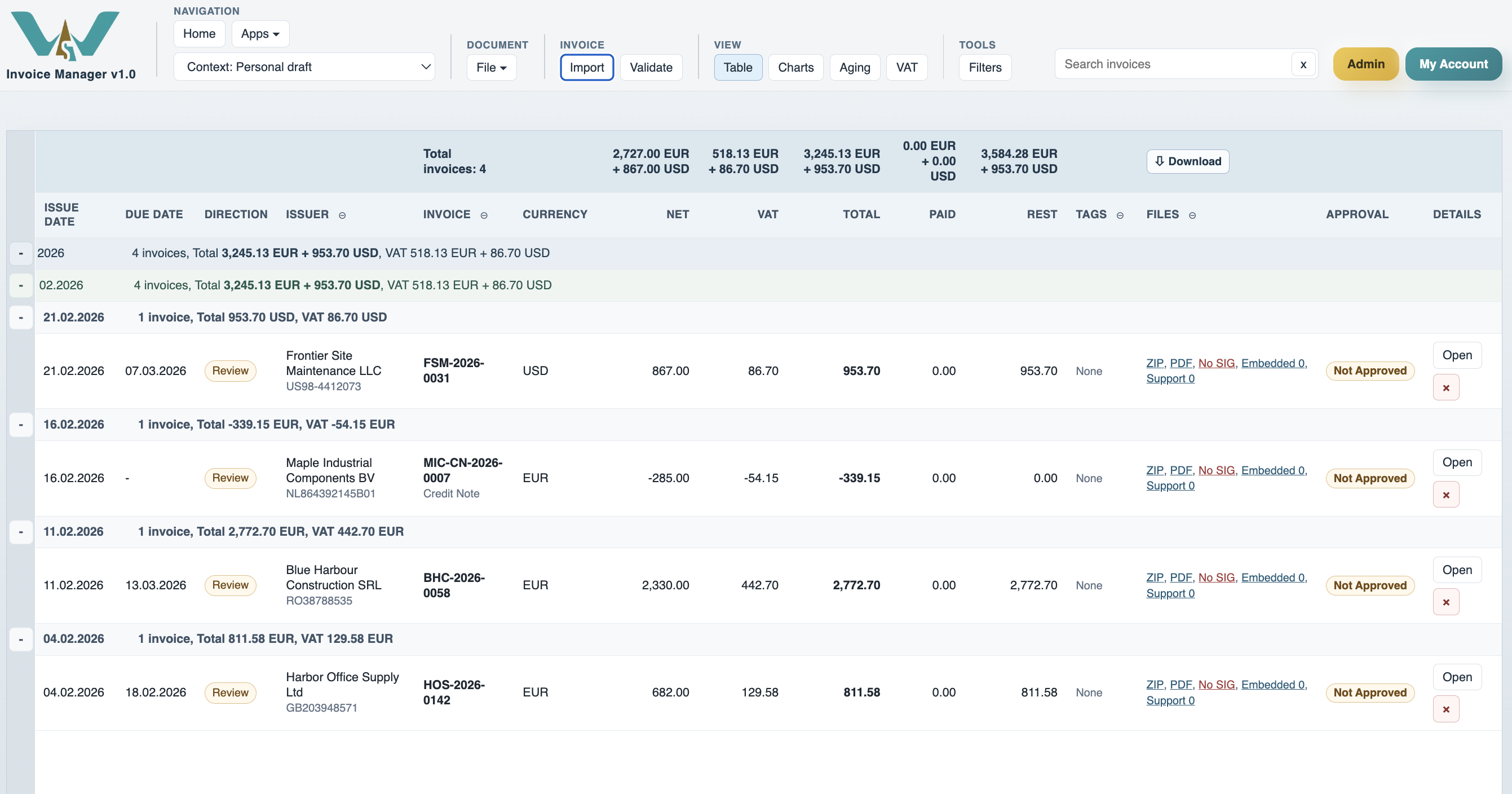
The app reads invoice files, extracts the main business fields automatically, and places them in one working register. Typical fields include issue date, due date, issuer, issued to, invoice number, currency, net, VAT, total, paid, rest, tags, trust state, files, and approval state.
Incoming invoices can run an approval workflow with Confirm Support Docs, Verify, and Approve roles. Outgoing invoices do not require approval. Trust and signature details are shown separately so users can distinguish workflow state from signature evidence.
Current monthly upload limits are resolved from the shared plan source: Personal (Free) 5 / month, Personal 10 / month, Team / Family 100 / month, Coordination Team 50 / month, and Company or Project contexts unlimited.
Invoice Manager also keeps invoice files linked to FileStudio storage. The current model uses an Invoice Manager catalog with one record per issuer. ZIP or XML source files, PDFs, and support documents are stored as annexes grouped under supplier, issue date, and invoice code.
Use Context carefully. Changing context switches the active invoice register, linked users, and FileStudio storage root for that space. The workflows shown here work the same in Personal, Company, or Project context once the correct context is selected.
Related: Invoice Manager: Import, Register, and Filters, Invoice Manager: Details, Payments, and Support Documents, Invoice Manager: Approval and Trust, Invoice Manager: Storage and Exports, WorkStudio Context, FileStudio, TableStudio.
Register view with live invoice data
The main register brings extracted invoice fields, trust, approval, files, and totals into one table.
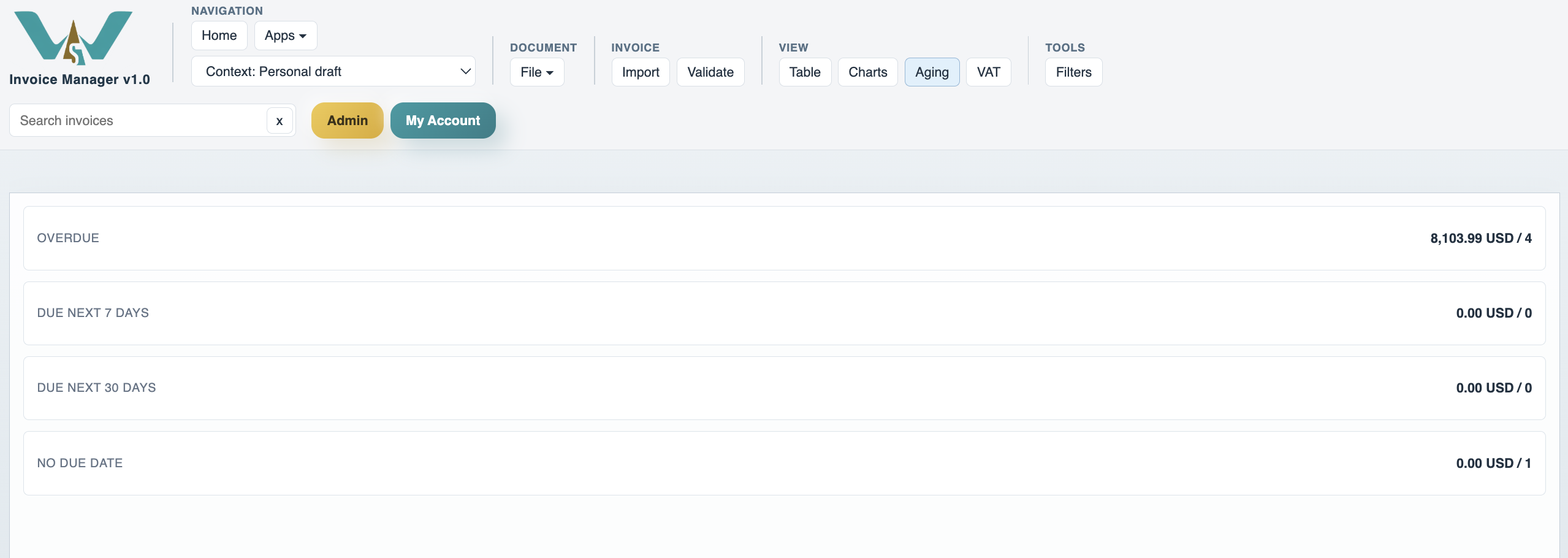
Aging keeps exposure visible
Aging buckets let users move from the main register to overdue or near-term due invoices without rebuilding the dataset.
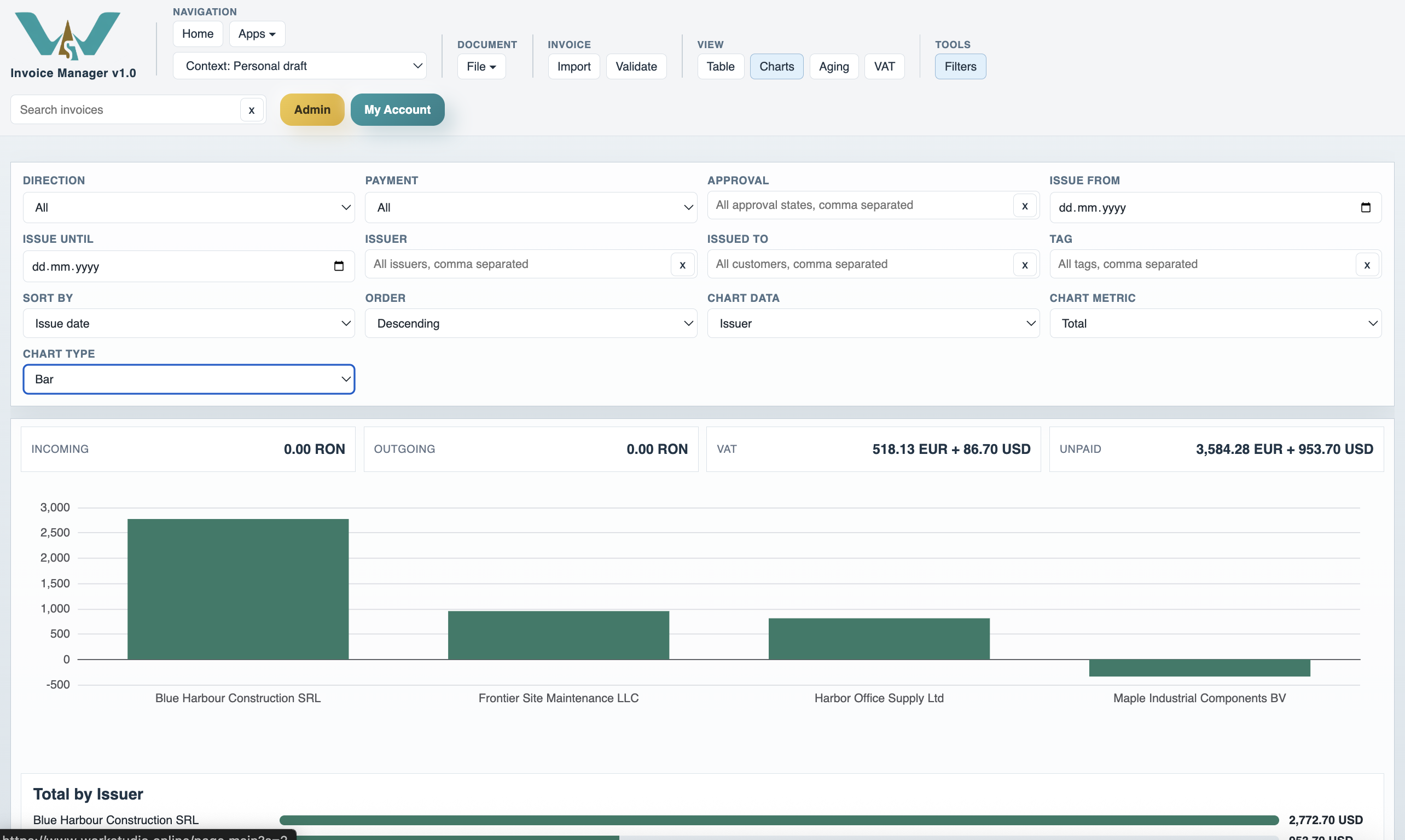
Charts reuse the current filtered set
Charts turn the active invoice view into visual summaries without leaving Invoice Manager.
FileStudio holds the linked storage catalog
Invoice Manager files stay visible in the register and are also stored in a dedicated FileStudio catalog.

Enable JavaScript to use reading progress and usefulness ratings.