
Invoice Details, Payments and Supporting Documents
Explains what can be edited in invoice details, how split payments work, how support documents are attached and stored, and what each details section shows.
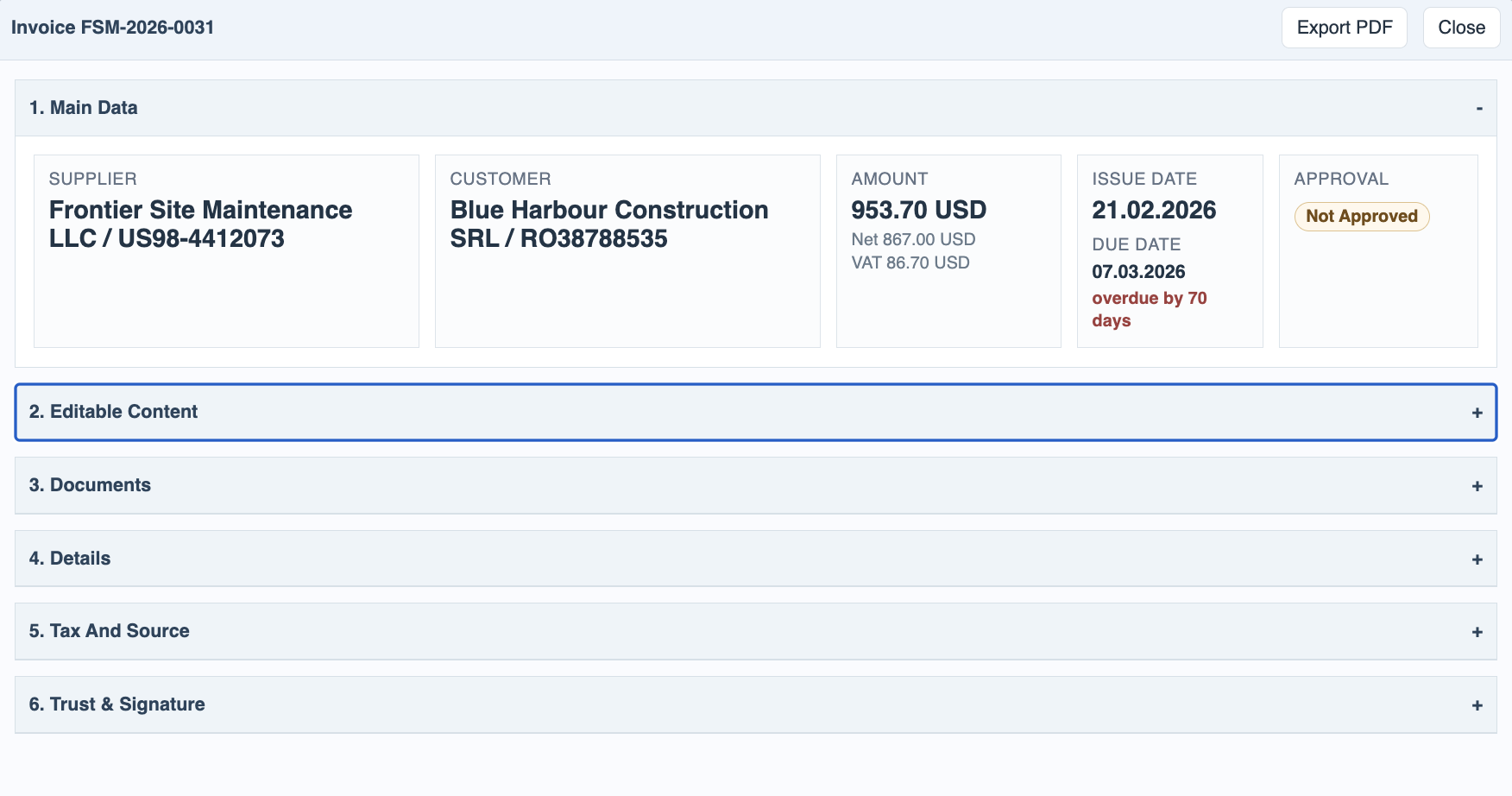
Open invoice details when you need the full view of one invoice. The first section keeps the source business facts visible: supplier, customer, issue date, due date, amount, approval state, and trust state. These values come from the invoice package and are kept separate from the business edits below.
Editable Content is the working area for values that belong to the current context, not to the original XML. The editable fields are described row by row in the reference card below.
Direction can be set to In, Out, or Review when Company IDs could not decide the direction automatically, or when the user needs to override it.
Payment Status can be Unpaid, Partial, or Paid. It summarizes the payment state shown in the register.
Payment rows store one or more paid amounts with their payment dates. Use extra rows when an invoice is paid in several tranches on different days.
Tags are context labels used for filtering, reporting, and review workflows. They can be typed as comma-separated values or selected from the defined tag chips.
Custom Fields are context-defined columns such as text fields or checkboxes. They appear in details so the invoice can carry company-specific metadata without changing the source invoice data.
The app records edits as audit events. For example, changes to direction, payment status, paid amounts, payment dates, tags, or custom fields are written into the invoice trail so later reviewers can see what changed and who changed it.
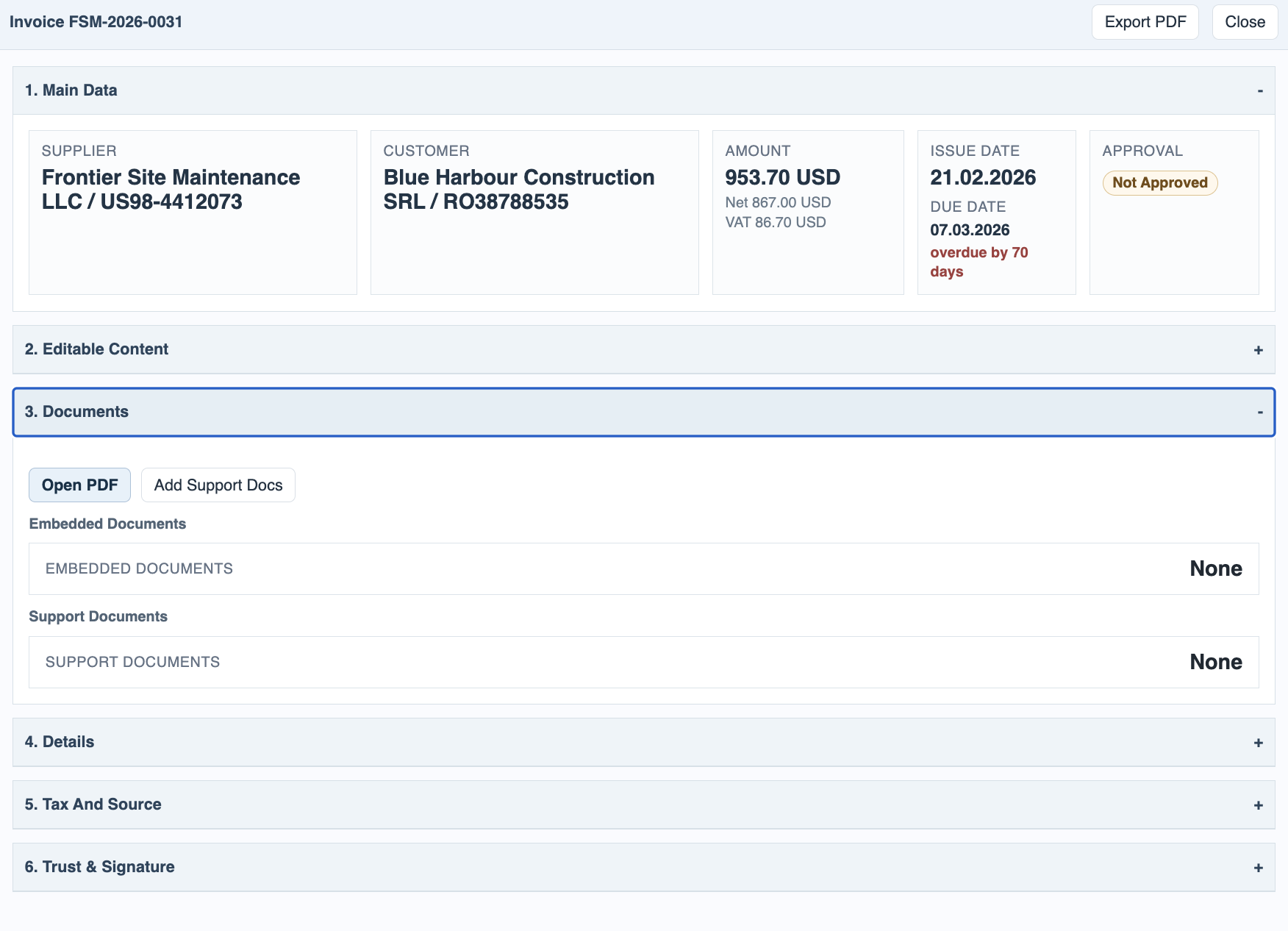
The Documents section is where users review the source invoice PDF or generated PDF, embedded documents, and support documents. Support documents can be any file that belongs with the invoice, such as delivery notes, contracts, purchase orders, acceptance reports, payment confirmations, correspondence, pictures, or other evidence. Uploaded support documents are stored with that invoice in Invoice Manager and also in FileStudio, under the same invoice package, so the register and file catalog stay aligned. Support documents can be viewed when the file type supports preview, downloaded, or deleted.
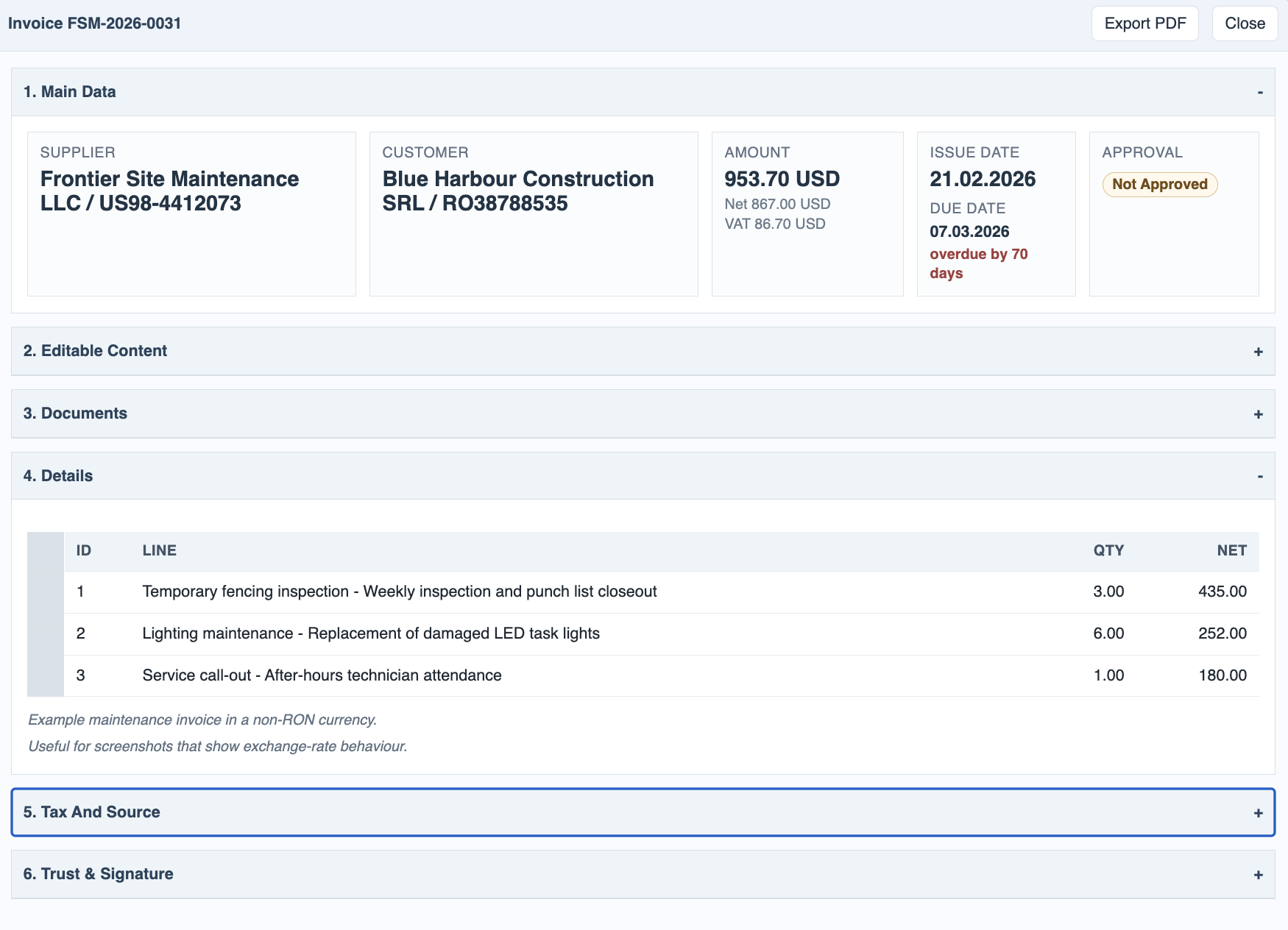
The Details section shows extracted invoice lines and any notes kept below the main working fields. It is useful for checking what was bought or billed without opening the PDF.
Tax And Source shows tax category, VAT values, tax currency VAT when available, the source ZIP/XML/PDF names, embedded document count, XML hash, and validation status. This section is mostly for audit and troubleshooting.
Trust & Signature shows file evidence and local signature information separately from internal approval. It can include package type, signer or seal metadata, digest comparison, signature verification result, certificate date checks, algorithms, and evidence counts. For Romanian eFactura, ANAF signing evidence is shown here while company approval remains a separate workflow.
If one row is selected, double-clicking it is the fast path to open the invoice PDF in the modal viewer. The same invoice details window is the best place to edit invoice-specific metadata because the user can see the business data, documents, source evidence, trust information, and trail in one place.
Related: Invoice Manager: Approval and Trust, Invoice Manager: Storage and Exports.
Main data stays at the top
Supplier, customer, issue and due dates, amount, and approval state remain easy to review.
Editable content stays separate
Direction, payment status, split payments, tags, and custom fields are edited without rewriting the source extraction.
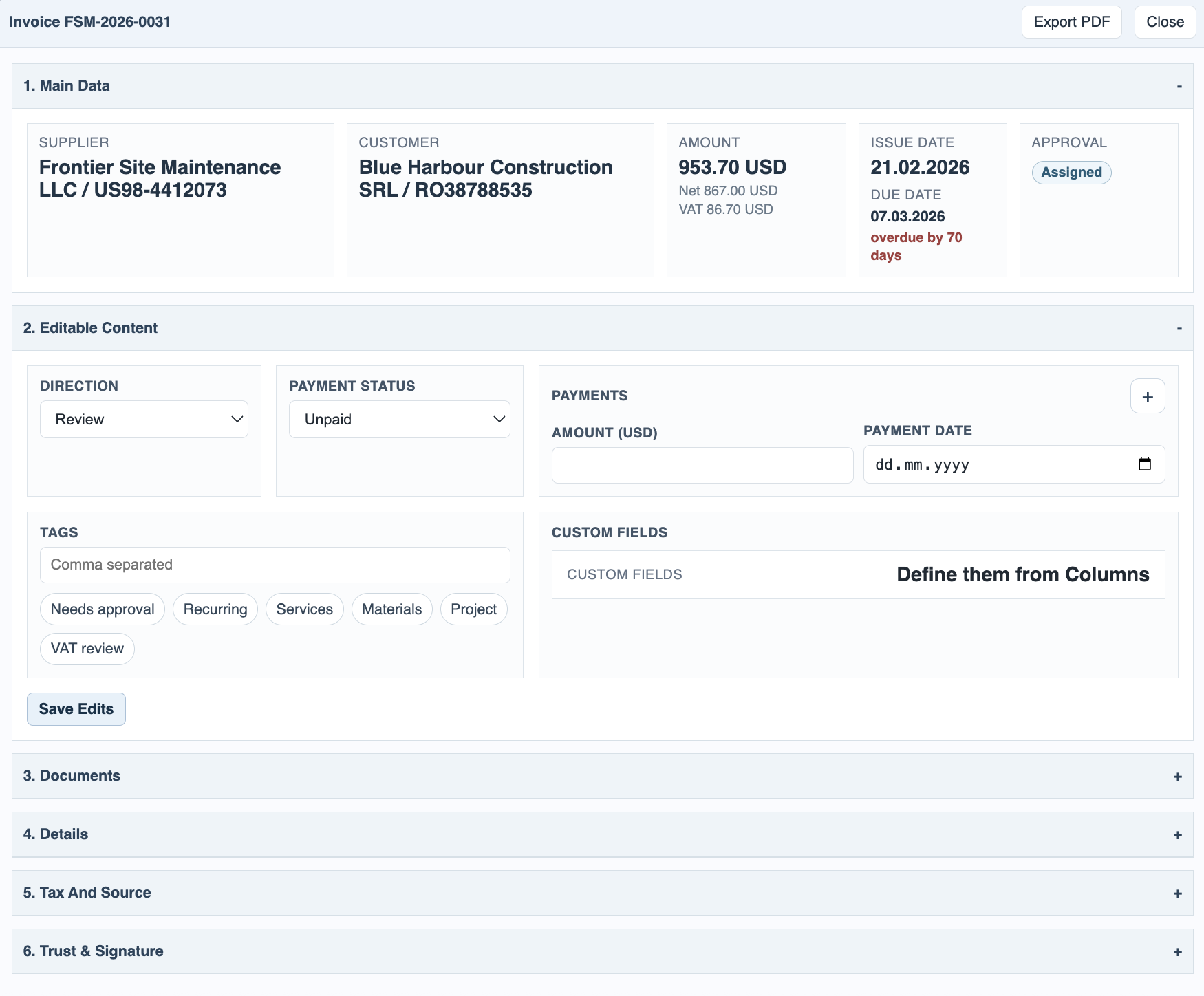
Editable content reference
Each row maps to a field or group in the Editable Content section.
Documents keep source and support files together
PDF, embedded files, and any support documents uploaded for the invoice are all available in the Documents section and stored with the invoice in FileStudio.
Extra details stay below the working sections
Low-level technical and extracted details are visible, but they do not crowd the first working sections.
Enable JavaScript to use reading progress and usefulness ratings.