
Invoice Manager: Storage and Exports
Explains File Settings, Excel and TableStudio export, PDF bundle export, and the linked FileStudio storage model.
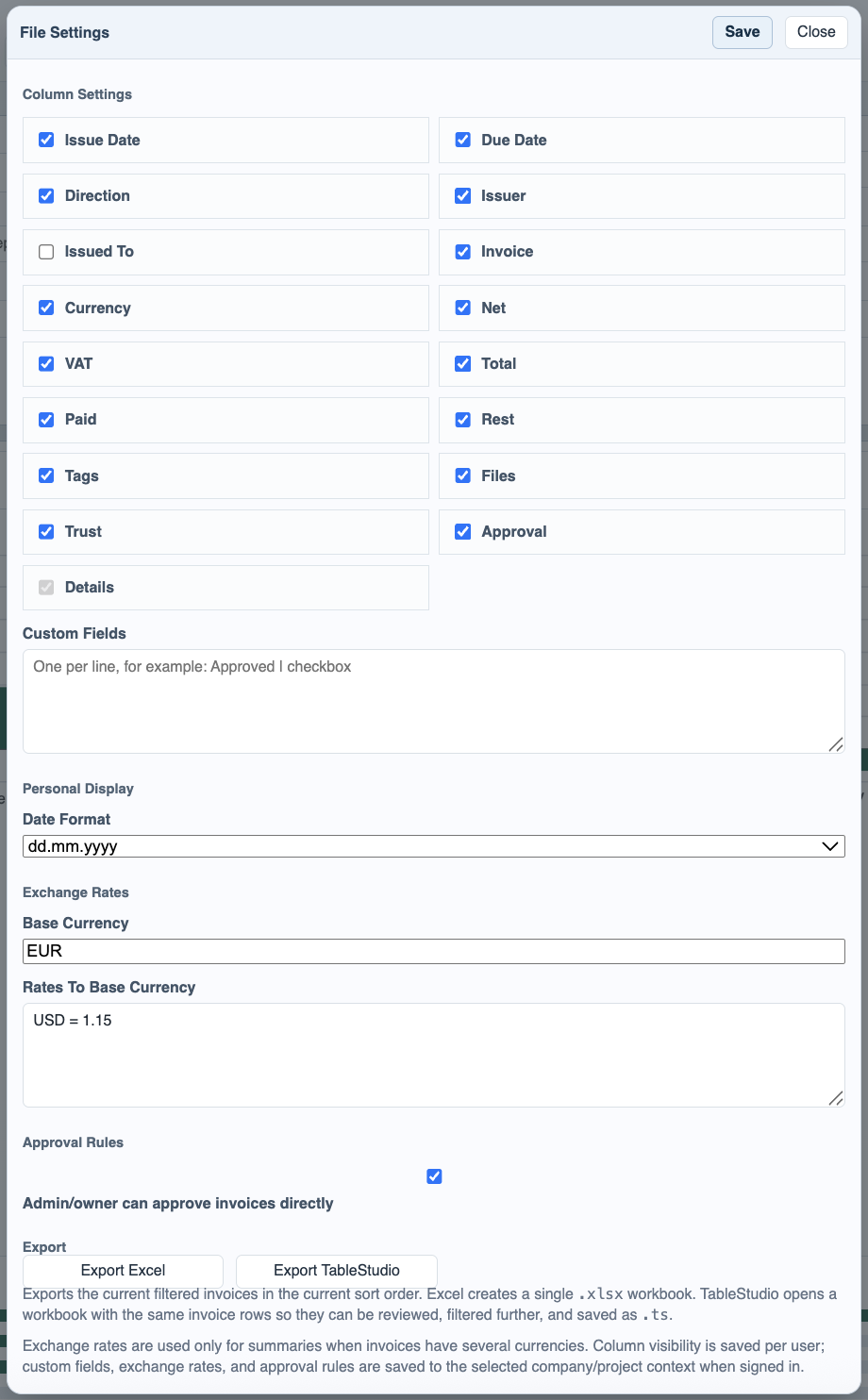
Invoice Manager keeps working settings and stored files in different places on purpose. User display settings such as visible columns, separators, and date format are personal. Context settings such as company IDs, exchange rates, custom fields, and approval rules are tied to the active Company or Project context.
Exports start from File Settings. Export Excel creates a workbook from the currently filtered invoice list. Export TableStudio opens the same filtered rows in TableStudio so they can be reviewed, filtered further, or saved as .ts.
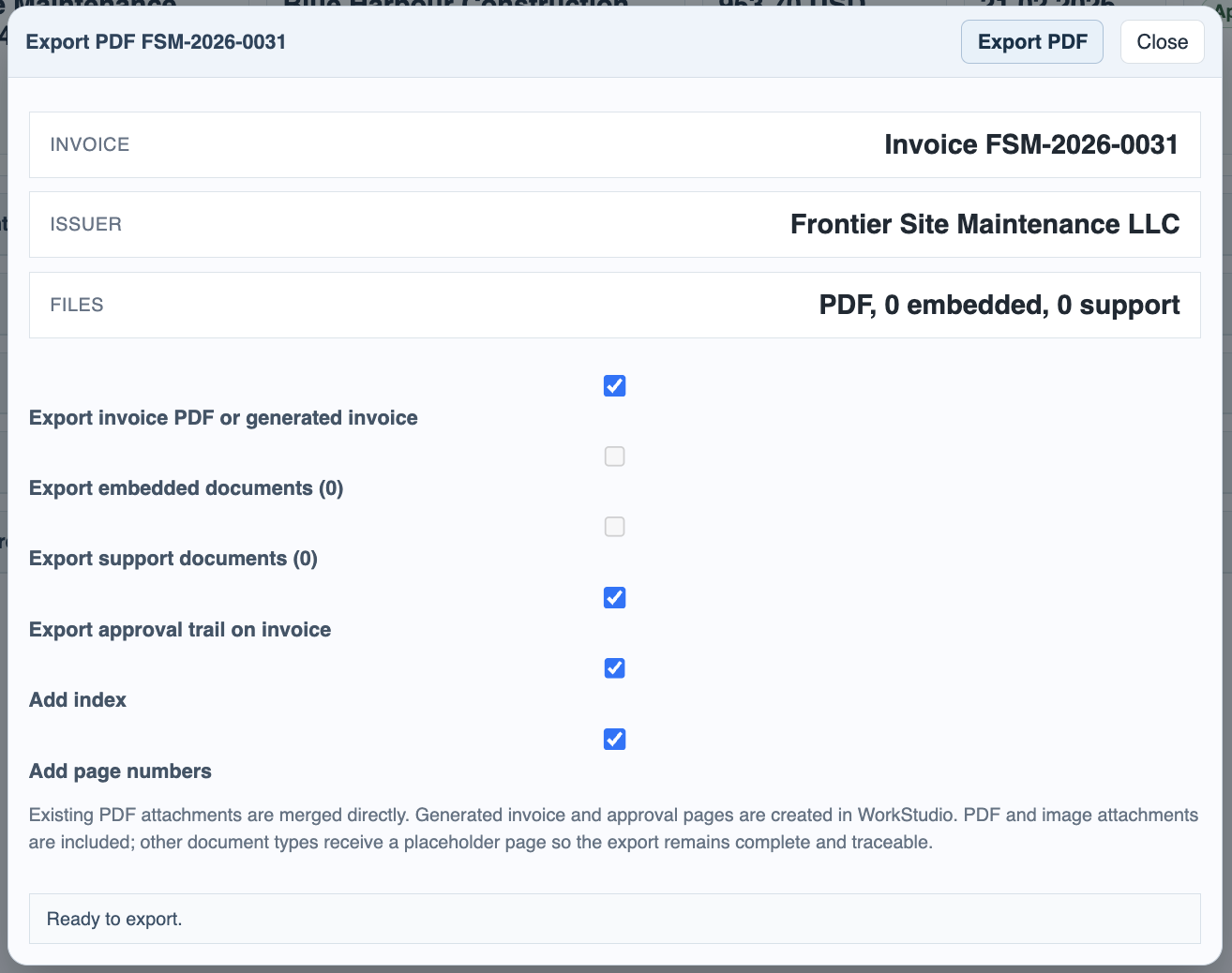
Export PDF from invoice details can build one combined PDF package. It can include the invoice PDF or generated invoice, embedded documents, support documents, the approval trail, page numbers, and an index. The export now uses wrapped layout rules to avoid header overlap on approval-event pages.
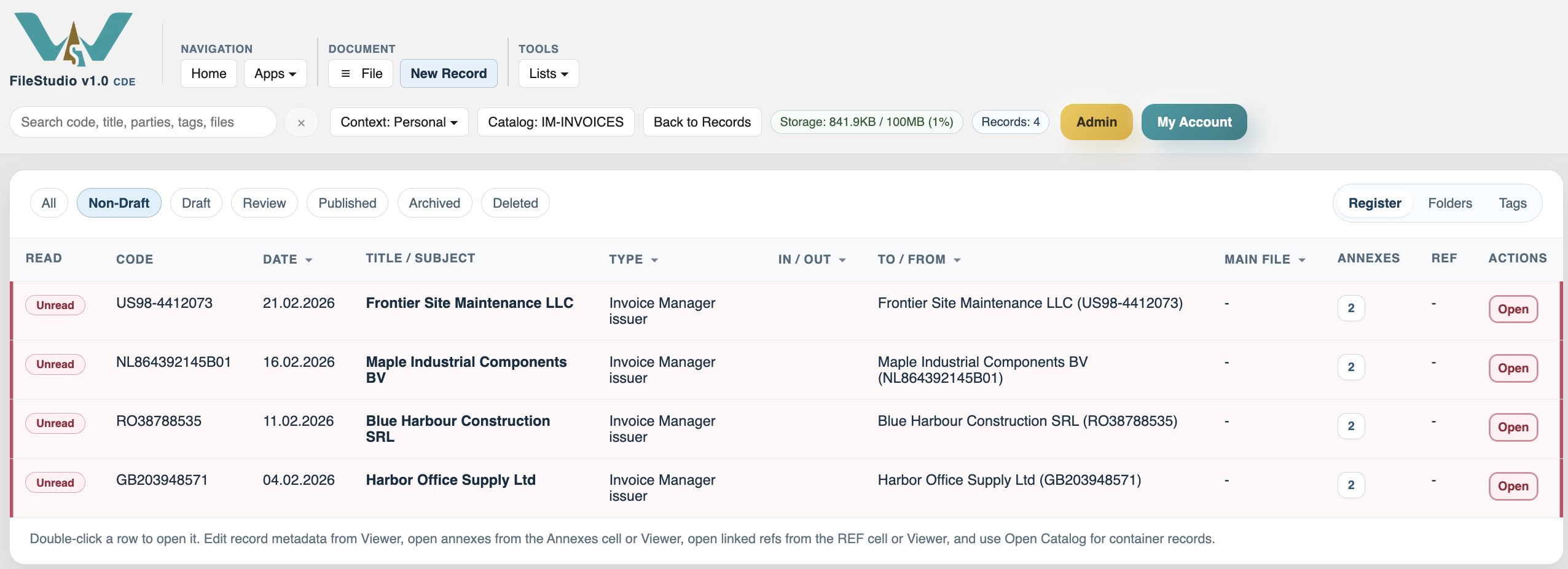
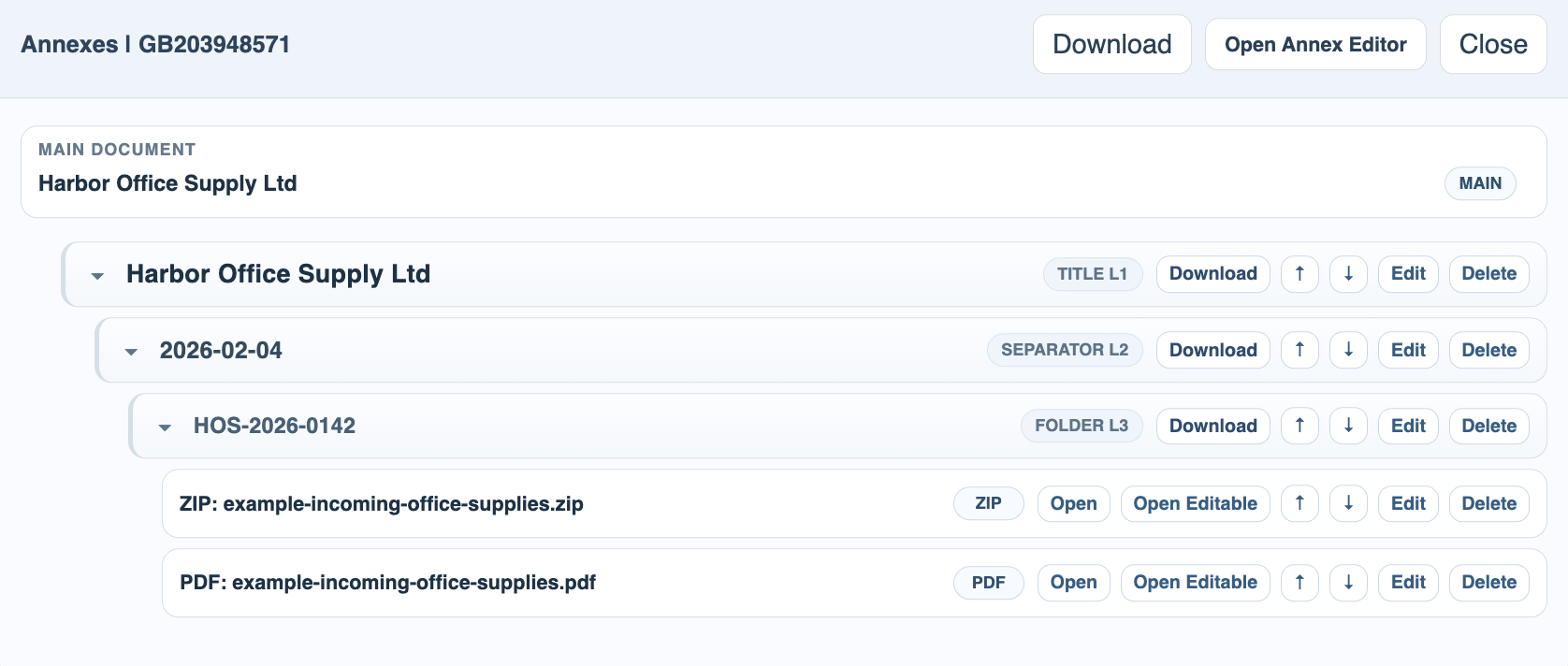
FileStudio storage mirrors the invoice register. The Invoice Manager catalog holds one record per issuer. Inside the record, title levels group the invoice package by supplier, issue date, and invoice code. ZIP or XML source files, companion PDFs, signatures, embedded documents, and support documents remain available from that structure.
This model matters for deletion too. Removing an invoice from Invoice Manager can remove its linked FileStudio package, and removing linked file storage can remove the invoice from the register. The goal is to keep the business register and the stored file package aligned.
Related: Invoice Manager, FileStudio, Registering a Record in FileStudio, Main Files, Final Files, and Annexes, TableStudio.
File Settings controls export and display
Column visibility, date format, exchange rates, and export actions are all grouped in one window.
PDF export can bundle several sources
Users choose whether to include invoice PDF, embedded files, support docs, page numbers, and the approval trail.
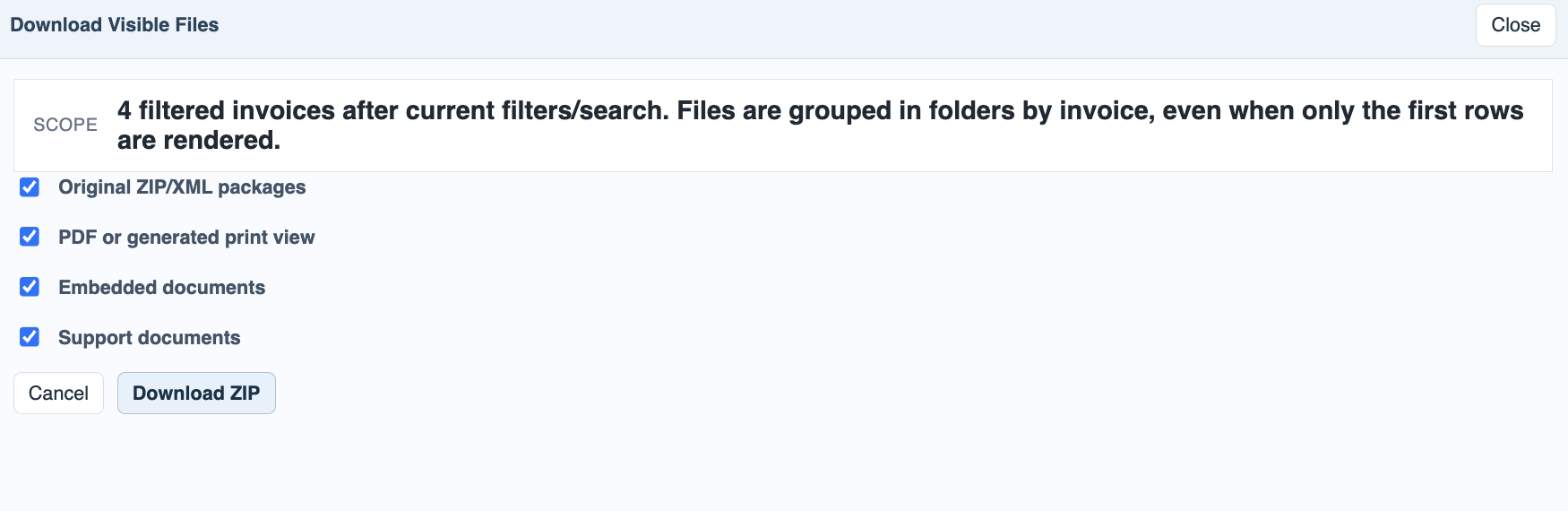
Visible files can also be downloaded in groups
The register can gather the visible invoice files into a grouped download path.
TableStudio receives the filtered invoice list
Export to TableStudio keeps invoice rows structured so users can continue analysis there.

Issuer records appear inside the FileStudio catalog
Each issuer record becomes the anchor point for its invoice annex packages.
Annexes keep one invoice package grouped together
Inside the record, supplier, issue date, and invoice code levels group the ZIP, PDF, signatures, and support files.
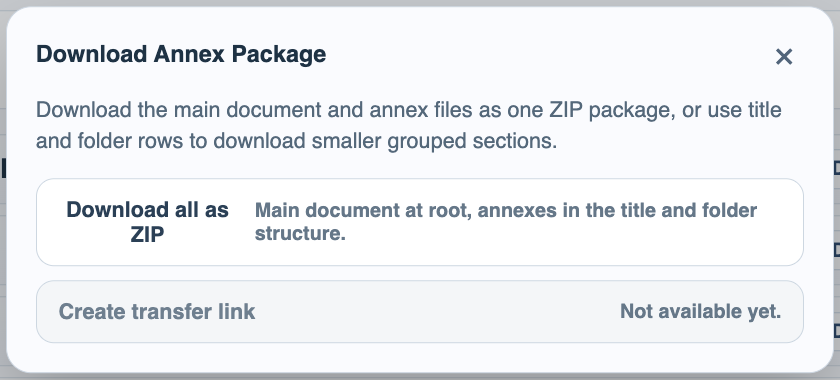
FileStudio can download the grouped package
Users can download one invoice package from annex storage instead of opening each file one by one.
Enable JavaScript to use reading progress and usefulness ratings.