
Invoice Manager: Approval and Trust
Explains incoming-invoice approval roles, the approval trail, and the separate trust and signature checks.
Approval and trust are related, but they are not the same thing. Approval answers whether the invoice has passed the internal workflow. Trust answers whether the file package carries usable signature evidence.
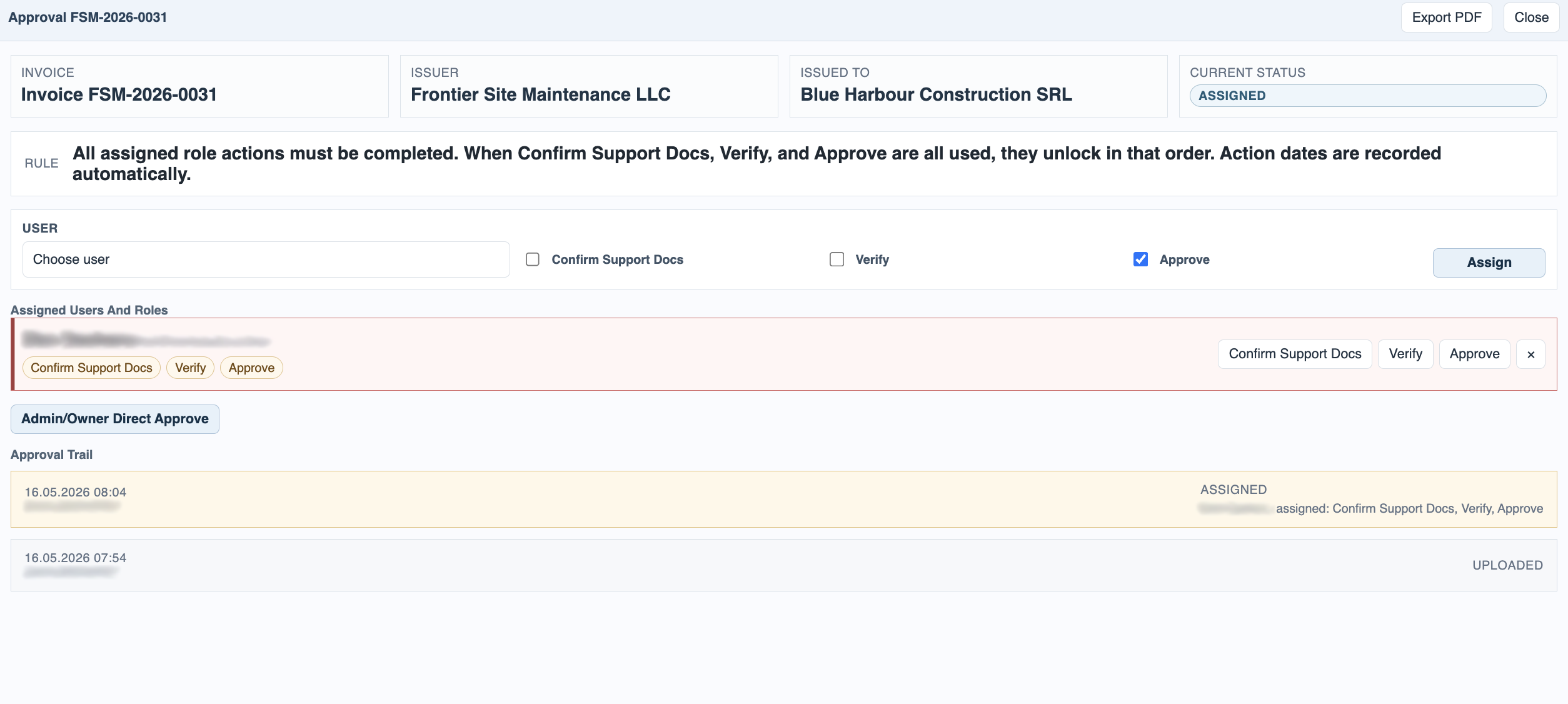
Approval is relevant only for incoming invoices. Outgoing invoices do not require approval in the current model. Incoming invoices can assign one or more users to Confirm Support Docs, Verify, and Approve. Several roles can sit on the same user, and admin or owner users can optionally use direct approve when the context allows it.
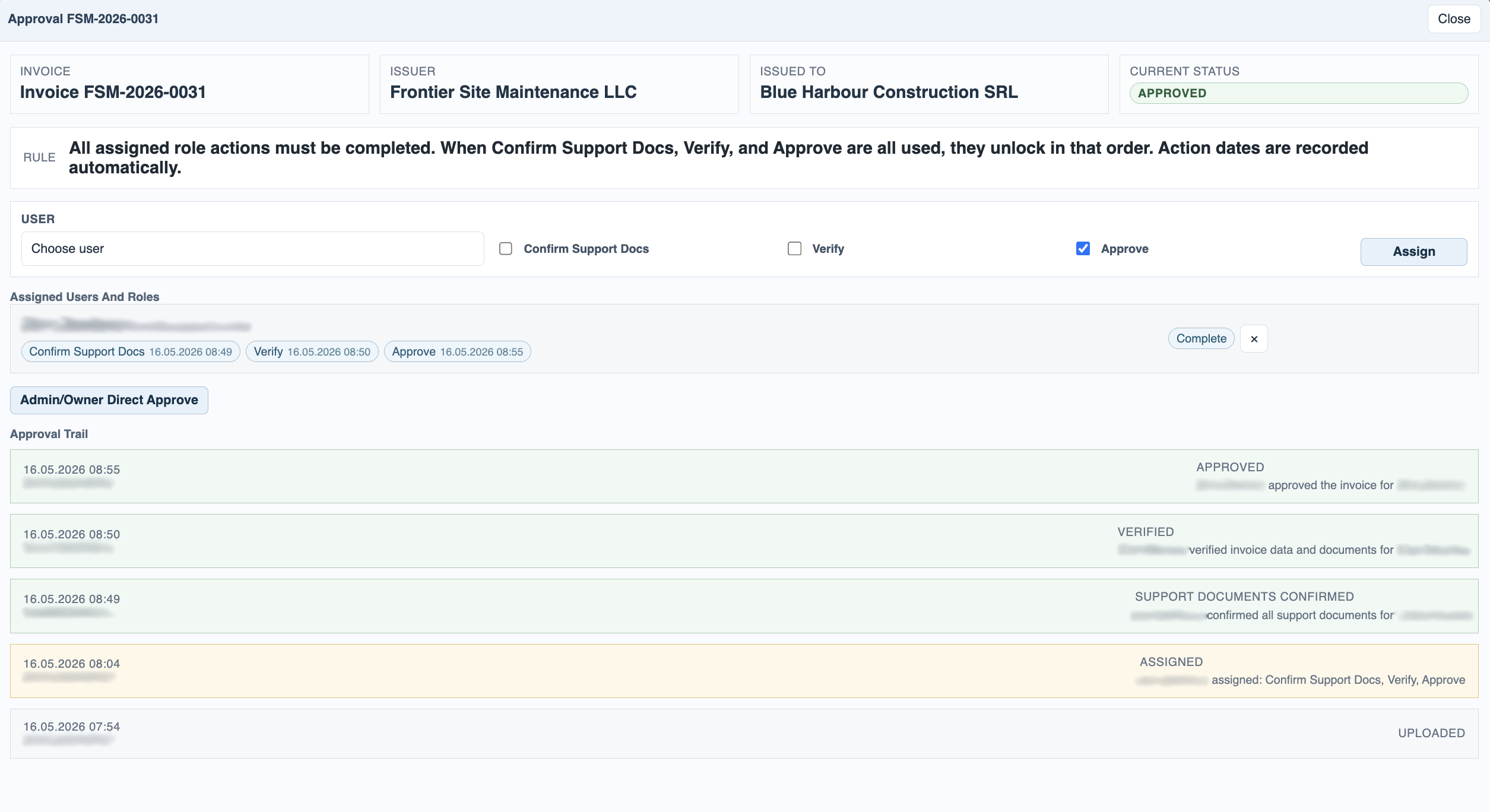
Every assignment and completed action is written to the approval trail with date, time, and user. Later business edits such as tag changes or payment updates can also appear there, which turns the trail into the working audit history for the invoice.
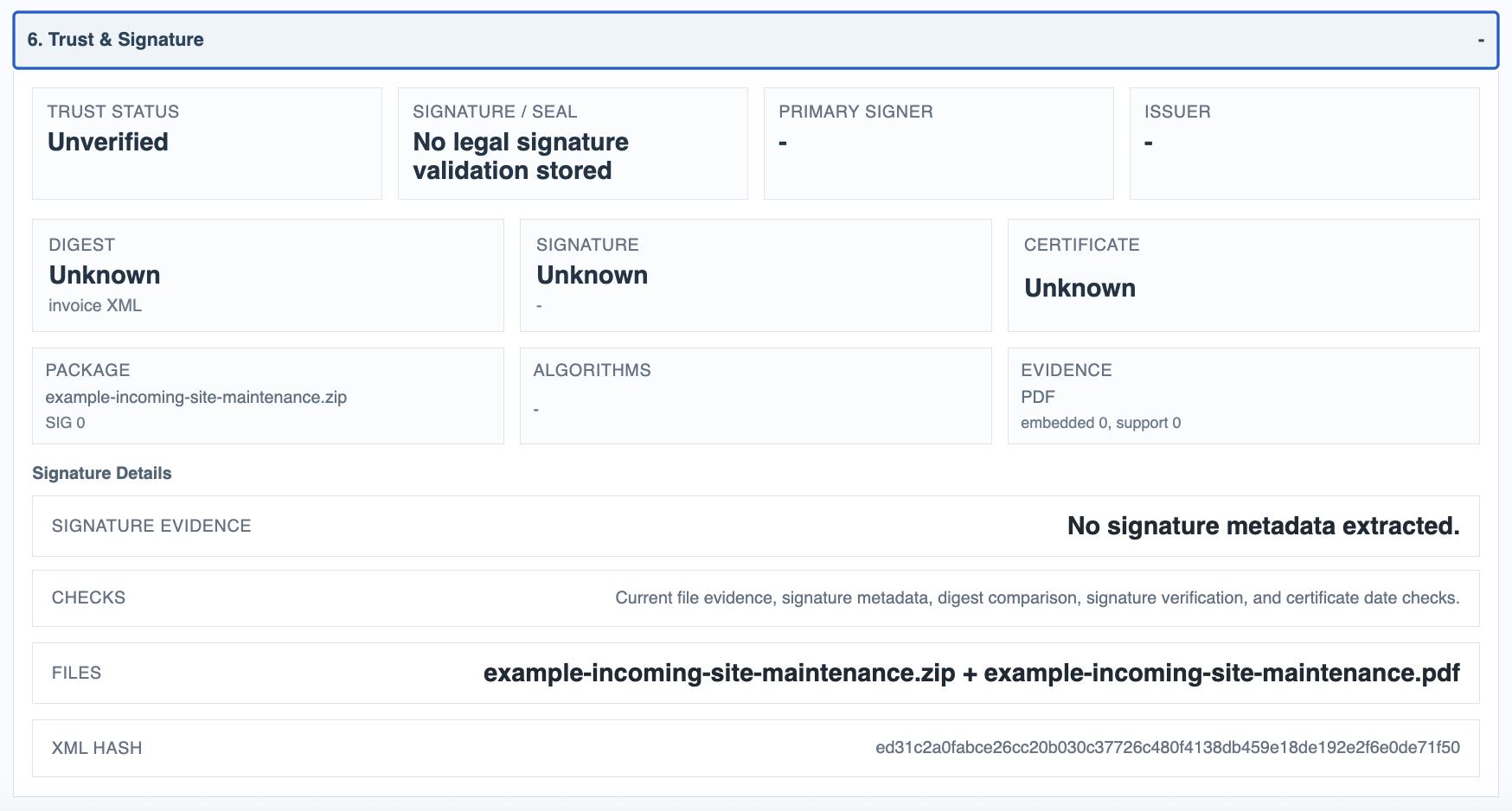
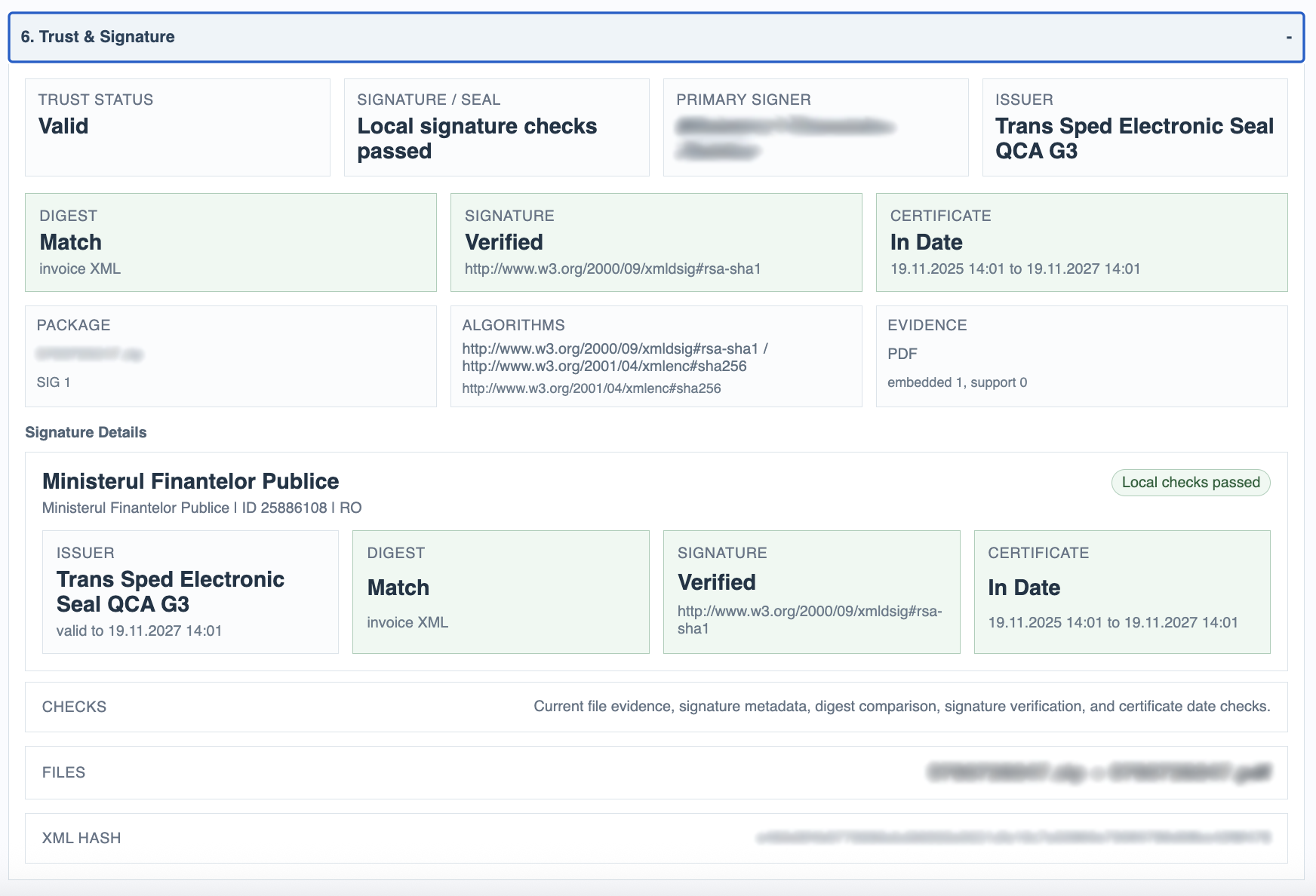
The Trust & Signature section is separate. It shows the detected package type, signer or seal details when available, digest comparison, signature verification result, and certificate date checks. This is currently local evidence and metadata checking. It is useful, but it is not the same as a full external legal-grade trust validation service.
For Romanian eFactura packages, this split is especially helpful: the invoice can be internally approved by the company workflow while signature evidence is still shown as a separate technical check.
Related: Invoice Manager: Details, Payments, and Support Documents, Invoice Manager: Storage and Exports.
Approval assignments are visible in one place
The approval window shows the people, roles, and completion state attached to the invoice.
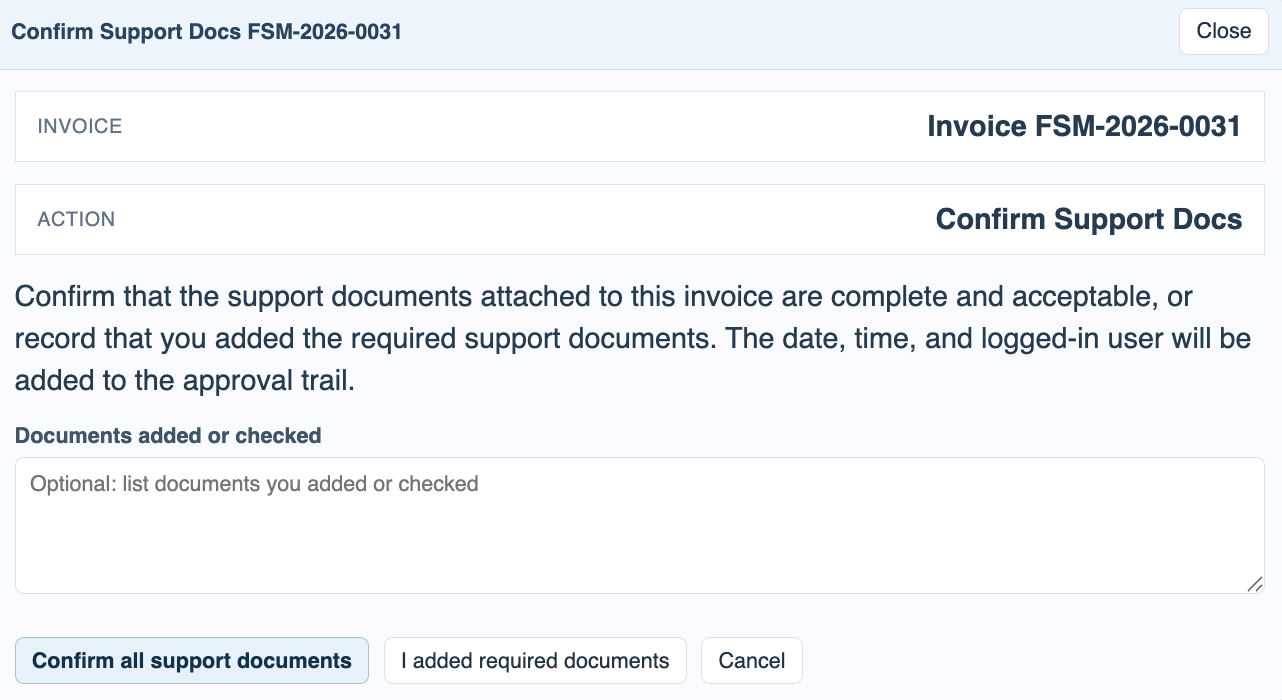
Support document confirmation is explicit
Users can confirm that the attached support documents are complete, or record which files they added.
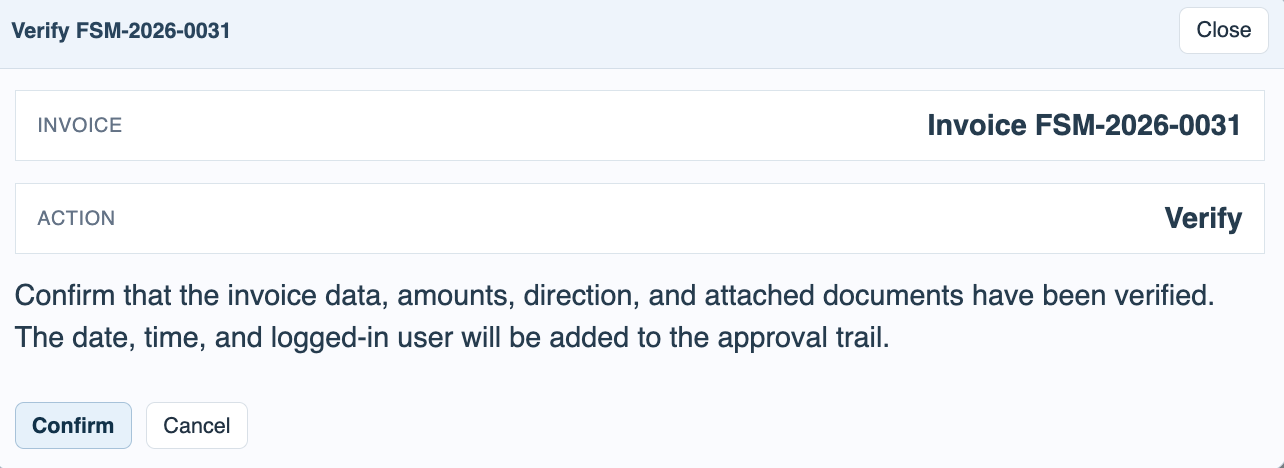
Verification is a separate action
Verification confirms invoice data, amounts, direction, and attached documents before final approval.
Approval trail becomes the audit history
Upload, assignment, support confirmation, verification, approval, and later edits all appear in the trail.
Trust on unsigned or generic imports is still visible
Even when no valid signature package is detected, the trust section shows what evidence is present.
Romanian signed packages show richer evidence
Signer, issuer, digest, and certificate dates are kept in their own technical section.
Enable JavaScript to use reading progress and usefulness ratings.