
Build a Complete Priced Company Project
Build a Complete Priced Company Project with a fictional company example.
Follow a project from resource observations to the final BOQ and resource split. The longer film starts with the reviewed resource and recipe library, then creates the Project, WBS and all three BOQ items through the real app. The focused resource and Breakdown films show how to build those library records. The starter collection provides fictional companies, a location and Document Types. The completed collection provides the checked result and an indexed document package.
The dependency chain is Price History -> Resource -> Breakdown -> BOQ -> WBS / Project. The Project pricing criteria choose observations; assigned percentages add indirect cost and profit. Supporting PDF offers explain where the example prices came from.
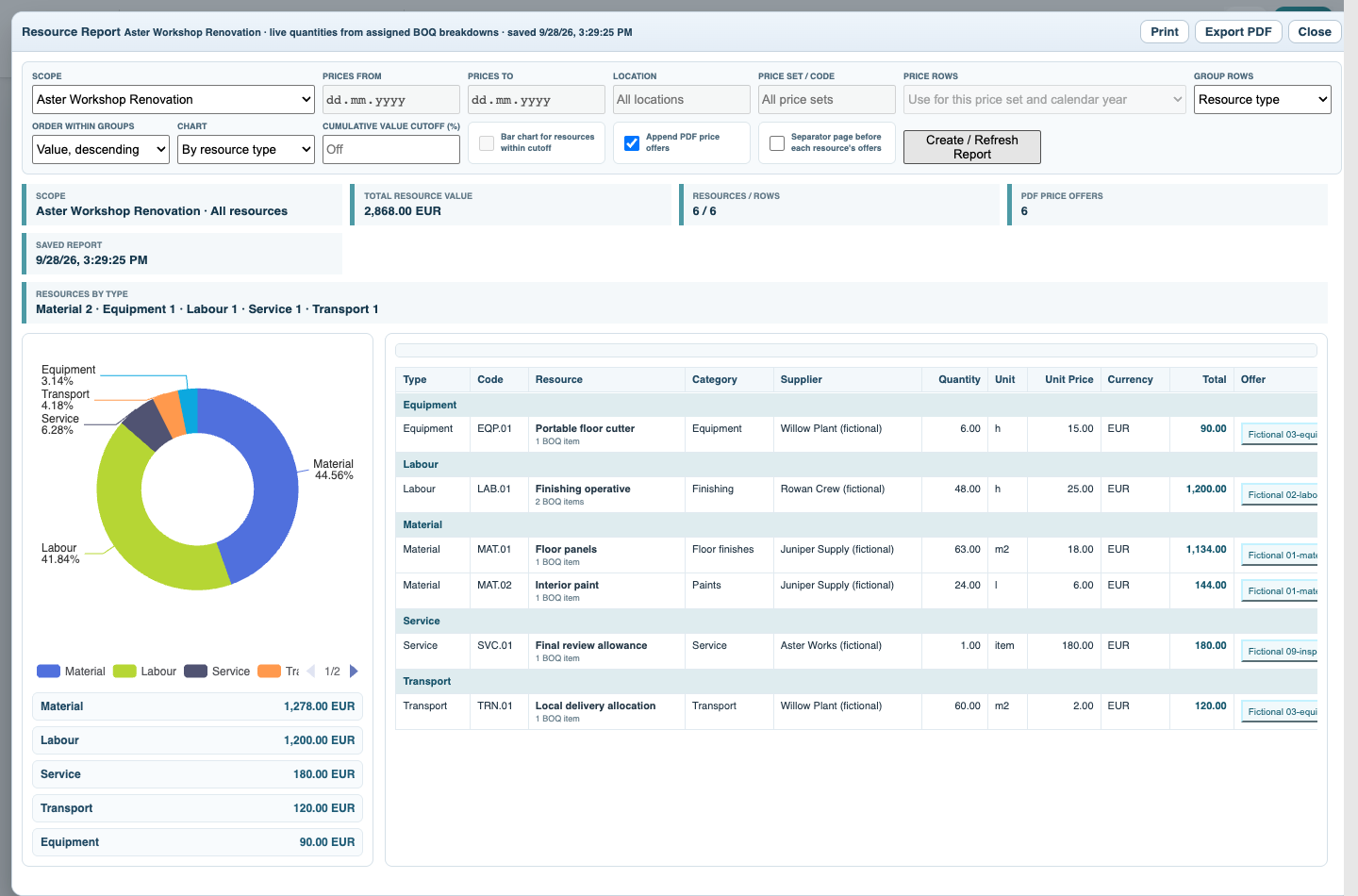
Direct cost is 2,868 EUR: Material 1,278; Labour 1,200; Equipment 90; Transport 120; Service 180. The unused Tax / Fixed Sum example is not included. With 8% indirect cost followed by 10% profit, the final price is 3,407.18 EUR.
Resource Report shows direct consumption from linked recipes: this example reports 2,868 EUR before the Project indirect cost and profit. Compare it with the direct BOQ amount, not the 3,407.18 EUR final selling total. Value Only items and missing recipes prevent a complete resource reconciliation. The downloadable reports are actual Catalog exports of the fictional completed example.
All companies, prices, quantities, dates and documents are fictional examples. They demonstrate the software, not real offers, project evidence or commercial advice.
Build a Complete Priced Company Project
Follow the on-screen click instructions and highlighted controls. Field entry moves more quickly; pause or use chapters whenever needed. All companies, prices, quantities, dates and documents are fictional examples. They demonstrate the software, not real offers, project evidence or commercial advice.
Open the starter
Download aster-starter.ca, open it with File > Open, and save a working copy. Review the fictional companies and Workshop site.
Create resource observations
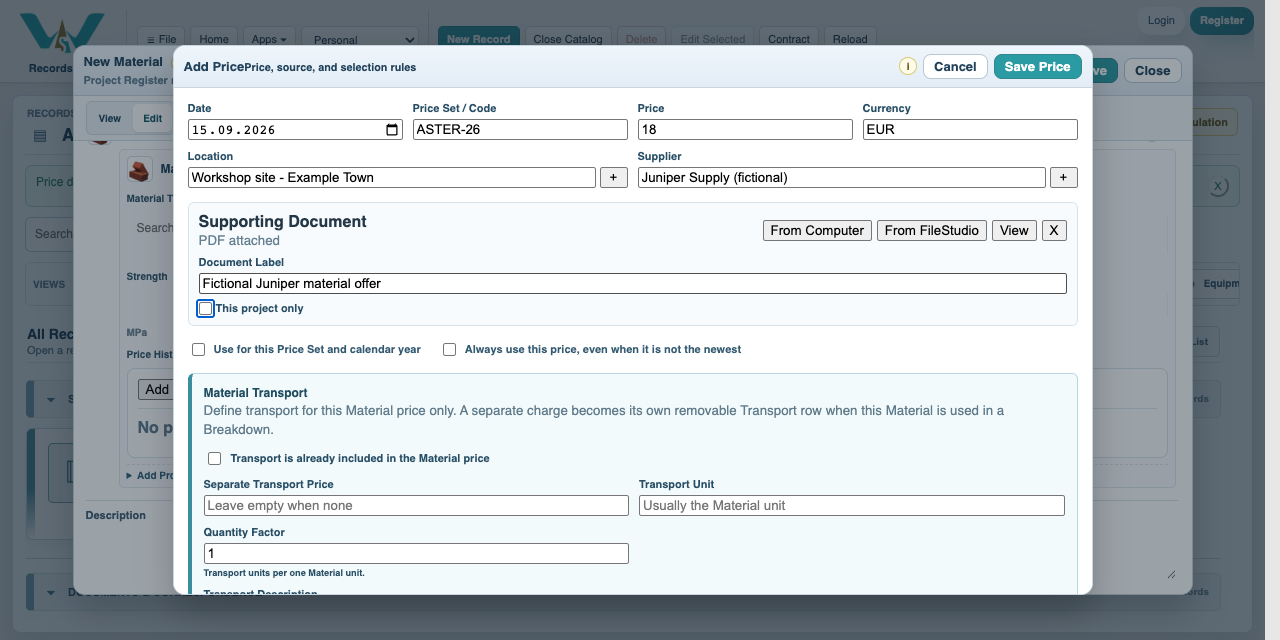
Create the six used resources and attach the material, labour and plant/delivery offers. Use September 2026, ASTER-26, EUR and Workshop site. See Create Resources.
Build the three recipes
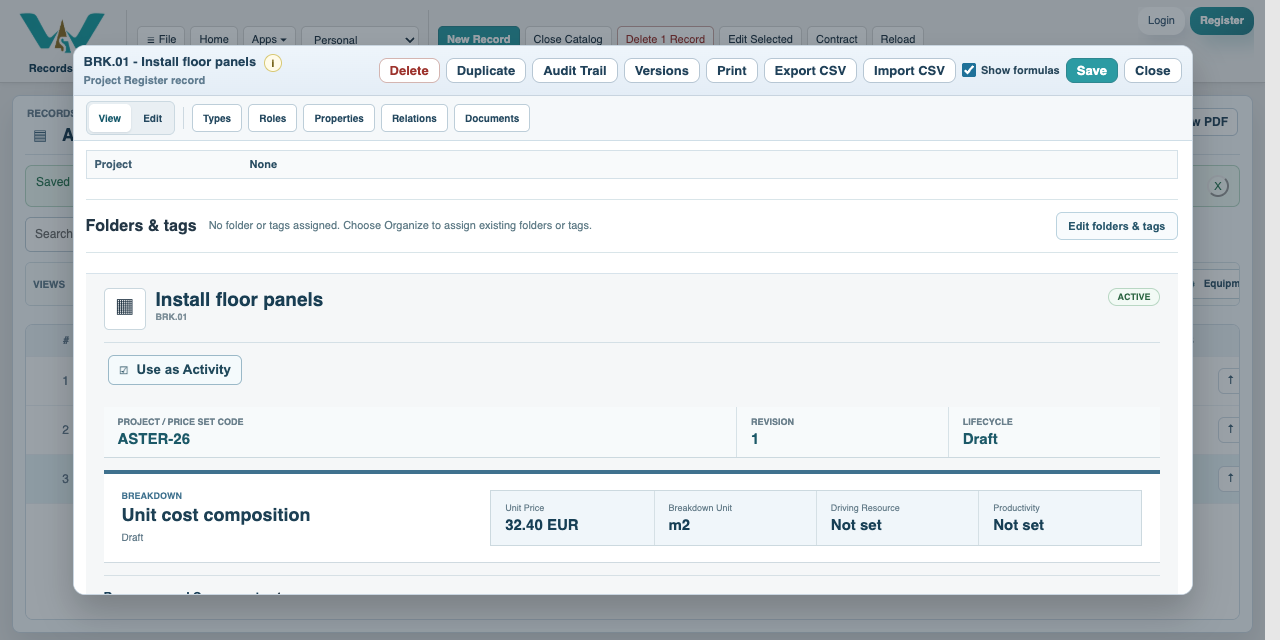
Create the floor recipe at 32.40 EUR/m2, painting at 6.20 EUR/m2 and final review at 180 EUR/item. See Create a Breakdown.
Create the Project and WBS
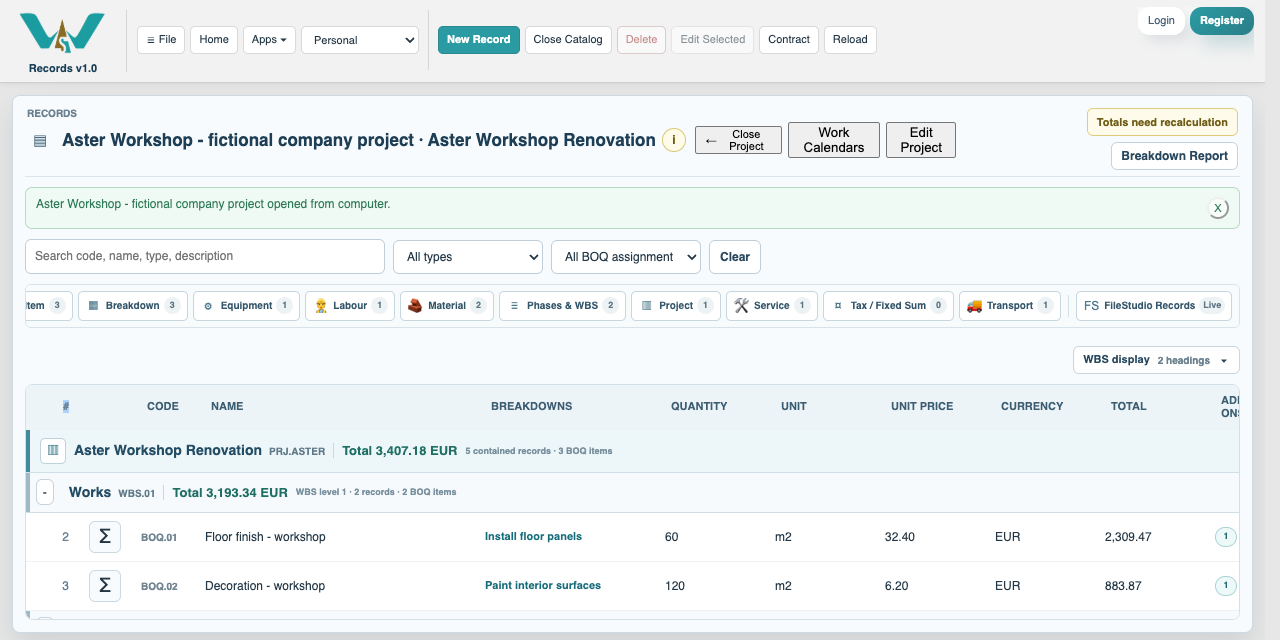
Create Aster Workshop Renovation with Works and Handover below it. See Project and WBS.
Set Project Pricing
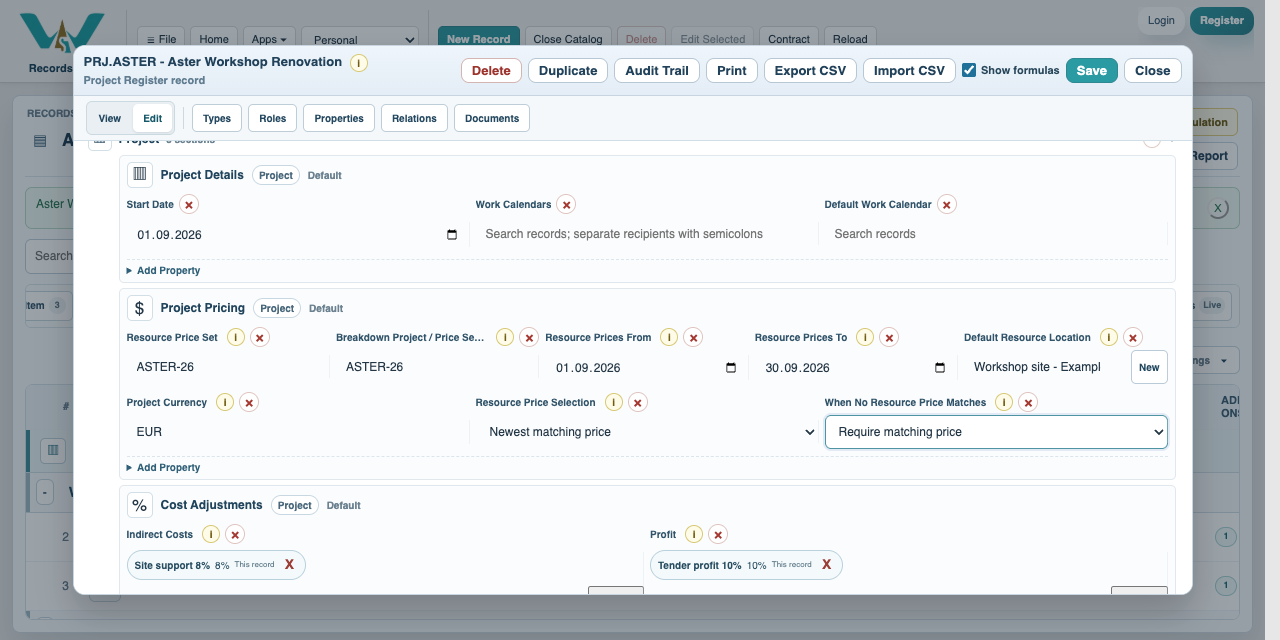
Choose ASTER-26 for recipe and resource sets, September 2026 dates, exact Workshop site, EUR and Require matching price. See Project Pricing.
Create and assign the BOQ
Add 60 m2 floor, 120 m2 decoration and 1 review. Assign the exact three Breakdowns. Check 2,868 EUR direct cost.
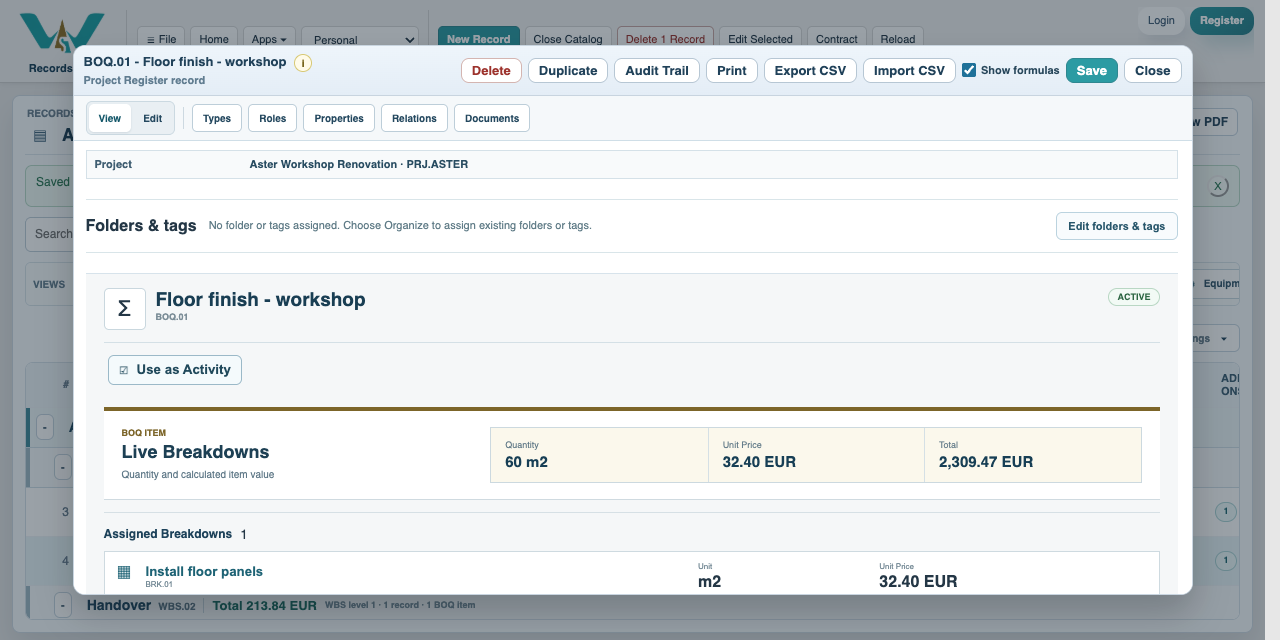
Add indirect cost
Create IND.01 at 8% and assign it once at the Project. Check 229.44 EUR indirect cost. See Indirect Cost.
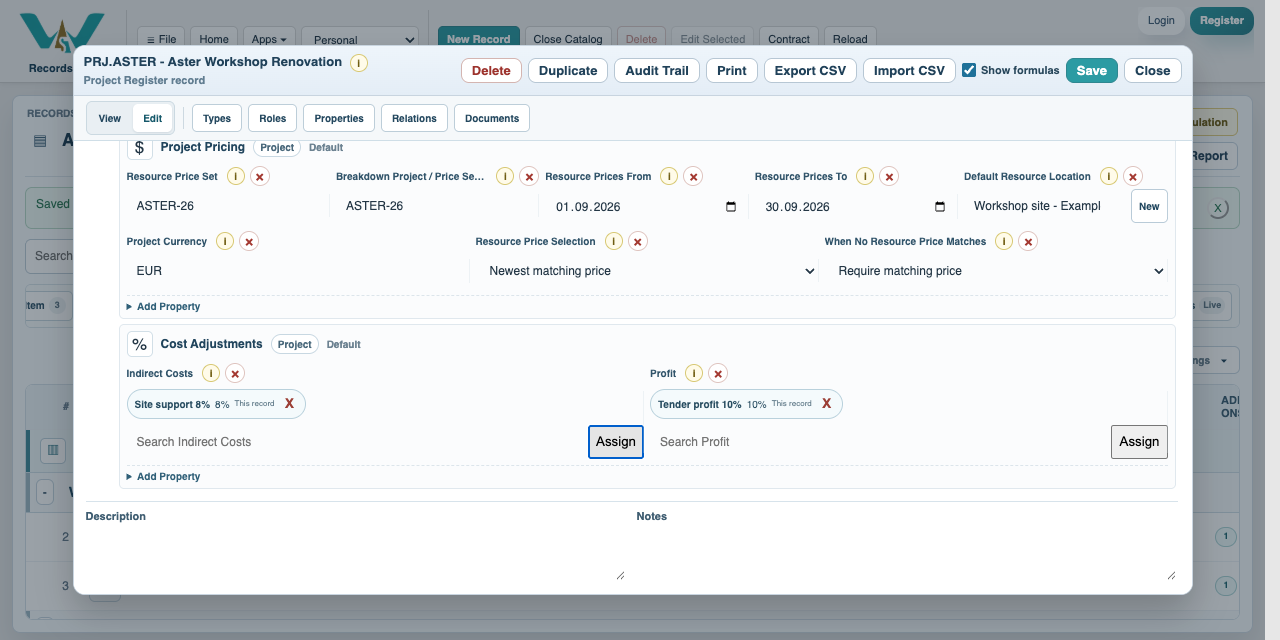
Add profit
Create PRO.01 at 10% after indirect cost. Assign it to the Project. Check 3,407.18 EUR final price. See Profit.
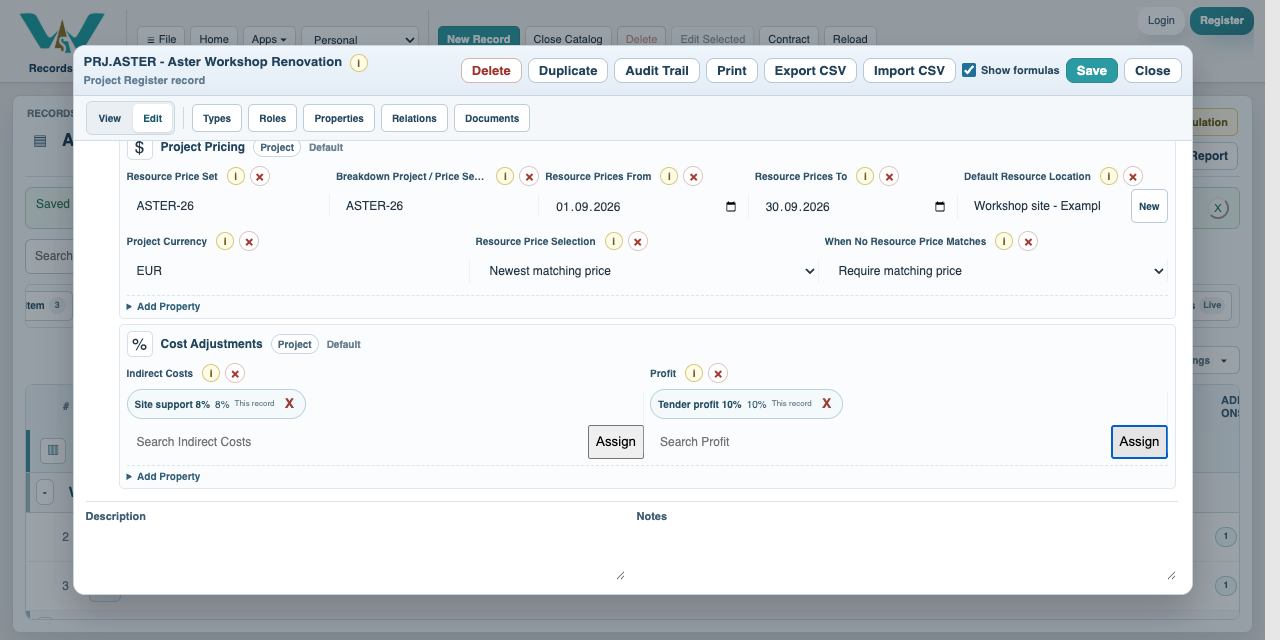
Review the resource split
Open the Project-scoped Resource Report and select Create / Refresh Report. Review quantities and categories. Save or export the reviewed result.
Export the evidence
Create a Breakdown Report with Include Resource Report when the combined report is needed. Open the generated PDF and inspect the selected price offers. Continue with the Package tutorials to compile the ten source PDFs.
Enable JavaScript to use reading progress and usefulness ratings.