
Create Resources and Keep Price History
Create Resources and Keep Price History with a fictional company example.
Create Material, Labour, Equipment, Transport, Service or Tax / Fixed Sum records. Resource is the shared family of these types. The type determines the resource split in reports; a category such as Paints refines the classification. Choose a consistent unit before creating a Breakdown.
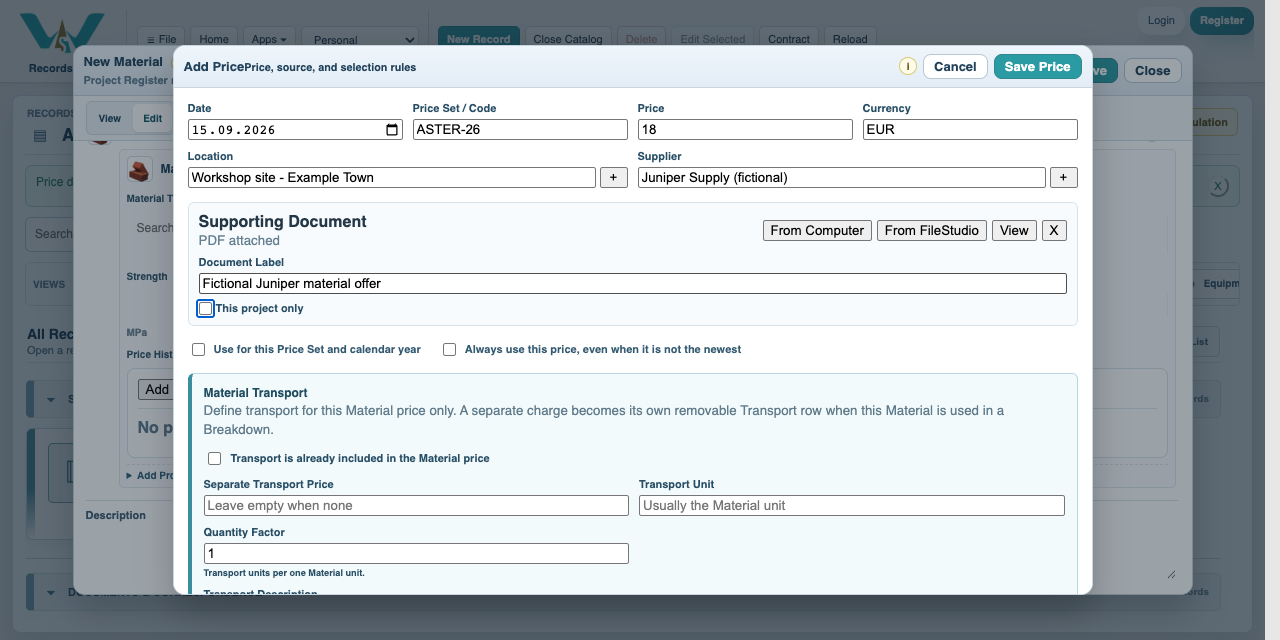
Keep one record for the same resource. Add dated Price History observations instead of replacing old prices or copying a resource for every project. Each row can carry Price Set / Code, currency, Location, Supplier, a supporting offer PDF and transport information. Supplier describes the source; the Project Pricing profile selects by price set, location and dates, not a supplier filter. Review the chosen row when comparing suppliers.
In this example Floor panels has July 16 EUR/m2, September ASTER-26 18 EUR/m2 and a newer ALT-26 20 EUR/m2 observation. The ASTER-26 project must use 18, not the newest unrelated offer. A Price Offer record can keep an offer document and its linked resource lines together. Price History keeps the observations used for costing.
Transport included means do not add the same delivery cost again. Our panel offer excludes delivery, so a separate Transport resource supplies 2 EUR per installed m2. The Tax / Fixed Sum example is an unused allowance, not a tax recommendation.
All companies, prices, quantities, dates and documents are fictional examples. They demonstrate the software, not real offers, project evidence or commercial advice.
Create Resources and Keep Price History
Follow the on-screen click instructions and highlighted controls. Field entry moves more quickly; pause or use chapters whenever needed. All companies, prices, quantities, dates and documents are fictional examples. They demonstrate the software, not real offers, project evidence or commercial advice.
Choose the resource type
Open New Record and choose Material. Enter Floor panels and code MAT.01. Use the Material type for physical goods, Labour for people, Equipment for plant, Transport for delivery and Service for purchased services.
Set unit and currency
Choose m2 and EUR. Save the record. In Edit, open the resource details and Price History.
Add a dated price
Select Add Price. Enter 2026-09-15, ASTER-26, 18 and EUR. Select Workshop site - Example Town and Juniper Supply (fictional).
Attach the fictional offer
Use From Computer in the price sheet to attach 01-material-offer.pdf. Give it a clear document label and leave transport excluded for this example. Save Price, then save the record.
Retain the earlier observation
Add 2026-07-15 at 16 EUR/m2 and a separate ALT-26 observation at 20. Open each supporting document to review its source. Use the Project Pricing tutorial to select September ASTER-26.
Review the resource split
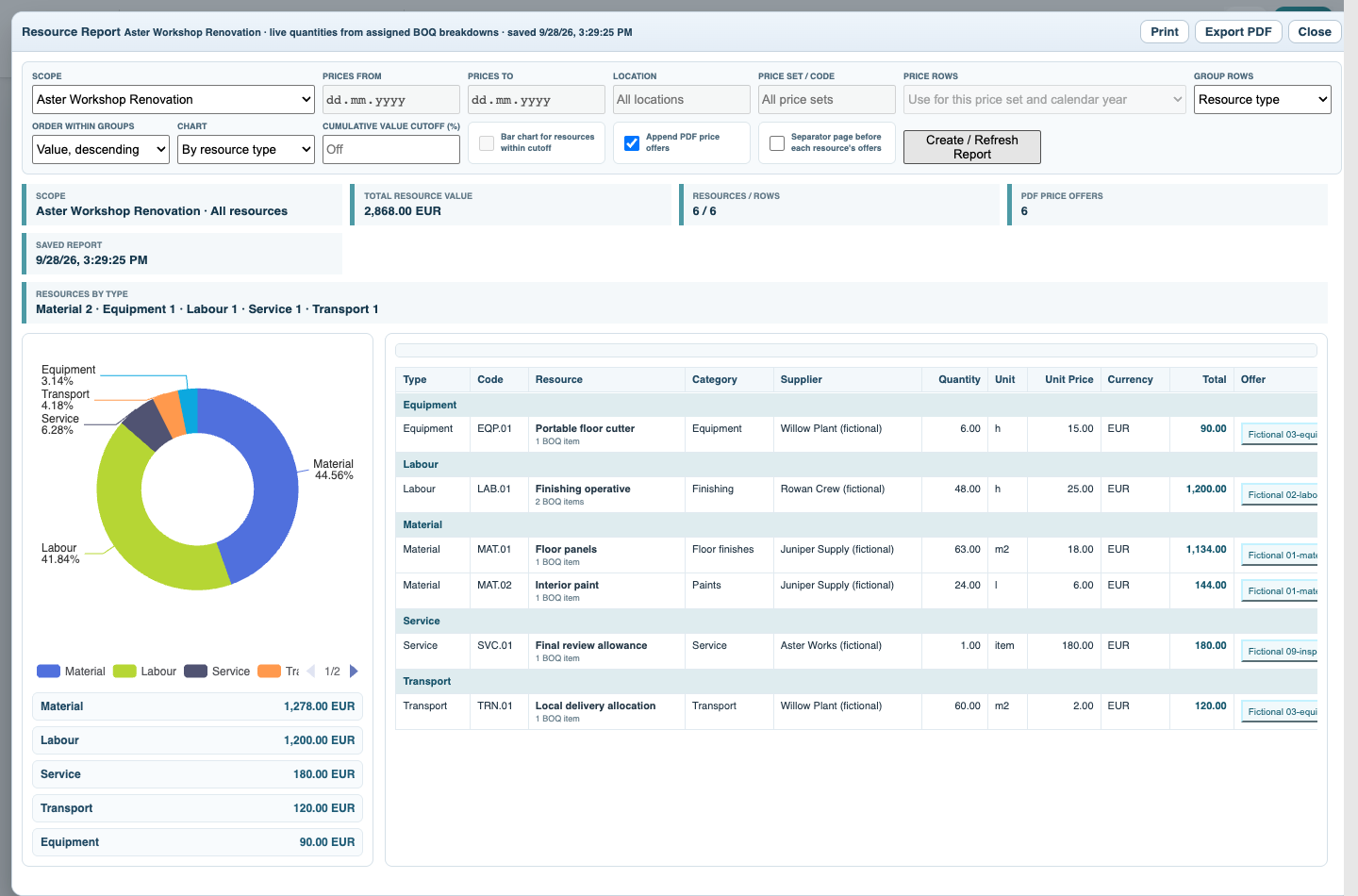
Open Resources to compare types and categories. Resource Report for the project expands the BOQ into material, labour, equipment, transport and service quantities.
Enable JavaScript to use reading progress and usefulness ratings.