
CADStudio
An overview of CADStudio v1.0, the WorkStudio drafting app for points, lines, circles, arcs, polylines, dimensions, layers, Z levels, mesh imports, and CADStudio save files.
CADStudio is the WorkStudio drafting app.
Use it for focused 2D technical sketches, quick layouts, layer-based drawings, dimensions, notes, tags, materials, and early Z-aware object data.
The drawing area is an X/Y canvas. Z is used as object metadata and view filtering, so you can start preparing objects for future 3D-style workflows while still working in top view.
The main left toolbar contains drawing and editing tools such as Point, Line, Circle, Arc, Polyline, Text, Select, Move, Duplicate, and Dimension.
The top toolbar contains platform navigation, Context, Save/Load through the File menu, mesh import/export, drawing search, tag/material filters, and current Z level controls.
The right toolbar shows Layers, Tool Options, and Properties for the selected object or selected group of objects.
CADStudio files use .cs for readable JSON drawing files and .ccs for compact CADStudio drawing data.
Related: CADStudio Drawing Tools, Saving and Loading in CADStudio, Layers in CADStudio, Z Levels and Selection Reports in CADStudio, WorkStudio Context.
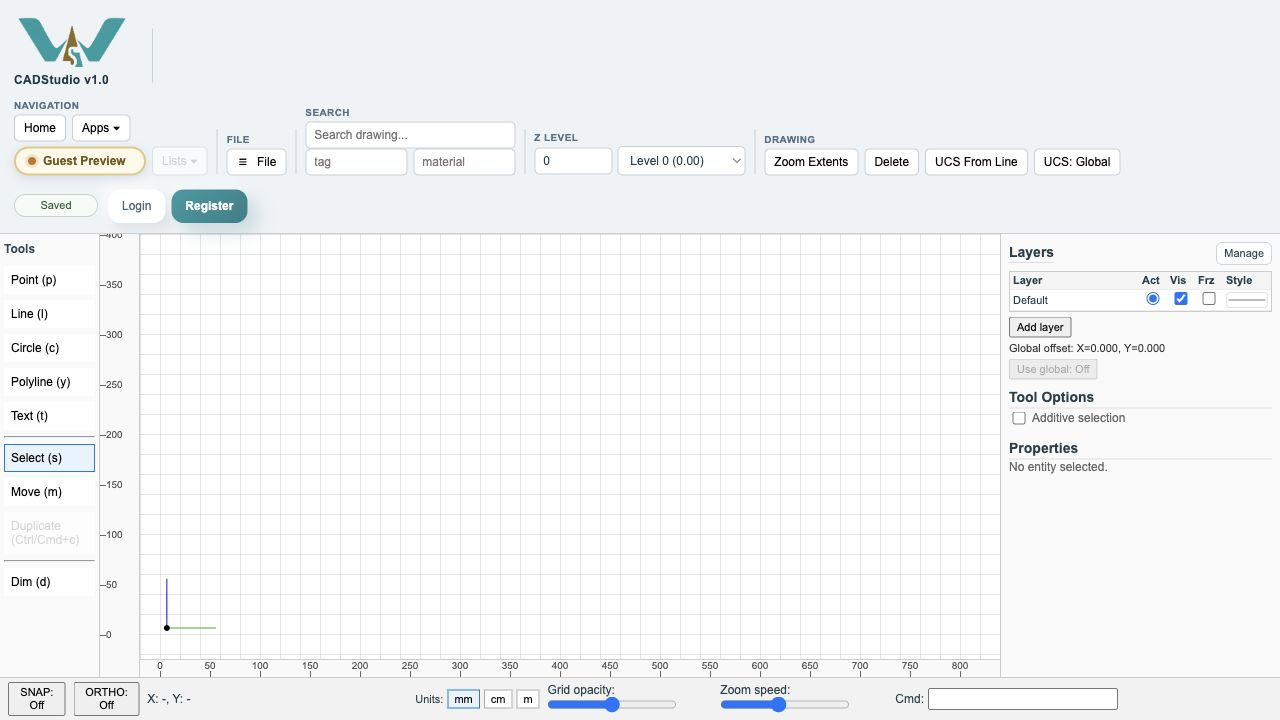
CADStudio drafting workspace
CADStudio opens to a drafting canvas with tools on the left, layers and properties on the right, and save/load, search, filters, and Z level controls in the top toolbar.
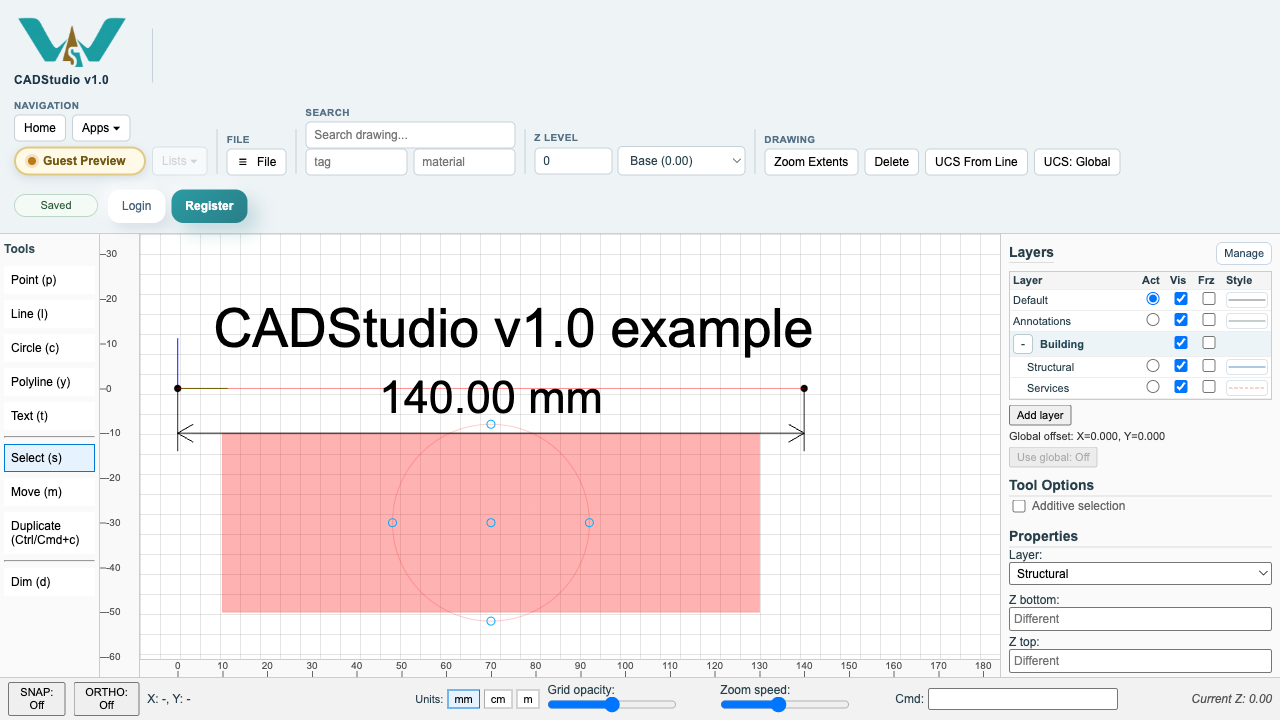
CADStudio drawing with objects
A sample drawing with a closed polyline, line work, circle, points, text, dimensions, selected objects, layer groups, and the selection report visible.
Enable JavaScript to use reading progress and usefulness ratings.