
Task Types
Explains Duration, Productivity, and Milestone tasks and how each type affects calculation and display.
The Task Type column tells TimeLine how a row should be calculated and drawn.
Duration is the normal task type. The Duration column contains the working duration and TimeLine calculates the start and end dates from the calendar and predecessors.
Productivity derives duration from Quantity and Productivity. Use it when the schedule should be driven by production assumptions instead of a manually typed duration. In this mode, the Duration value should normally be treated as calculated.
Milestone marks a point in time. Best practice is to use duration 0 for milestones because a milestone is an event, not an activity that consumes working time.
WBS phase rows behave like summary rows. They are not the same as a normal task type. A summary row rolls up its dates and visual duration from the child tasks inside that WBS branch.
Related: Milestones, TimeLine Columns, WBS and Summary Rows, Calculation Engine.
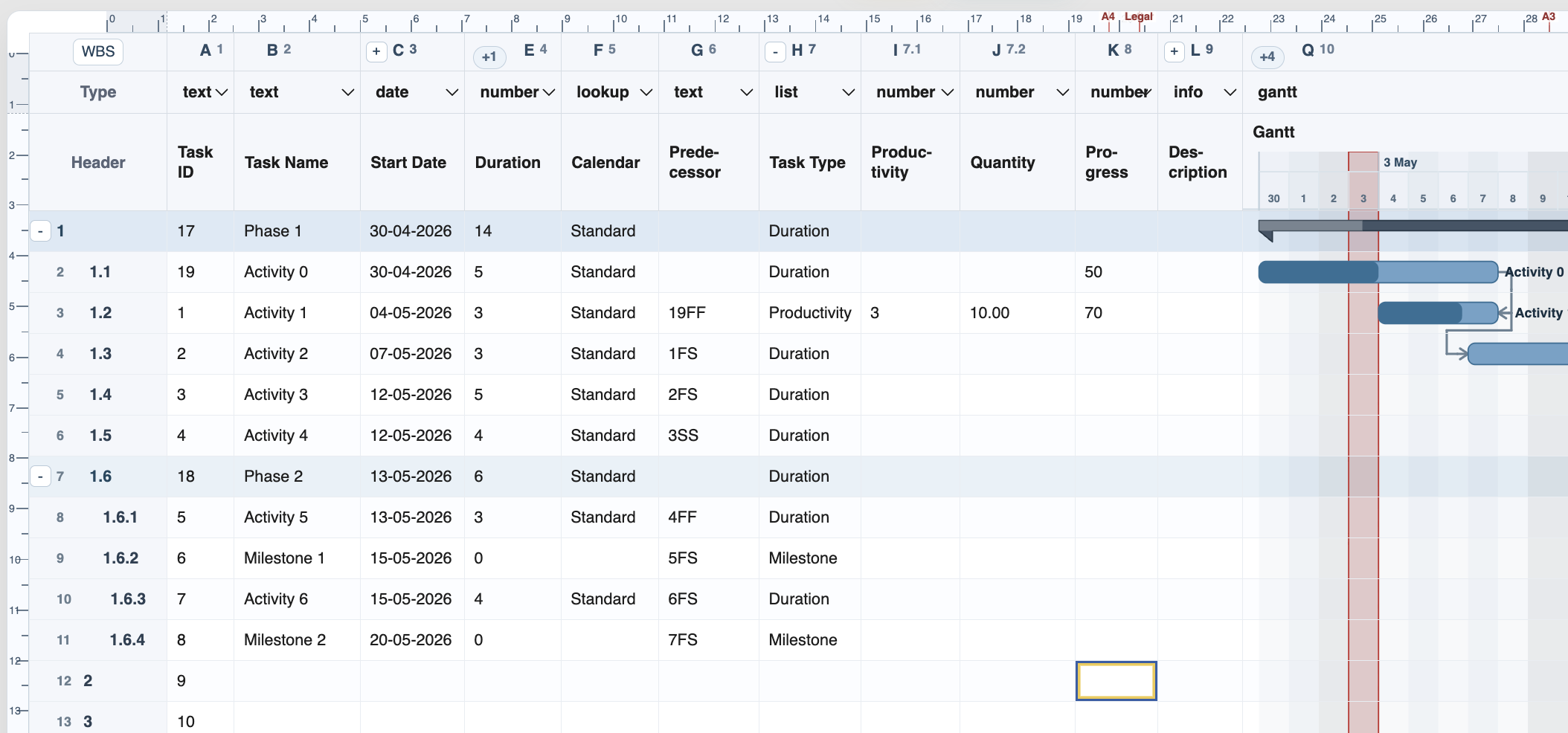
Productivity task
Quantity and Productivity can calculate the task duration while Progress controls the darker completion fill.
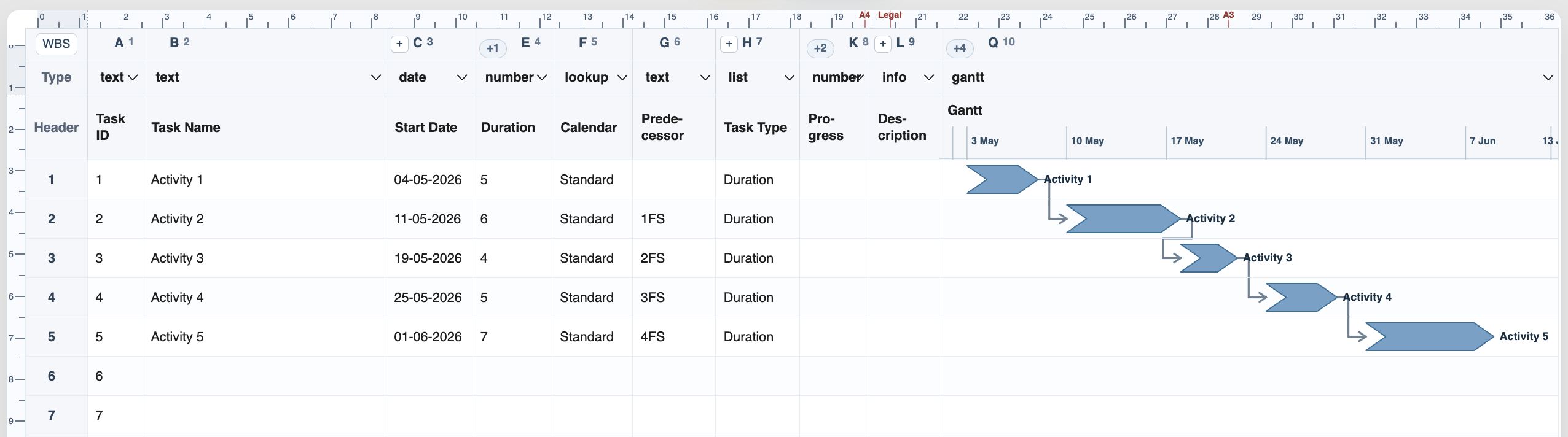
Arrow activities
Duration and Productivity tasks can be displayed as normal bars or arrow-shaped activities depending on the Gantt column settings.
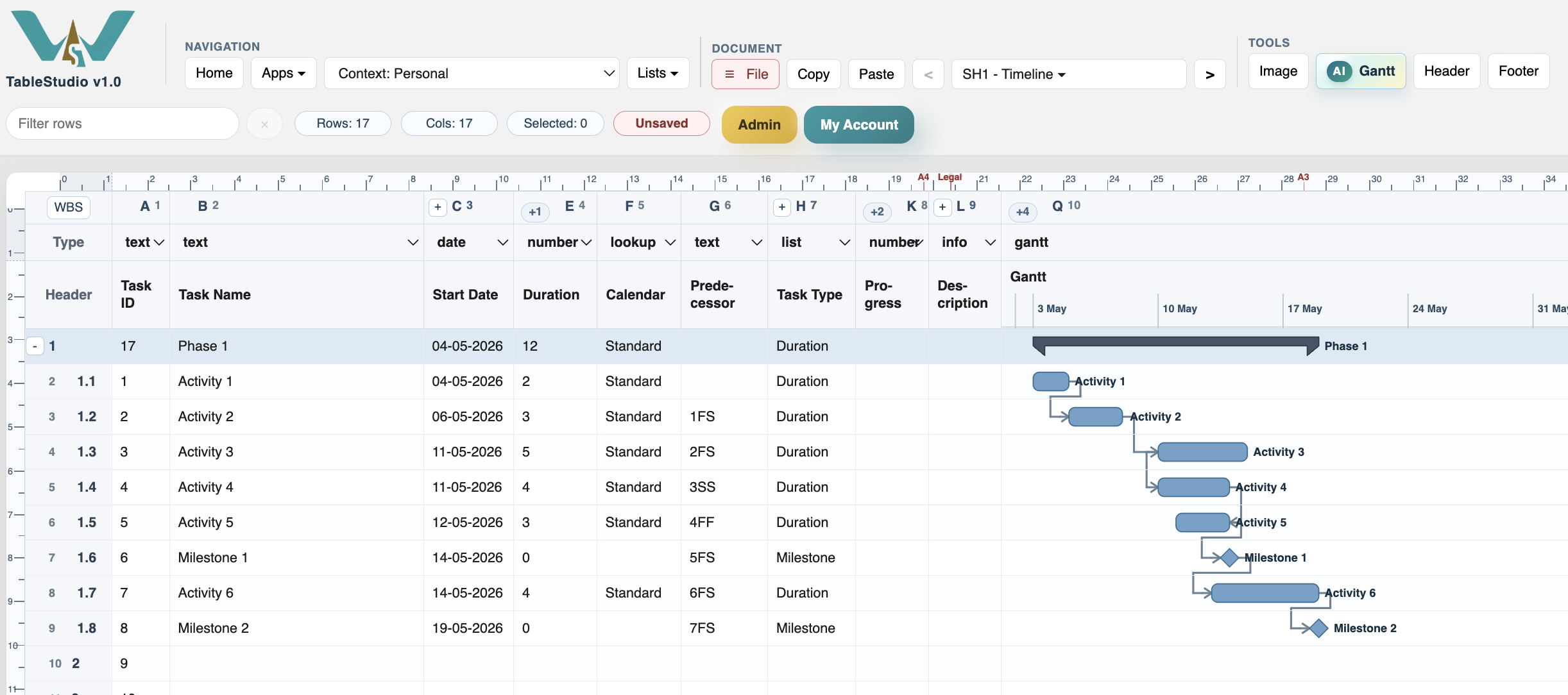
Milestone tasks
Milestones are displayed as diamonds on the chart and normally use duration zero.
Enable JavaScript to use reading progress and usefulness ratings.