
Calculation Engine
Explains how TimeLine calculates task dates from start dates, durations, calendars, exceptions, task types, and predecessors.
TimeLine calculates schedules from the saved table data, calendar definitions, exception rules, and dependencies.
The engine reads the mapped Gantt columns, the Calendars sheet, and the Calendar Exceptions sheet. It then resolves task dates, working duration, calendar duration, applied exceptions, WBS rollups, and link geometry.
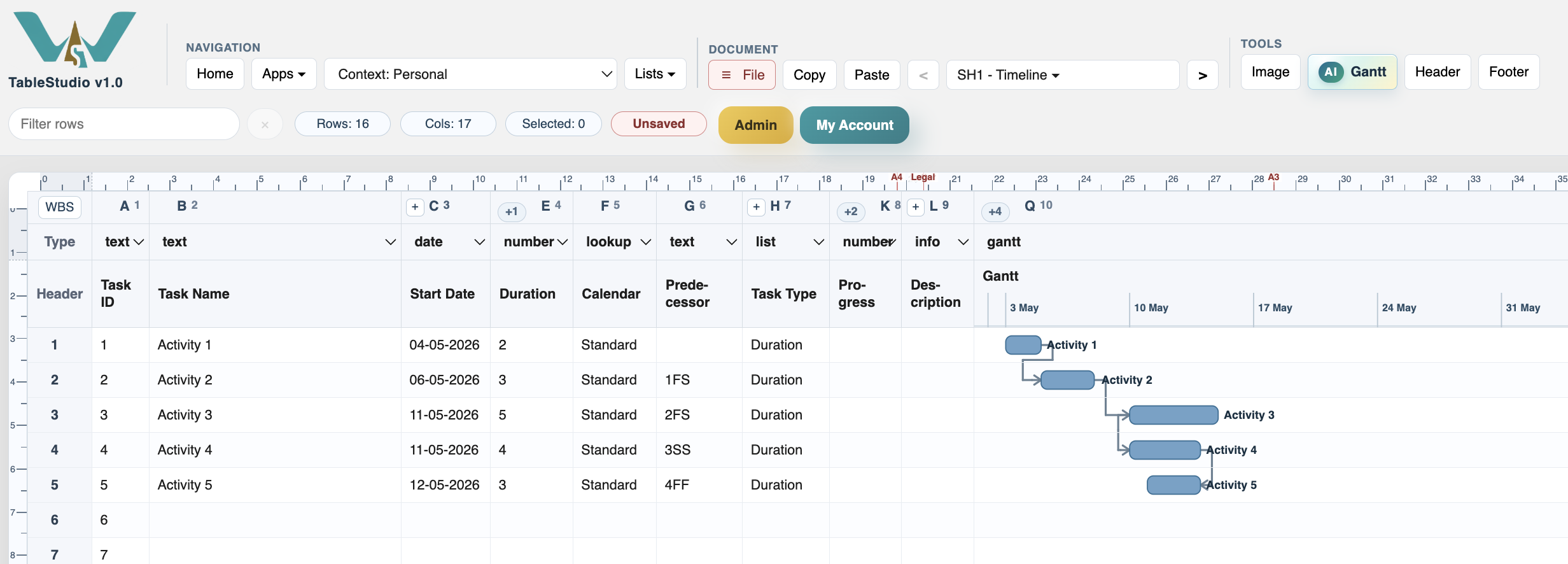
For duration tasks, the start date is moved to a working day if needed. A duration in days counts working days. For example, a 5-day task starting on a Monday in a Monday-Friday calendar finishes on Friday.
For hours, TimeLine counts available working hours from the task calendar. For months and years, the date is shifted by calendar units and then moved to a working day.
Predecessors create constraints. TimeLine supports FS, SS, FF, and SF, with positive or negative lag. If several predecessors are present, the task is placed according to the strongest resulting constraint.
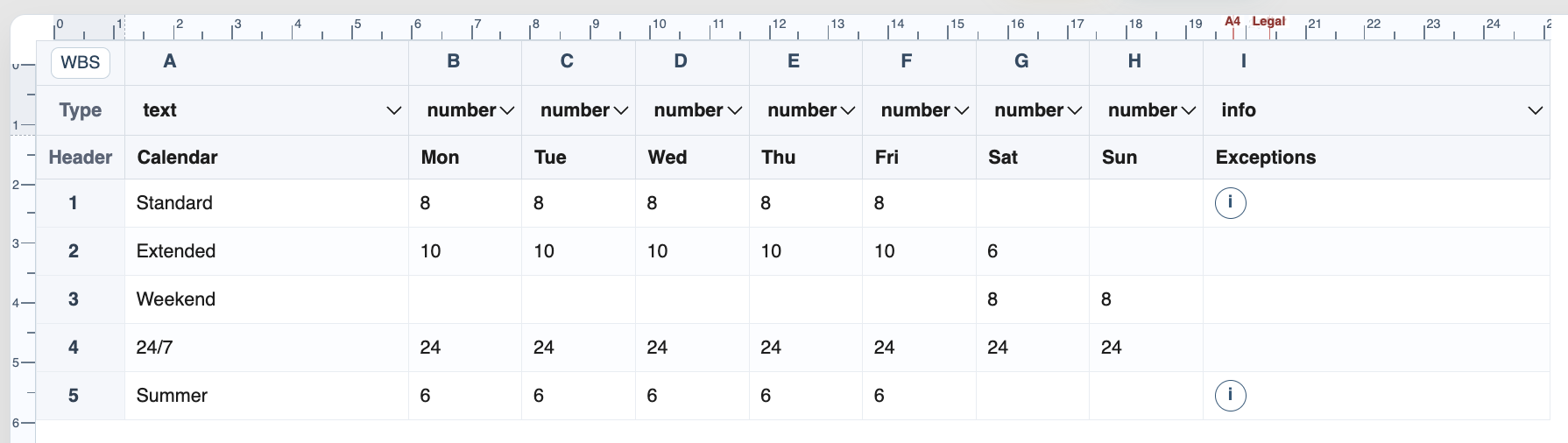
Calendar exceptions override normal weekday hours. A zero-hour exception creates a non-working day. A positive-hour exception creates a shortened or special working day.
Summary rows are rolled up from their child rows. They should be reviewed as phase summaries rather than independent work activities.
Related: Calendars, Calendar Exceptions, Dependencies and Predecessors, WBS and Summary Rows.
Calculated linked schedule
Start dates, finish dates, and links are recalculated from predecessor logic and calendar rules.
Calendars and exceptions feed the engine
Working hours and exception references from the support sheets are part of the calculation input.
Enable JavaScript to use reading progress and usefulness ratings.