
Calendar Exceptions
Explains how exception rows override calendar working hours for holidays, short days, and date intervals.
Calendar exceptions override the normal working hours from a calendar.
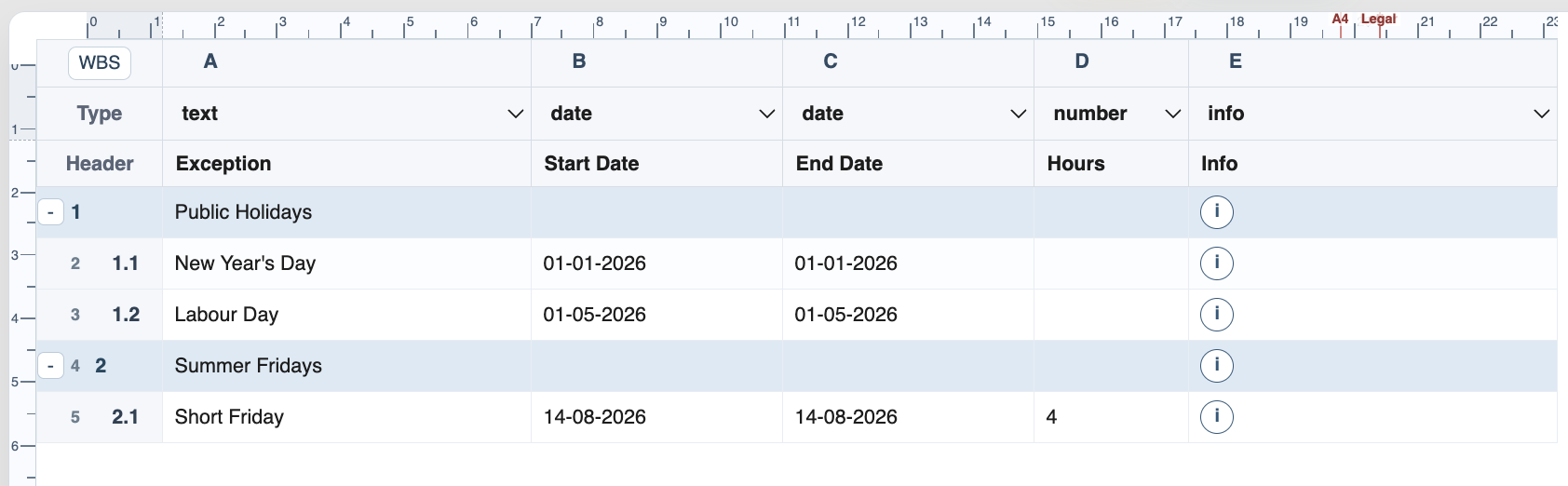
The Calendar Exceptions sheet stores named exceptions. Each exception has an Exception name, Start Date, End Date, optional Hours, and optional Info.
If Hours is blank or 0, the exception makes that date non-working for calendars that use it. If Hours has a positive value, the exception creates a shortened or special working day. For example, an exception with 4 hours can model a short Friday.
An exception can cover one date or an interval. If End Date is blank, TimeLine treats the exception as a single-day exception using the start date.
Exceptions can be grouped with WBS rows. When a calendar references the group name, all exceptions inside that group are applied. A calendar can also reference an individual exception name.
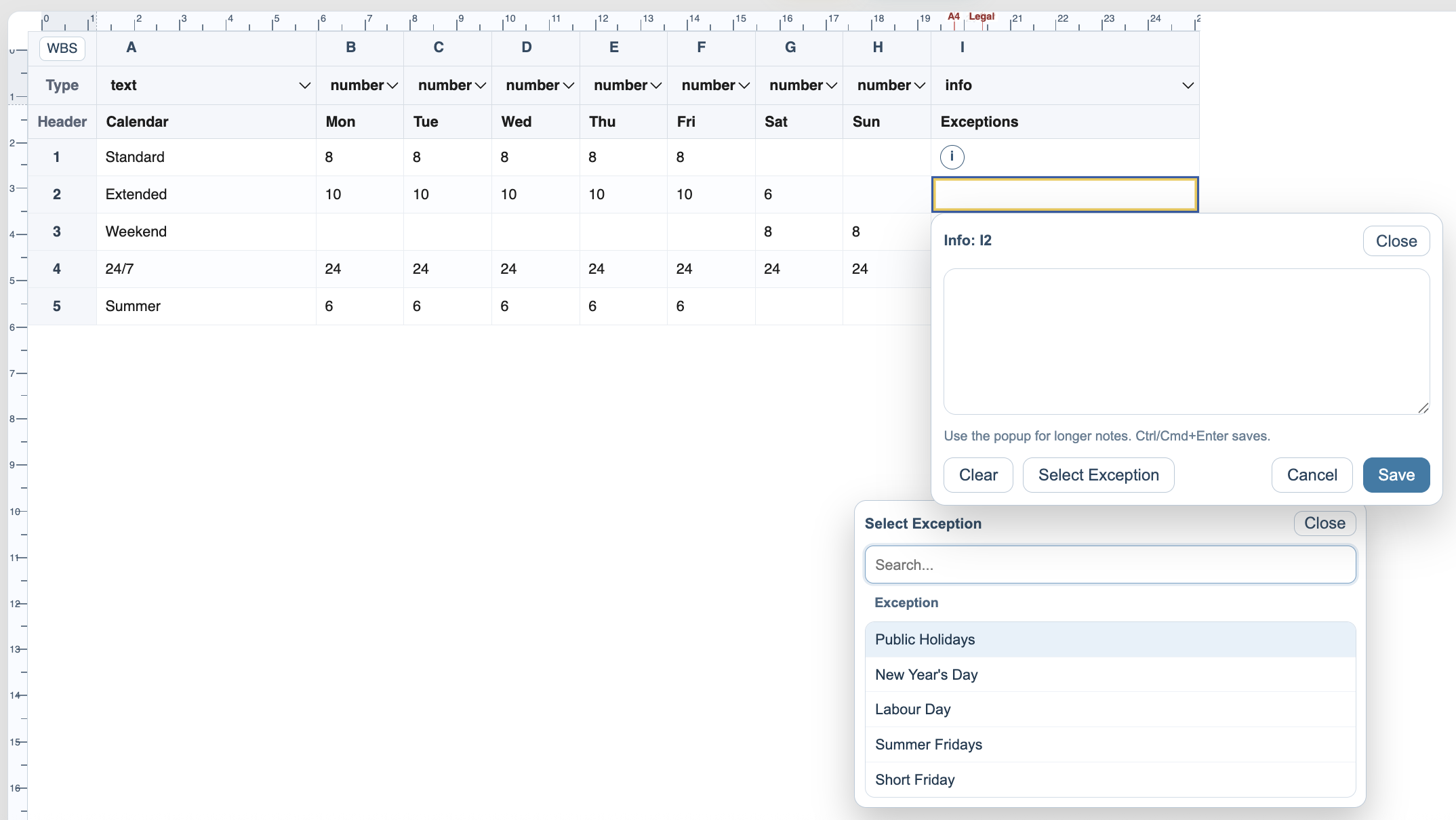
Use the Exceptions cell in the Calendars sheet to add exception names or groups. Several exception references can be separated by line breaks.
Related: Calendars, Calculation Engine, Use Calendars and Exceptions in TimeLine.
Pick exception groups or individual exceptions
Use the picker from the Calendars sheet when you do not want to type exception names manually.
Enable JavaScript to use reading progress and usefulness ratings.