
Dependencies and Predecessors
Reference for predecessor syntax, relation types, lags, multiple predecessors, and Task ID usage.
The Predecessor column stores task dependencies as text expressions that reference Task ID values.
The basic syntax is TaskIDRelationLag. Examples:
1FSmeans this task starts after task1finishes.1FS+2dmeans this task starts two working days after task1finishes.3SSmeans this task starts when task3starts.4FF-1dmeans this task finishes one working day before task4finishes.
Supported relation types are:
FSFinish-to-StartSSStart-to-StartFFFinish-to-FinishSFStart-to-Finish
If the relation type is omitted, TimeLine treats the predecessor as FS. For example, 1 works like 1FS.
Lag units are h for hours, d for days, m for months, and y for years. If the lag unit is omitted, TimeLine uses the Gantt duration unit as the fallback.
Multiple predecessors can be separated with commas or semicolons, such as 1FS, 2SS+1d.
Keep Task ID stable. Dependencies point to Task IDs, not row numbers visible in the WBS margin.
Related: Create Links with the Mouse in TimeLine, Calculation Engine, Link Display.
Typed predecessors
The Predecessor column stores expressions such as 1FS, 3SS, and 4FF while the chart draws the resulting links.
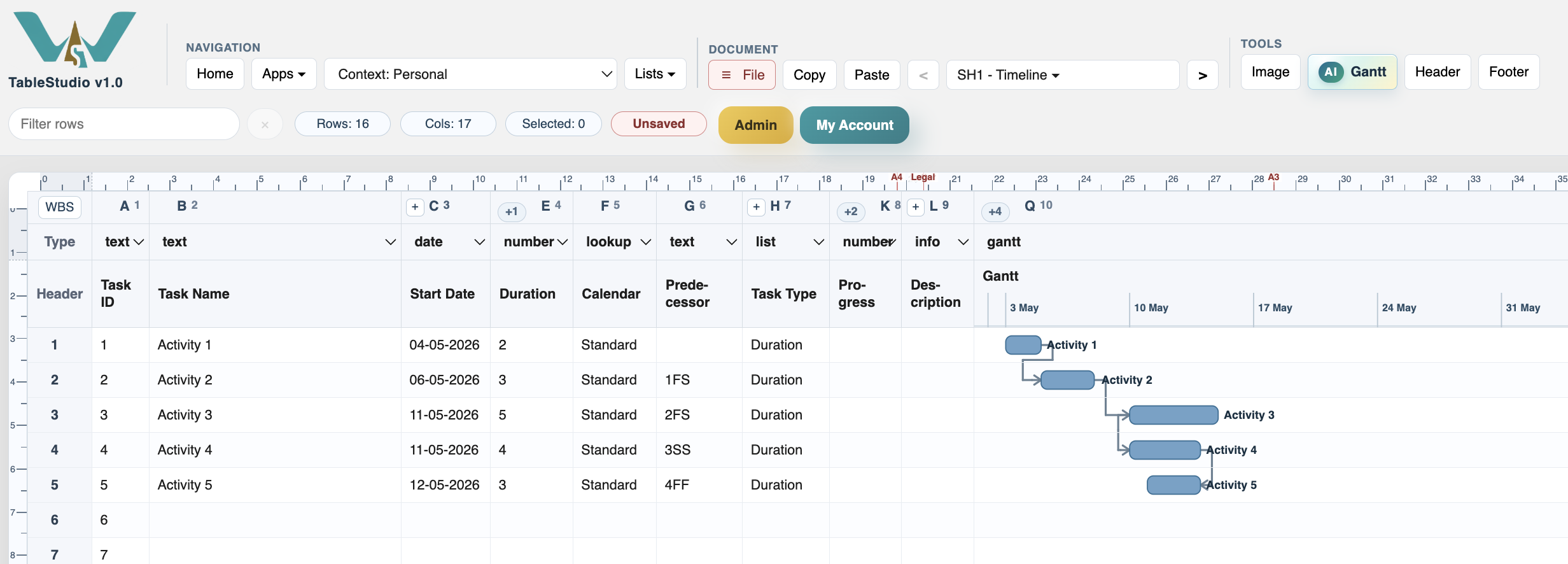
Different link types
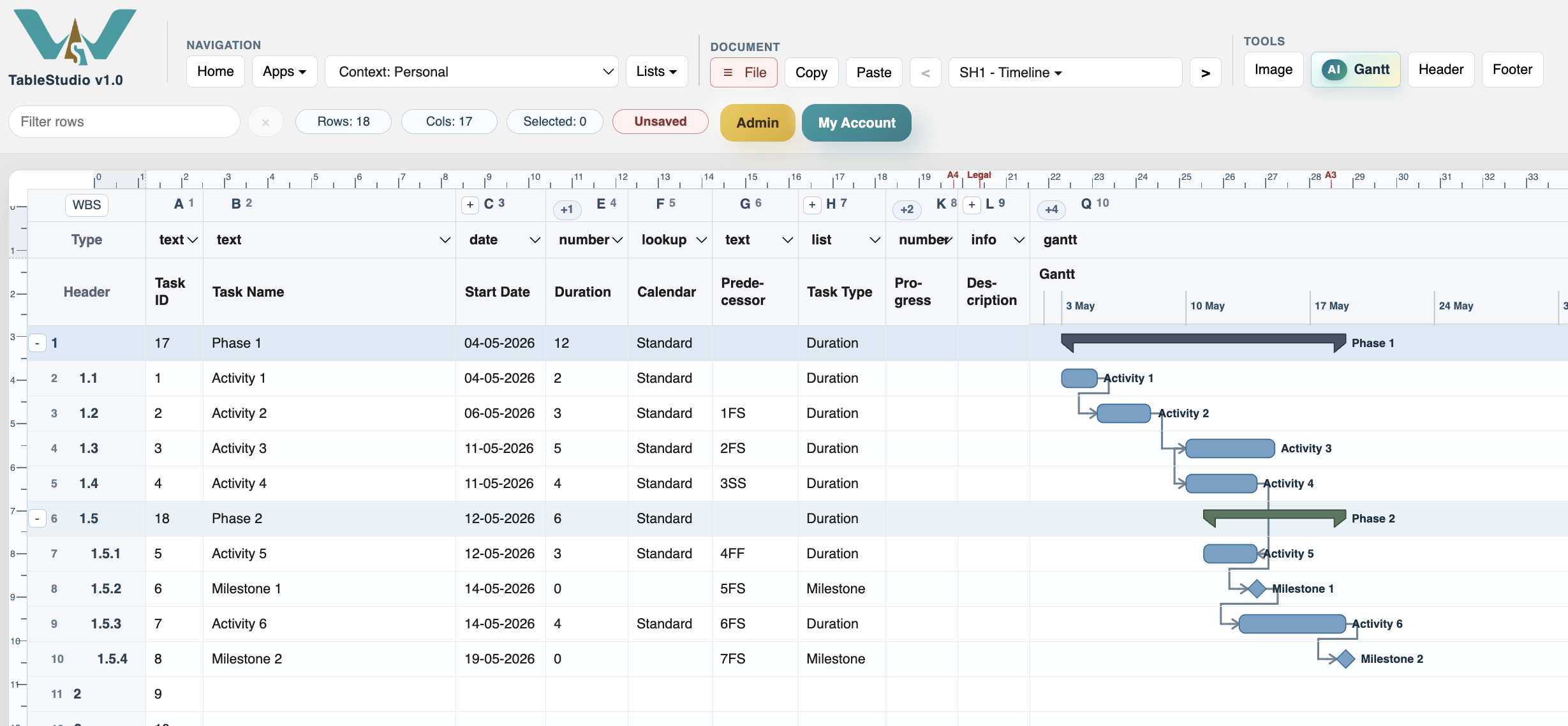
A structured schedule can combine FS, SS, and FF relations depending on how tasks overlap.
Enable JavaScript to use reading progress and usefulness ratings.