
Create a New TimeLine
Explains what a new TimeLine file contains, which sheets are created, and how the default planning columns are arranged.
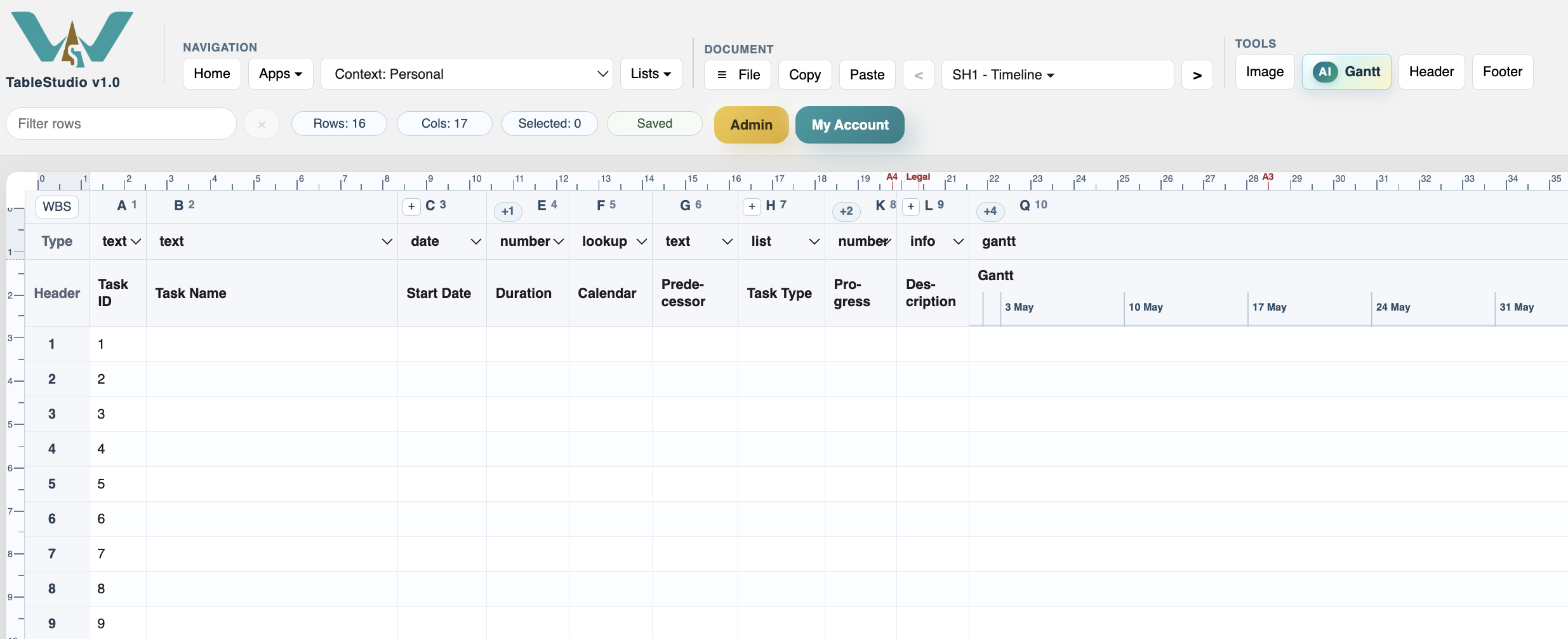
A new TimeLine file starts with a ready planning table and a Gantt chart column.
The first sheet is the working schedule. It contains task fields such as Task ID, Task Name, Start Date, End Date, Duration, Calendar, Predecessor, Task Type, Progress, and Gantt.
TimeLine also prepares support sheets for working calendars and calendar exceptions. These sheets are used by the calculation engine when it decides whether a day is working, non-working, shortened, or affected by an exception.
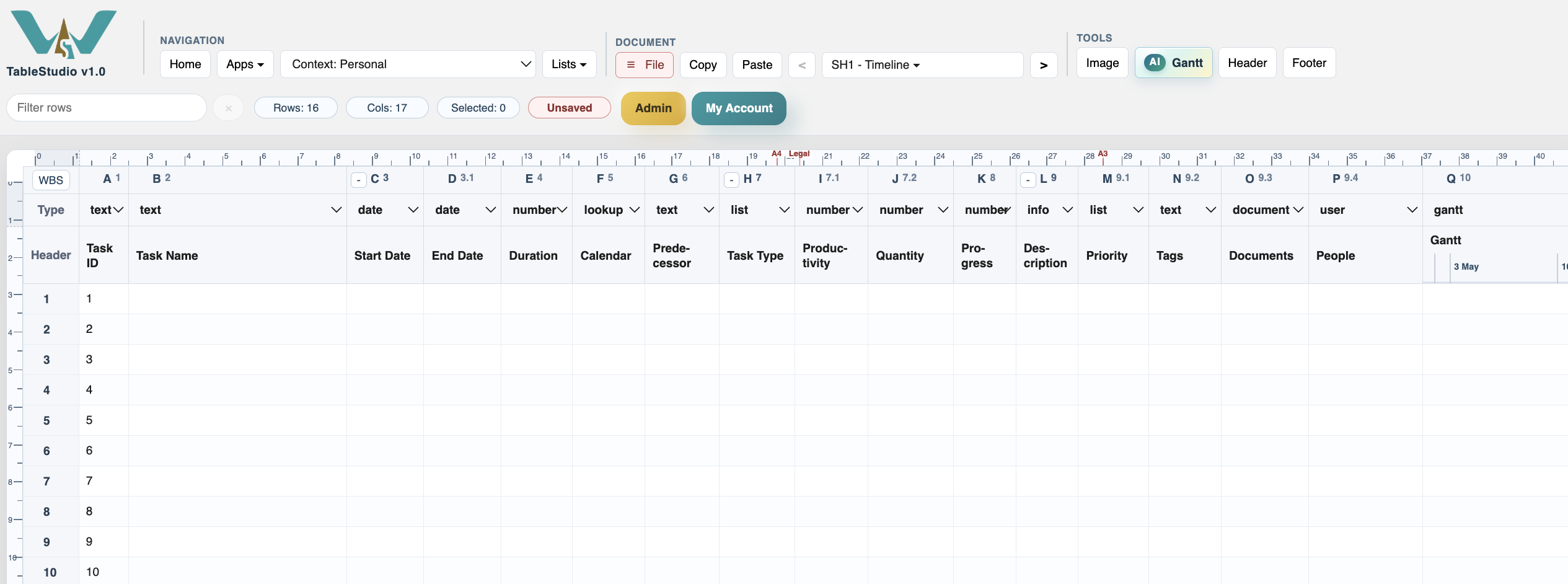
Some columns may be visually grouped or collapsed so the schedule stays readable. Hidden or grouped columns are still part of the file and can be opened when you need productivity, quantity, description, priority, documents, people, or other planning data.
Task ID is filled automatically when the Gantt settings map it to the task ID field. It mirrors the row ID and should normally be treated as read-only because dependencies use it.
A simple first workflow is:
- Enter task names.
- Enter a start date for the first unconstrained task.
- Enter durations.
- Assign calendars if the default calendar is not enough.
- Link tasks with predecessors or mouse links.
- Review the Gantt chart and save the file.
Related: TimeLine, TimeLine Columns, Calendars, Calendar Exceptions.
Open all planning columns when needed
The complete TimeLine layout includes extra planning columns such as End Date, Productivity, Quantity, Priority, Documents, People, and Description.
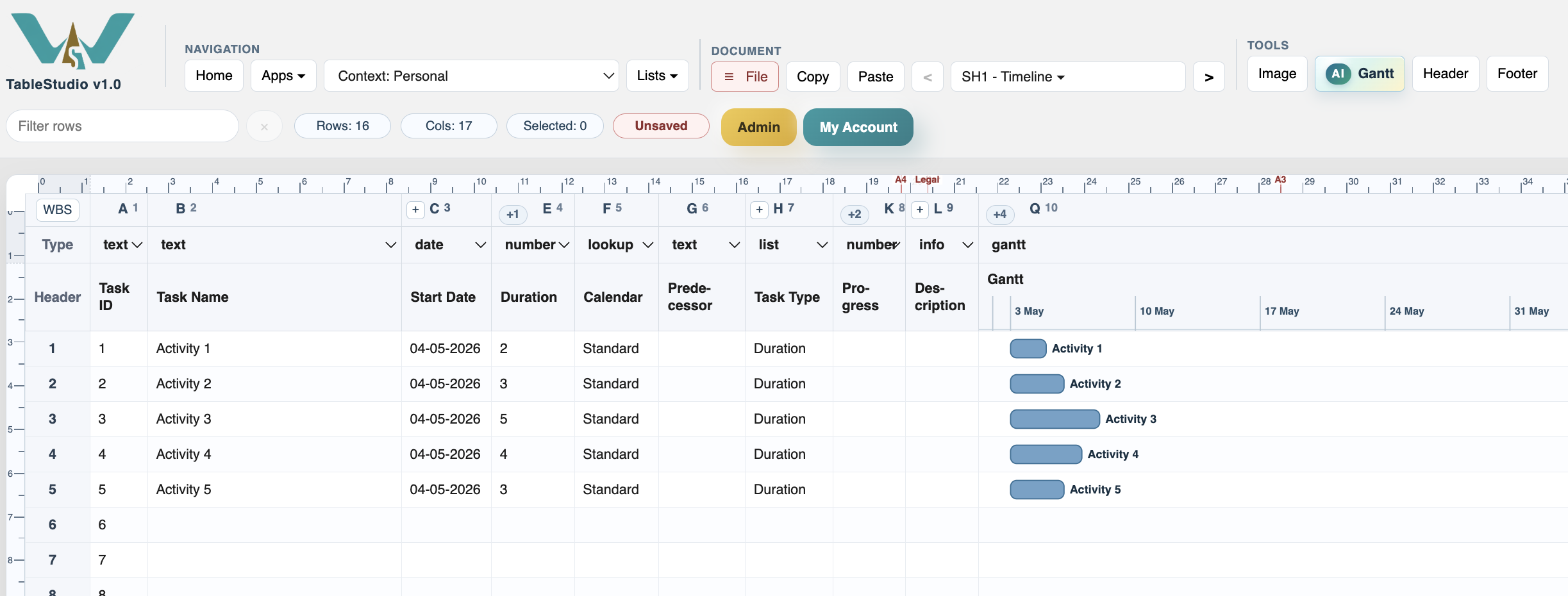
A small first schedule
After task names and durations are entered, the Gantt column draws each activity on the corresponding row.
Enable JavaScript to use reading progress and usefulness ratings.