
TaskBoard Views
Explains how TaskBoard switches the same tasks between list, calendar, gantt, and post-it layouts.
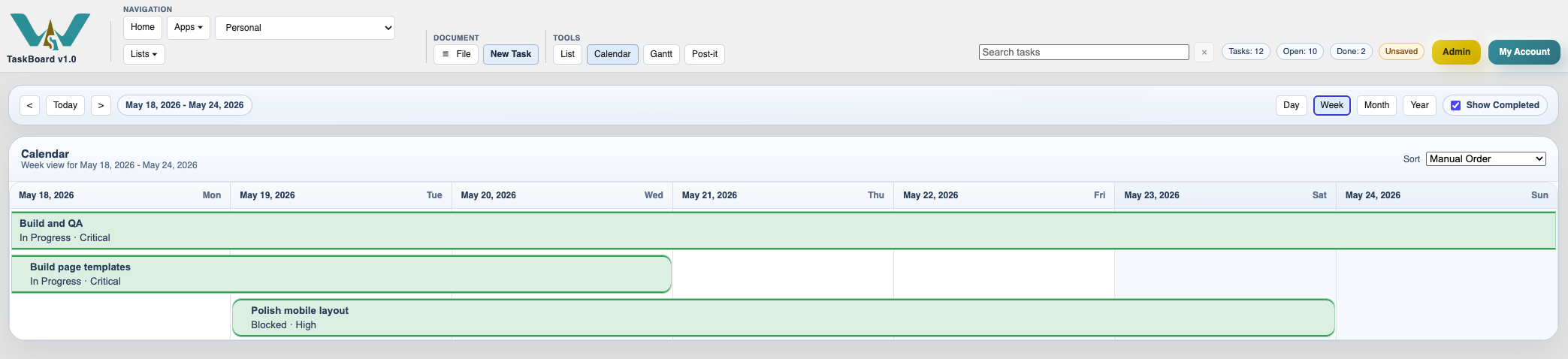
TaskBoard has 4 main views: List View, Calendar View, Gantt View, and Post-it View.
They all show the same board.
This matters because a team may plan dates in one moment, check sequencing in another, and review grouped work later.
Use List when you want the richest task detail. Use Calendar when dates matter most. Use Gantt when timing and overlap matter. Use Post-it when you want a lighter visual wall.
The toolbar view buttons switch between them instantly. The period controls and calendar modes change which part of the board is shown.
If you are just getting started, open Plan a Small Project in TaskBoard.
The toolbar changes the reading mode, not the board
Switching views changes how the task board is presented, while the underlying tasks stay the same.
Enable JavaScript to use reading progress and usefulness ratings.