
Calendar View
Date-first TaskBoard layout with day, week, month, and year modes over the same task board.
Calendar View is the date-first TaskBoard layout.
It supports Day, Week, Month, and Year modes.
Tasks appear on their scheduled dates. Multi-day tasks can span across the visible days, and repeating tasks keep their repeat badge.
The Show Completed toggle controls whether completed tasks stay visible in the calendar.
Week and Month are useful for active planning. Year gives a compact month-by-month overview.
Use calendar view when dates matter more than row detail.
Related: TaskBoard Views, Gantt View, Plan a Small Project in TaskBoard.
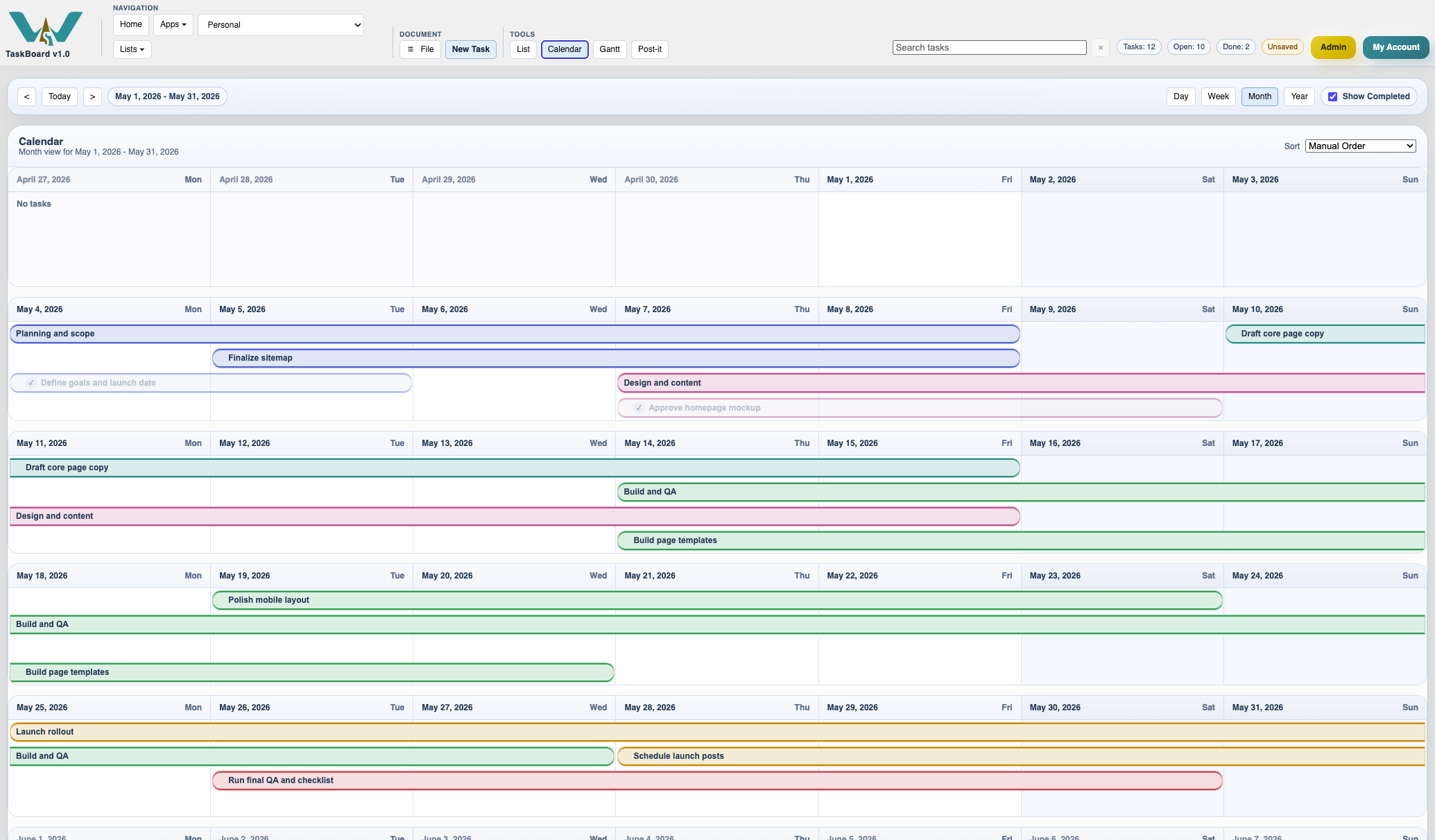
Month calendar
Month mode gives a broad picture of task placement across several weeks.
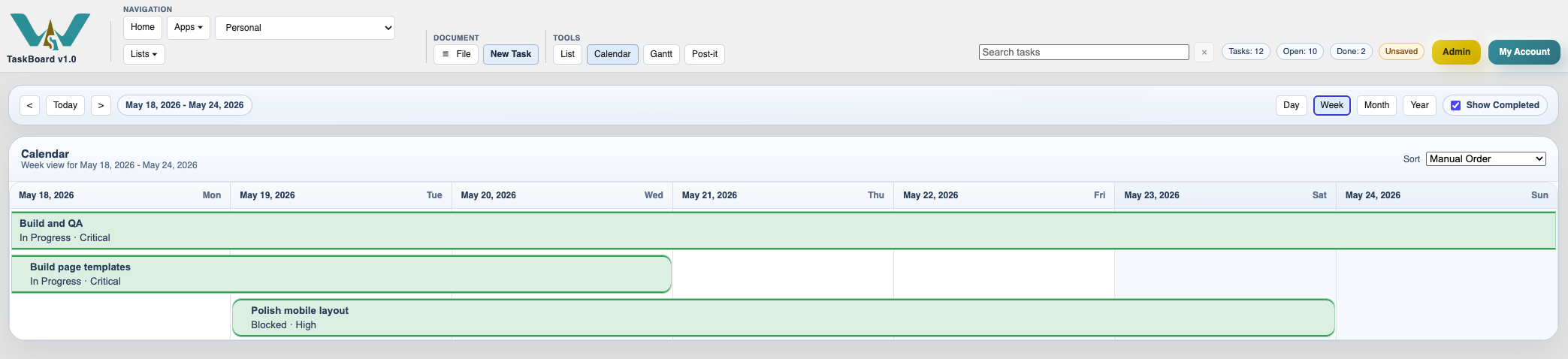
Week calendar
Week mode gives more room to read the active tasks and their placement in the current week.
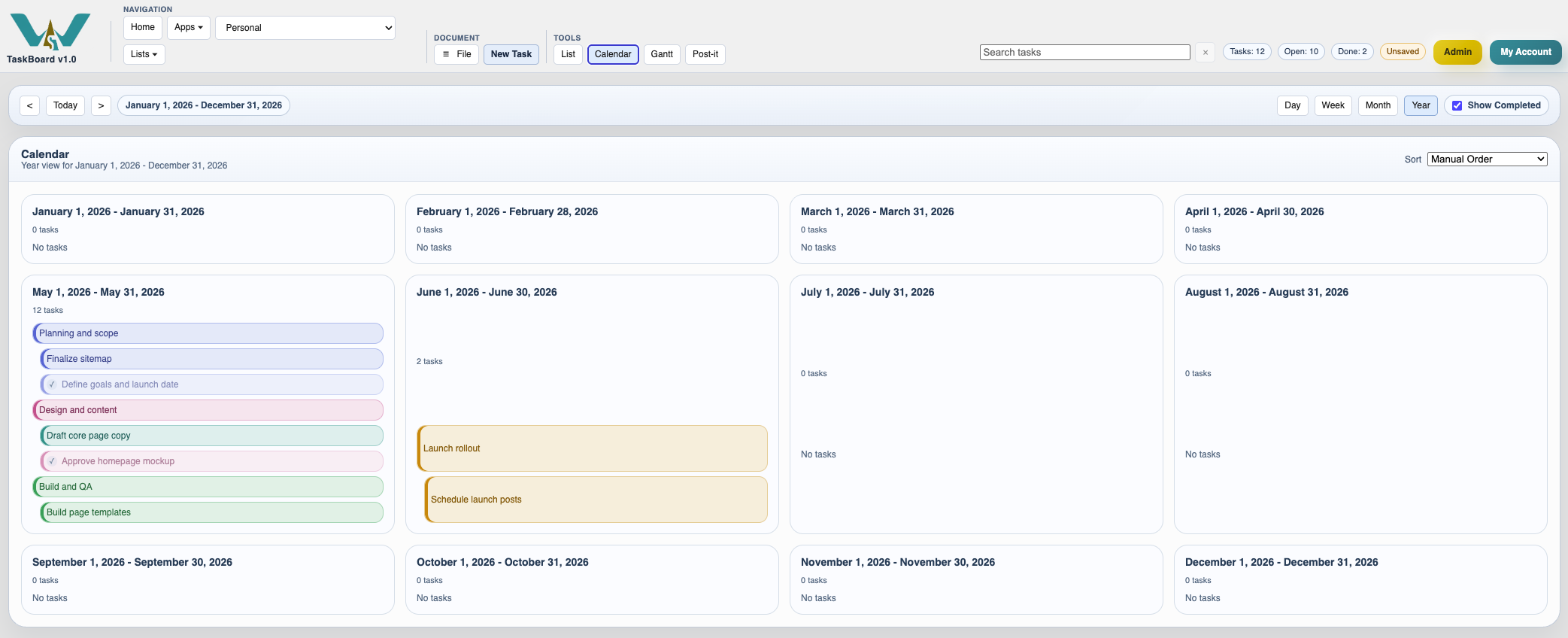
Year calendar
Year mode compresses the board into a month-by-month overview for longer planning spans.
Enable JavaScript to use reading progress and usefulness ratings.