
TableStudio File Settings
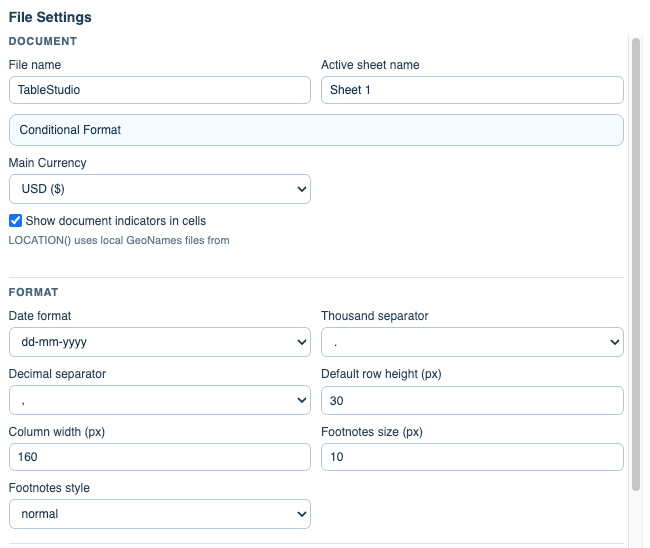
Controls workbook metadata, active sheet settings, currency, row and column defaults, WBS colors, print setup, cover pages, and document indicators.
Open File > File Settings when you need to control the workbook instead of one cell.
The top section controls the file name, active sheet name, main currency, and whether cells with attached documents show a visual indicator.
The format section controls the workbook date format, thousand separator, decimal separator, default row height, default column width, and footnote text style.
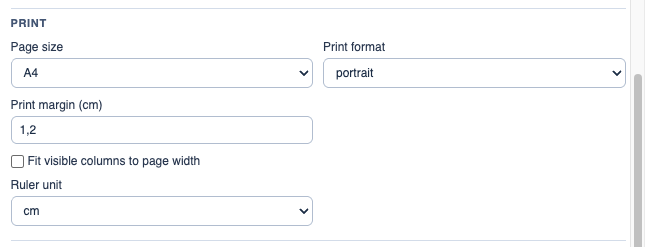
The print section controls page size, orientation, margins, header printing, ruler settings, and whether visible columns are fitted to the printed page width.
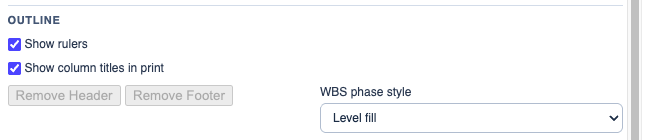
The WBS section controls how WBS and phase rows are colored. This matters in the grid, in print, and in Excel export.
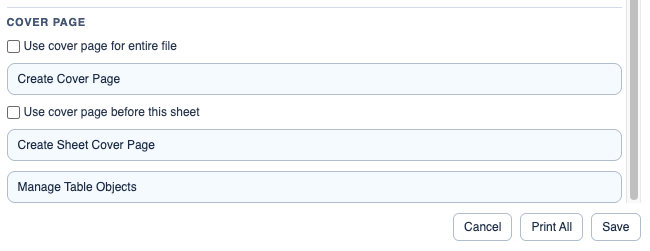
The cover page section lets you create a file-level cover page and a sheet-level cover page. The cover editor is DocStudio, but the cover document is stored inside the TableStudio file.
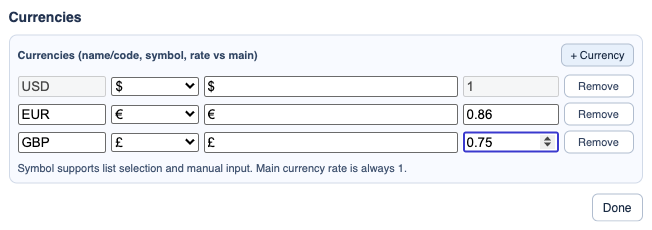
The currencies section lets you manage workbook currencies and rates used by currency columns.
Related: Print, Headers, and Footers in TableStudio, Add and Manage Cover Pages in TableStudio, Column Type: Currency, Conditional Formatting in TableStudio.
Print settings
Page size, orientation, margins, ruler visibility, and fit-to-page behavior are configured here.
WBS and header/footer settings
WBS style, header, footer, and sheet-specific print behavior are set from the same modal.
Currency settings
Currency columns use the workbook currency list and rates.
Cover page settings
A workbook can have a whole-file cover page and each sheet can have its own cover page.
Enable JavaScript to use reading progress and usefulness ratings.