
Create a Checklist and Missing Documents Panel
Set checkbox columns, handle N/A or removed checkboxes, add fraction progress columns, and show a live Sheet Info missing-document total.
Use this walkthrough when a sheet must track required documents, approvals, personnel records, or other checklist items.
Related: Column Type: Checkbox, Checkbox Columns and Sheet Info Panels in TableStudio, TableStudio Column Types, TableStudio File Settings.
Create the checklist columns
Use the Type row to set required-document columns to checkbox. Use separate columns for each document or approval that should be tracked.
Choose where checkboxes appear
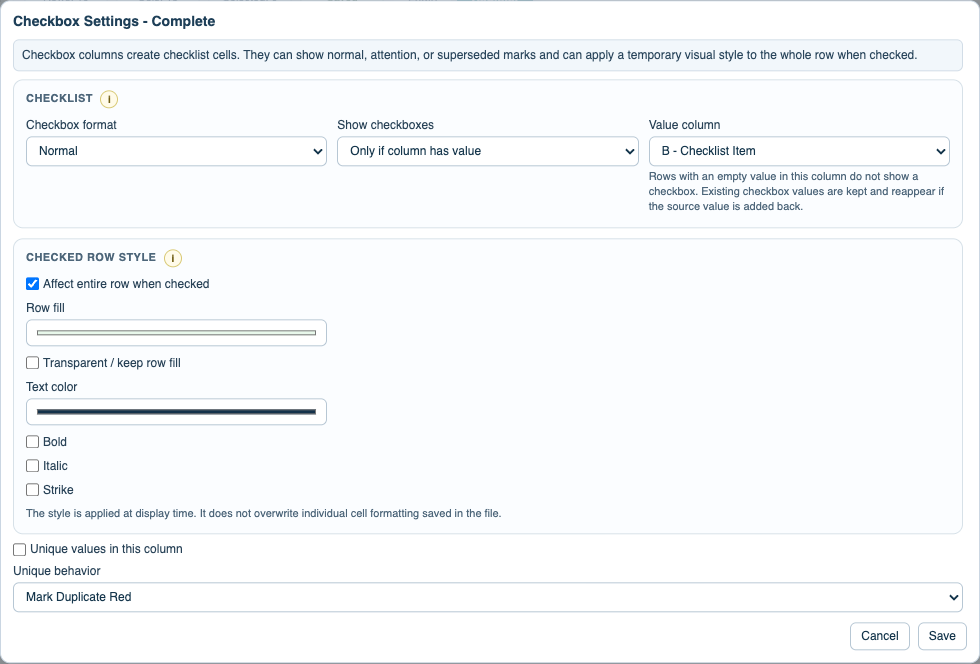
Open the checkbox column settings. Choose Entire column when every row needs the checkbox, or Only if column has value when another column decides whether that row needs the checkbox.
Set checkbox format and row style
Choose normal, attention !, or superseded x. If checking a box should style the row, enable row styling and choose fill, text, bold, italic, or strike. Use transparent fill when alternate row fill should remain visible.
Handle exceptions in individual cells
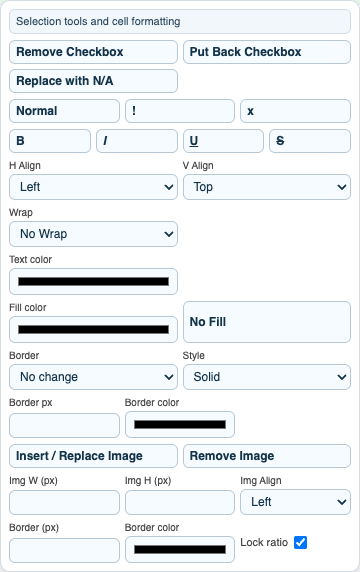
Right-click a checkbox cell to remove the checkbox, put it back, replace it with N/A, or change only that cell to normal, !, or x. Removed checkbox cells become normal editable cells.
Add progress-count columns if needed
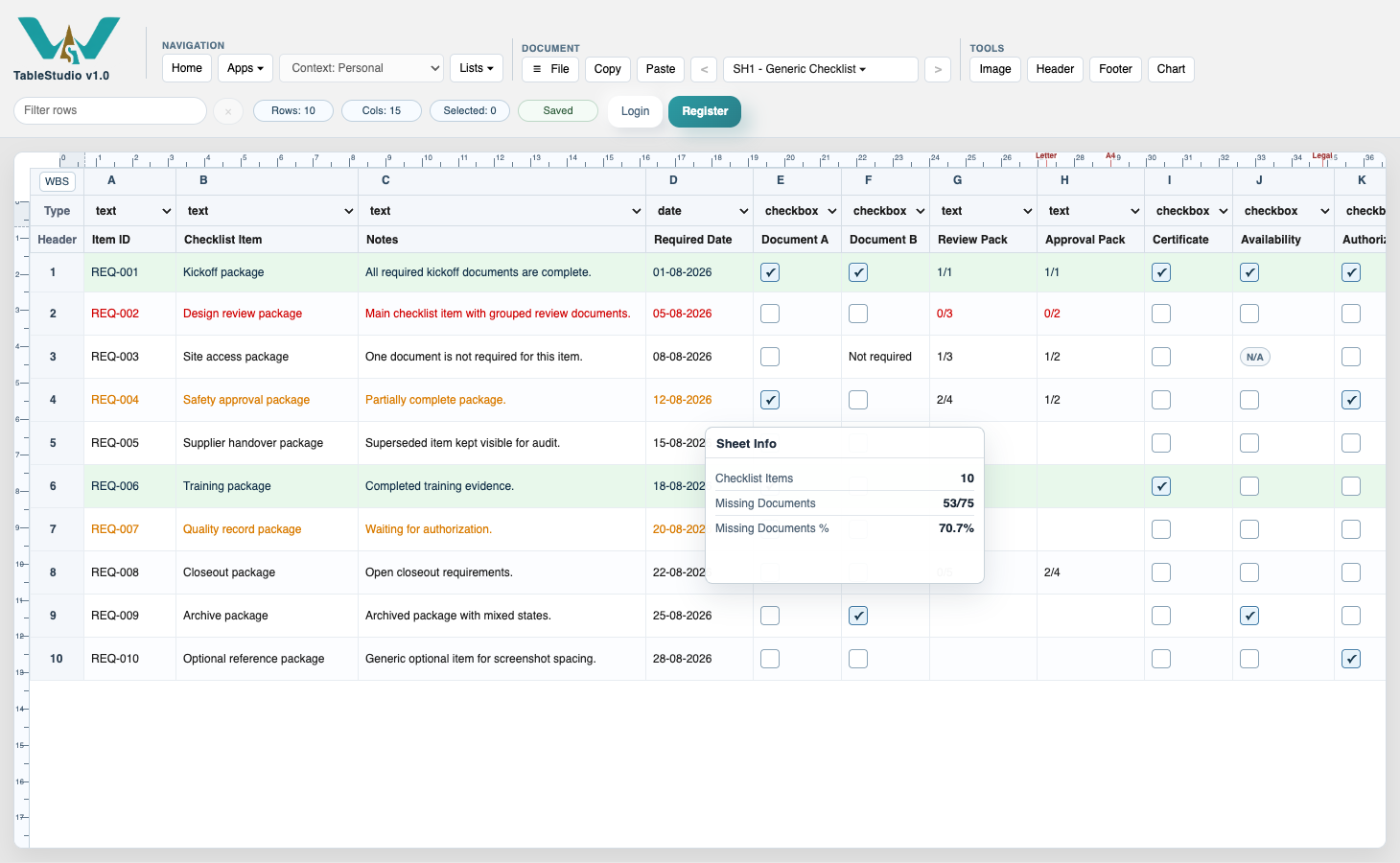
For grouped requirements, type progress values such as 0/6, 1/6, or 1/1 in normal text columns. Sheet Info reads 0/6 as 6 missing and 1/6 as 5 missing.
Open the Sheet Info panel
Use File Settings > Add Sheet Info Panel. Set the title, size, transparency, WBS exclusion, and print behavior.
Add missing-document metrics
Use definitions such as Missing Documents | E:F,I:K | missingDocs, Missing Documents | E:K | ratioMissingDocs, or Missing Documents % | E:K | percentMissingDocs.
Check the live result
Tick or untick checkboxes and change fraction values. The Sheet Info panel updates with the new missing total. Removed checkbox cells and N/A cells are skipped from the count.
Review print placement
If the panel should appear in output, set Print to Print on sheet and check that print preview keeps the panel at the saved sheet position.
Enable JavaScript to use reading progress and usefulness ratings.