
Paid and completed: how they work together
Use Notes for tasks and payment history for money, with a clear choice when the two meet.
These guides use fictional practice data and generic EUR amounts. Costs, tasks & dates is the second learning series; start with Costs & budgets if you are new to cost elements. The screenshots show the October 2026 interface. Adapt example dates and planning periods if practicing later. Recording bills and payments does not transfer money.
Start with A monthly phone bill: expected, billed, paid and checked or Review unfinished work.
Settle a bill and check its task
A silent, paced screen presentation using real Catalog captures and fictional EUR examples. Outlines and Click / Type / Look here arrows identify the action. The decorative title artwork is AI-generated. Open the full guide for the illustrated transcript.
Checking a task asks what happened
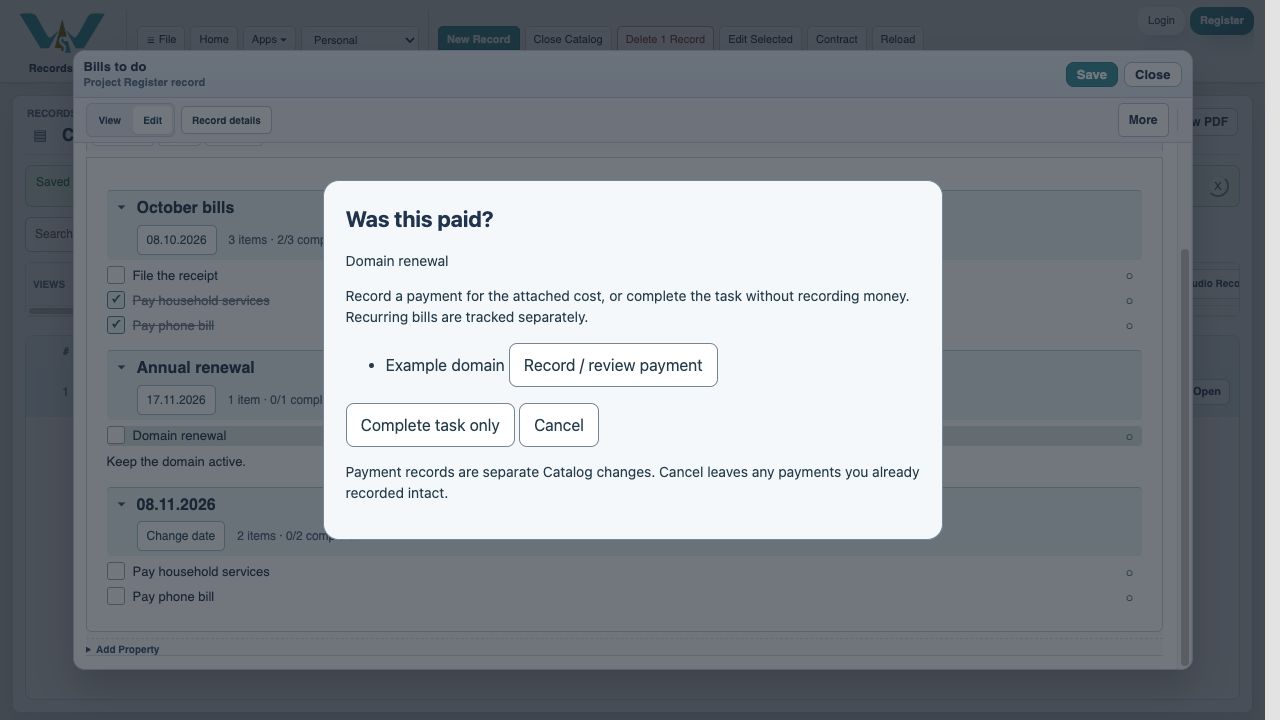
In Notes Edit mode, check a row that has a cost. Was this paid? offers Record / review payment or Complete task only. Choose the latter when the work is complete but no payment should be recorded. Cancel leaves the task unchanged; a payment already recorded in the nested dialog remains a separate Catalog change.
Partial payment keeps the bill open
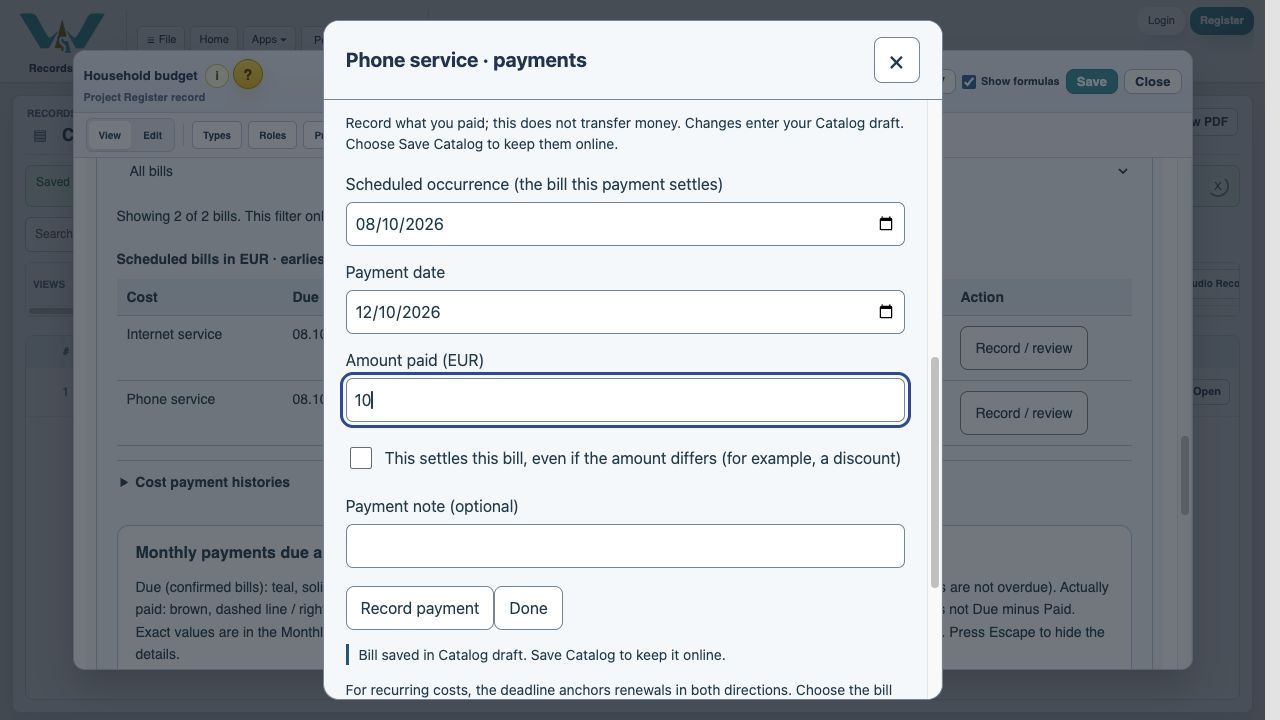
The October phone invoice is EUR 24. Record EUR 10 without selecting This settles this bill. EUR 14 remains due and the linked payment task stays open. Use the real payment date for the transaction and the bill’s date/occurrence for its allocation. Do not change the bill date merely because you paid later.
Settlement may include a discount
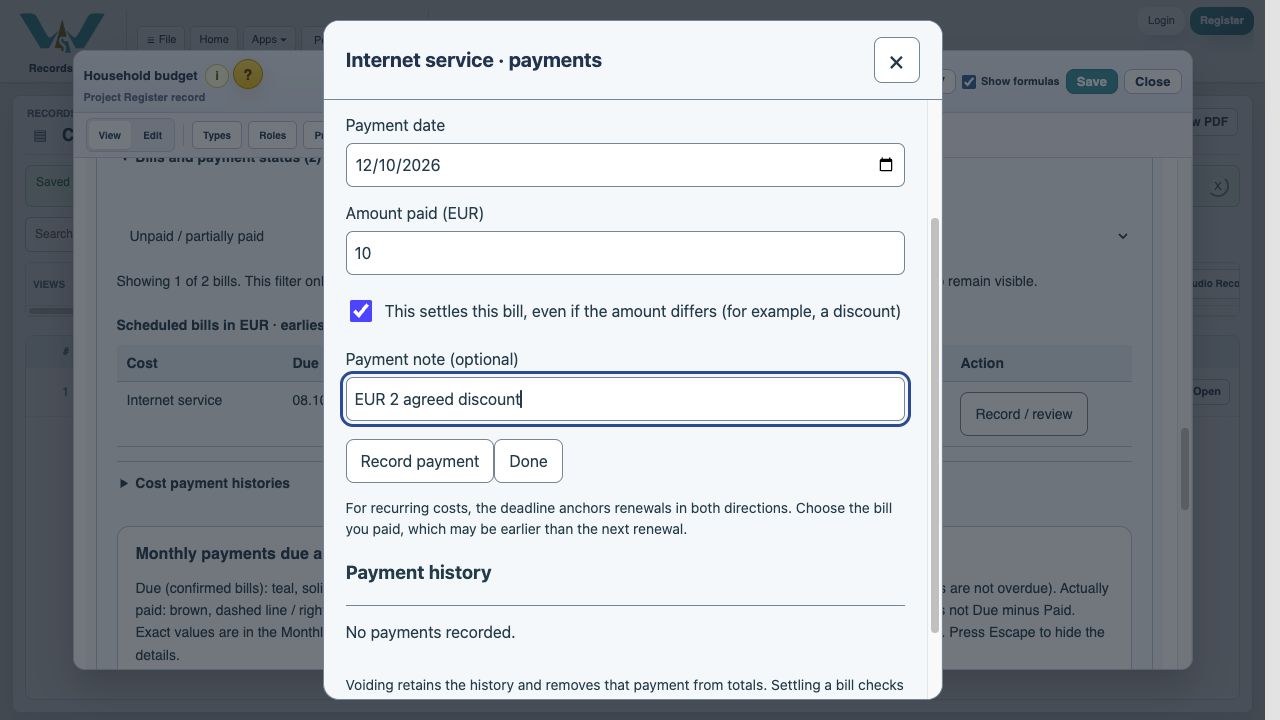
For the EUR 12 Internet bill, an agreed EUR 2 discount means EUR 10 paid can settle it. Enter 10, select This settles this bill, and add the reason in Payment note. Record payment. Still due becomes zero even though paid is below billed; the adjustment remains visible. Only select settlement when the bill really is closed.
Completion has safeguards
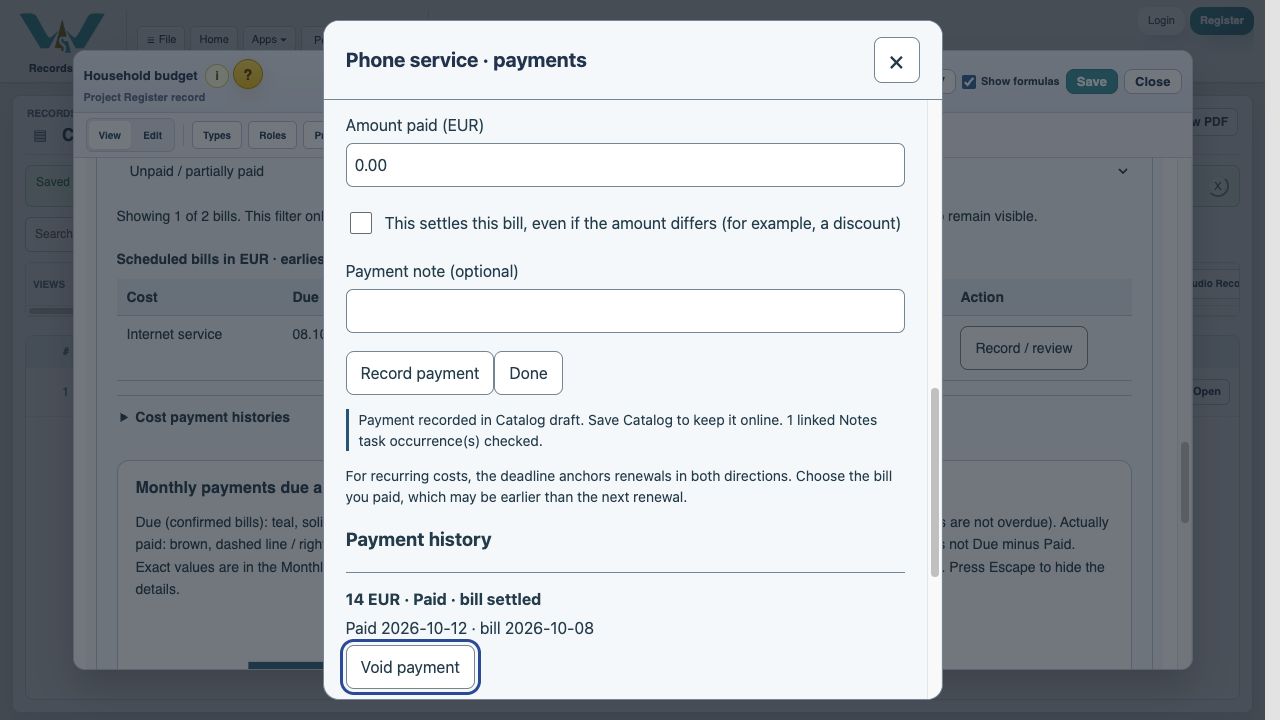
Settlement checks the matching editable Notes task only when all its attached costs are settled. Read-only or hidden sources, unfinished child tasks and pending linked edits can require manual review. Read the result message. Unchecking a Note does not reverse a payment; voiding a payment does not automatically reopen a task. Correct both deliberately when necessary.
Enable JavaScript to use reading progress and usefulness ratings.