
Recurring bills without completing next month
Three dates have different roles: the scheduled occurrence, the actual due date and the day you paid.
These guides use fictional practice data and generic EUR amounts. Costs, tasks & dates is the second learning series; start with Costs & budgets if you are new to cost elements. The screenshots show the October 2026 interface. Adapt example dates and planning periods if practicing later. Recording bills and payments does not transfer money.
Start with A monthly phone bill: expected, billed, paid and checked or Review unfinished work.
This month paid, next month still open
A silent, paced screen presentation using real Catalog captures and fictional EUR examples. Outlines and Click / Type / Look here arrows identify the action. The decorative title artwork is AI-generated. Open the full guide for the illustrated transcript.
Identify the bill before recording money
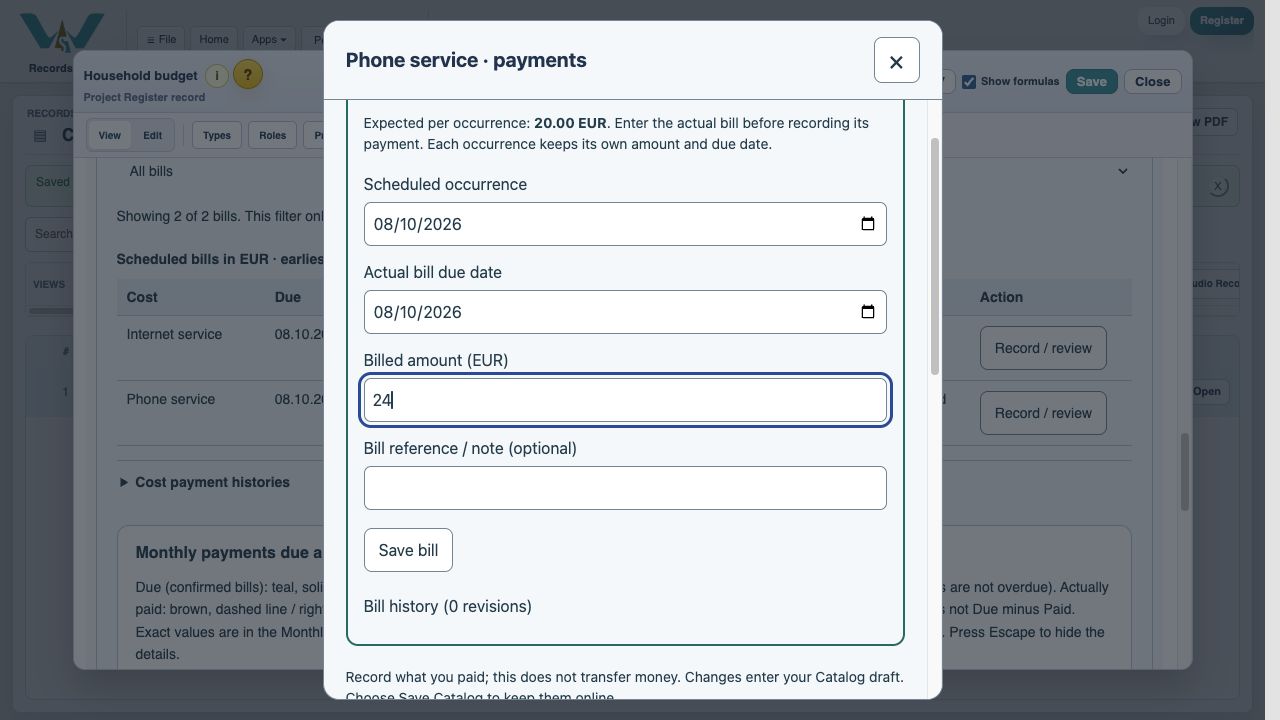
For a variable monthly cost, Scheduled occurrence identifies the recurring bill, such as 8 October. Actual bill due date records the invoice’s deadline, which can differ. Payment date records when money was paid. Keep the original occurrence when entering an invoice with a changed due date; match the task to the actual deadline.
Enter each invoice’s own amount
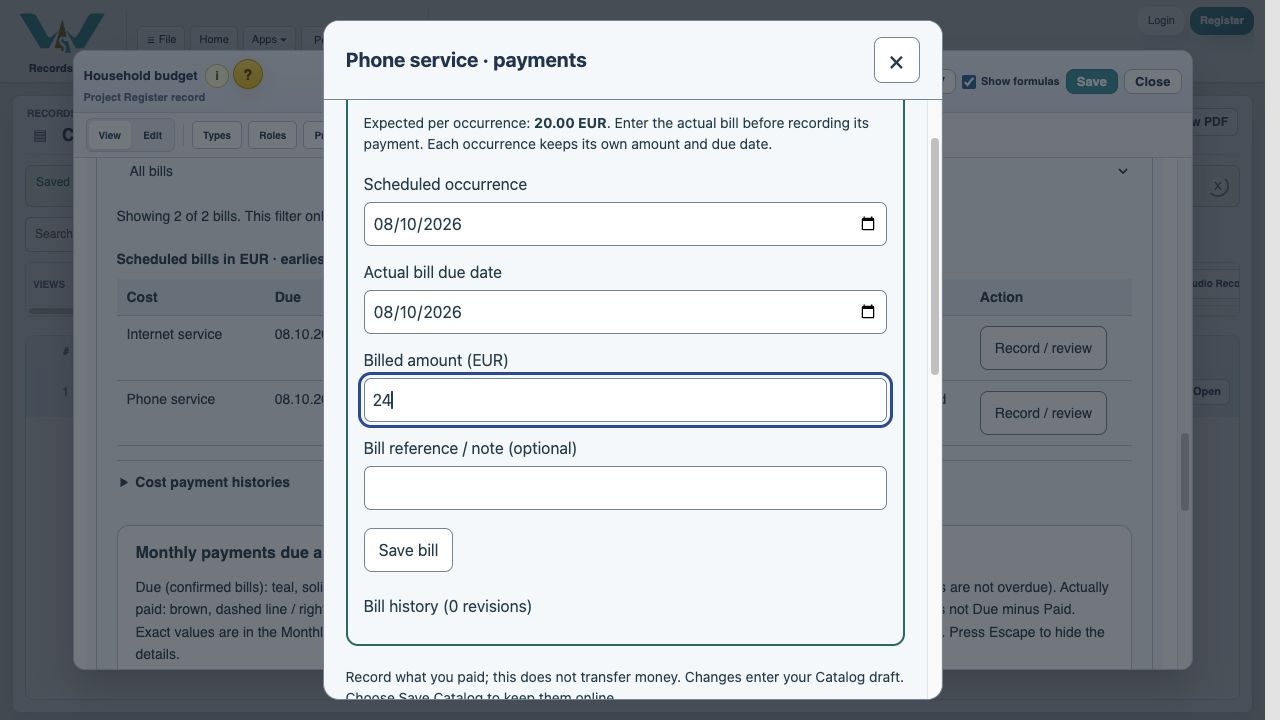
Keep the expected phone cost at EUR 20. Save the October bill as EUR 24, without overwriting the expected amount for every future month. The next variable occurrence remains awaiting a bill until its own invoice is entered. The monthly Due column already includes the expected amount (striped). When automatic estimation is on, it uses the billed-history estimate. Entering an actual bill replaces that occurrence’s estimated part; it does not add a second cost.
Only the matching occurrence is completed
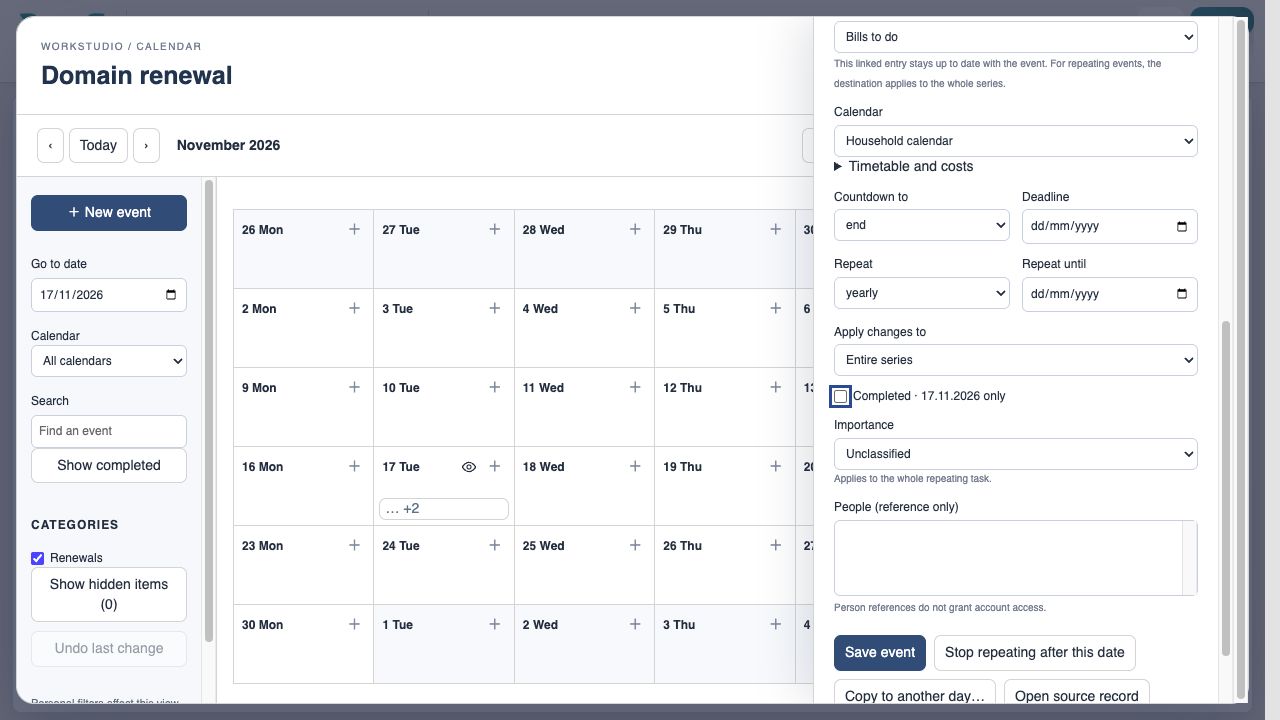
October’s Pay phone bill is checked after settlement. Its November recurrence remains open. A payment date in October does not by itself mean that the October bill was paid: inspect the bill allocation. When changing a repeating Calendar event, deliberately choose This occurrence, This and following occurrences, or Entire series.
Correct history rather than adding a duplicate
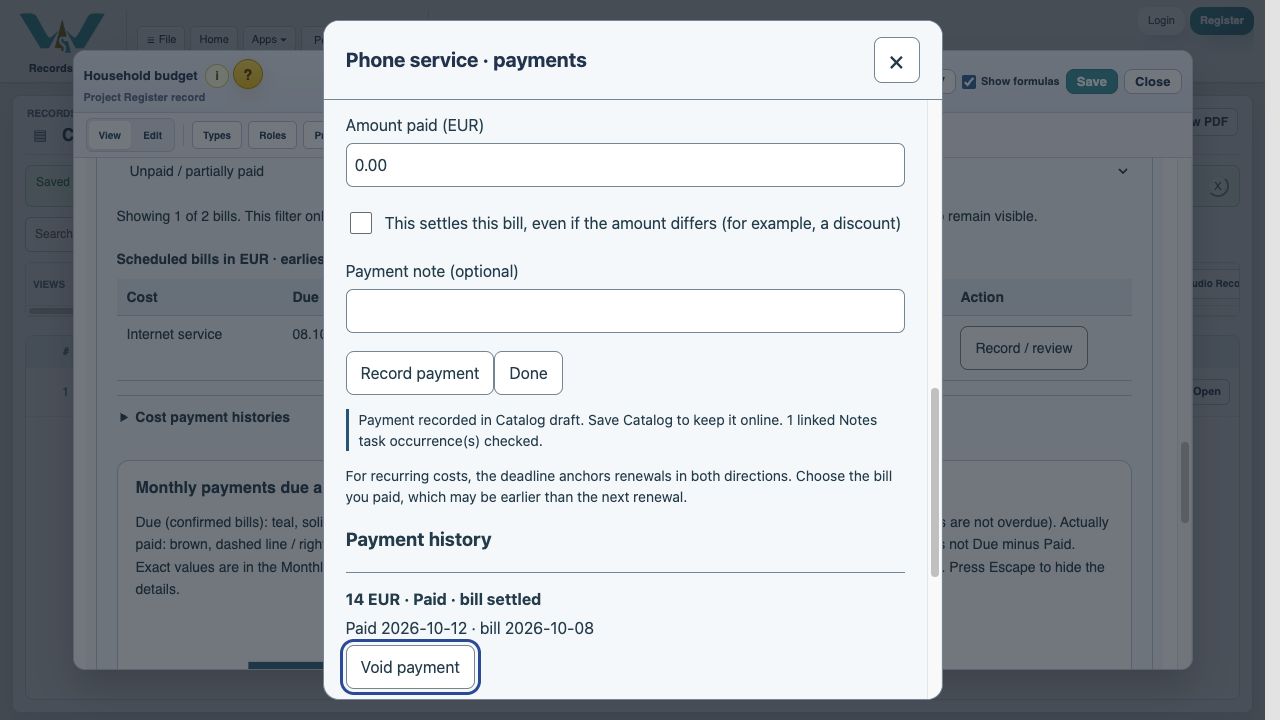
Open Record / review for the affected cost and inspect Payment history. Use Correct bill date when the payment was assigned to the wrong occurrence. Use Void payment for an incorrect entry and record the correct one; the old entry stays in the history. Review the corresponding checkbox separately after a void. Save Catalog after corrections.
Enable JavaScript to use reading progress and usefulness ratings.