
A five-minute monthly review
Start from the prepared phone-settled example. Find remaining work, settle an agreed discount and confirm that the monthly review is complete.
These guides use fictional practice data and generic EUR amounts. Costs, tasks & dates is the second learning series; start with Costs & budgets if you are new to cost elements. The screenshots show the October 2026 interface. Adapt example dates and planning periods if practicing later. Recording bills and payments does not transfer money.
Before you start
Download connected-settled.ca below. It contains prelinked records so you can focus on this workflow. Then use File → Open → Computer → Choose .ca file. Work in the separate practice Catalog; save any existing work first.
Code is optional. Use it only if a short reference helps you; you can leave it blank. Number formats can vary with settings.
Online saving requires your usual signed-in account and edit access. Keep computer-only practice by exporting the complete Catalog.
Open the Note that needs attention
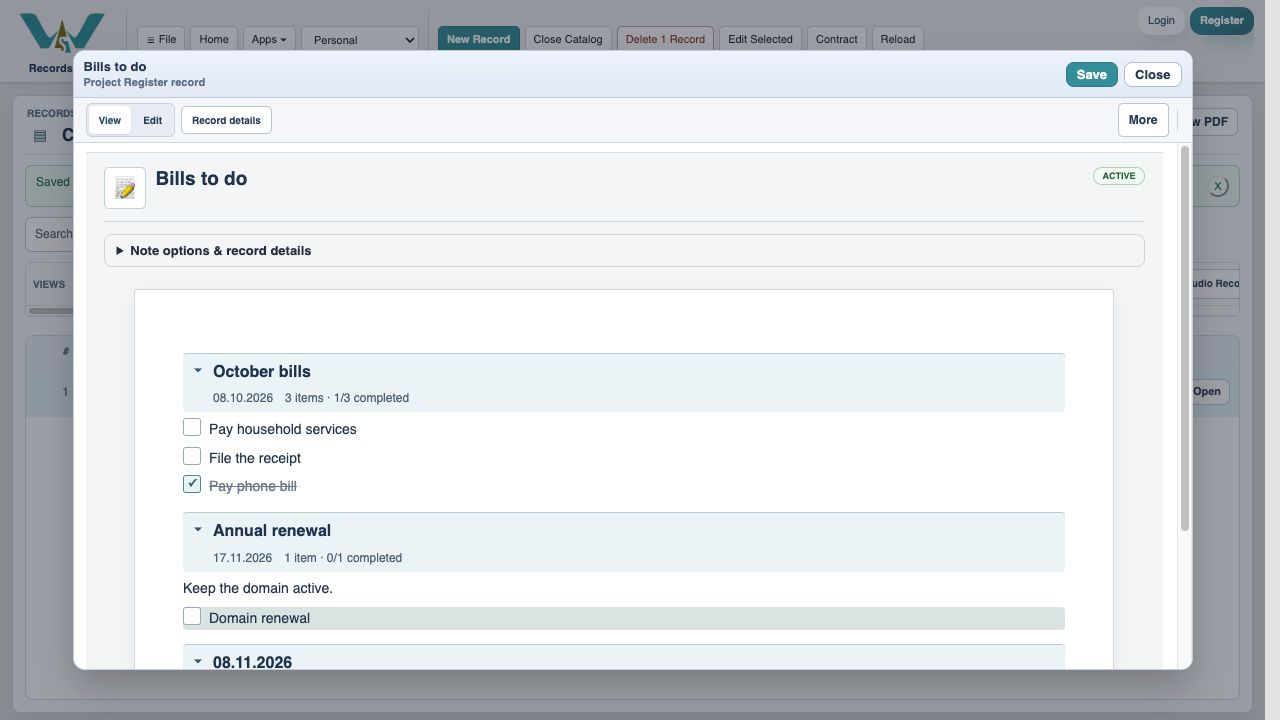
Open Bills to do. The October phone task is already checked in this practice file, while Pay household services and File the receipt remain open. Money and work have separate completion states.
Set your Notes view
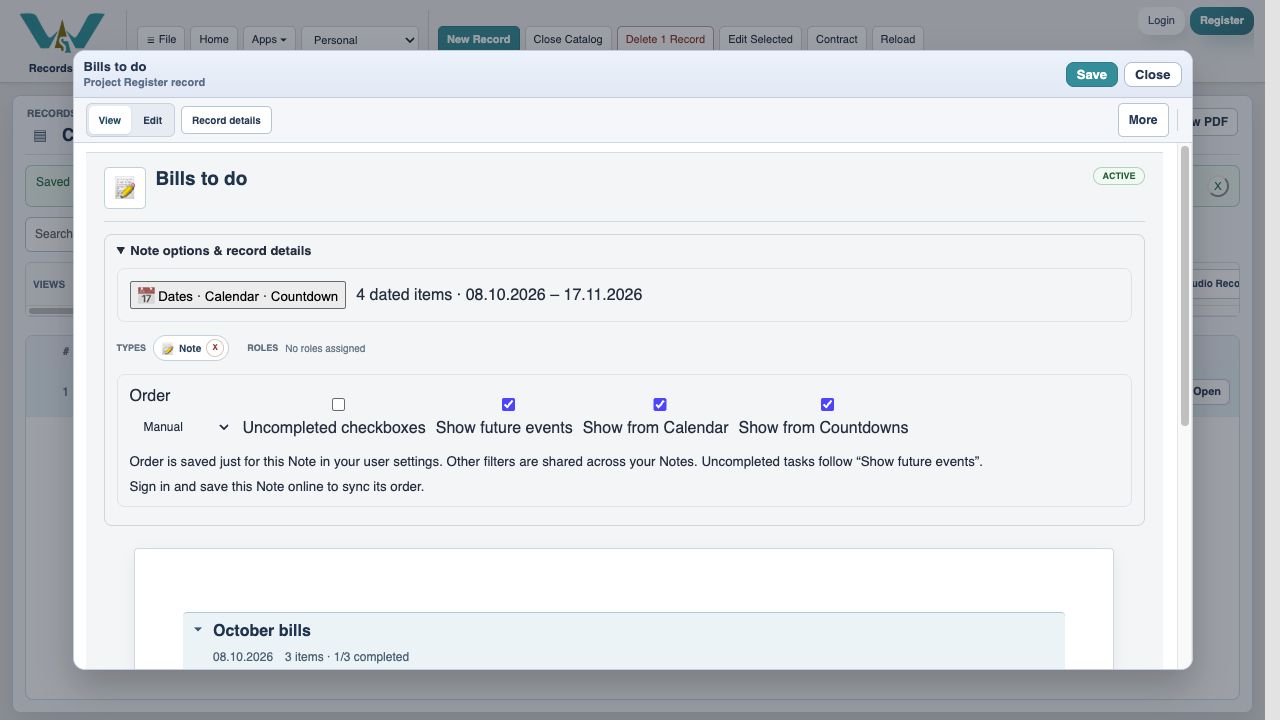
Open Note options & record details. Choose the useful section order and use Uncompleted checkboxes if you want to focus on remaining work.
Hide future events for this review
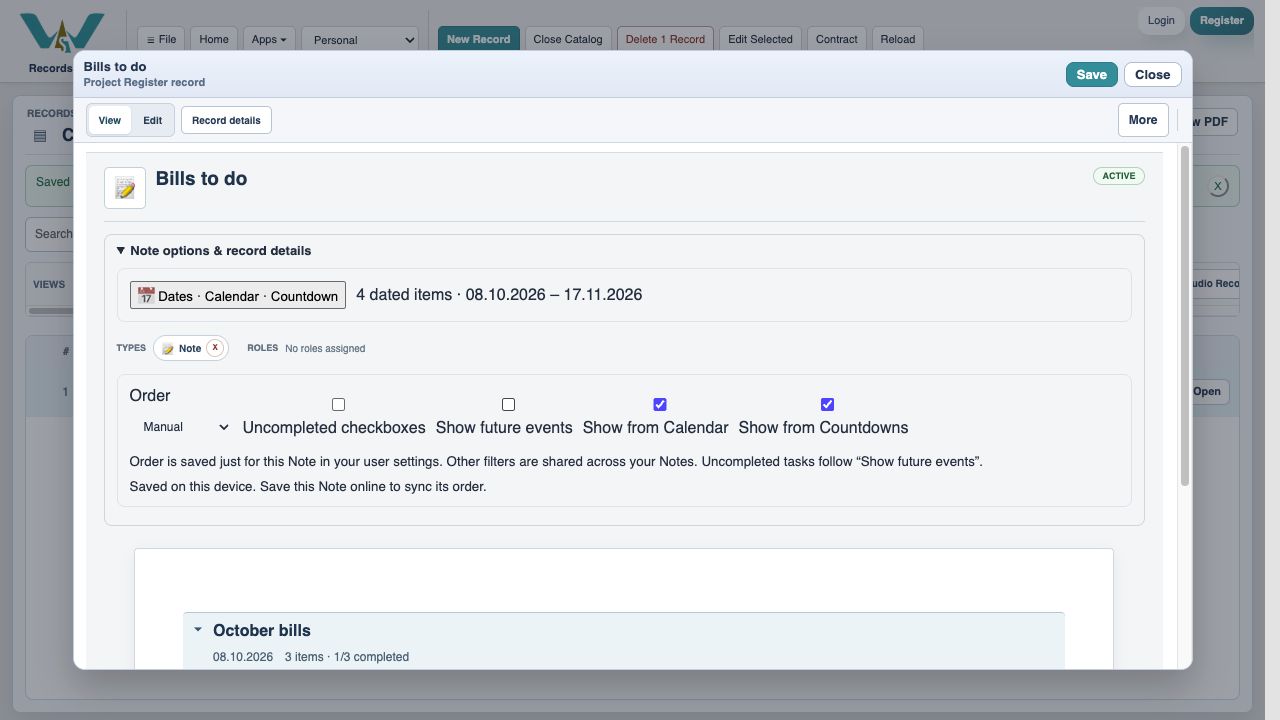
Turn off Show future events to focus on current/past dated work. Hiding future sections does not complete or delete their tasks. Restore it later to inspect next month.
Open the current month’s budget
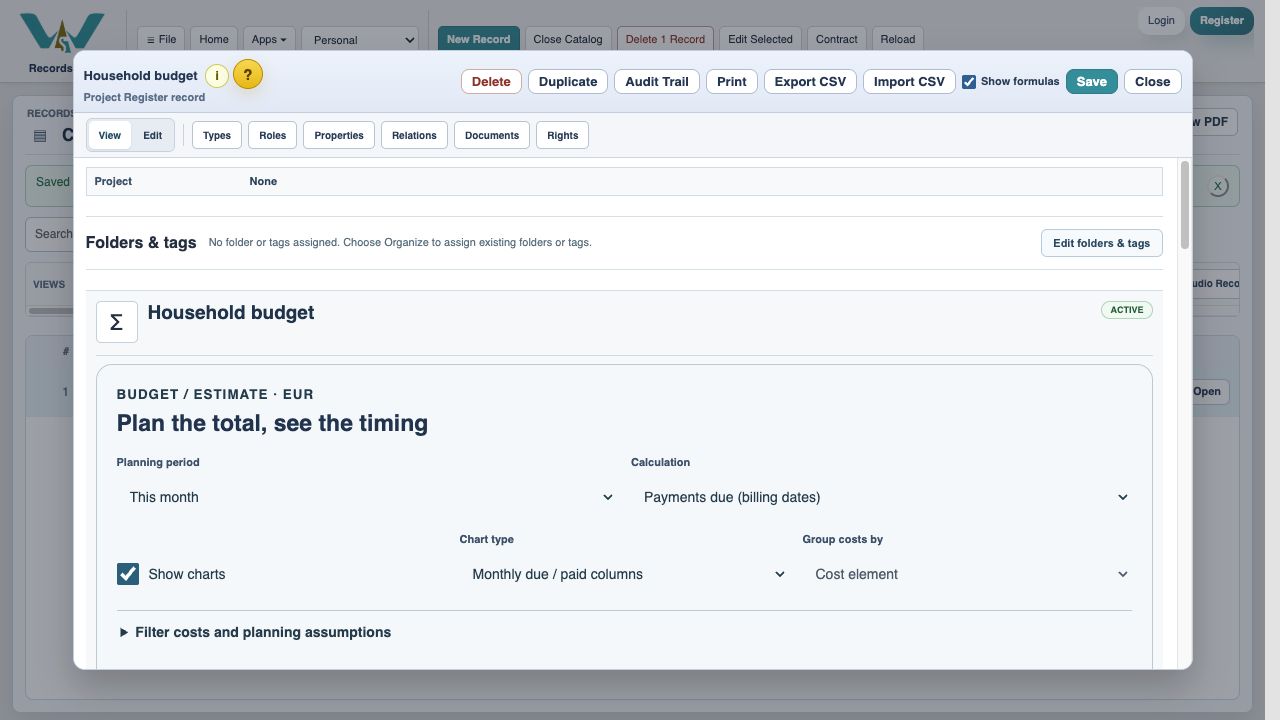
Open Household budget and choose This month with Payments due (billing dates). A current-month period includes bills from the first of the month, even when today is later.
Show only outstanding bills
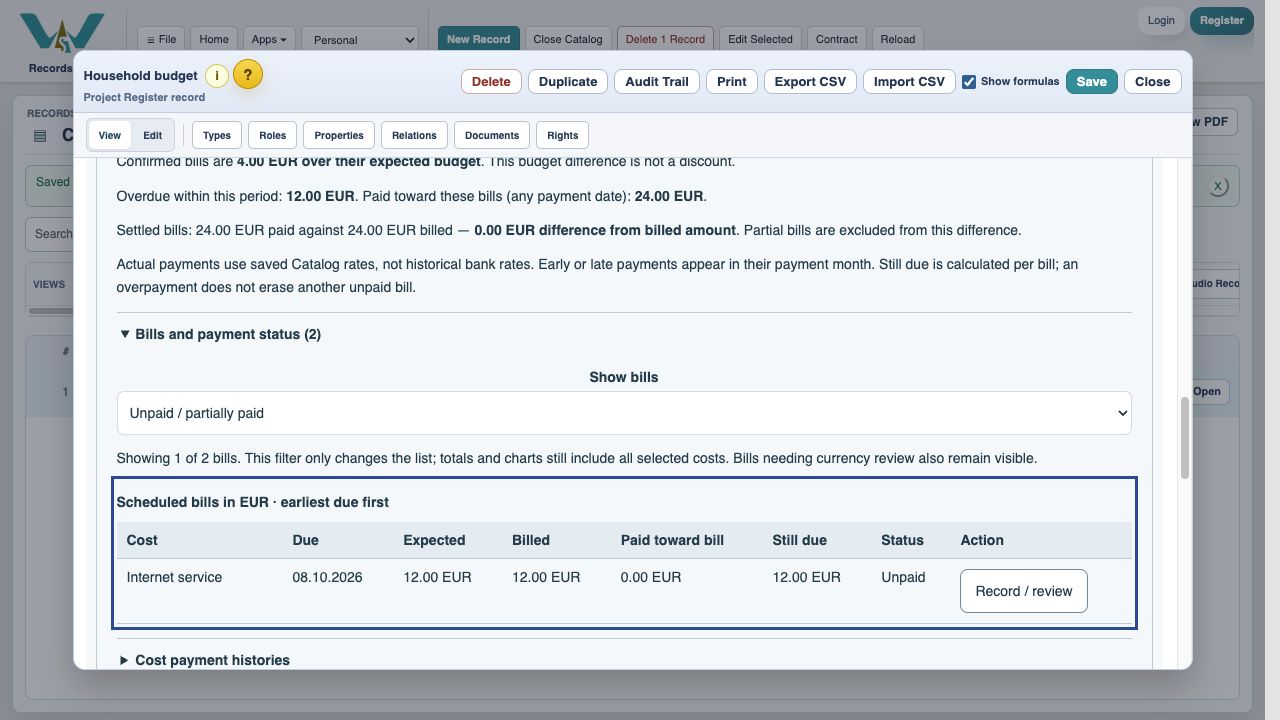
Expand Bills and payment status and select Unpaid / partially paid. In this starting example, Phone is settled and Internet is the remaining EUR 12 bill.
Inspect the chart details
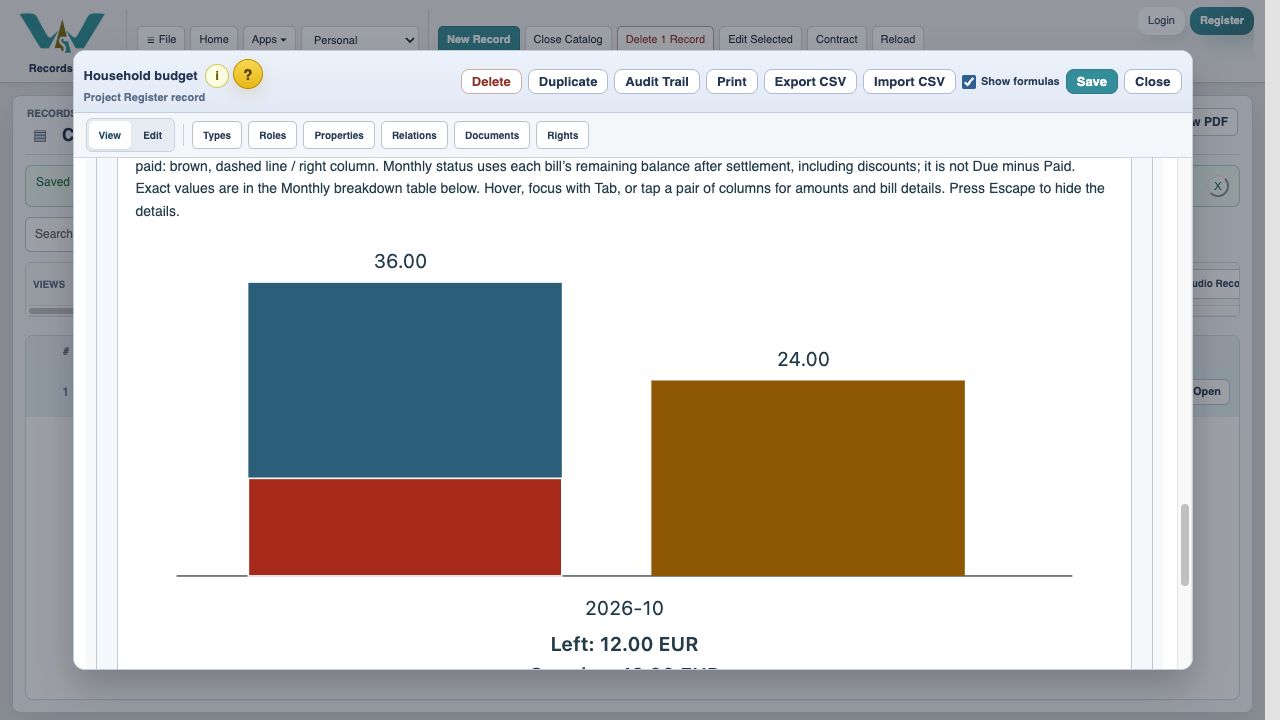
Tap or focus October’s columns. Red shows EUR 12 still overdue in this captured example. Use the table for exact values if charts are not useful to you.
Record the agreed settlement
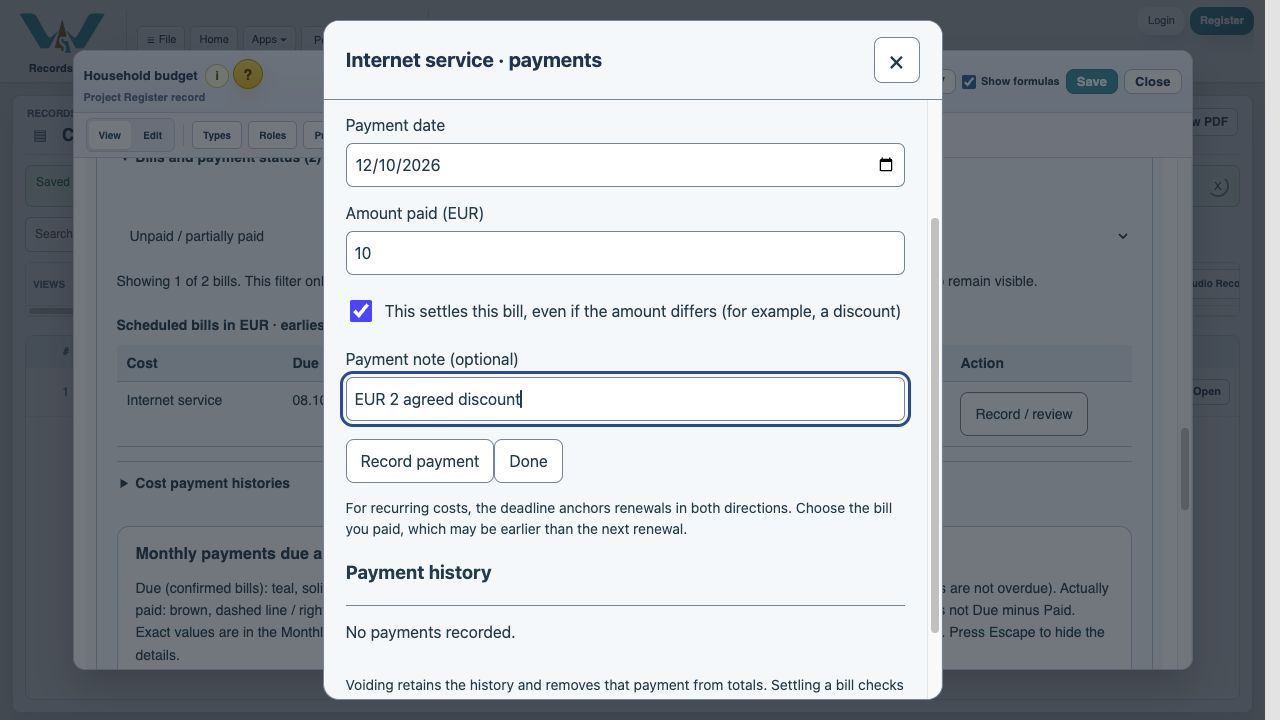
Open Internet’s Record / review. Enter EUR 10, select This settles this bill and record the agreed EUR 2 discount in the note.
Save the payment entry
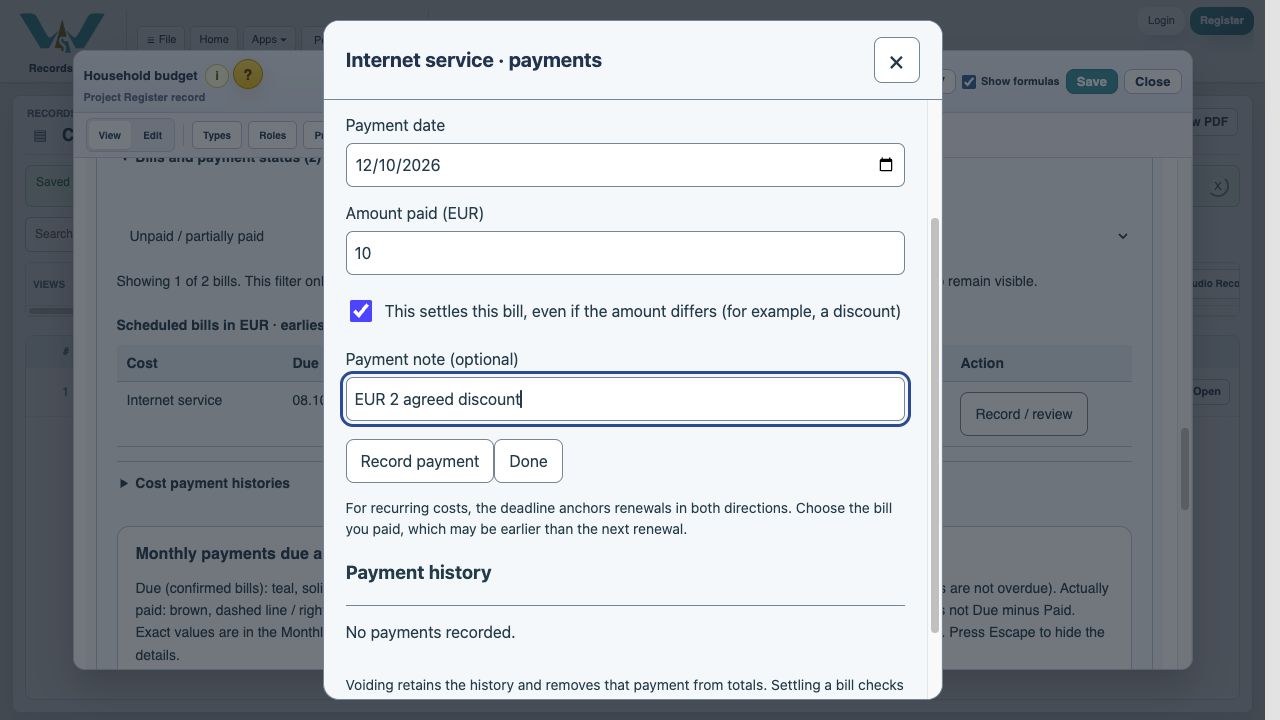
Choose Record payment, read the result, then Done. No money is transferred by this action.
Check all bill statuses
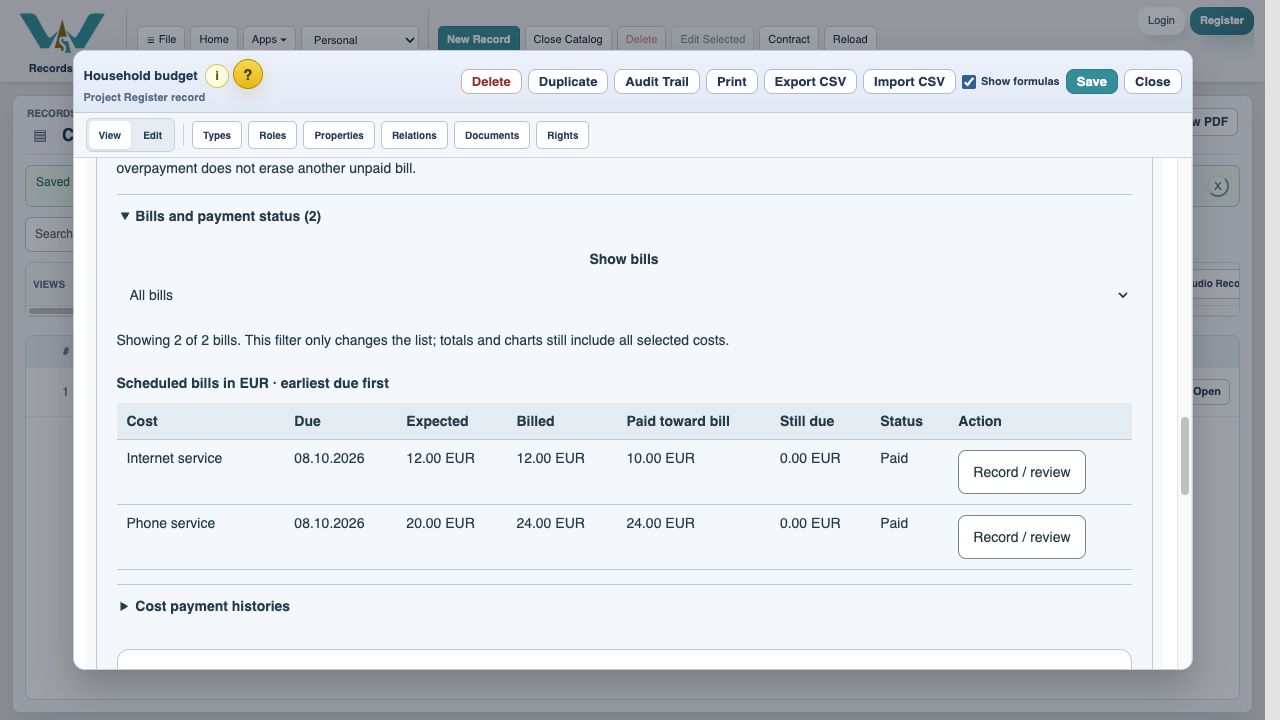
Switch Show bills to All bills. Both October bills are Paid with zero remaining, even though total paid is EUR 2 below billed.
Check remaining work in Notes
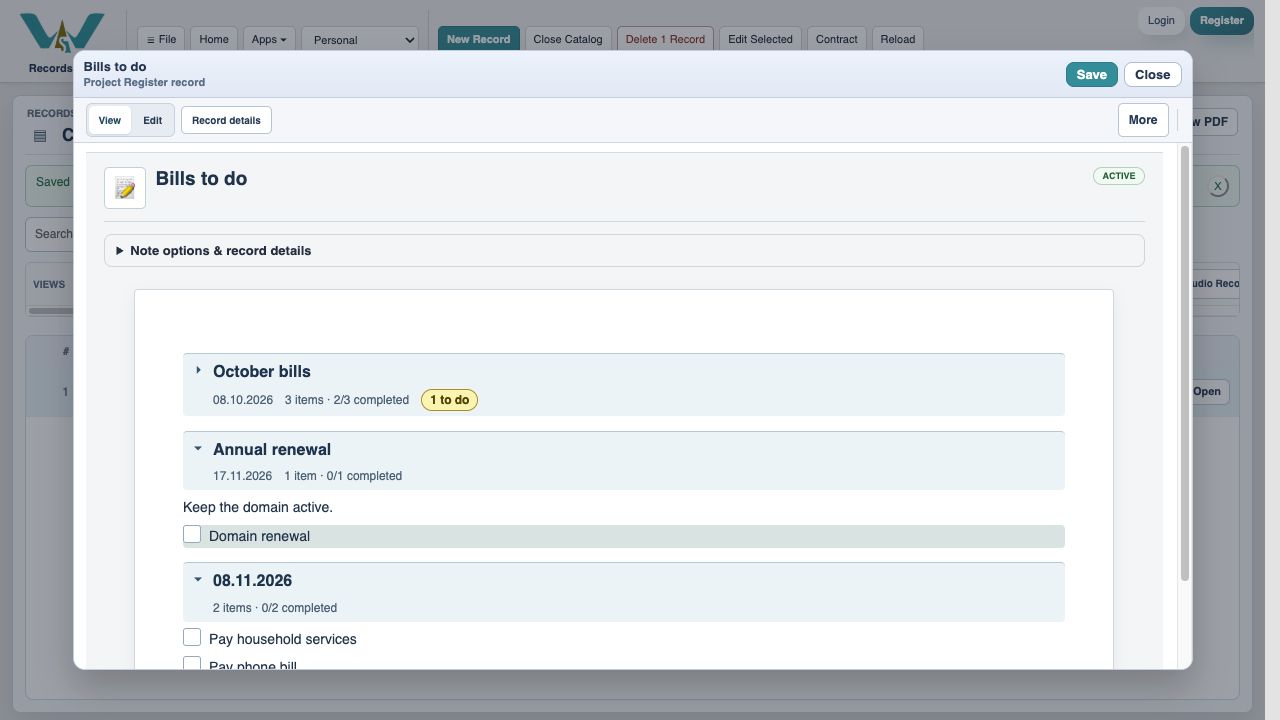
Return to Bills to do. October’s payment tasks are checked, but File the receipt is still open. Collapse October: the badge shows 1 to do. Turn Show future events back on to see the next recurrence.
Keep the review
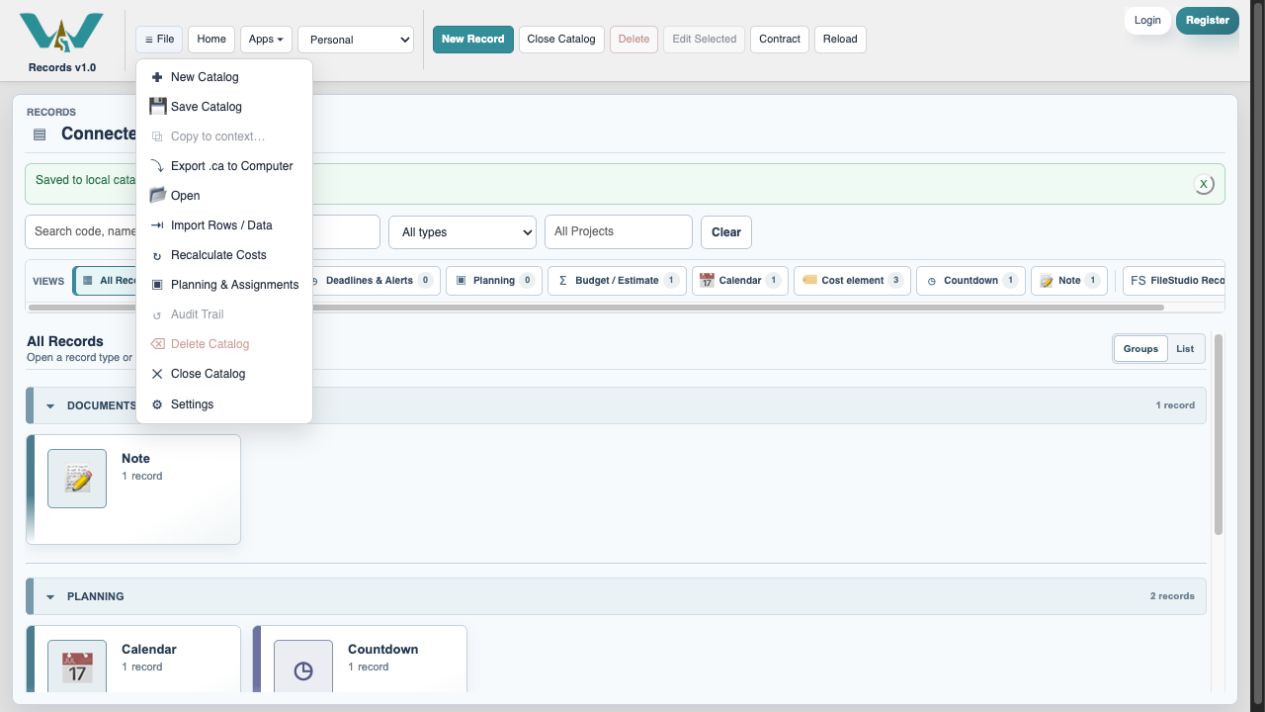
Save Catalog online, or select All Records and export the complete .ca for computer-only practice. The next month’s bills remain separate.
Enable JavaScript to use reading progress and usefulness ratings.