
Read and choose your charts
Choose a chart for the question you want to answer.
These guides use fictional practice data and generic EUR amounts. The screenshots show the October 2026 interface. Adapt example dates and planning periods if practicing later. Recording bills and payments does not transfer money.
Start with Create a cost and your first Budget or Handle a variable bill.
Next: Currencies and troubleshooting differences.
Read the illustrated film transcript.
Keep every donut group visible
Choose Composition donut, then check Show all groups (no Other) to list each group separately. To see every cost element, also choose Group costs by → Cost element. Leave it off for a compact donut that combines smaller groups into Other. Every slice has a named legend entry, an amount and a percentage. The setting is remembered for this estimate in your browser. Display currency changes chart values together with the rest of the report.
Choose a chart that answers your question
A silent, paced screen presentation using real Catalog captures and fictional EUR examples. Outlines and Click / Type / Look here arrows identify the action. The decorative title artwork is AI-generated. Open the full guide for the illustrated transcript.
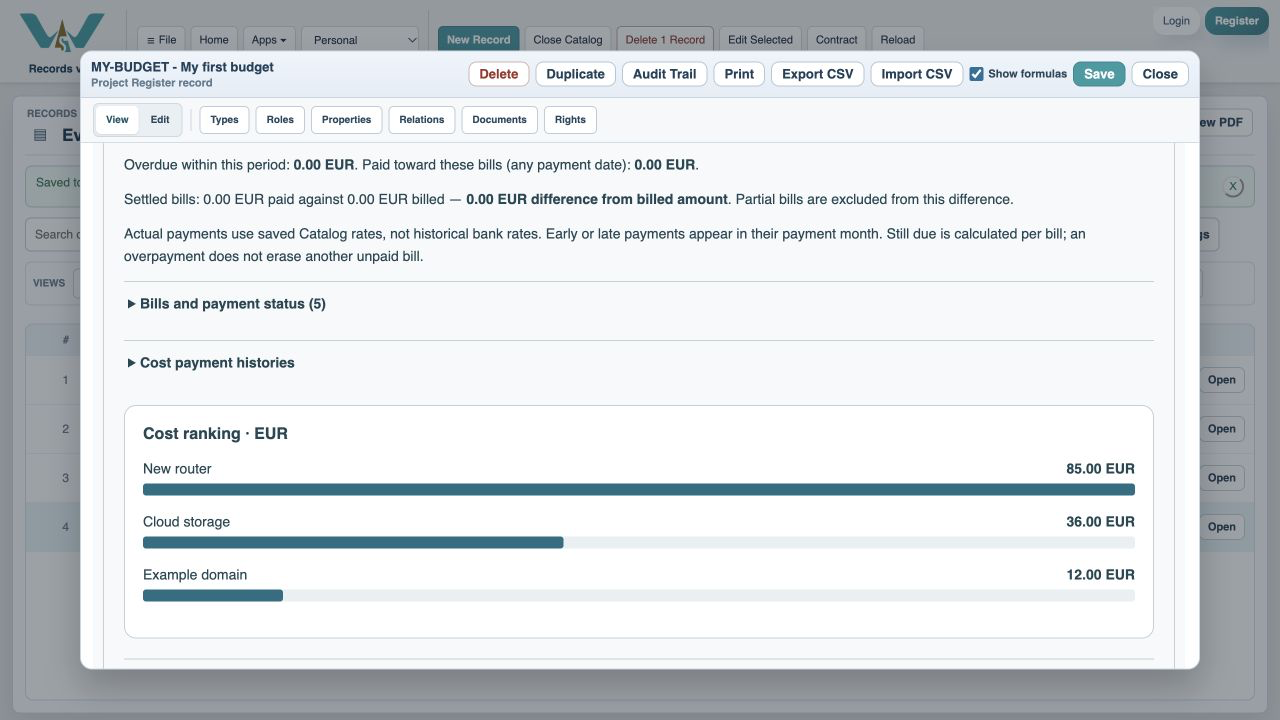
Which costs dominate?
Ranked bars order costs by their contribution. Composition donut shows their share of the selected period total. Group these views by Cost element, Folder or Recurring / one-time. A cost assigned to multiple folders is labeled with that combined group rather than silently split into several copies.
When is money due?
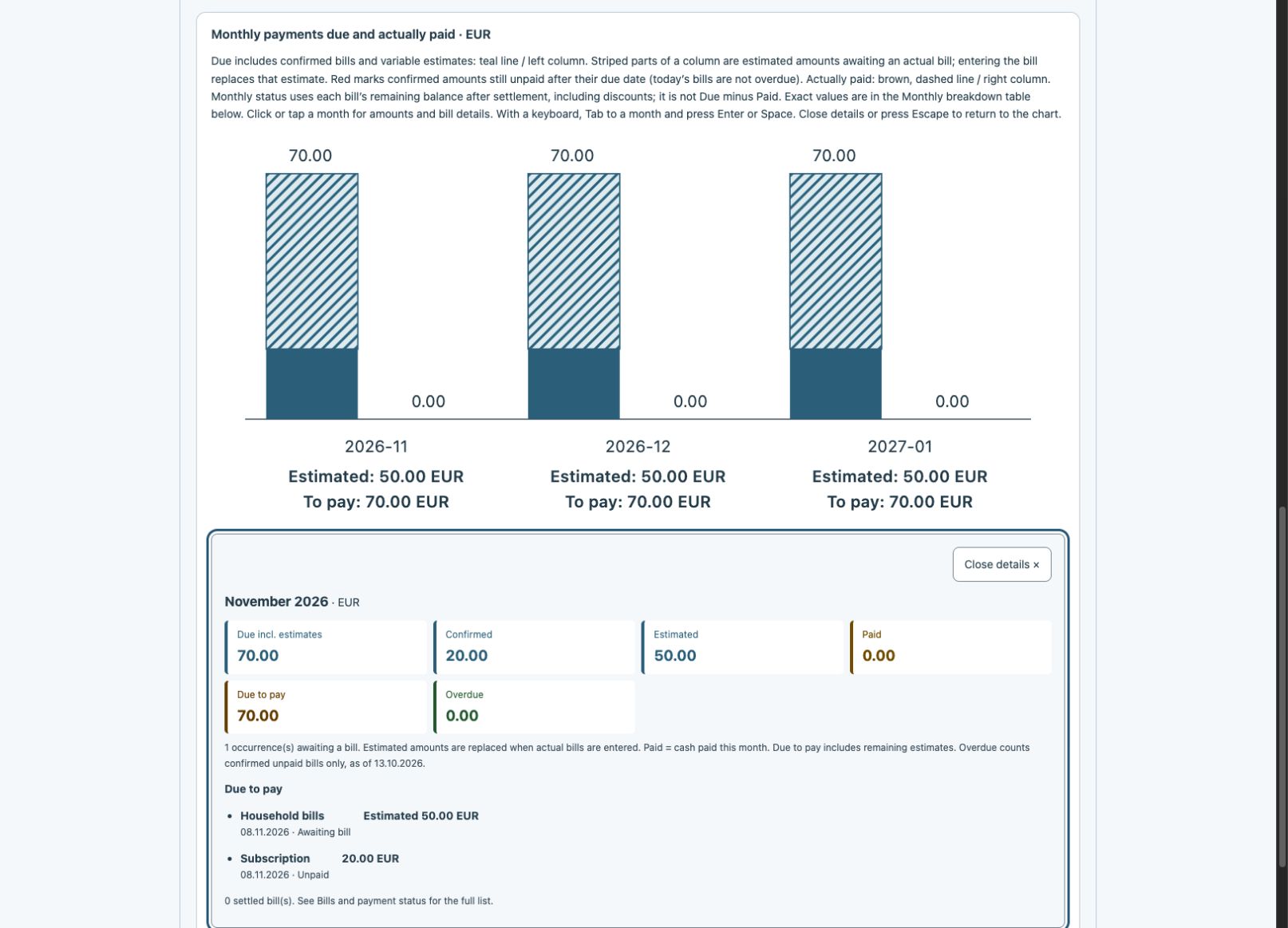
Monthly due / paid columns include expected variable amounts immediately. When automatic estimation is enabled, they use the billed-history estimate; otherwise they use the manual expected amount. Striped portions show estimates awaiting an invoice. Entering the actual bill replaces that occurrence’s estimate, so the column updates without counting both. A yearly renewal creates a jump in its renewal month. Red remains confirmed overdue unpaid money. Click the month for confirmed, estimated and paid amounts. Due to pay also includes the remaining estimates, then adjusts for the actual bill and its payments.
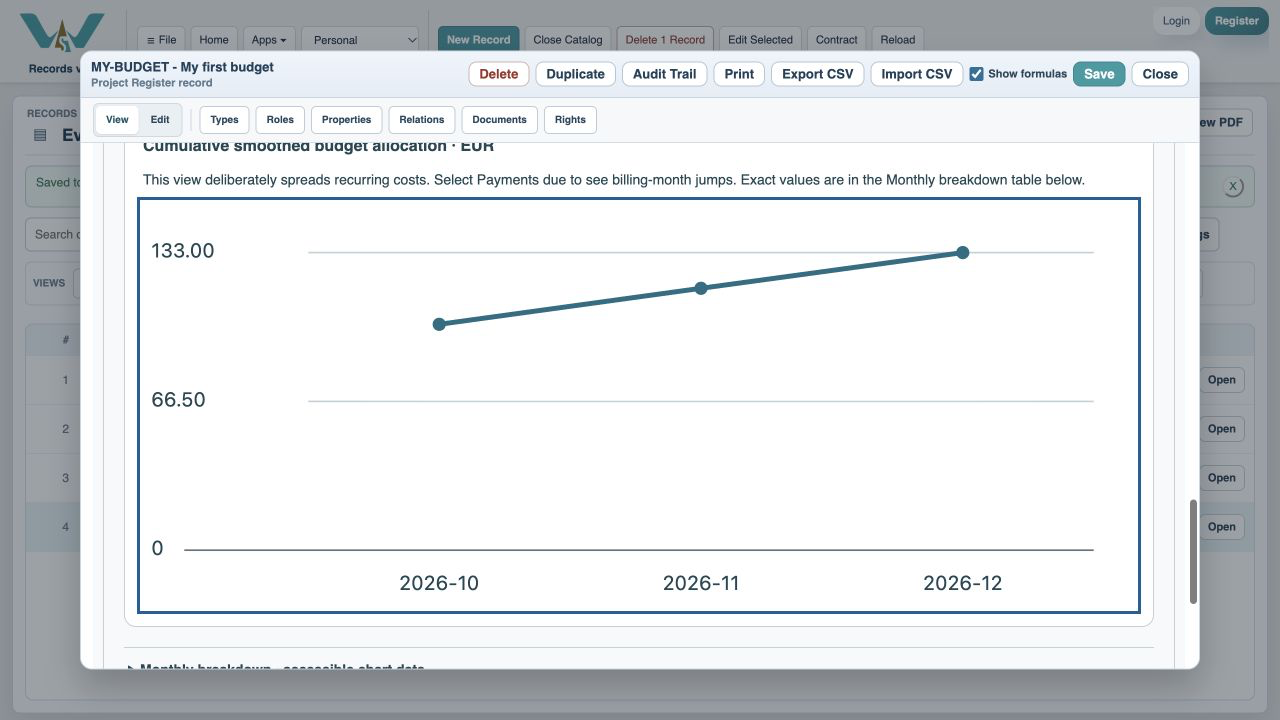
How does the total build up?
Cumulative due / paid line adds each month to the previous months. Due includes confirmed bills and expected variable amounts awaiting their invoices; actual bills replace those estimates. Paid follows recorded cash. Smoothed budget equivalent intentionally spreads expected recurring costs and is labeled as allocation; it should not be read as an invoice schedule.
Use the numbers as well as the colors
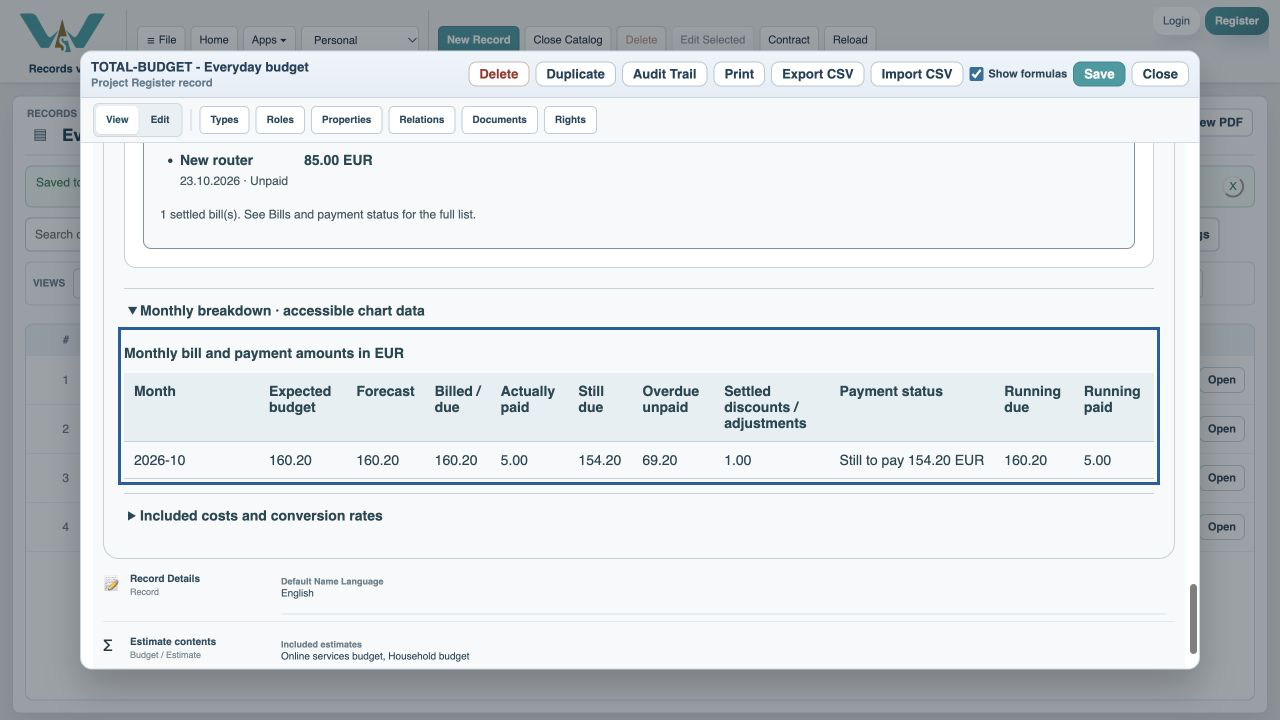
Click or tap a monthly pair to open its details. With a keyboard, Tab to the month and press Enter or Space. Hover only shows a short click instruction. It names due including estimates, confirmed, estimated, paid, due to pay and overdue, followed by open bills. Close details or press Escape within the details to return focus to that month without closing the record. Open Monthly breakdown for a text table of the same amounts. Uncheck Show charts when you prefer tables. Color is reinforced by labels, values and line styles.
Enable JavaScript to use reading progress and usefulness ratings.