
Create a cost and your first Budget
Start with starter.ca. Add Cloud storage, then build a three-cost budget. Allow about 10–15 minutes.
These guides use fictional practice data and generic EUR amounts. The screenshots show the October 2026 interface. Adapt example dates and planning periods if practicing later. Recording bills and payments does not transfer money.
Before you start
Download starter.ca below, then use File → Open → Computer → Choose .ca file. Work in the separate practice Catalog; save any existing work first.
Code is optional. Use it only if a short reference helps you; you can leave it blank. Number formats can vary with settings.
Online saving requires your usual signed-in account and edit access. Keep computer-only practice by exporting the complete Catalog.
Select New Record
Open New Record from the toolbar.
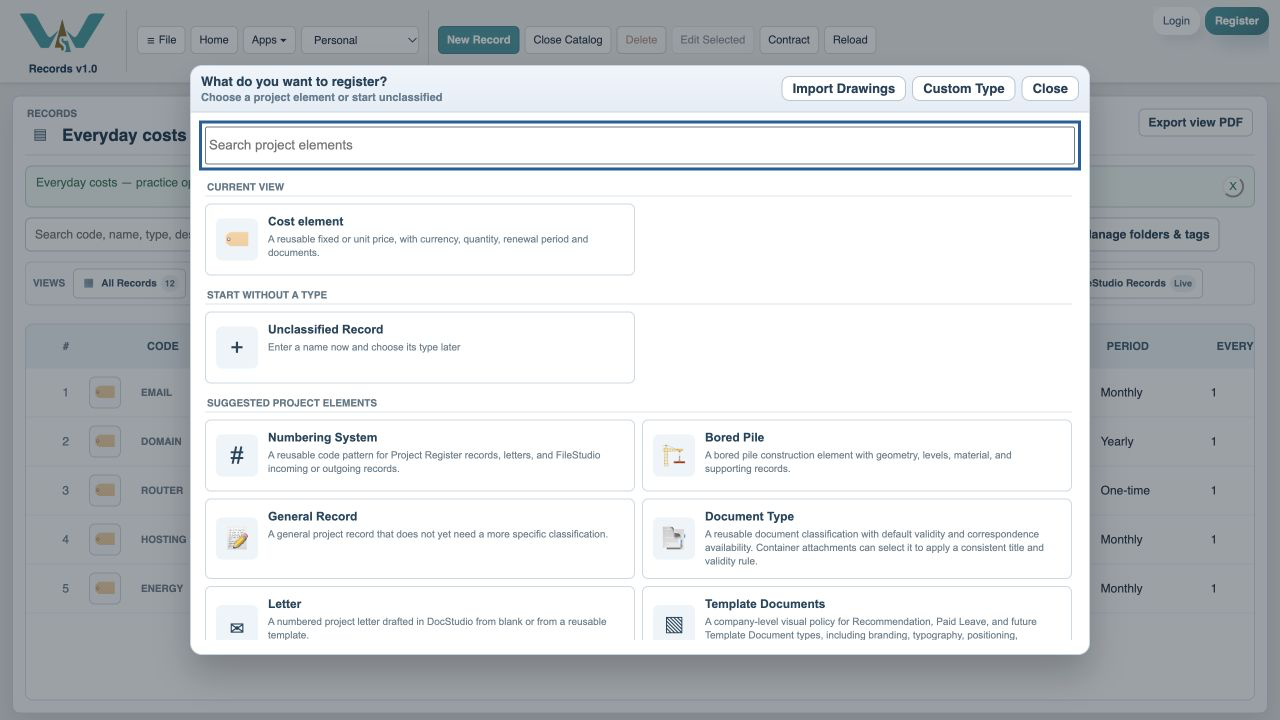
Choose Cost element
Select the Cost element type.
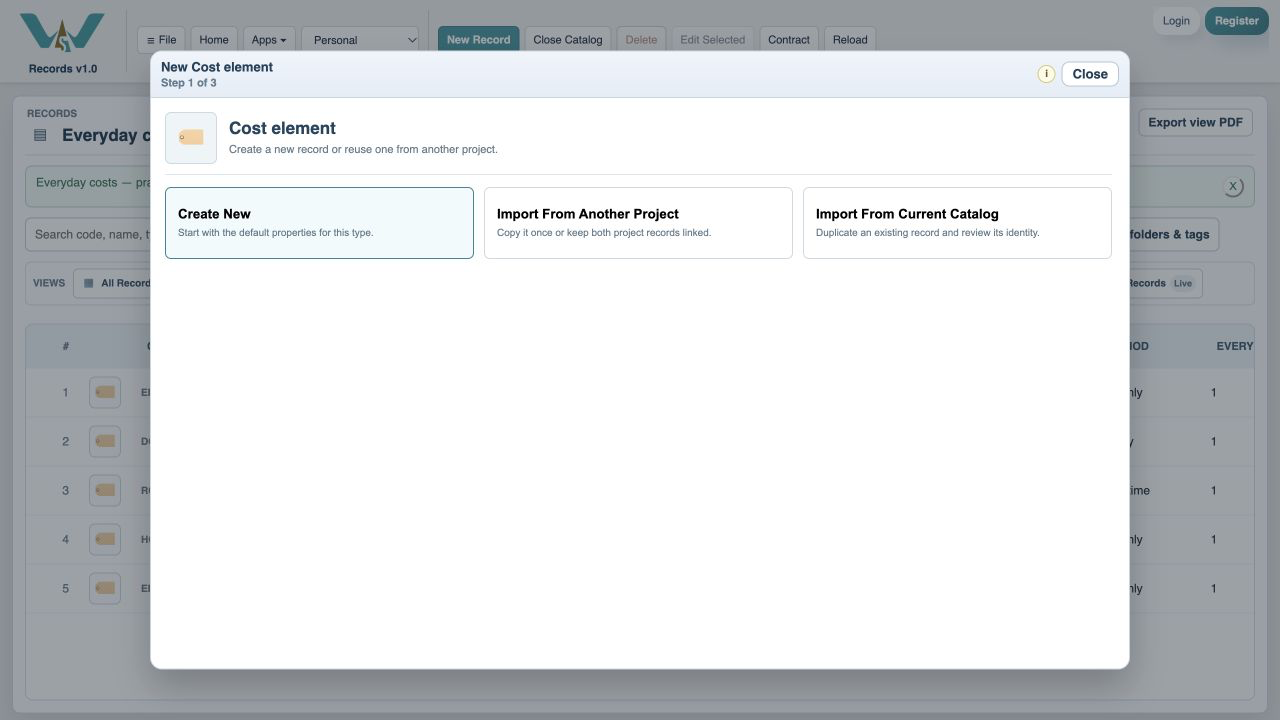
Choose Create New
Start a fresh cost instead of linking an existing record.
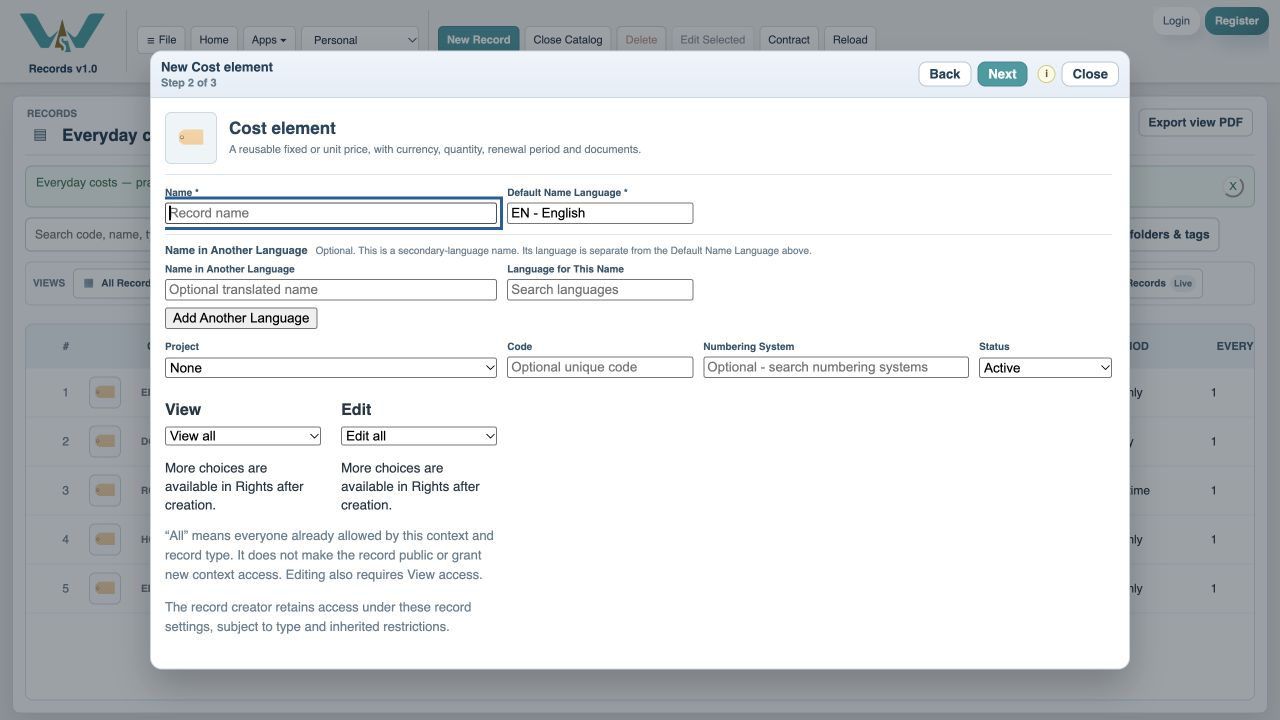
Enter the name
Type Cloud storage.
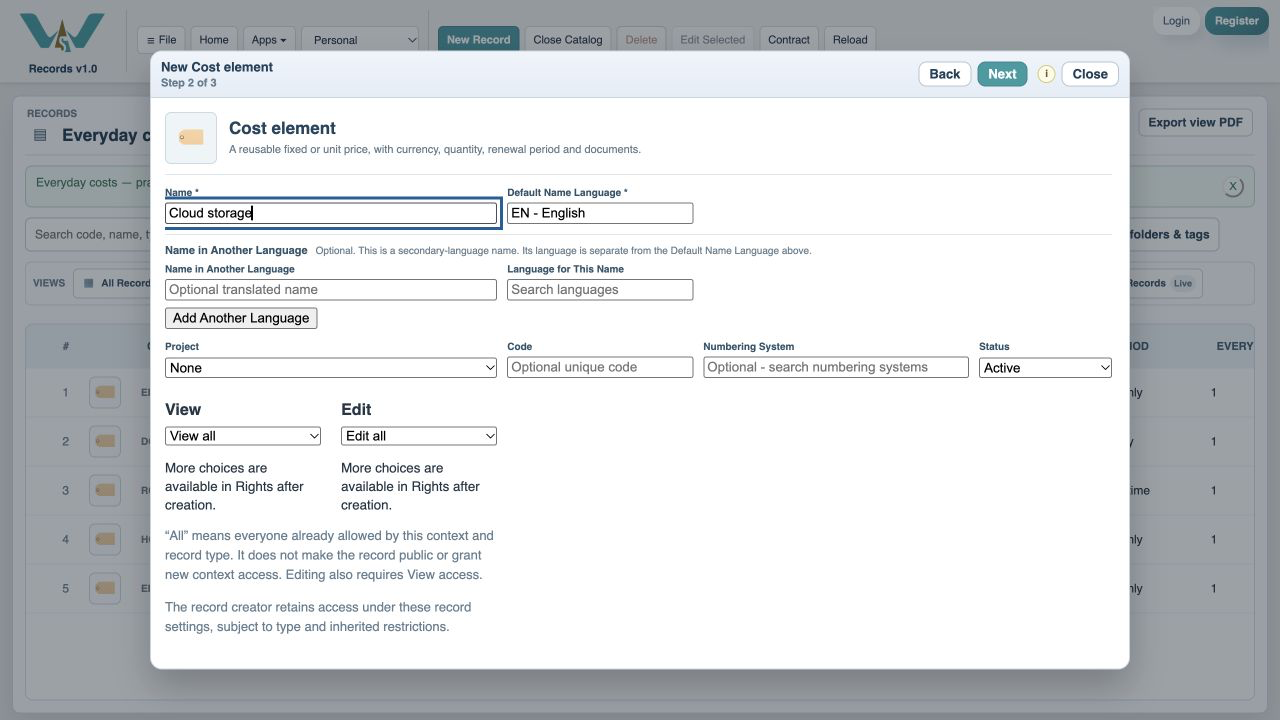
Optional: add a code
Code is optional. Enter CLOUD if you want a short reference, or leave Code blank and continue. The name is enough to create this cost.
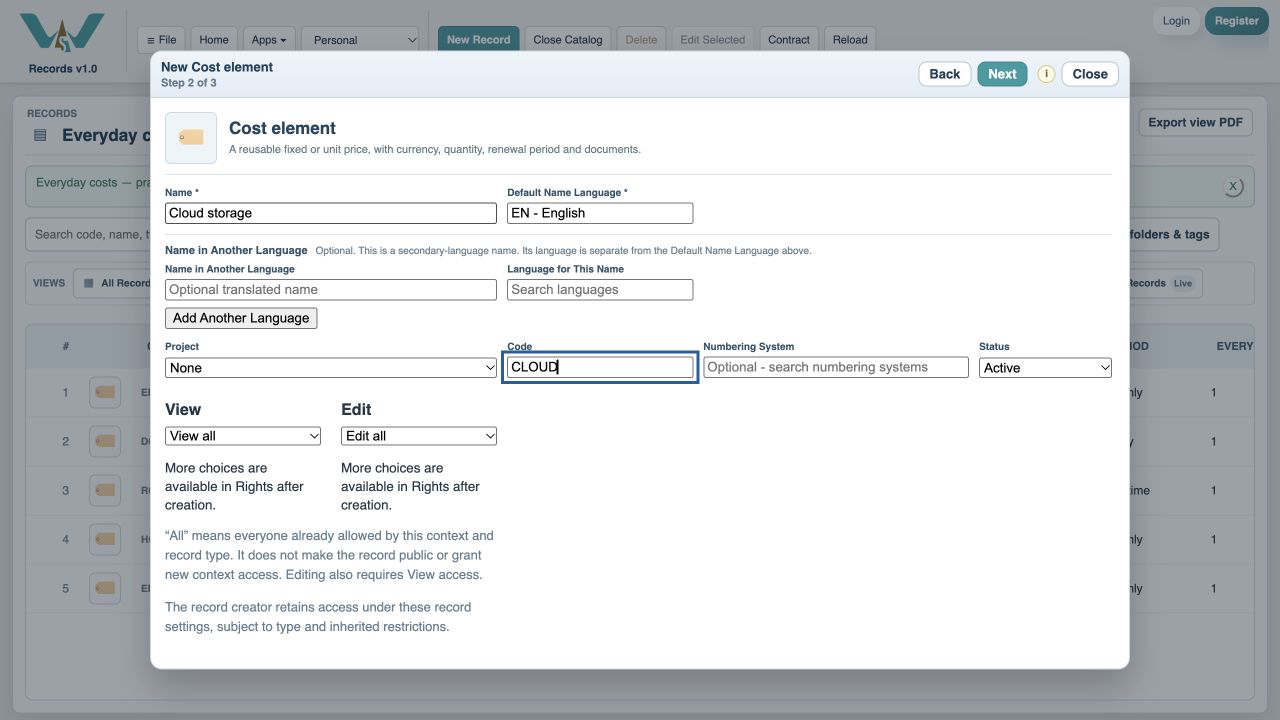
Continue to the cost fields
Choose Next.
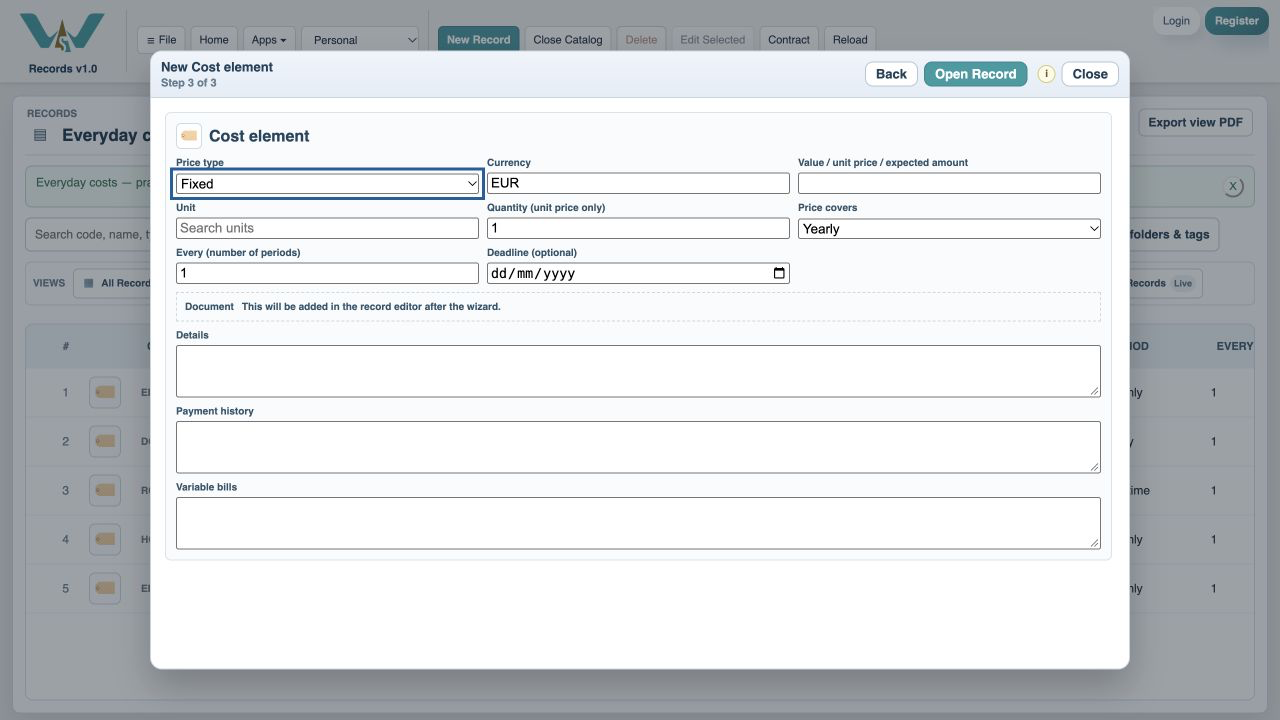
Choose EUR
Search the Currency field and choose EUR.
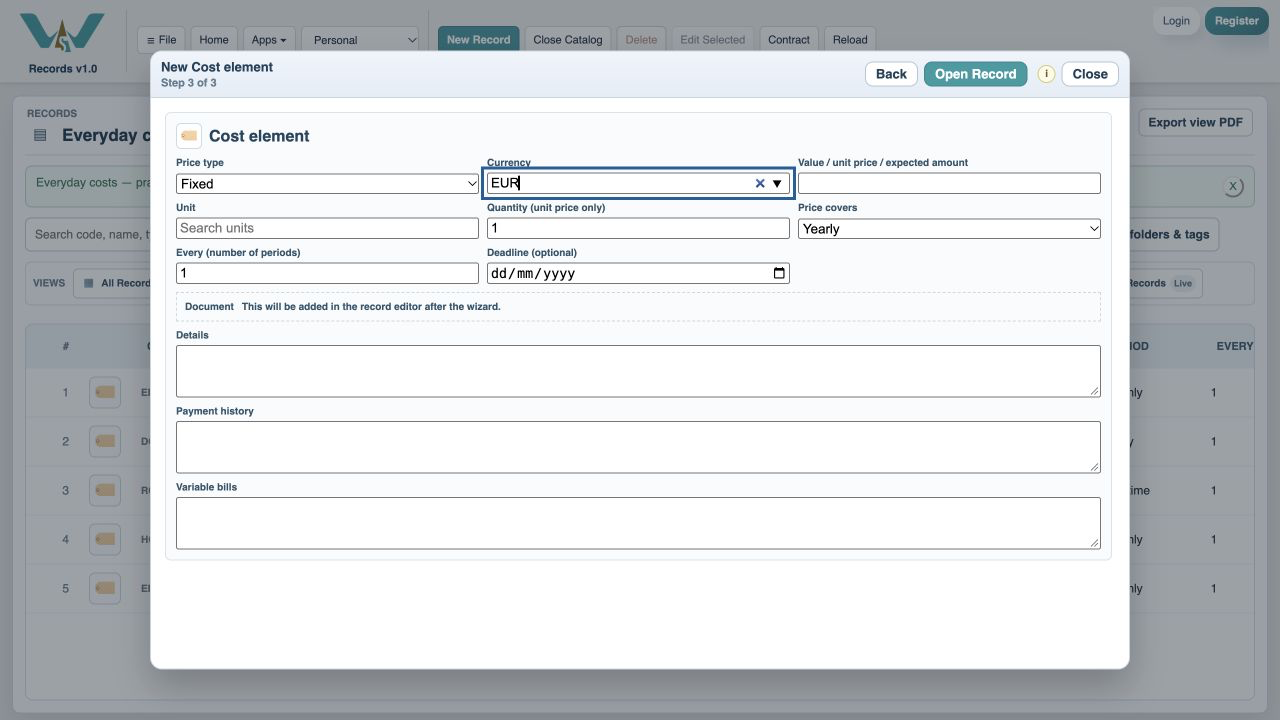
Enter the price
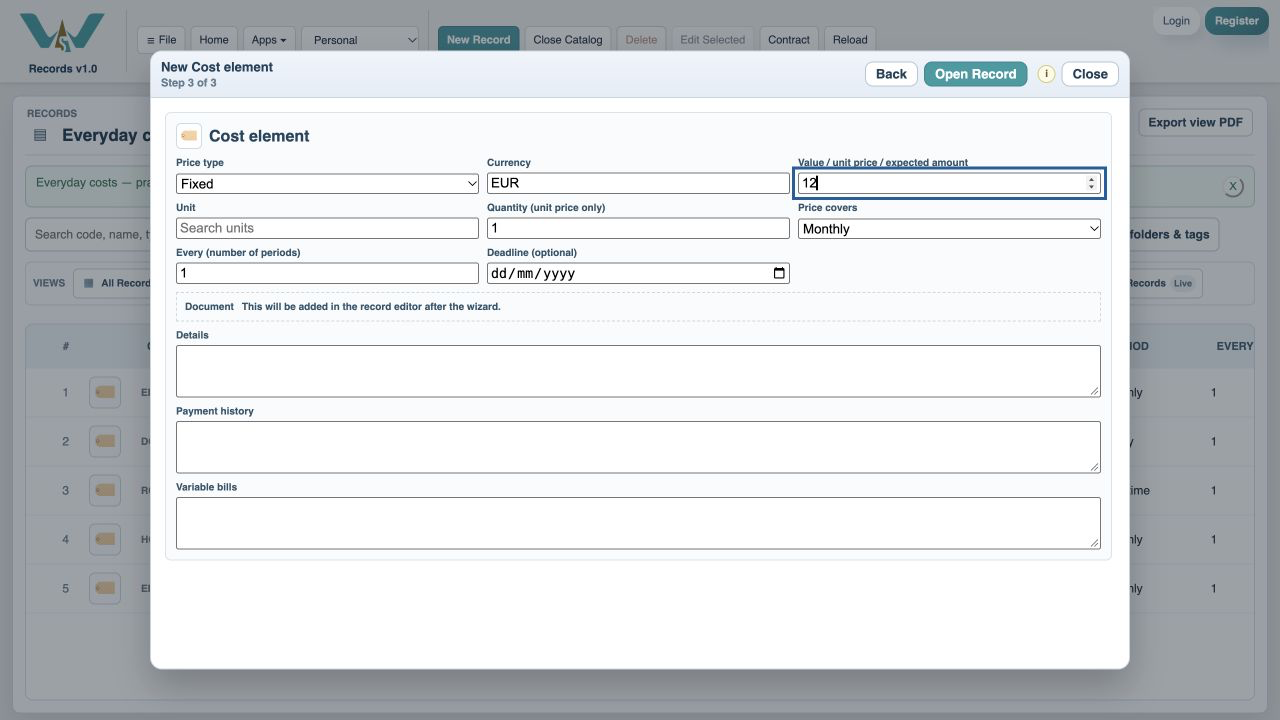
Enter 12 as the fixed value.
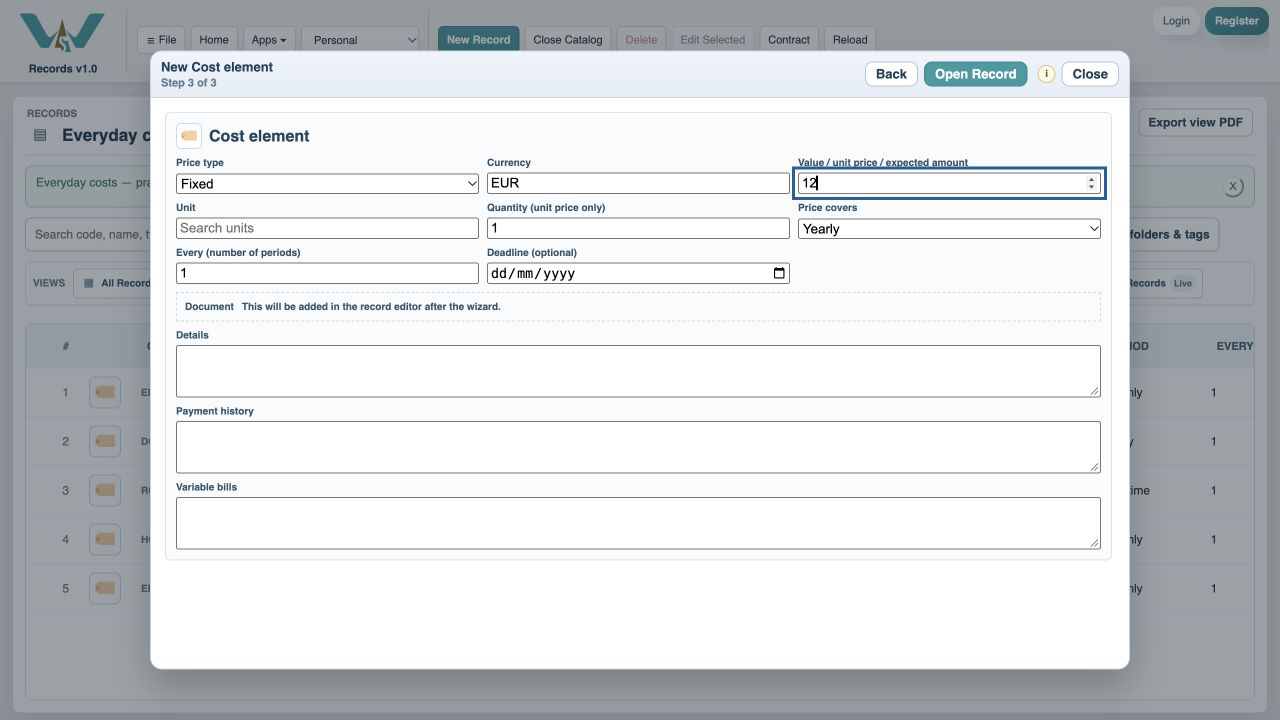
Choose Monthly
Set Price every to Monthly; Every remains 1.
Set the deadline
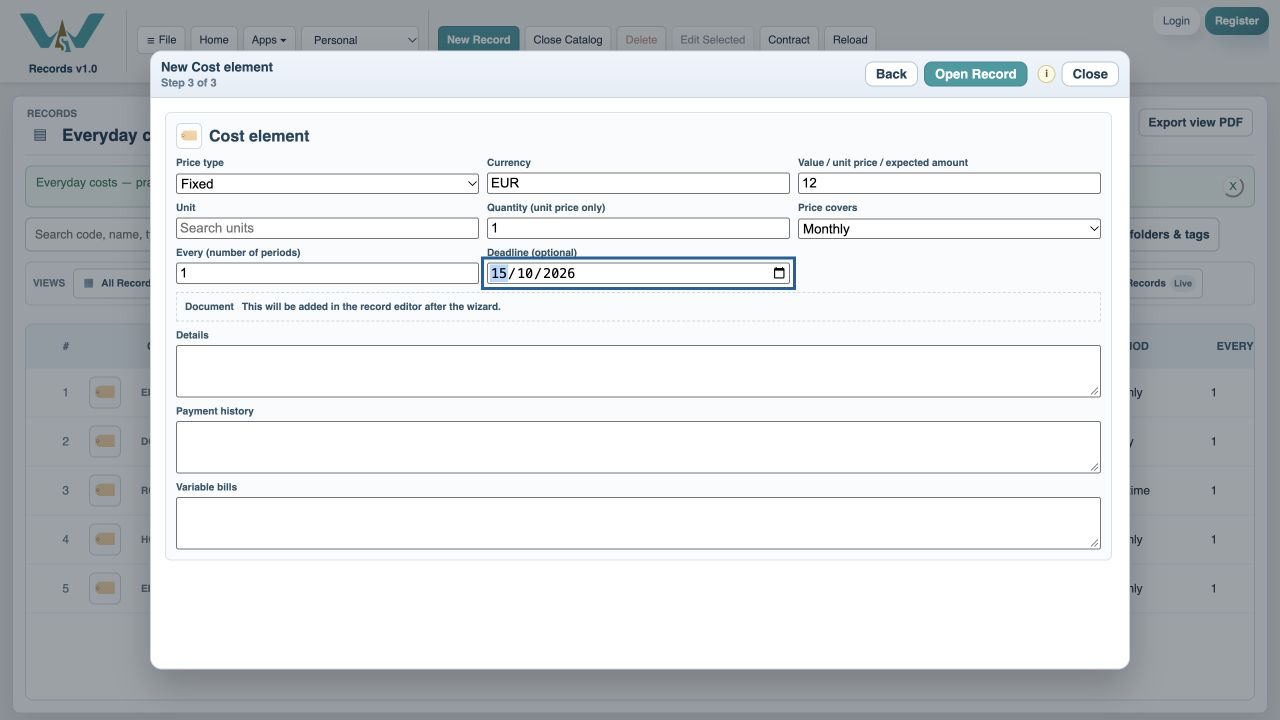
Use 15 October 2026 in this practice example.
Open the full record
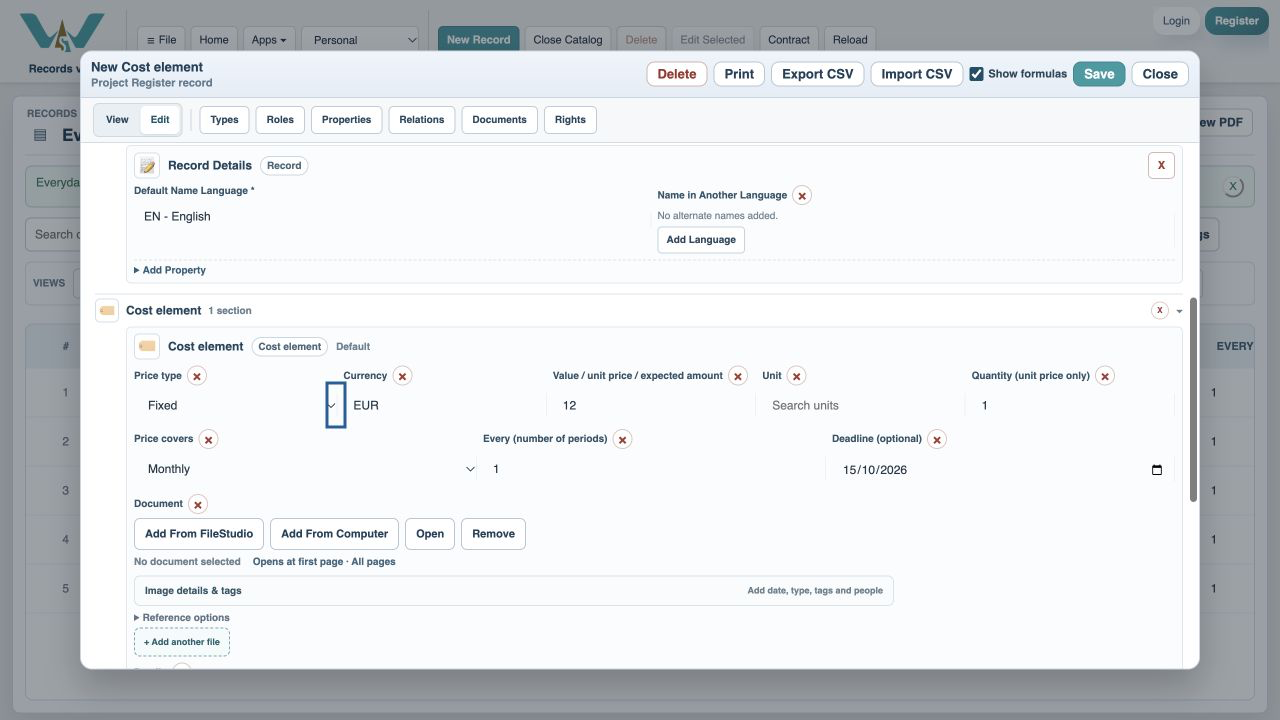
Choose Open Record to review all fields.
Save the cost
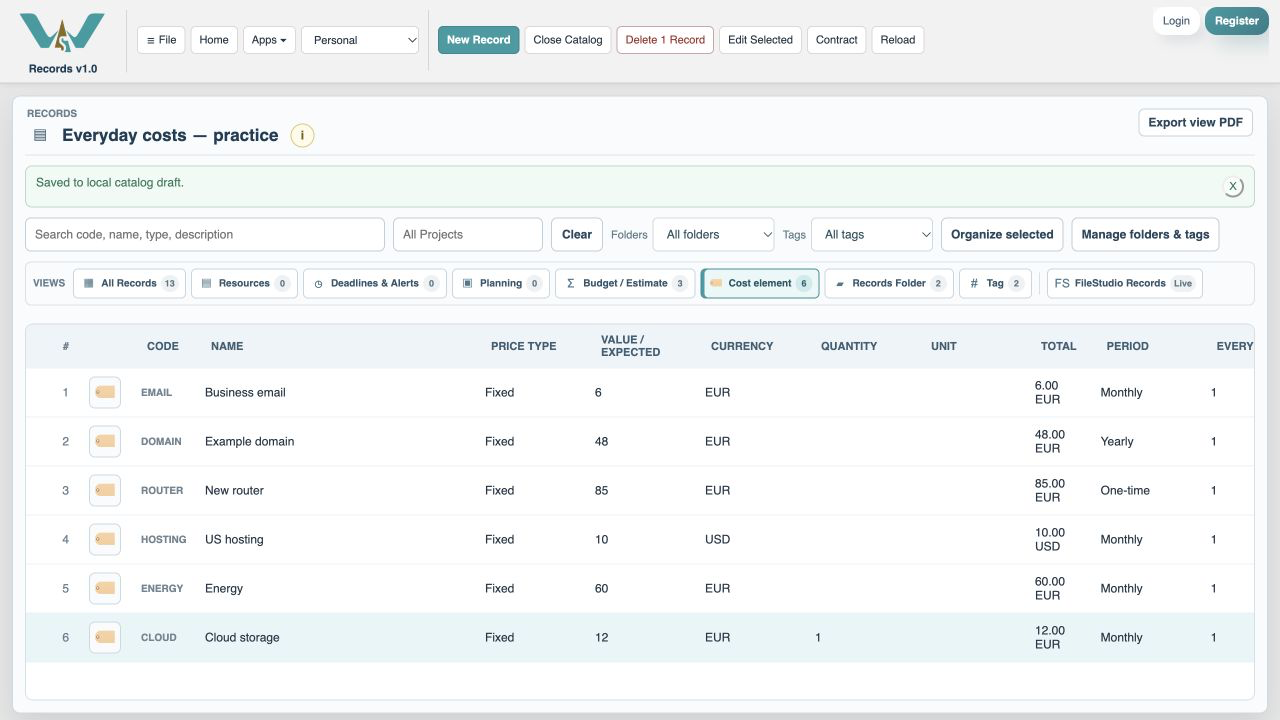
Choose Save. The new cost appears in the list.
Search for Budget
Open New Record and search Budget. This finds Budget / Estimate.
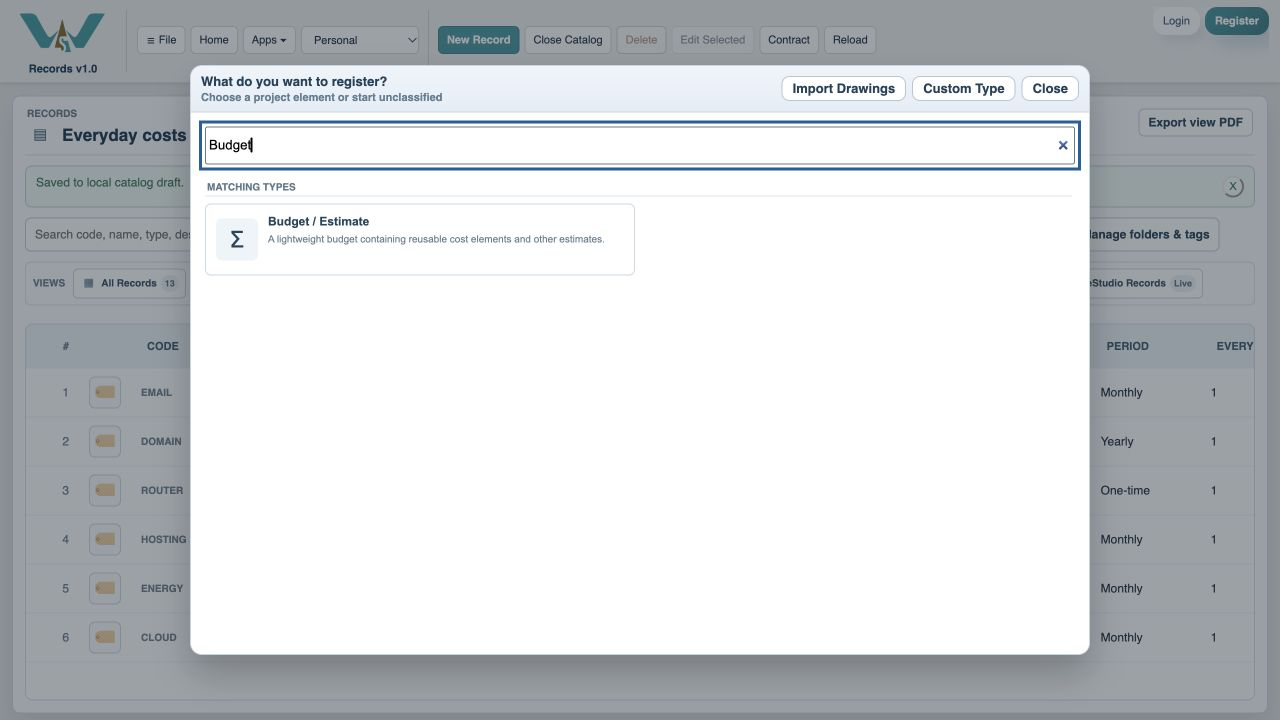
Choose Budget / Estimate
Select the Budget / Estimate type.
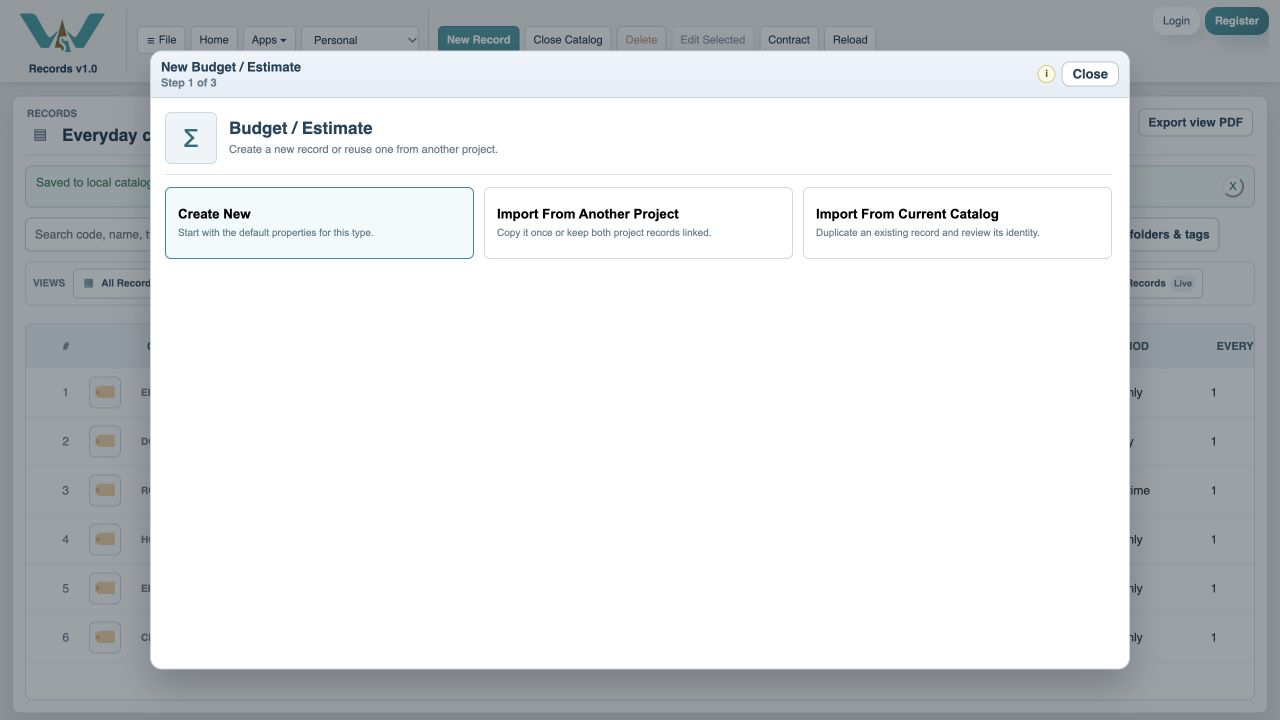
Choose Create New
Start a new estimate.
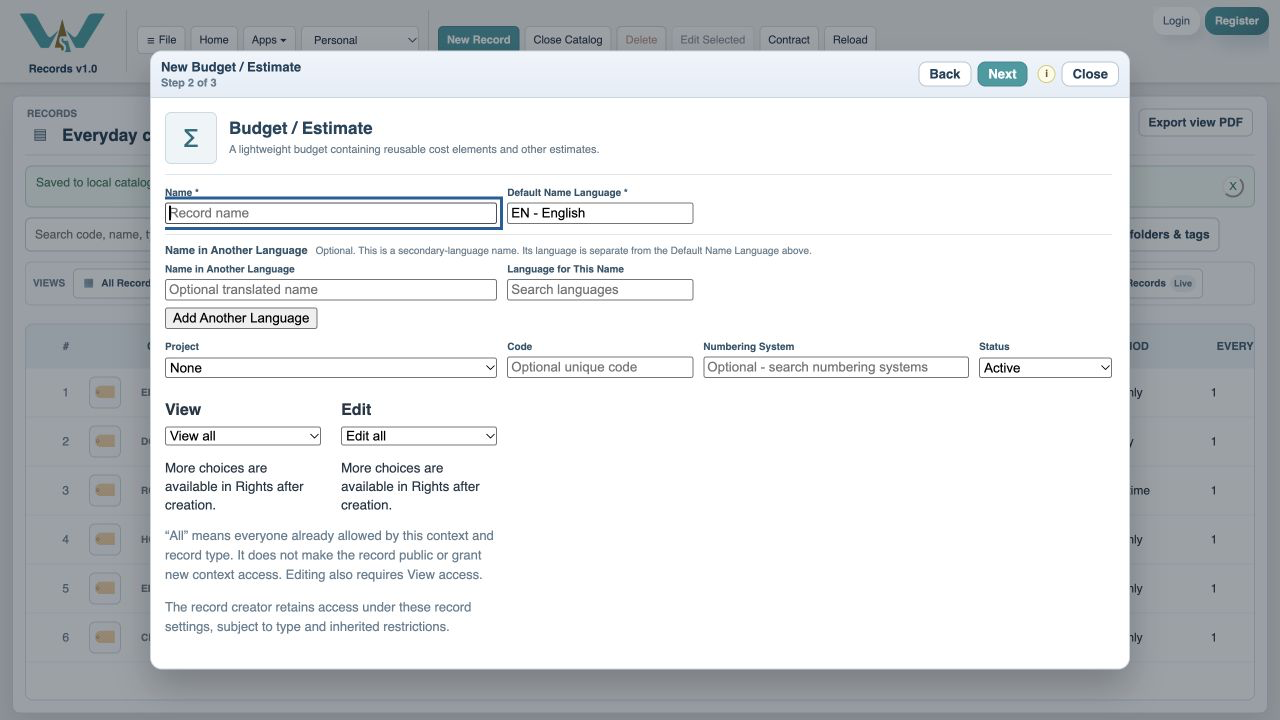
Name the budget
Enter My first budget.
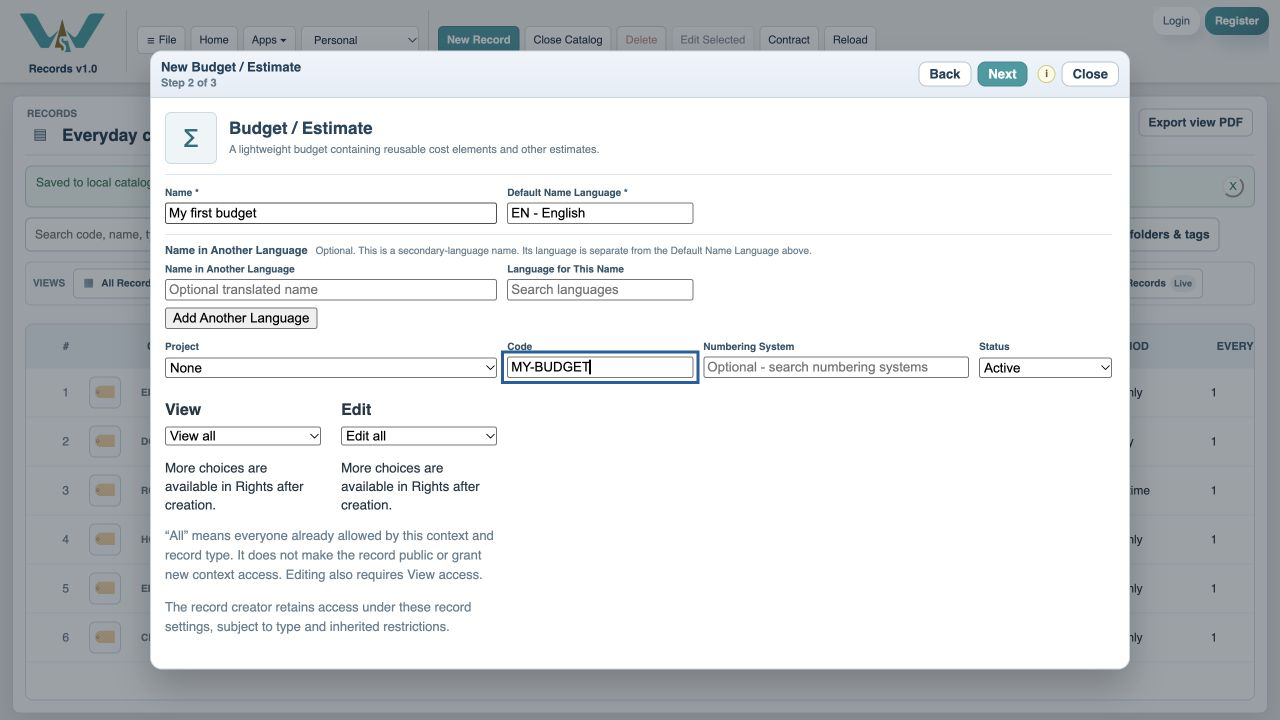
Continue
Choose Next to reach the contents fields.
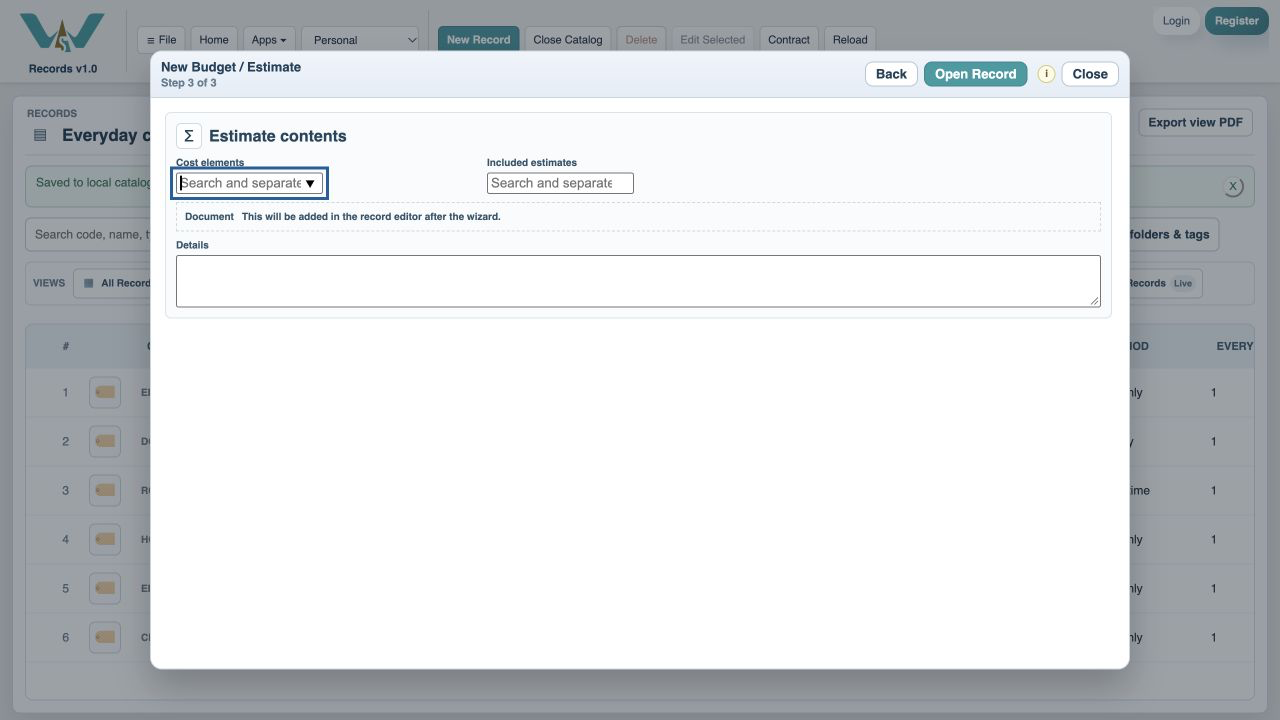
Open the record editor
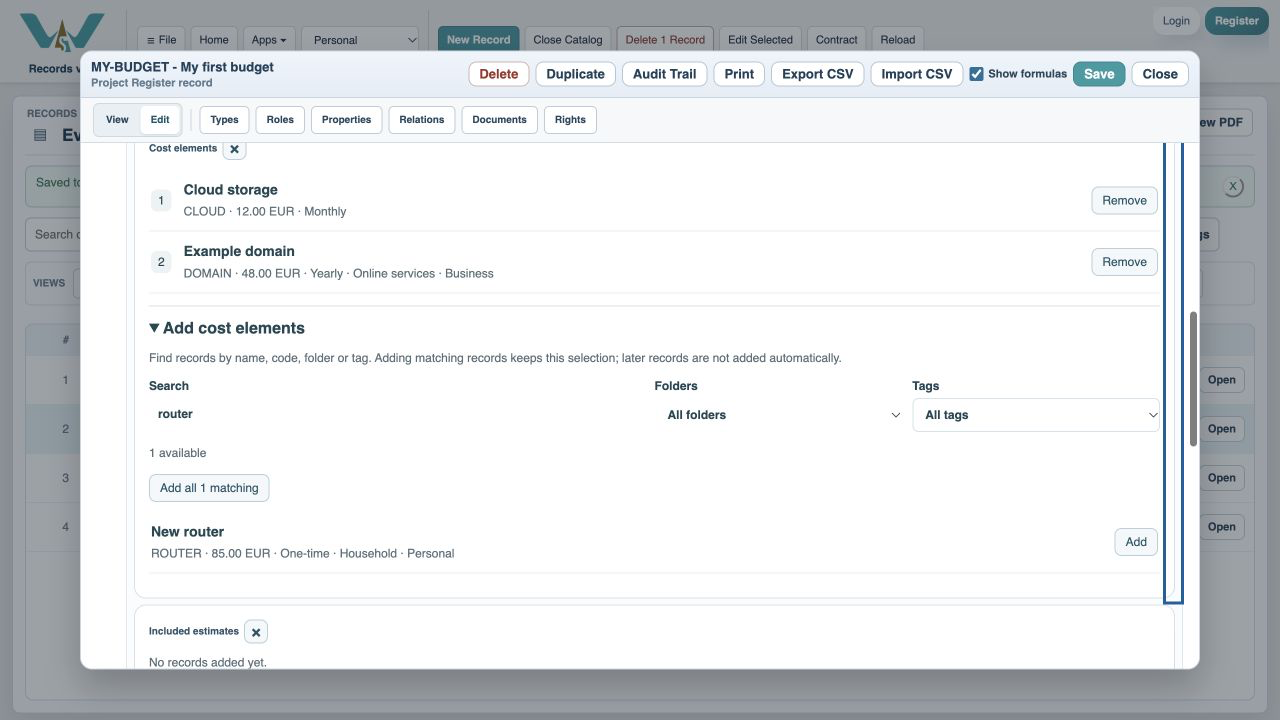
Choose Open Record, then scroll to the Cost elements section. Use its structured picker to add separate cost rows.
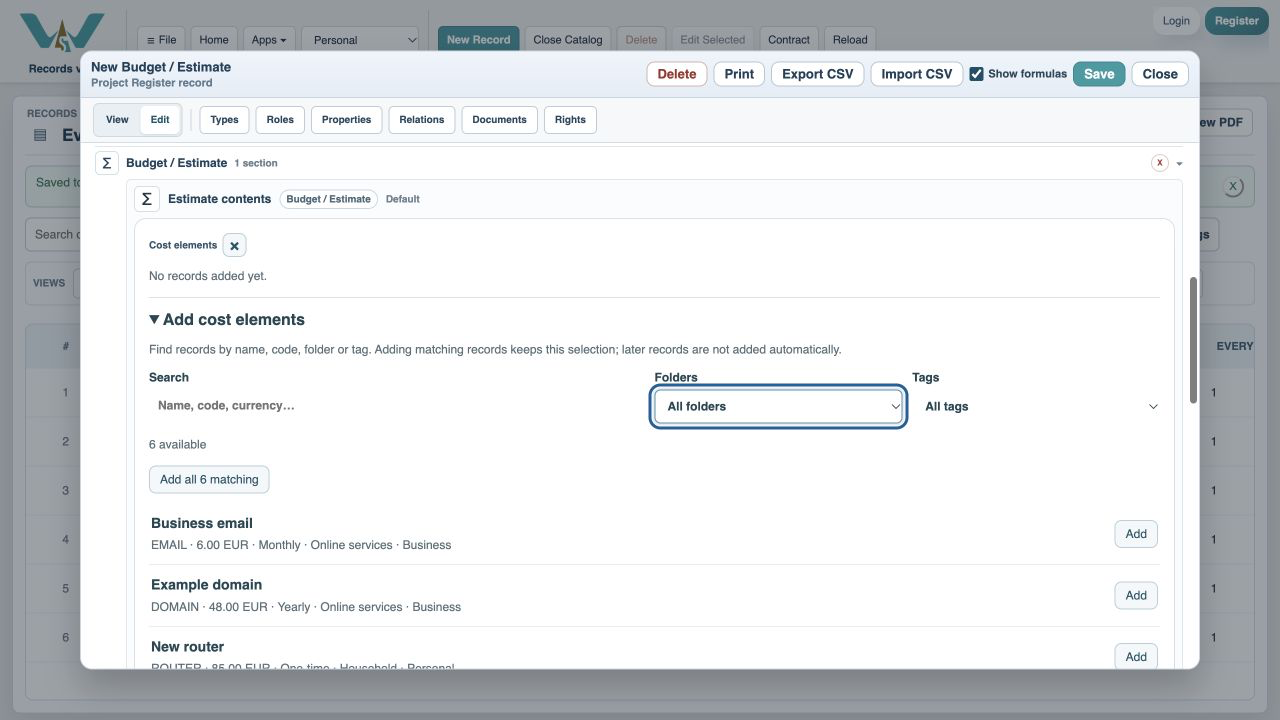
Add Cloud storage
Choose Add beside Cloud storage.
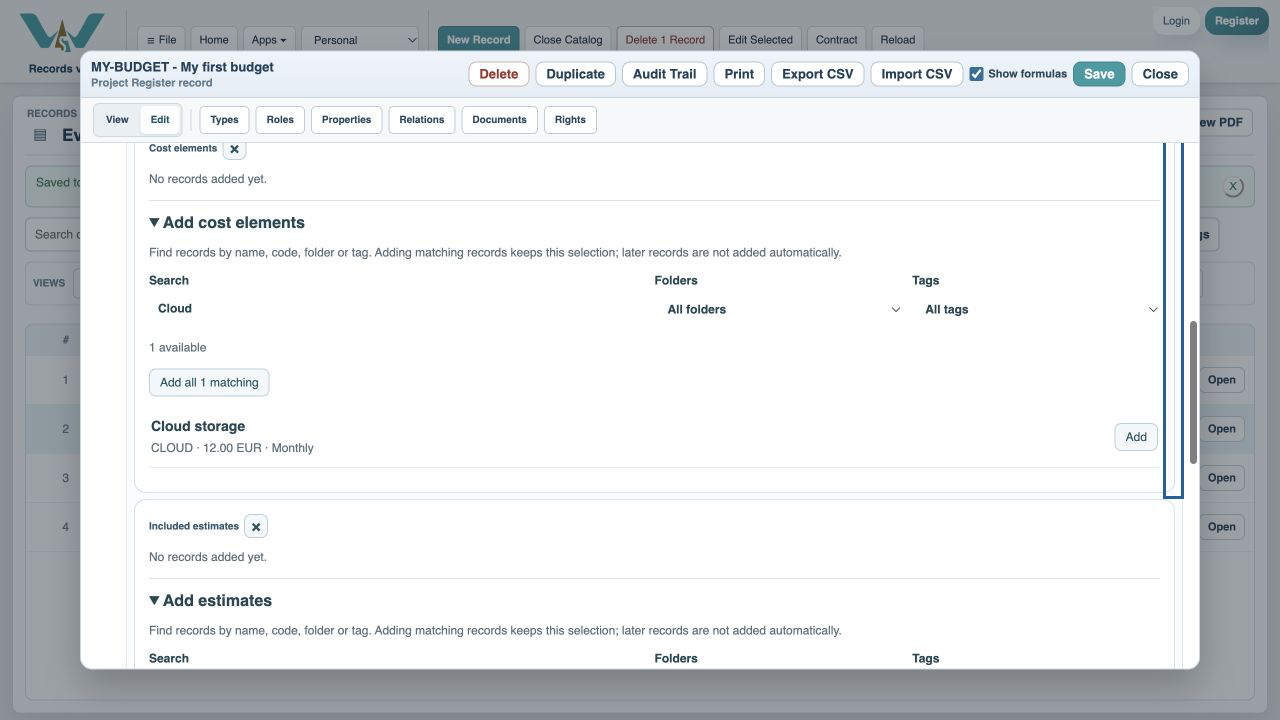
Add Example domain
Choose Add beside the 48 EUR yearly domain cost.
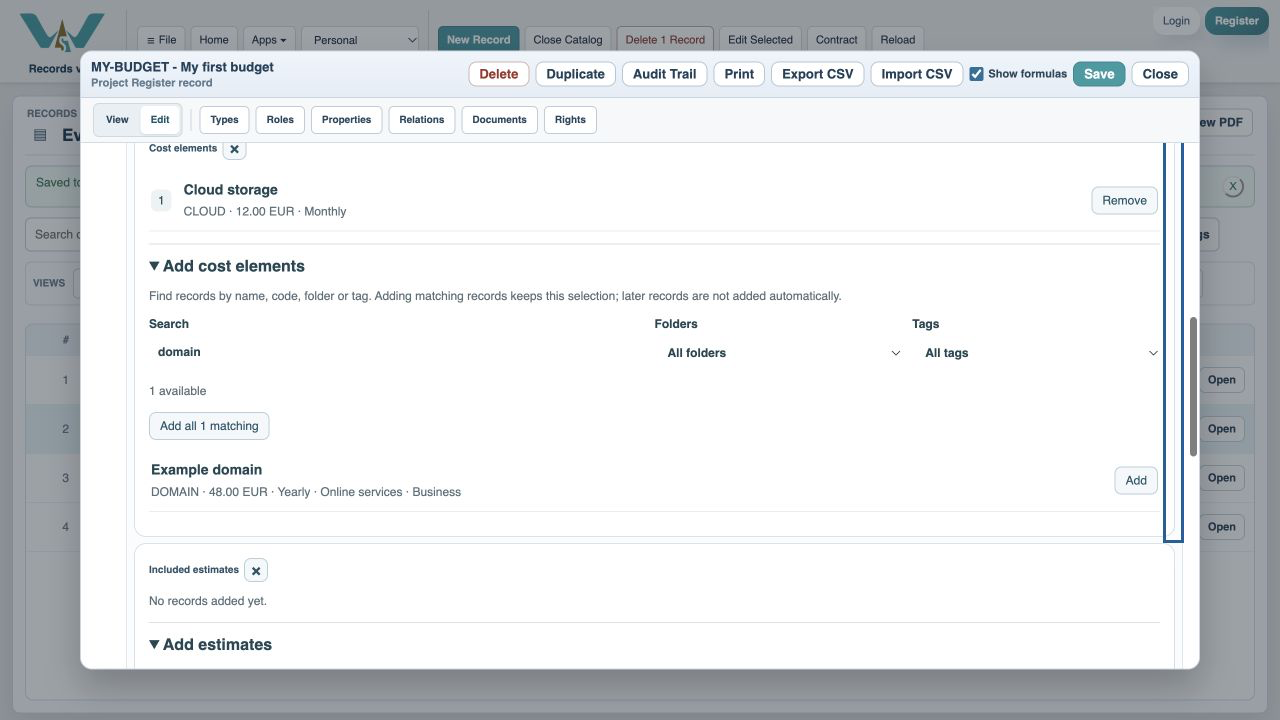
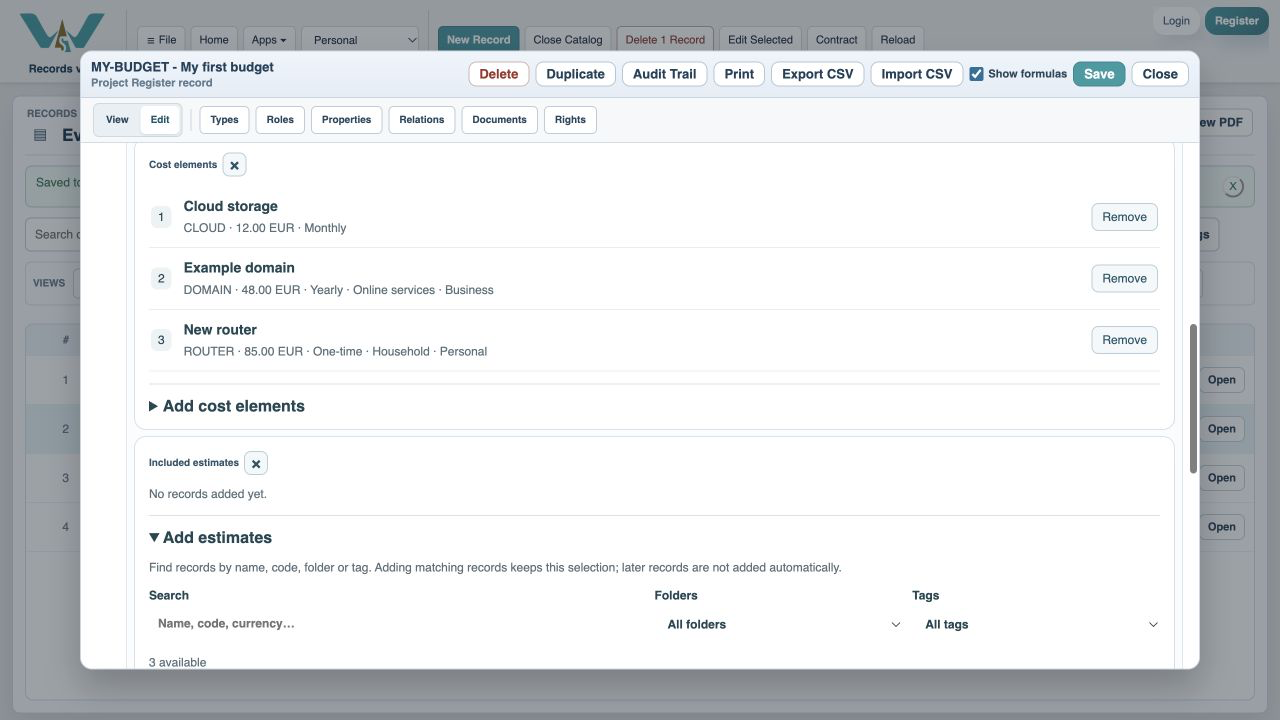
Add New router
Choose Add beside the 85 EUR one-time router.
Save the estimate
Choose Save.
Select the Budget / Estimate view
Open the Budget / Estimate list.
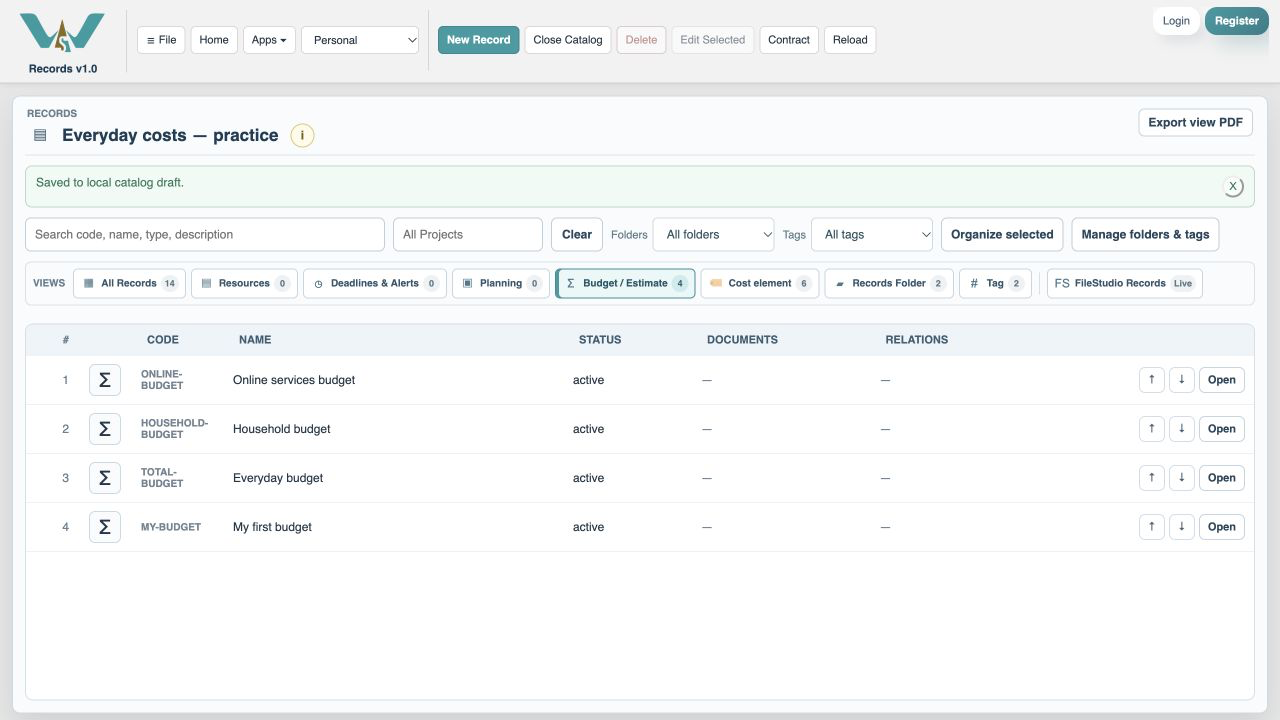
Open My first budget
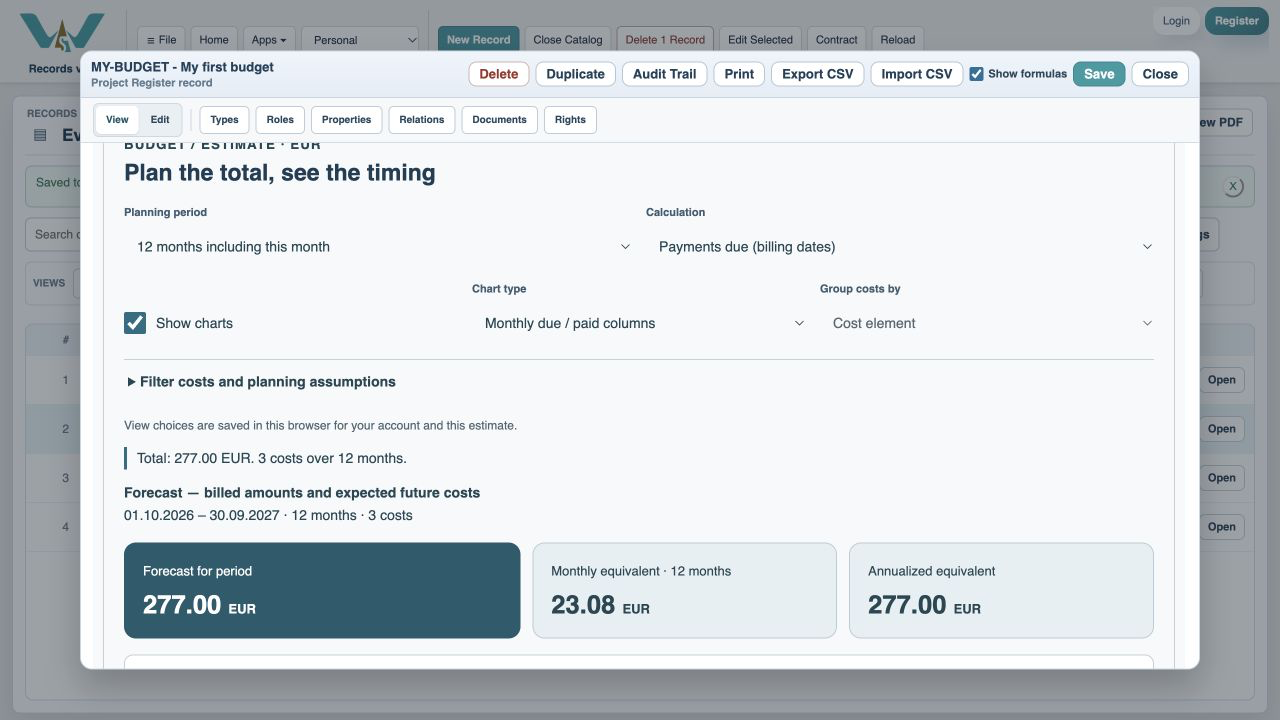
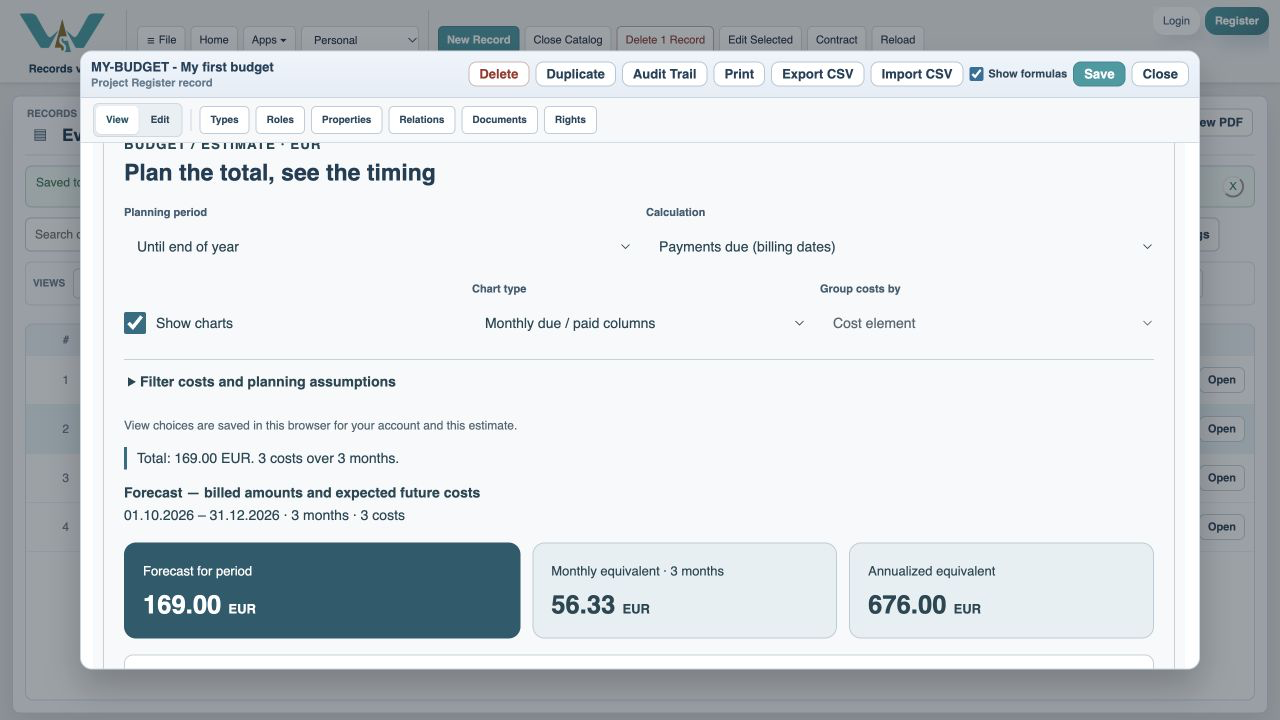
Inspect its 12-month total. In this example it is 277 EUR.
Choose Until end of year
Use Planning period to see October–December. The example includes 169 EUR due on the billing schedule.
Keep your work
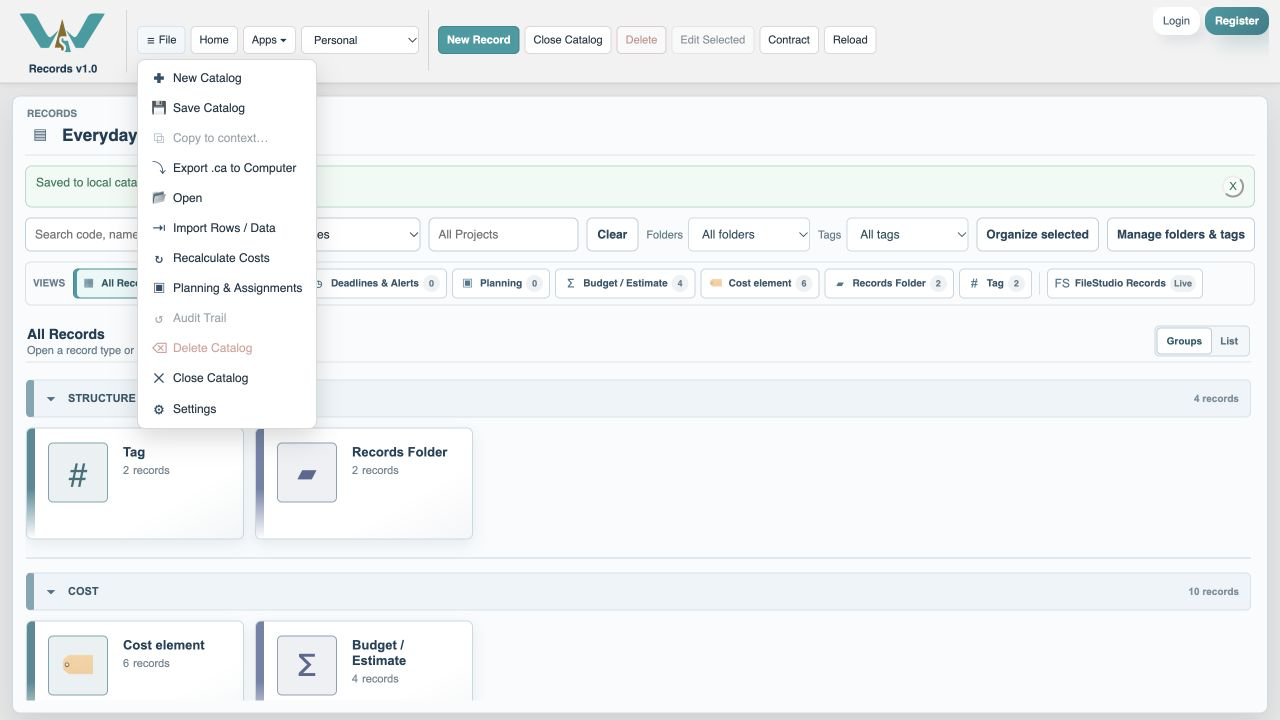
For an online Catalog choose File → Save Catalog. For a computer-only exercise, select All Records and export the complete .ca file. The illustration shows that menu in the variable-bill exercise.
Enable JavaScript to use reading progress and usefulness ratings.