Illustrated transcript
Choose a chart that answers your question
Timing, size and the numbers behind the picture
Silent walkthrough · fictional EUR examples · October 2026. Every action is described below.
0:00 · Choose a chart that answers your question
Timing, size and the numbers behind the picture
A budget-themed illustration accompanies the WorkStudio film title. The ending adds “Thank you for watching.”
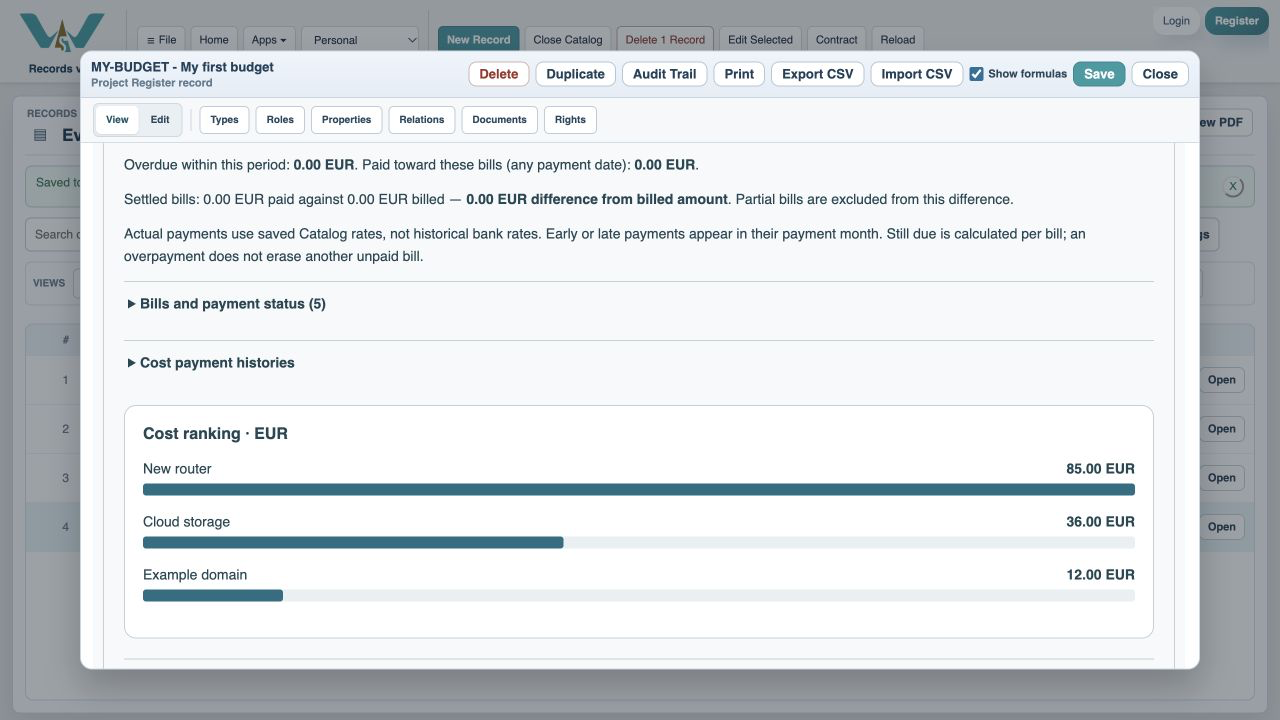
0:06 · Compare the biggest costs
Ranked bars order contributions to the selected period.
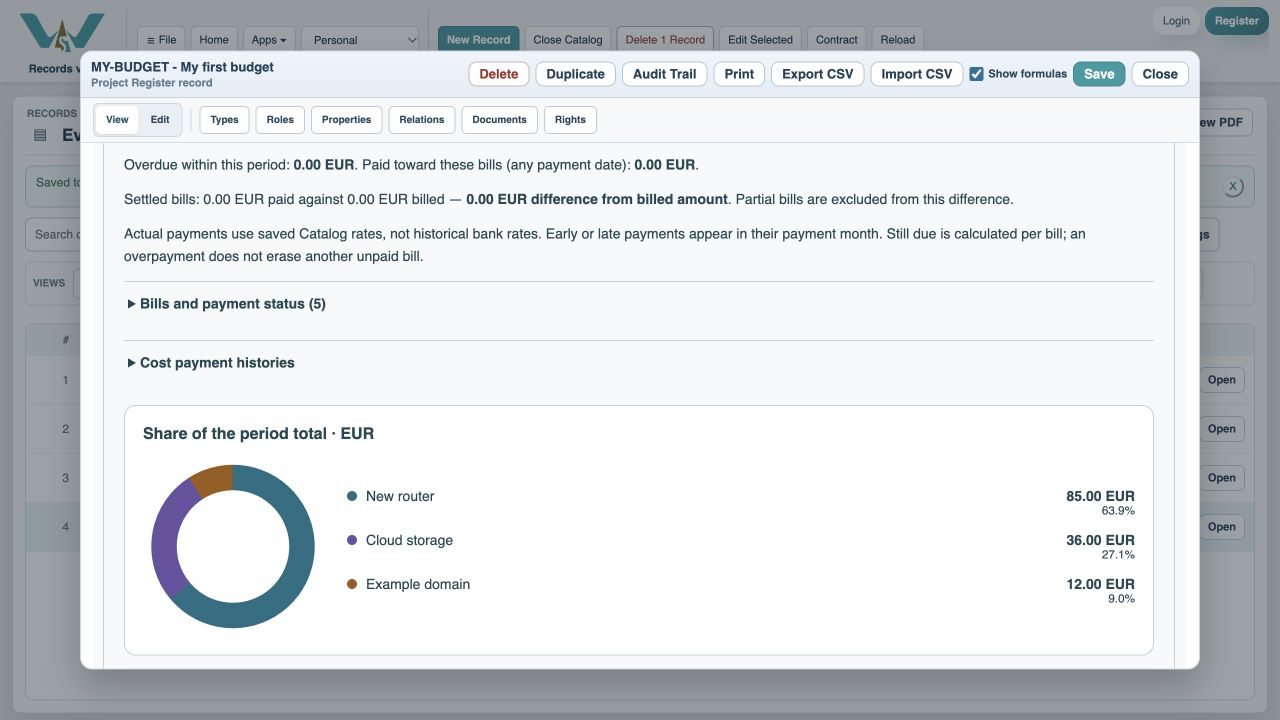
0:16 · See each cost’s share
Composition donut shows the parts of the total.
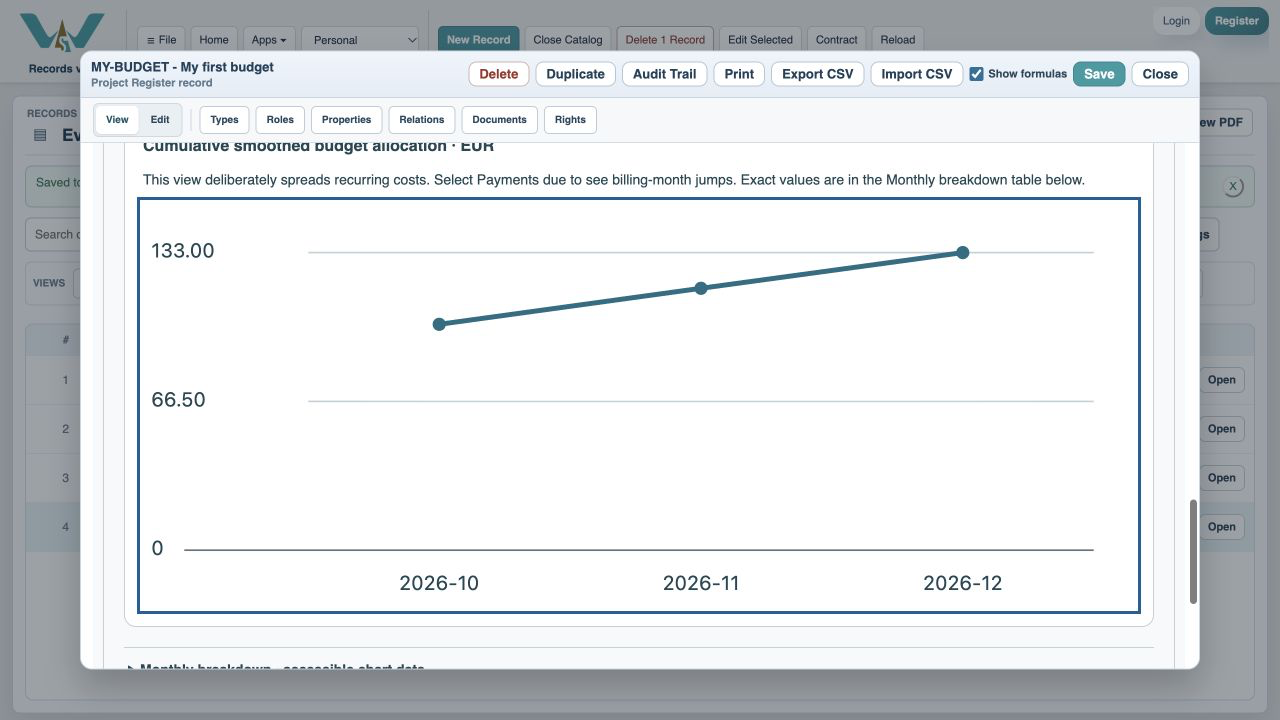
0:26 · Follow the running total
The cumulative line adds each month to the previous ones.
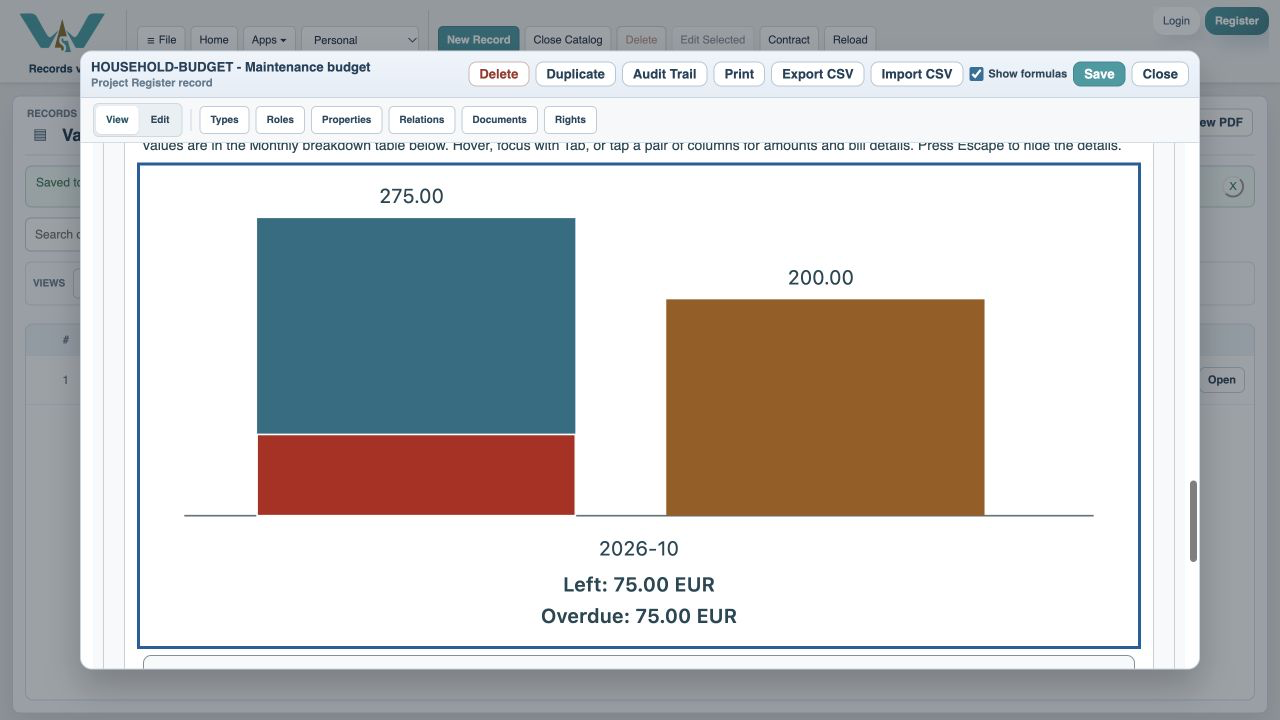
0:36 · Inspect billing and cash timing
Monthly columns compare confirmed bills with actual cash paid.
0:46 · Plan a monthly reserve
Smoothed budget equivalent intentionally spreads expected costs.
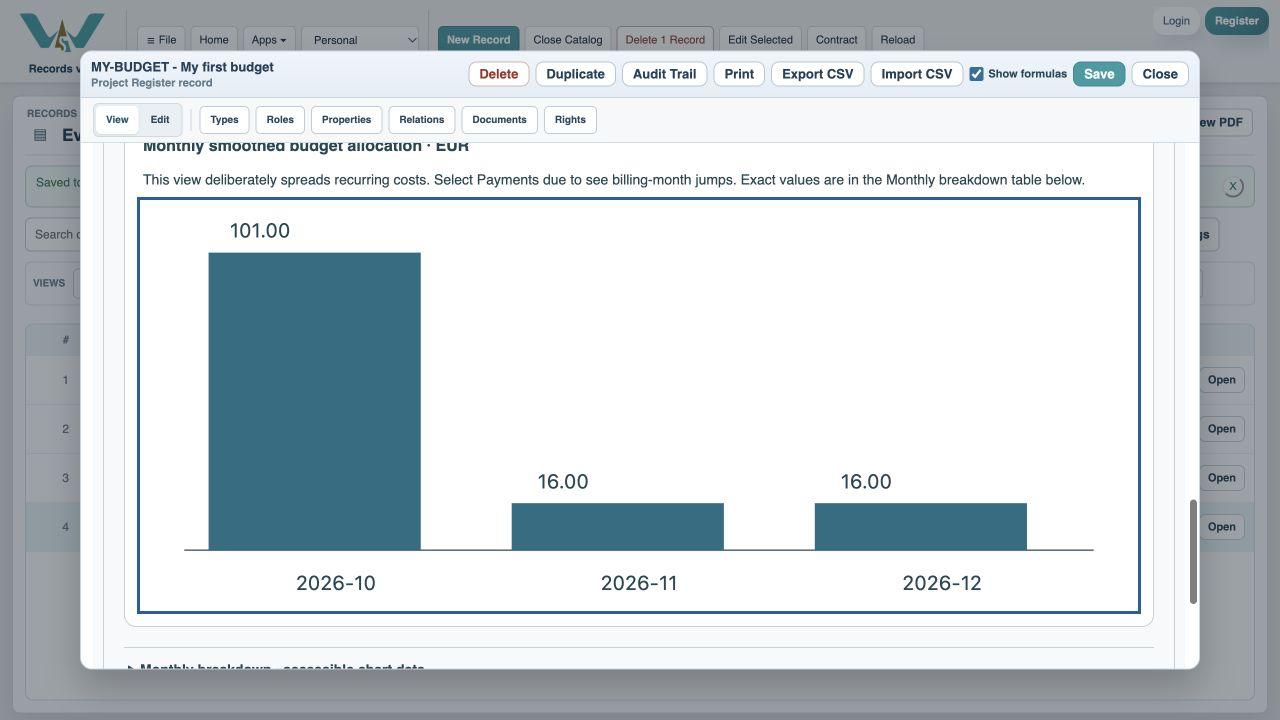
0:56 · Get details without a paragraph
Hover, focus or tap a month for labeled values and open bills.
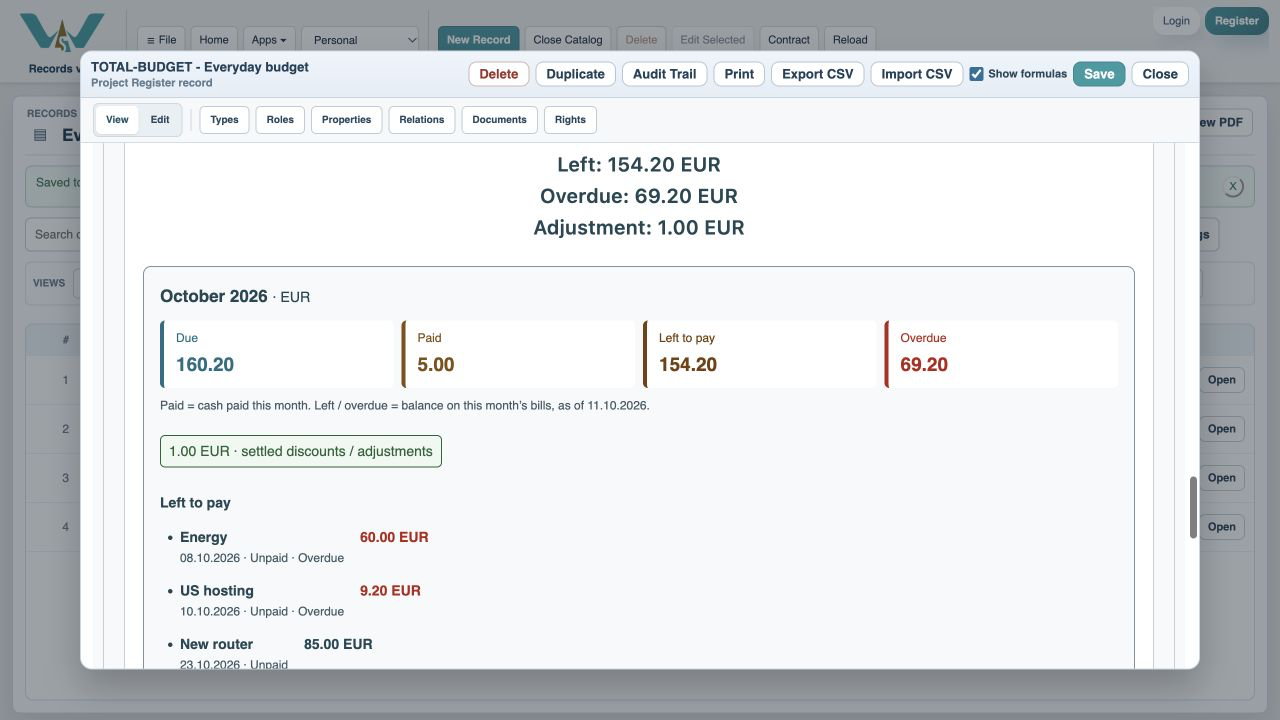
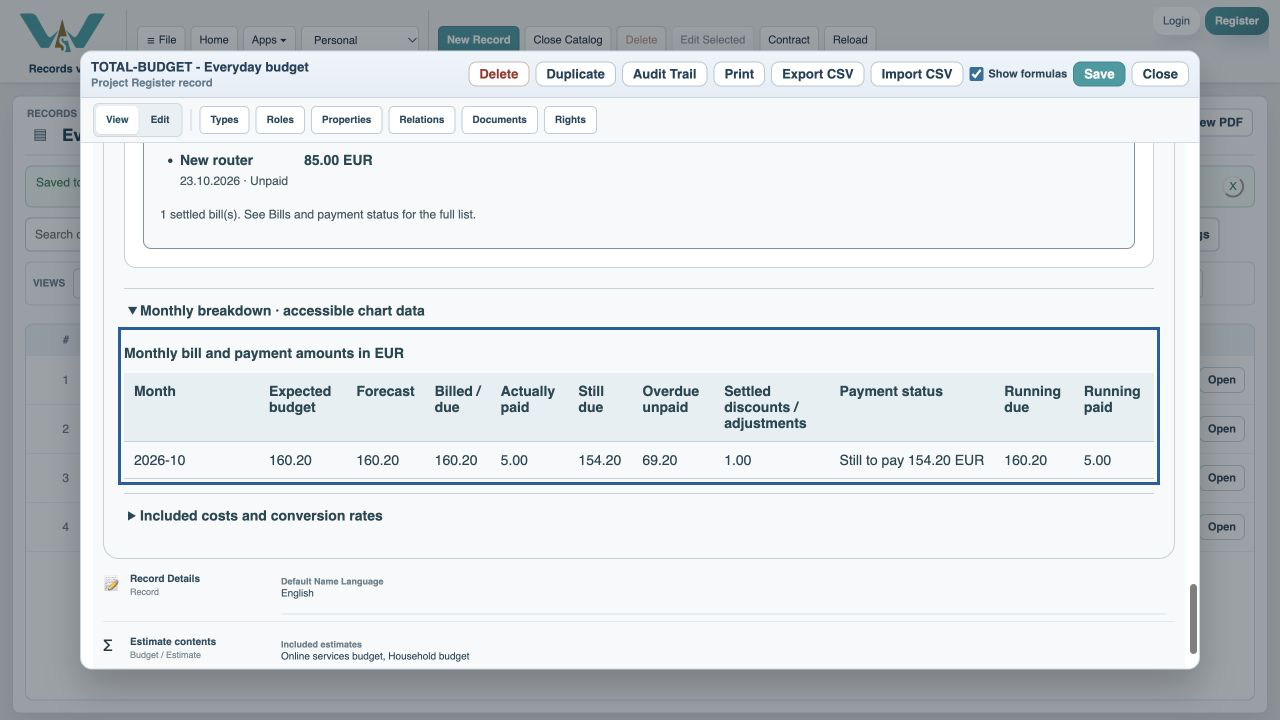
1:06 · Read the exact numbers
The monthly table is an alternative to the visual chart.
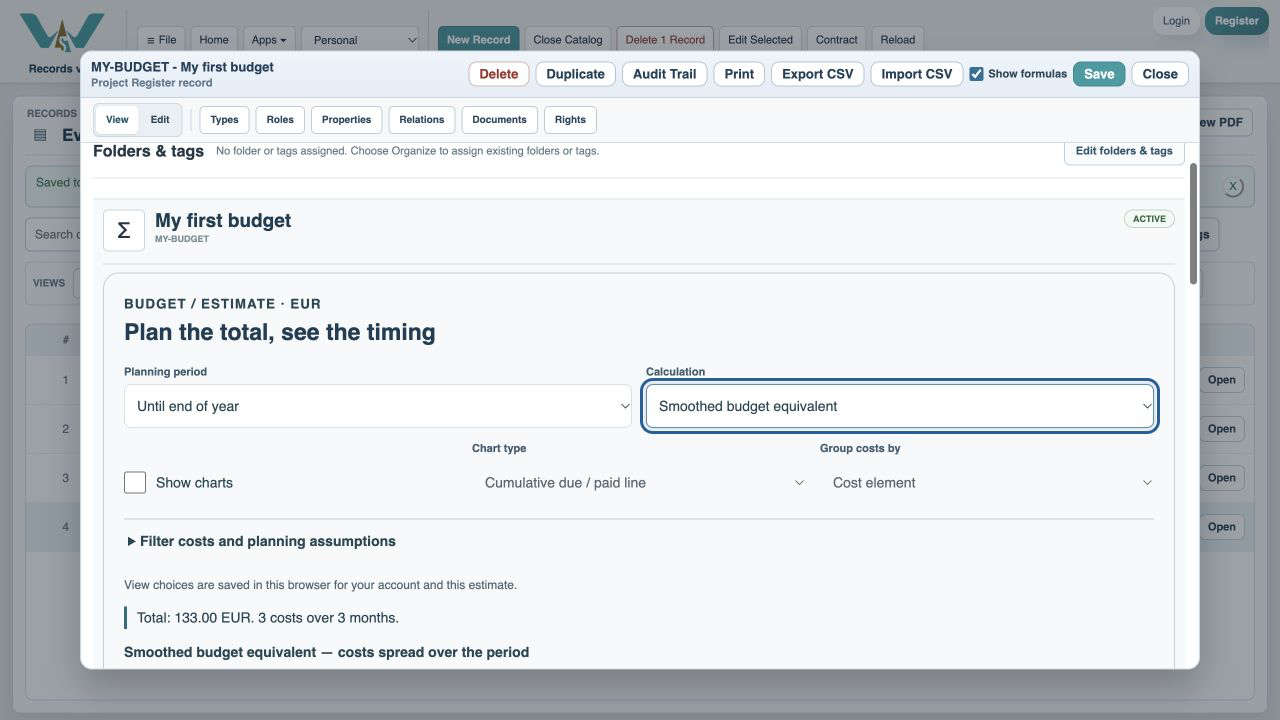
1:16 · Hide charts if you prefer
Uncheck Show charts and keep working with tables.
1:26 · Choose a chart that answers your question
Thank you for watching. Keep building a clearer picture of your costs.
A budget-themed illustration accompanies the WorkStudio film title. The ending adds “Thank you for watching.”