
Handle a variable bill: expected, billed and paid
Use variable.ca. Building maintenance is a 300 EUR monthly expectation. Enter a 275 EUR October bill and a 200 EUR partial payment.
These guides use fictional practice data and generic EUR amounts. The screenshots show the October 2026 interface. Adapt example dates and planning periods if practicing later. Recording bills and payments does not transfer money.
Before you start
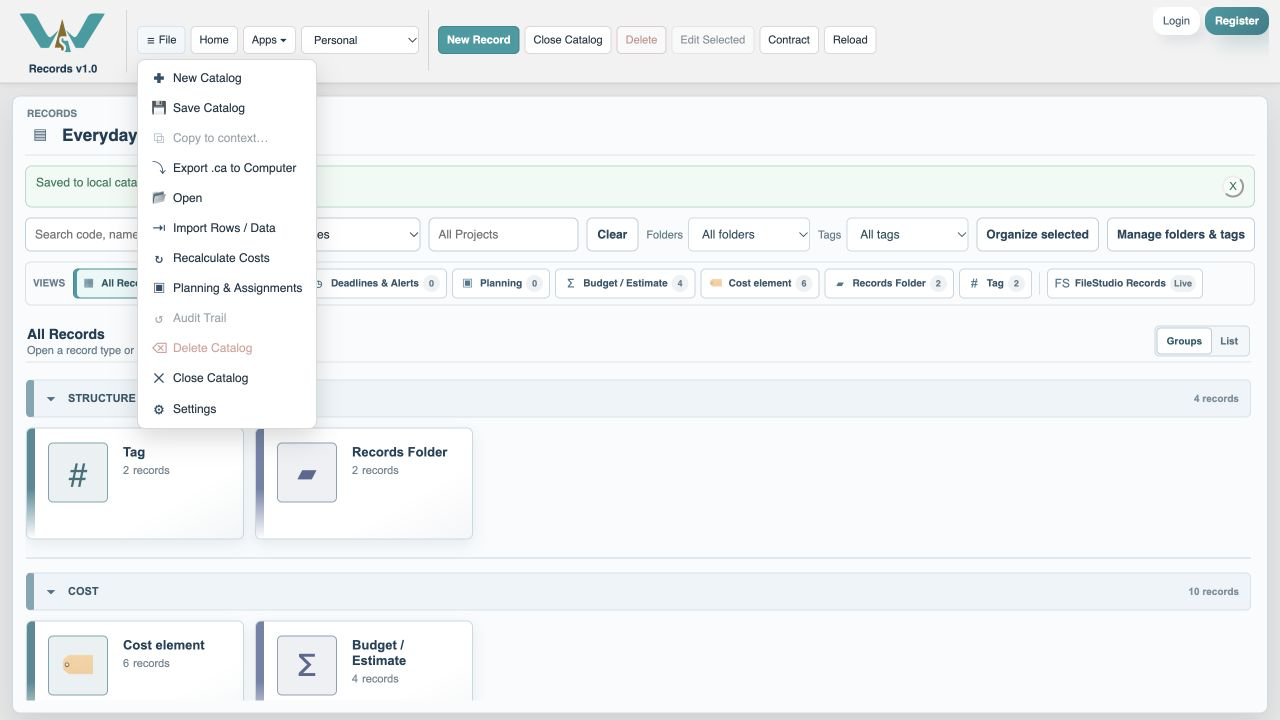
Download variable.ca below, then use File → Open → Computer → Choose .ca file. Work in the separate practice Catalog; save any existing work first.
Code is optional. Use it only if a short reference helps you; you can leave it blank. Number formats can vary with settings.
Online saving requires your usual signed-in account and edit access. Keep computer-only practice by exporting the complete Catalog.
Optional: let history adjust the expectation
After the exercise, reopen Record / review payments and select Automatically estimate variable bills from billed history. One entered invoice is insufficient, so the manual 300 EUR remains. Continue entering actual invoices as they arrive. After three or more billed occurrences, the panel explains its estimate; seasonal detection needs two consecutive years of monthly bills. Turning the option off restores manual expectations. Confirmed invoices and payments are unchanged. A separate illustrated practice below includes nine fictional invoices so you can try the checkbox immediately.
Include upcoming variable bills in what is left to pay
Due to pay — including estimates combines unpaid confirmed invoices and the remaining expected amounts for variable bills. Before a bill arrives, its expected amount already counts. When you enter the actual invoice, that amount replaces the estimate; it is not added twice. Recording a payment reduces that bill’s remainder. Mark a discounted final payment as settling the bill to leave no false balance. Overdue still counts only confirmed unpaid bills.
Edit Building maintenance
Open the cost in the Cost element view, then choose Edit.
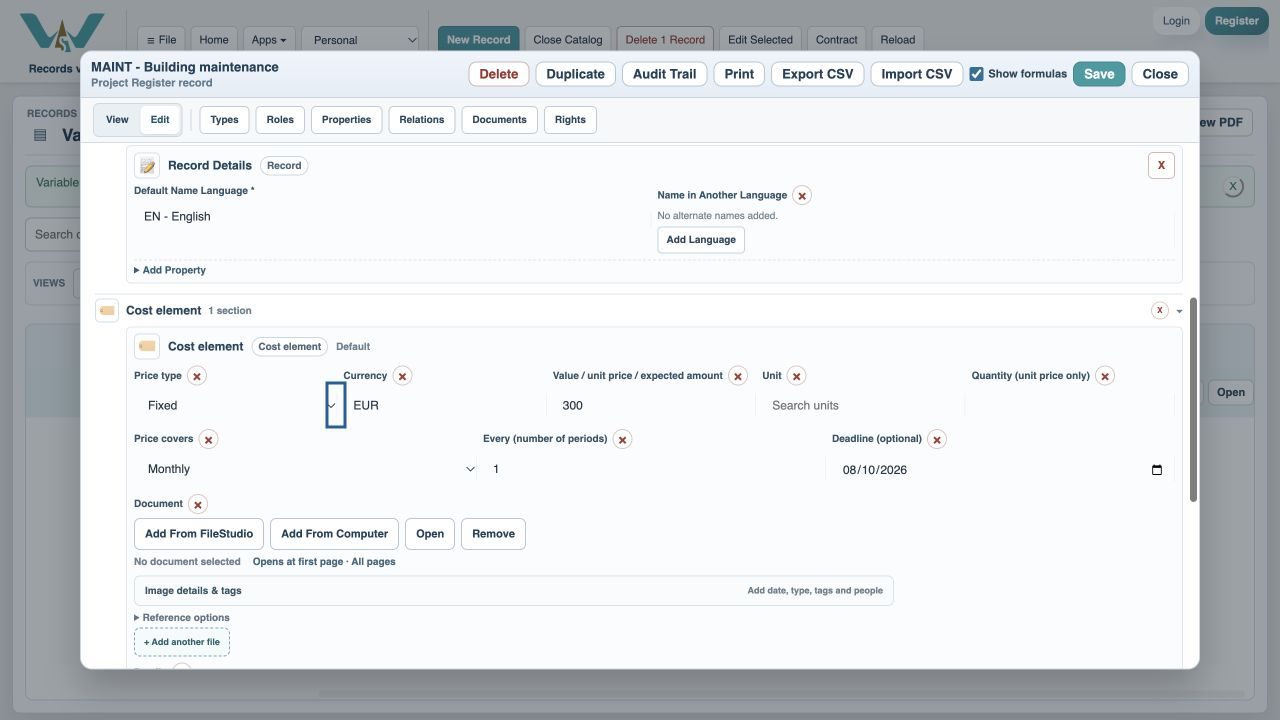
Choose Variable amount
Scroll to the Cost element fields. Select Variable amount and keep 300 EUR as the expected amount per monthly occurrence.
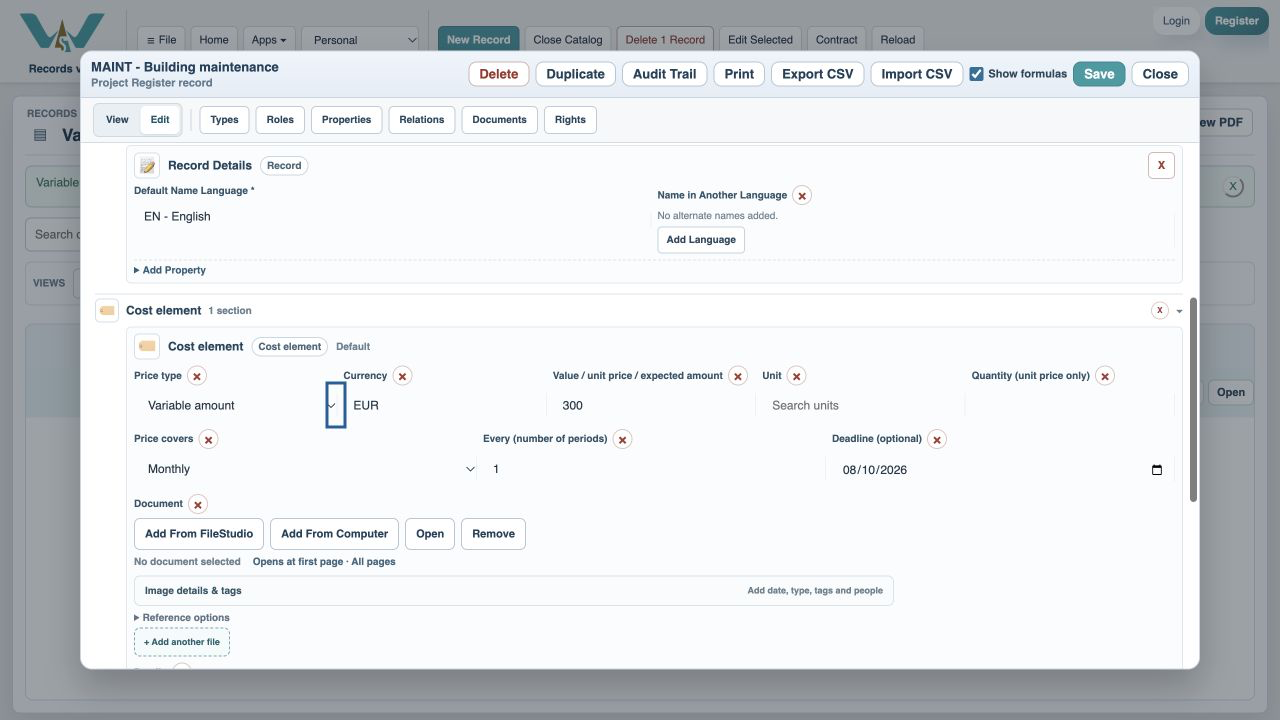
Save the cost
Choose Save. The list shows Variable amount.
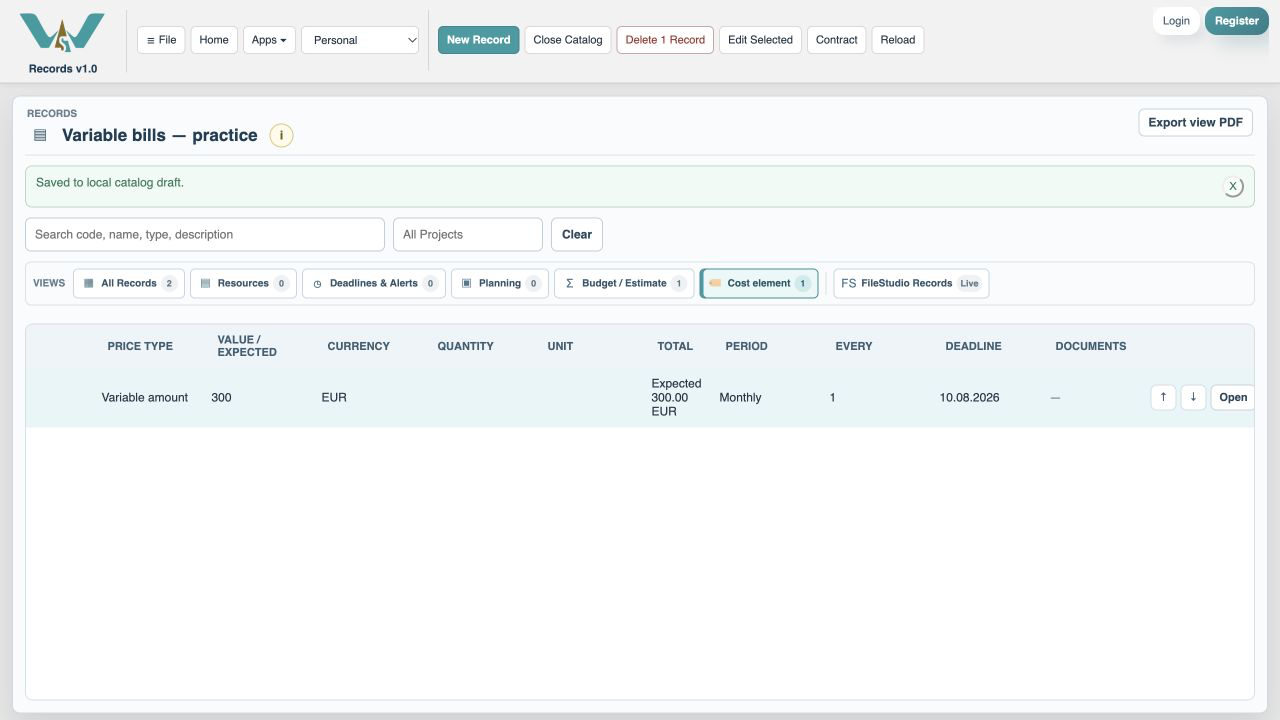
Select the Budget / Estimate view
Open the Budget / Estimate list.
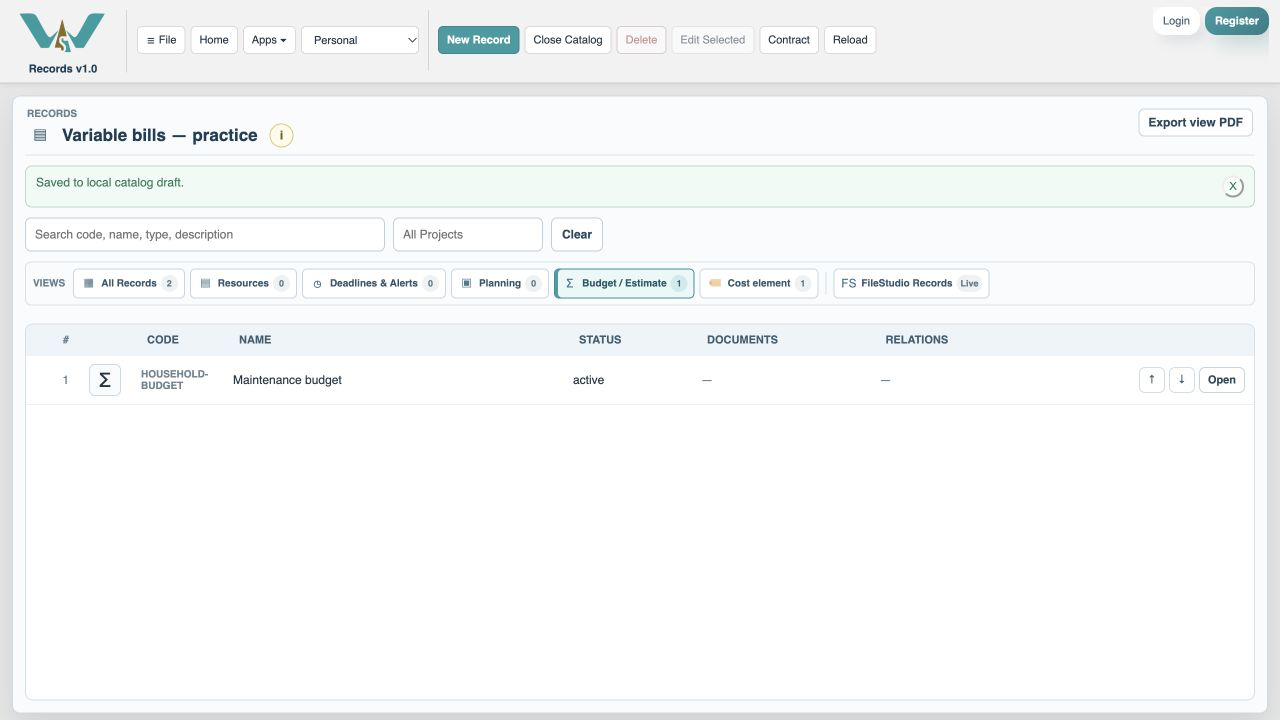
Open the monthly budget
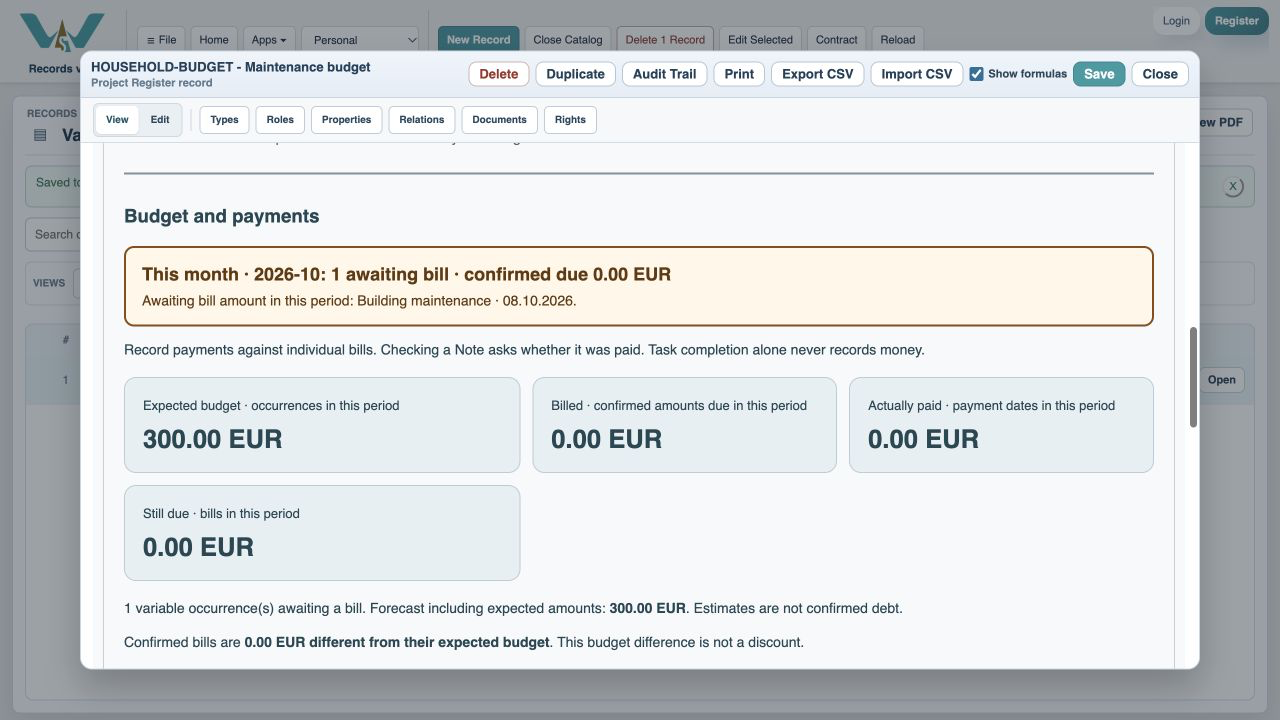
Open Maintenance budget, choose This month, then scroll to Budget and payments. Expected is 300 EUR; billed, paid and confirmed still due are zero until an invoice is entered.
Expand the bill list
Open Bills and payment status. A past expected date says Bill amount needed.
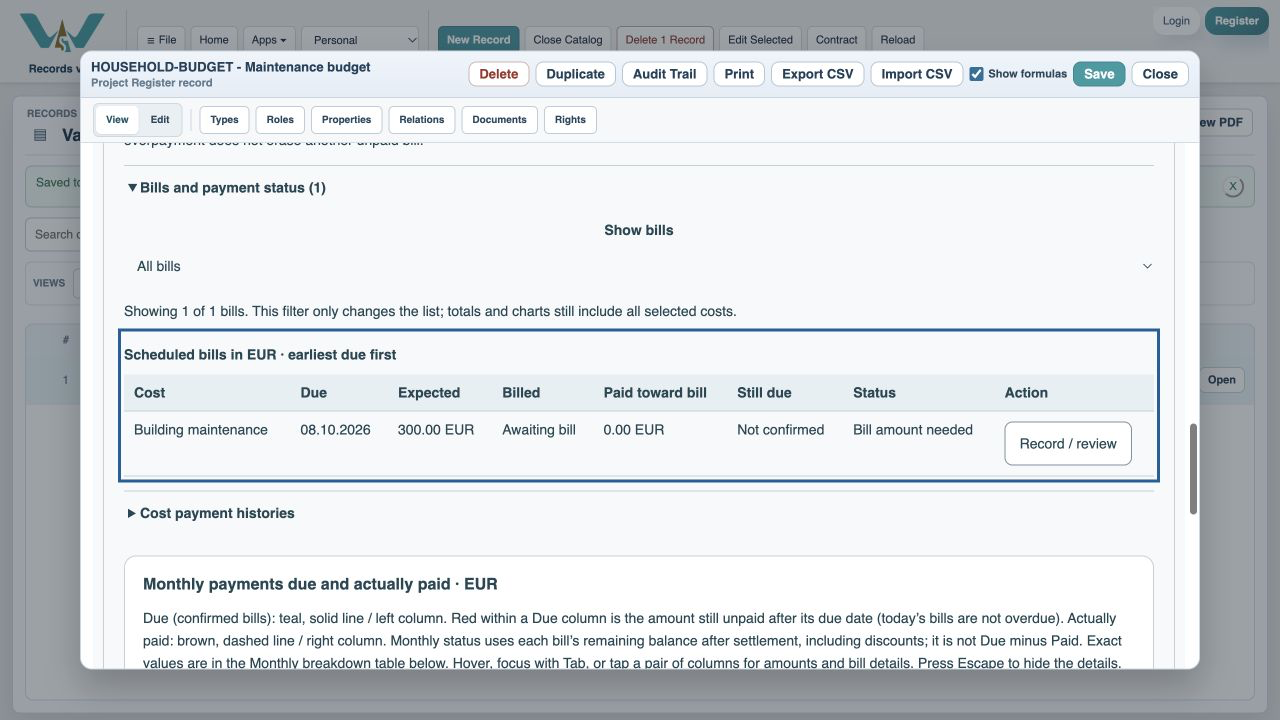
Open Record / review
Use the action on the maintenance row.
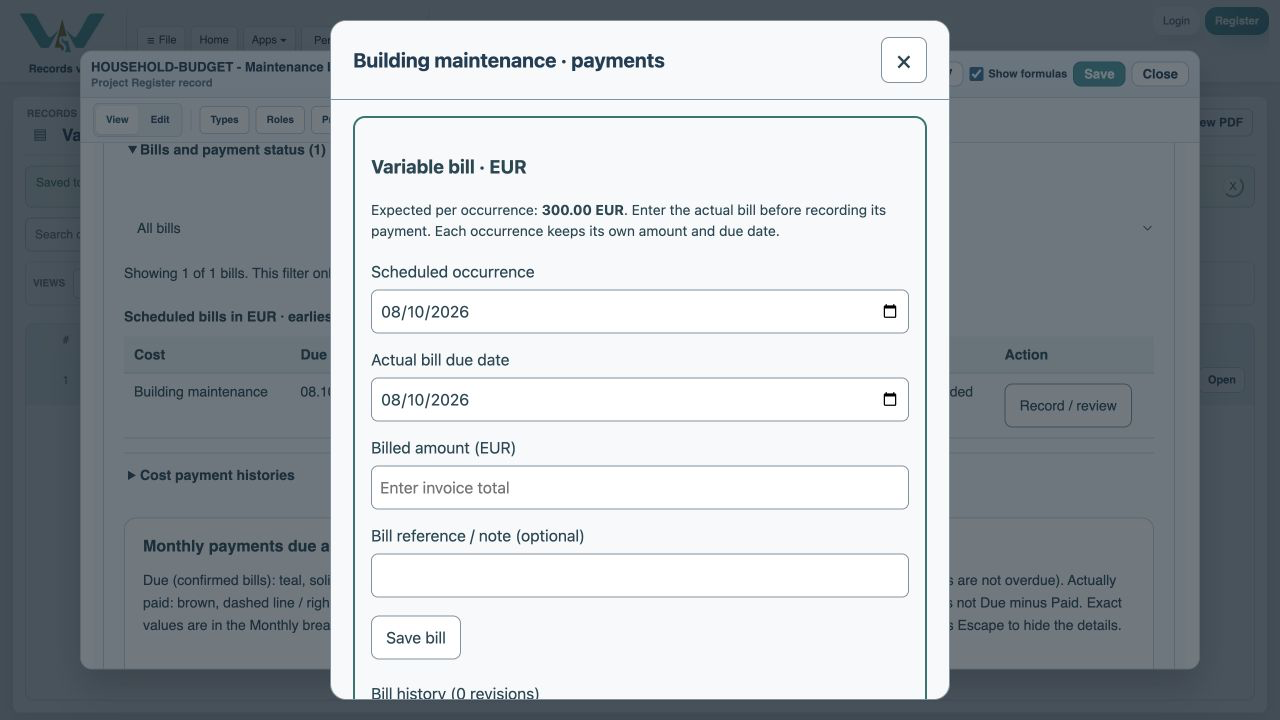
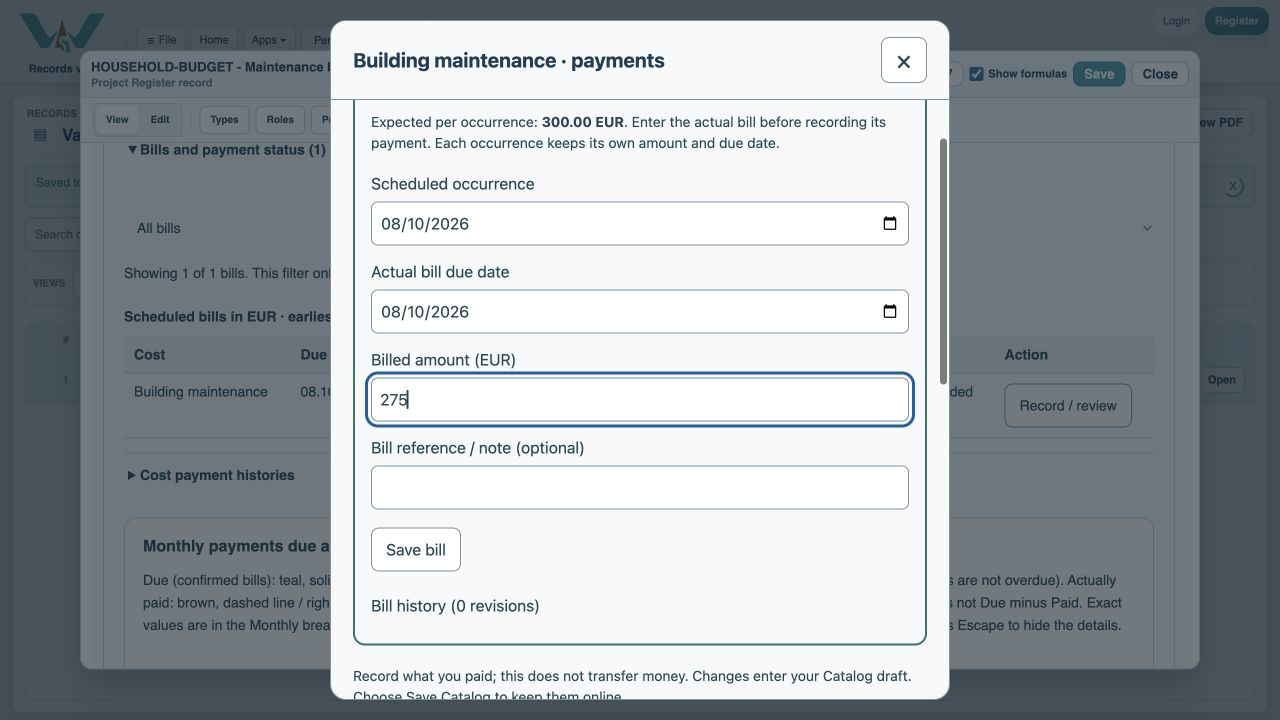
Enter the invoice total
Type 275 in Billed amount (EUR). This does not record any payment.
Enter the actual due date
Set Actual bill due date to 9 October 2026. Keep the scheduled occurrence on 8 October so it remains October’s original occurrence.
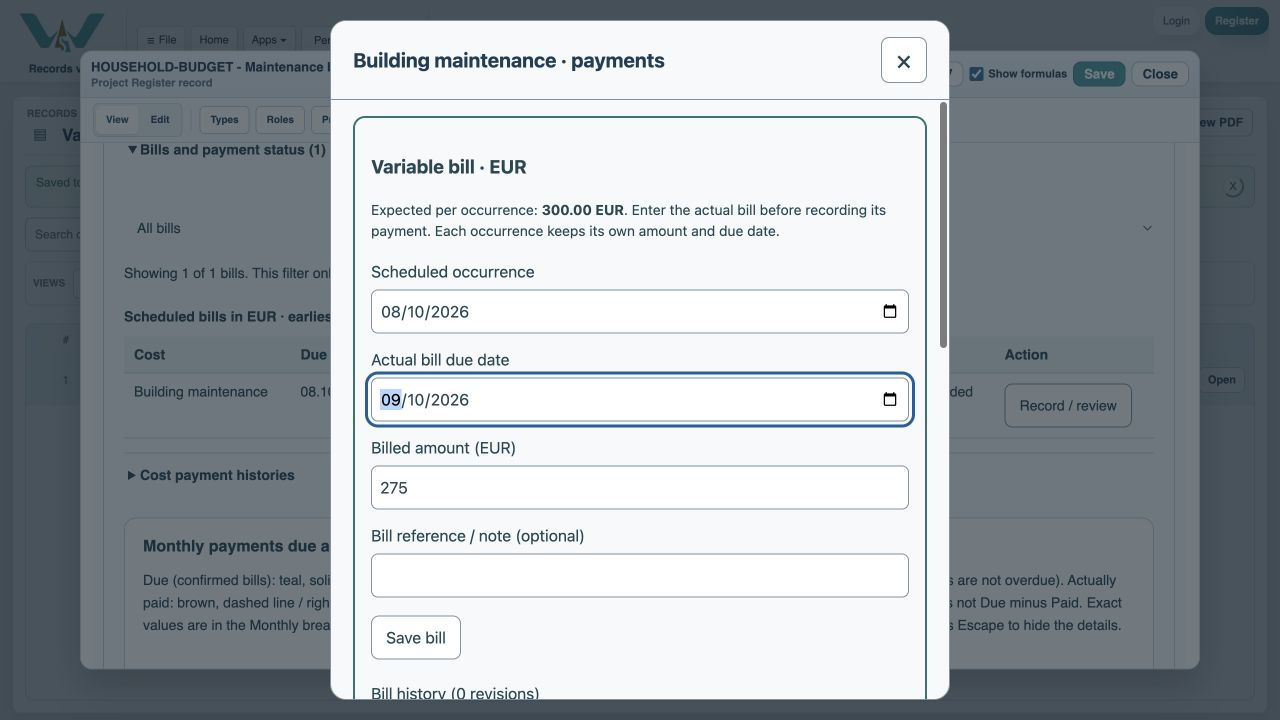
Save the bill
Choose Save bill. The payment amount now suggests the 275 EUR invoice total.
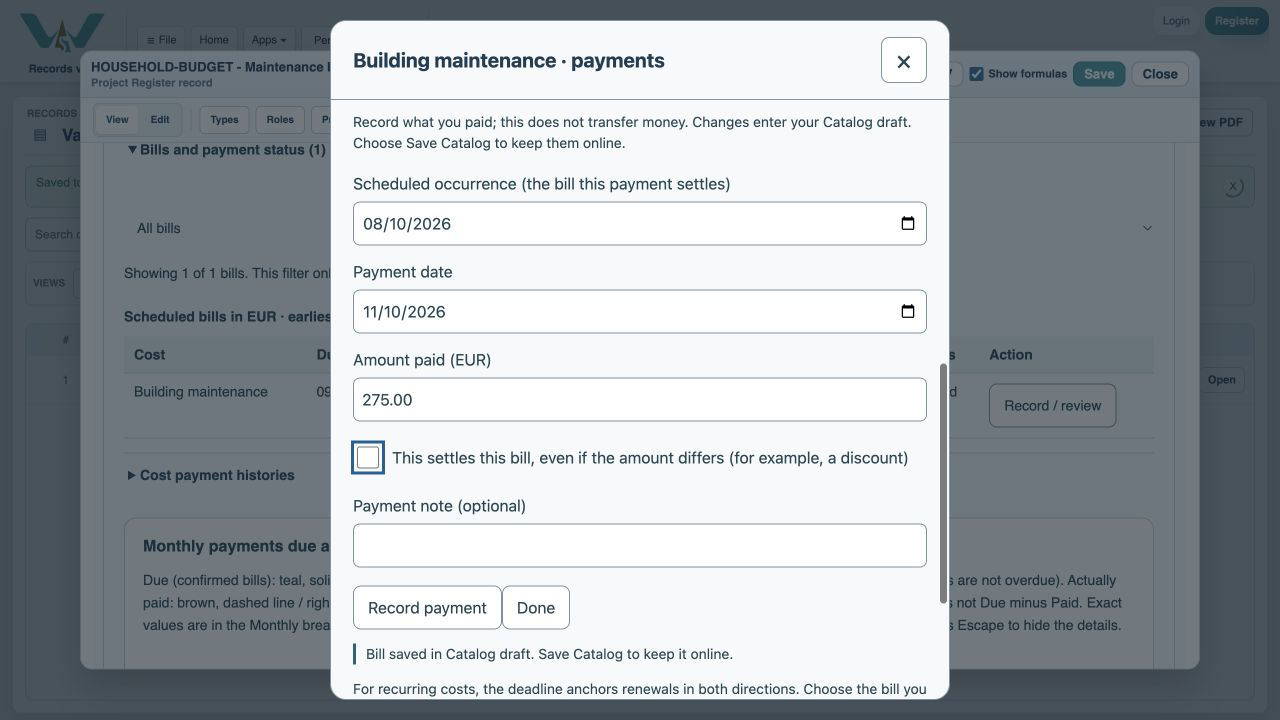
Enter the partial payment
Type 200 in Amount paid. Leave the settlement checkbox unchecked. Use the actual payment date; this example uses 11 October 2026.
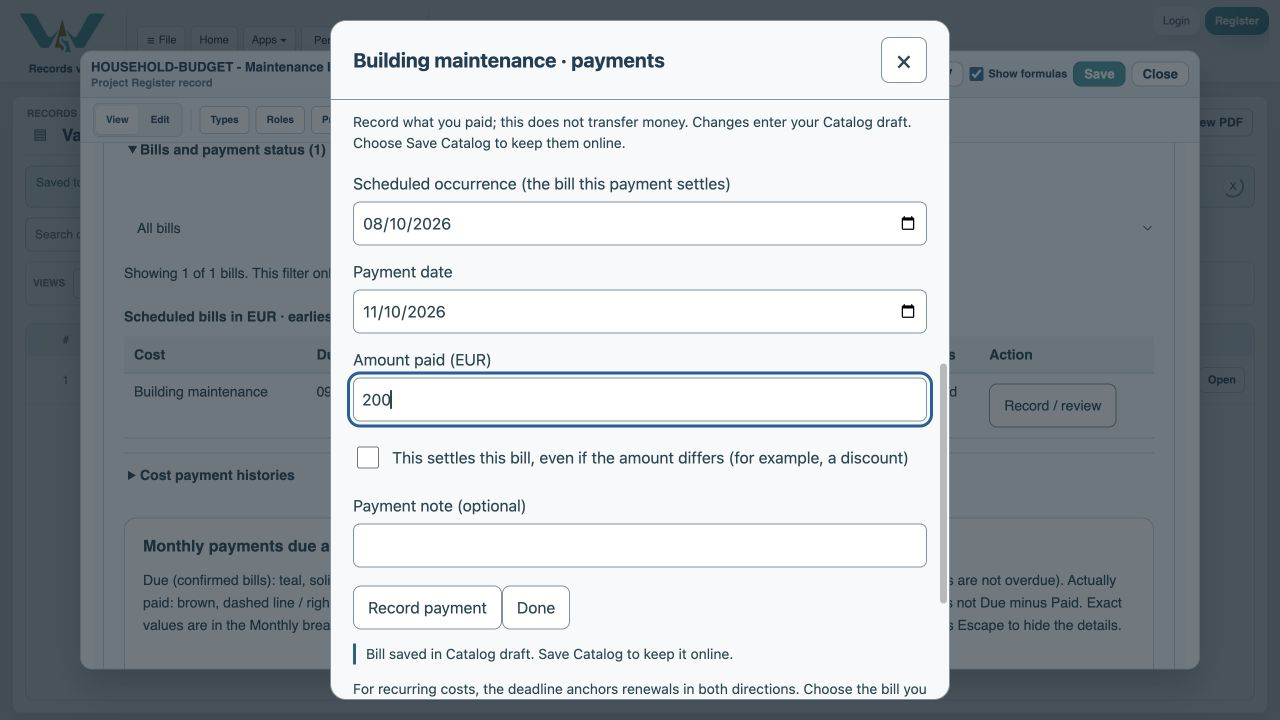
Record the payment
Choose Record payment. History retains 200 EUR and 75 EUR remains.
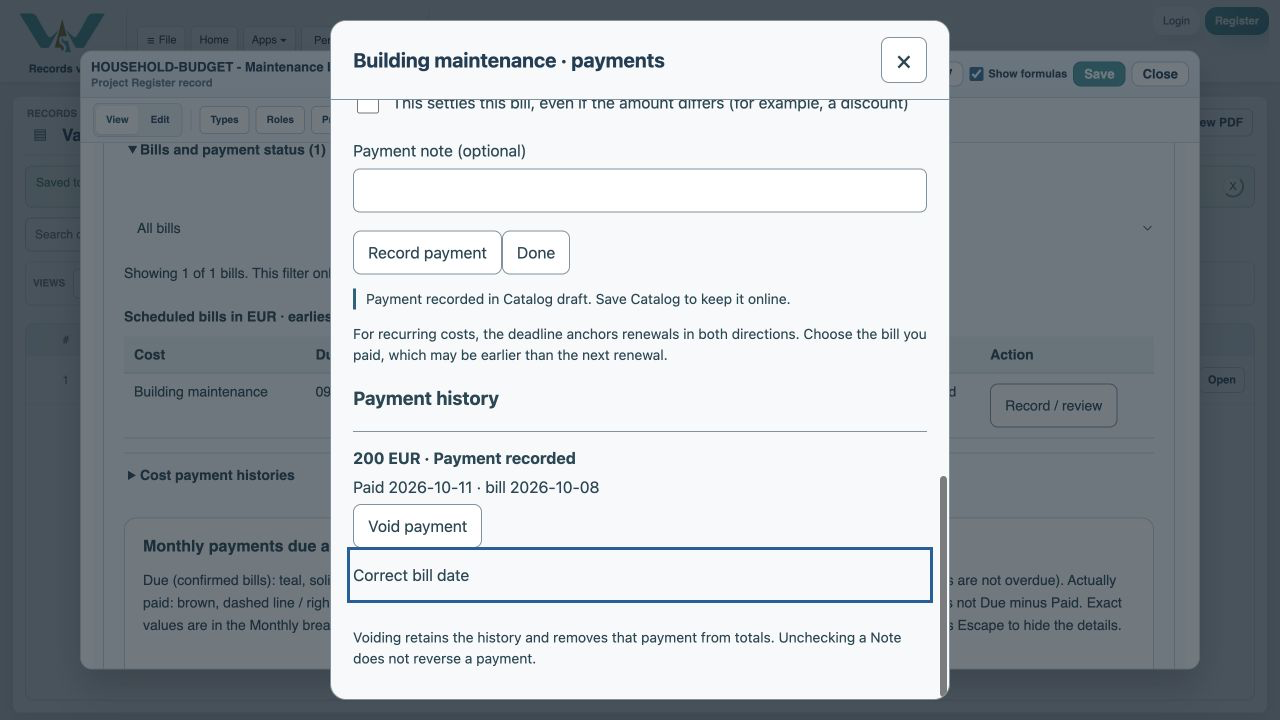
Check the four amounts
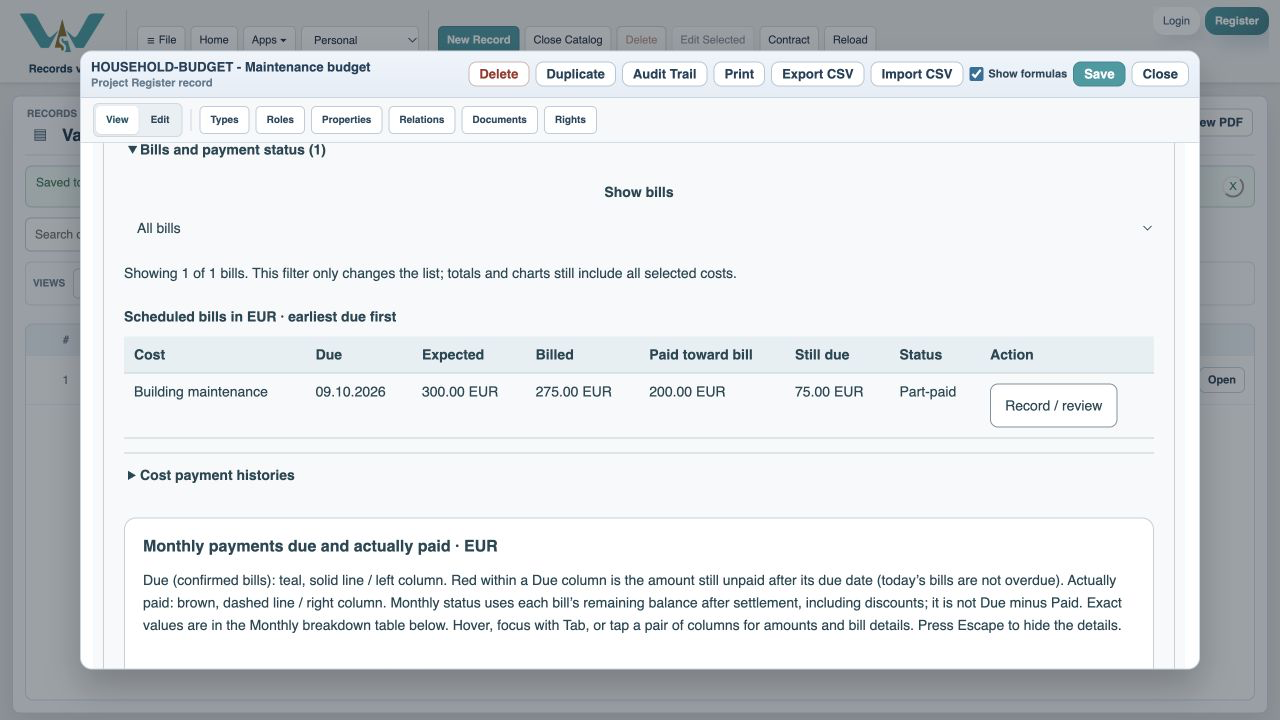
Choose Done. The row shows expected 300, billed 275, paid 200 and still due 75 EUR.
Inspect the chart
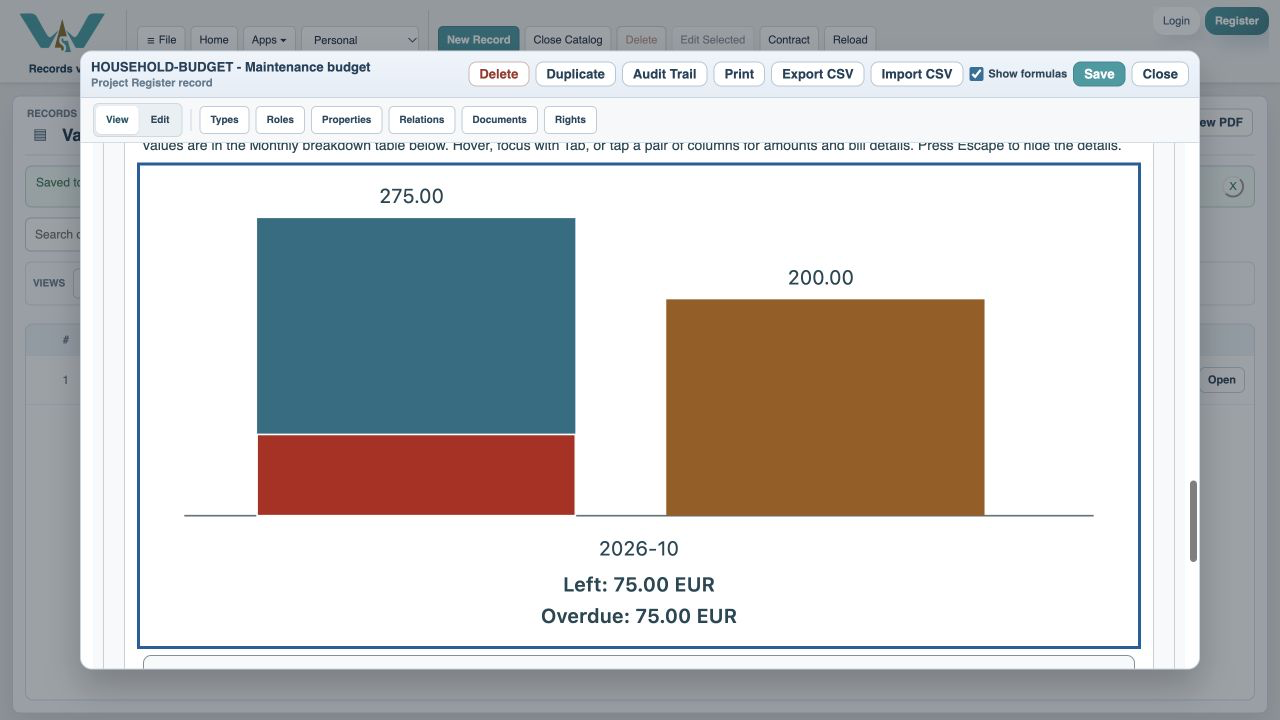
Focus or tap October. After 9 October, the unpaid 75 EUR appears in red.
Check Next month
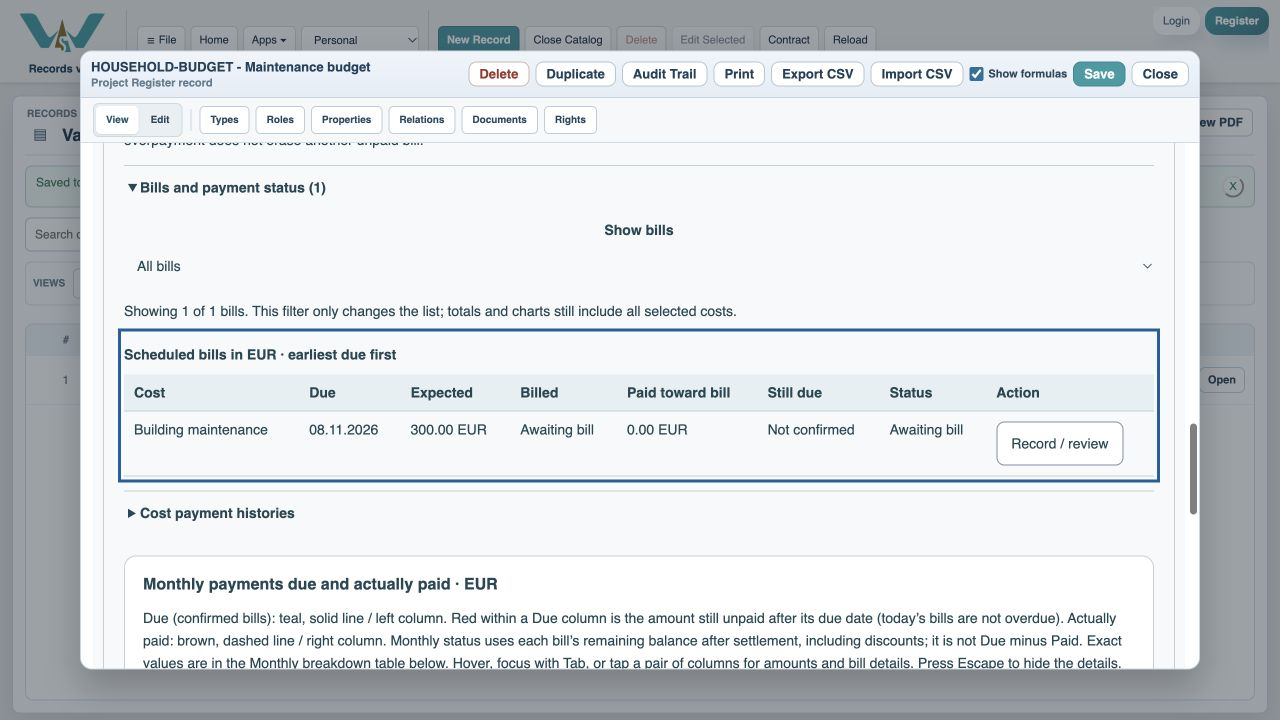
Select Next month. November still has 300 EUR expected and awaits its own invoice.
Optional: enable automatic expectations
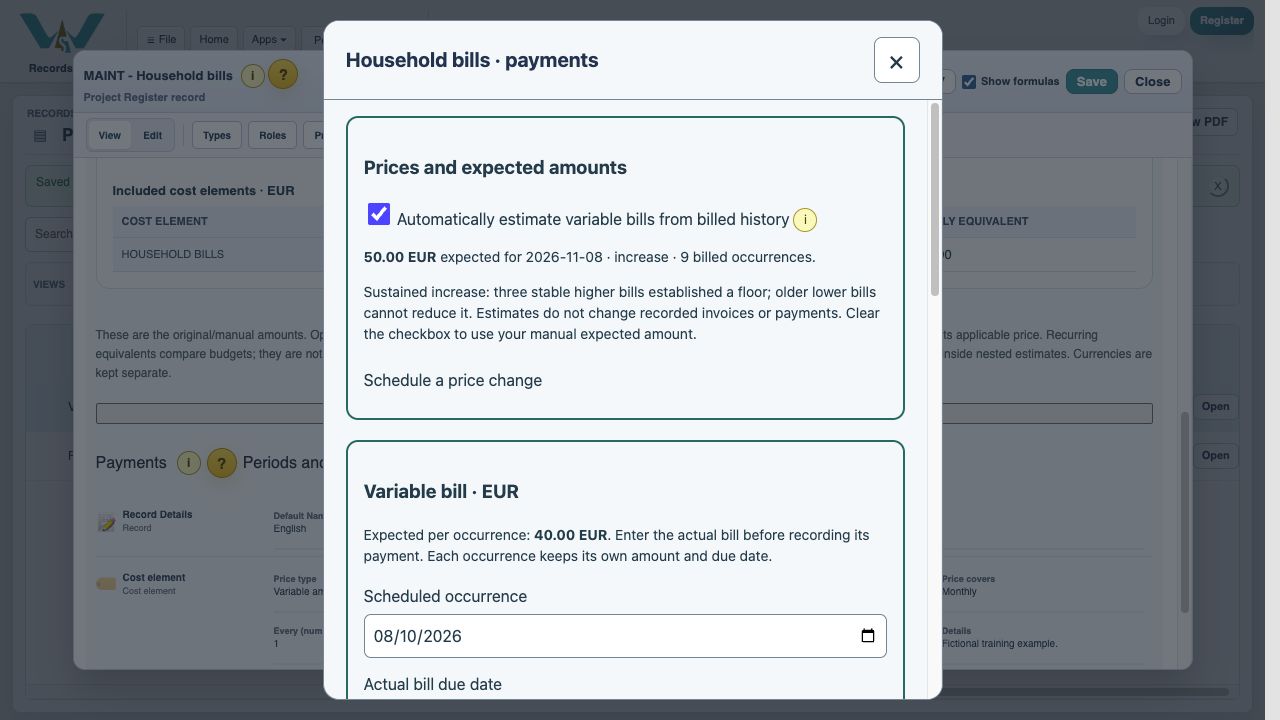
In Record / review payments, check Automatically estimate variable bills from billed history. The illustrated example uses the separate price-changes.ca practice file: Household bills has nine fictional invoices and detects a sustained rise from 40 to 50 EUR. Your single-invoice exercise keeps 300 EUR until sufficient history exists. The i button explains the method. Uncheck to return to the manual expectation.
Save Catalog
Save online through File → Save Catalog, or export the full practice file from All Records. Bill history and payment history are saved separately.
Enable JavaScript to use reading progress and usefulness ratings.