
Record full, partial and discounted payments
Record the invoice first when its amount is variable; then record money paid.
These guides use fictional practice data and generic EUR amounts. The screenshots show the October 2026 interface. Adapt example dates and planning periods if practicing later. Recording bills and payments does not transfer money.
Start with Create a cost and your first Budget or Handle a variable bill.
Record a payment correctly
A silent, paced screen presentation using real Catalog captures and fictional EUR examples. Outlines and Click / Type / Look here arrows identify the action. The decorative title artwork is AI-generated. Open the full guide for the illustrated transcript.
Open the right bill
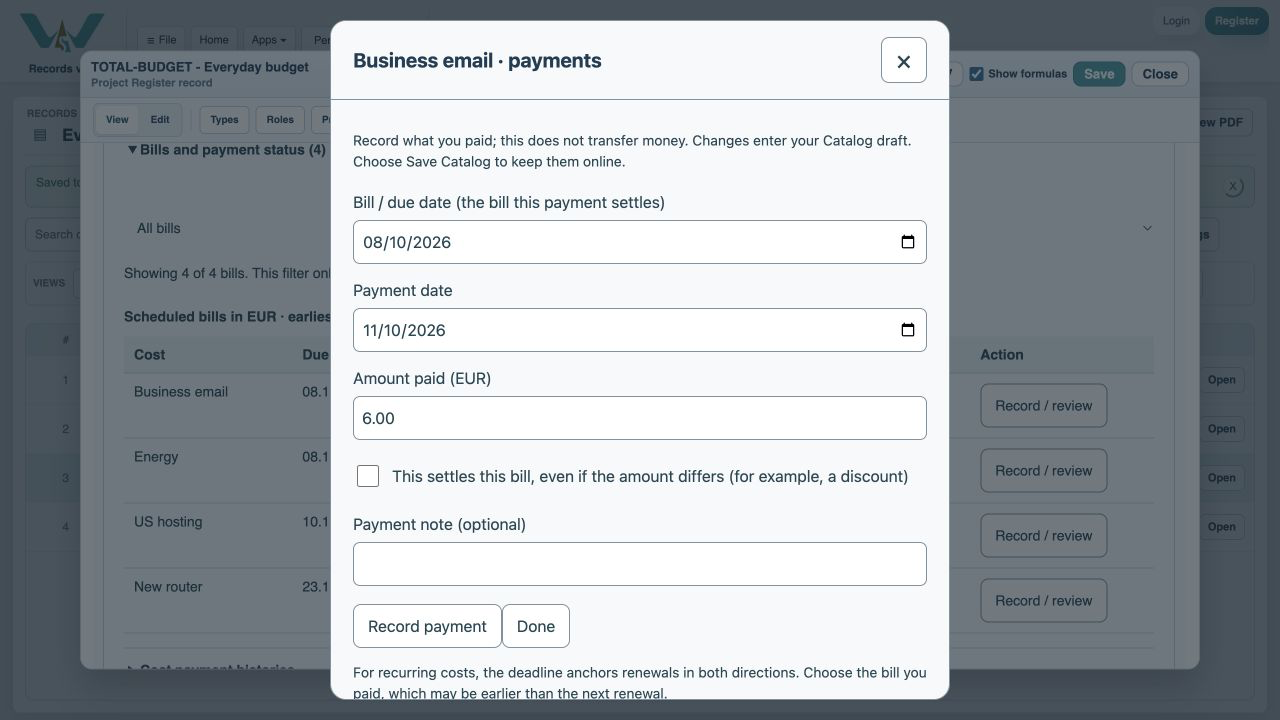
Open an estimate, expand Bills and payment status and choose Record / review on the appropriate row. Confirm the occurrence or bill date before entering money. A payment date records when the payment happened and cannot be in the future. Recording a payment updates your Catalog draft; it does not make a bank transfer.
Partial and full payments
Enter the amount actually paid. For a partial payment, leave This settles this bill unchecked. A 200 EUR payment against a 275 EUR invoice leaves 75 EUR. A later payment of 75 EUR settles the bill without a special adjustment. Do not enter the expected budget amount as a payment unless that is what you actually paid.
A discount is an explicit settlement
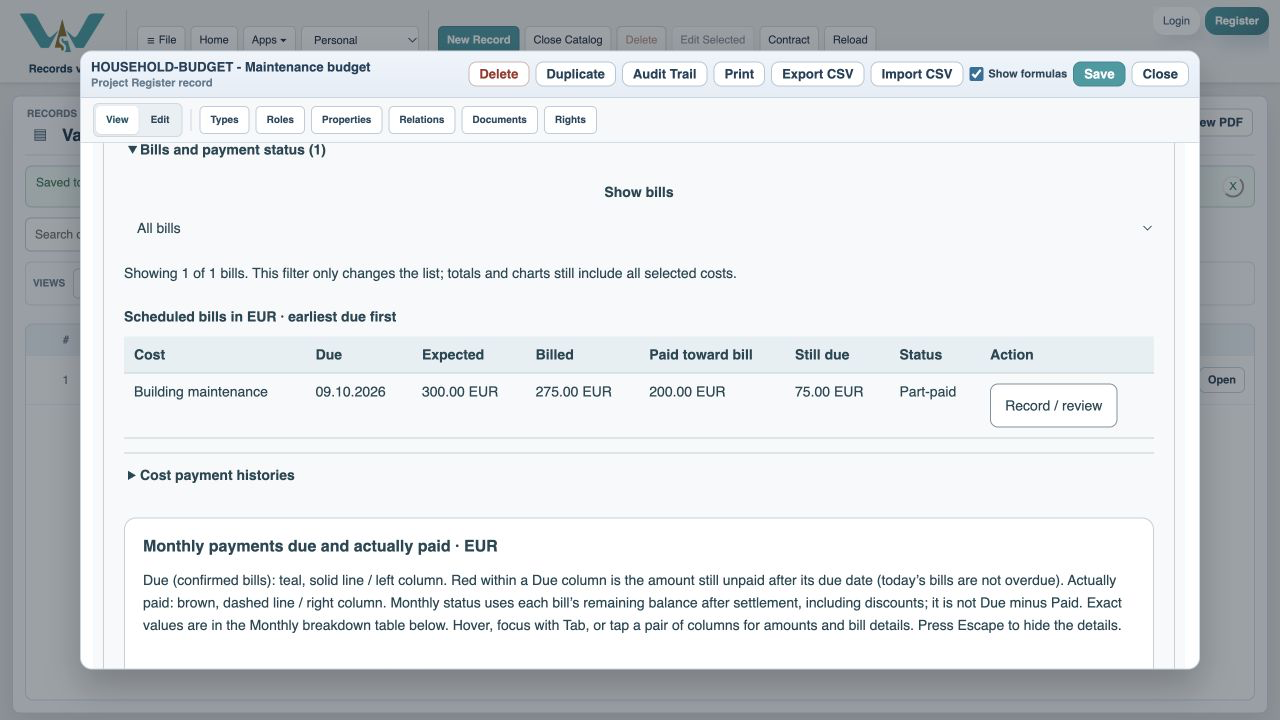
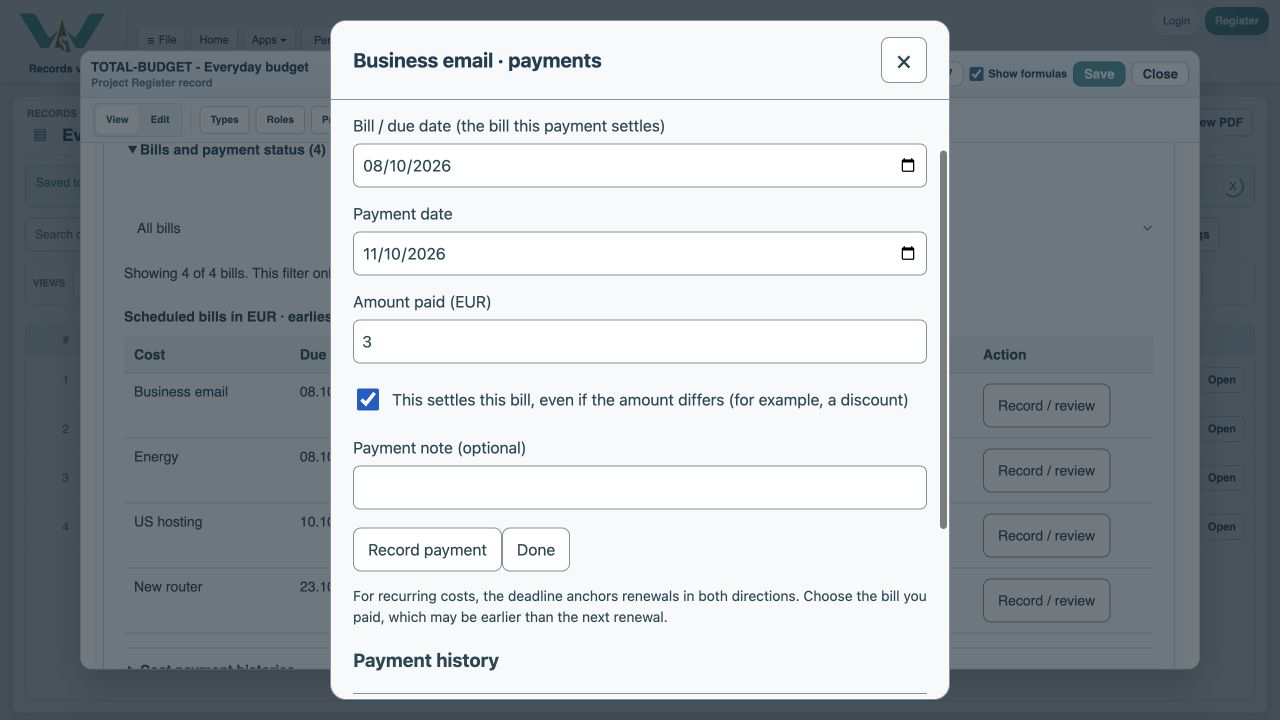
If a 6 EUR bill is settled by payments of 2 EUR and 3 EUR because the supplier agreed to a 1 EUR reduction, check This settles this bill on the final payment and explain the reason in the payment note. A 275 EUR invoice against a 300 EUR budget is different: that is a budget saving, not a 25 EUR discount.
Correct mistakes without losing the story
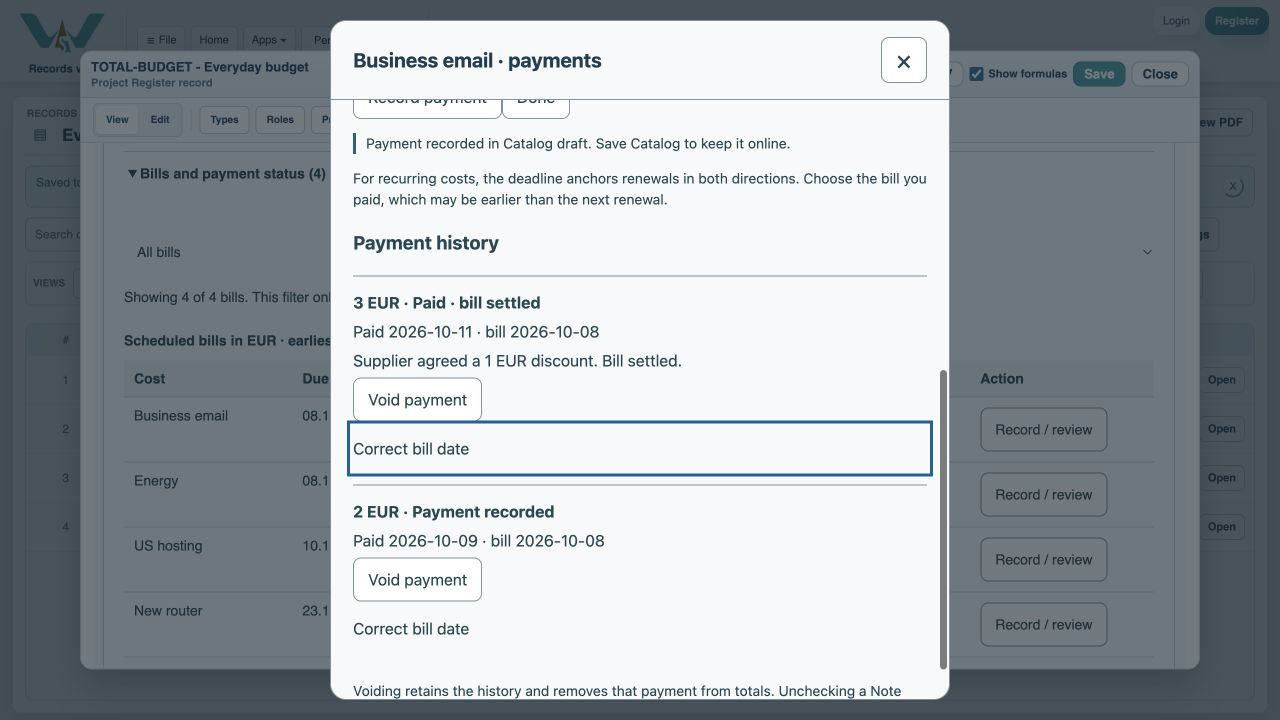
Void payment removes it from totals while keeping its history; Restore payment reverses the void. Correct bill date changes the bill to which a payment belongs, leaving its cash date and amount intact. Variable bill corrections also retain earlier revisions. Increasing an invoice after a discounted settlement reopens the remaining amount. Save Catalog after any correction.
Enable JavaScript to use reading progress and usefulness ratings.