
See what is still unpaid or overdue
Find the next action without confusing a forecast with a debt.
These guides use fictional practice data and generic EUR amounts. The screenshots show the October 2026 interface. Adapt example dates and planning periods if practicing later. Recording bills and payments does not transfer money.
Start with Create a cost and your first Budget or Handle a variable bill.
Next: Read and choose your charts.
What is left to pay?
A silent, paced screen presentation using real Catalog captures and fictional EUR examples. Outlines and Click / Type / Look here arrows identify the action. The decorative title artwork is AI-generated. Open the full guide for the illustrated transcript.
Start with the month summary
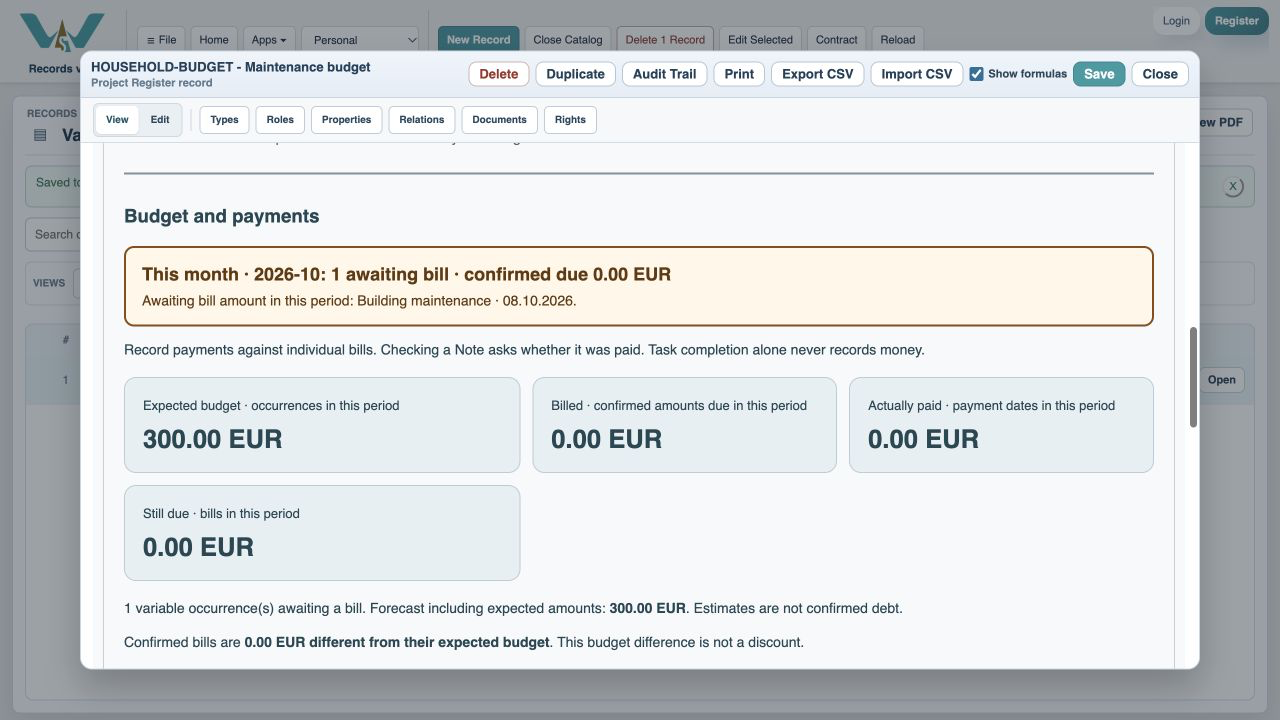
Select This month and read Due to pay, including estimates. It combines confirmed unpaid bills with expected variable amounts awaiting invoices. The breakdown shows confirmed unpaid and estimated remaining separately. Entering a bill replaces its estimate, and payments reduce only their matching bill. A discount marked as settling the bill leaves nothing more to pay for it. Awaiting bills prevent an all-settled message.
Filter to the unfinished work
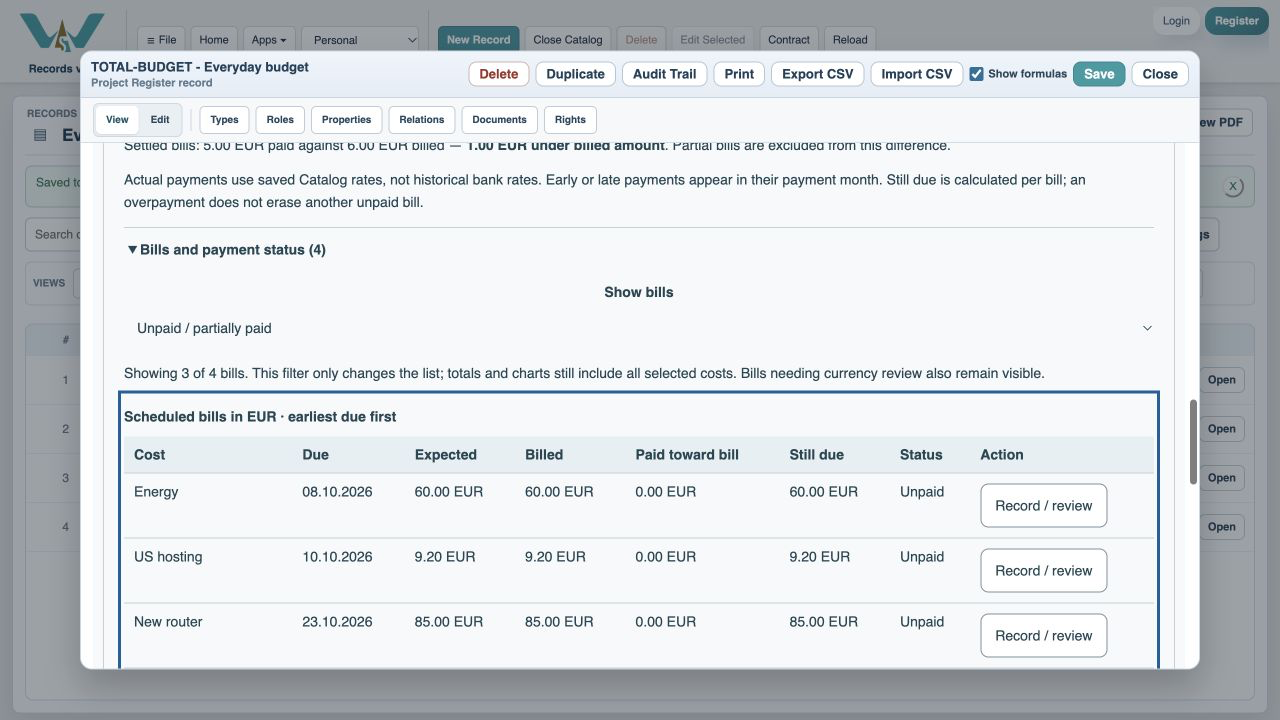
Expand Bills and payment status and choose Unpaid / partially paid. Paid bills disappear from this list. Bills awaiting amounts and bills needing currency review stay visible because they still need attention. The filter does not change totals or charts, so the overall monthly picture remains available.
What red means
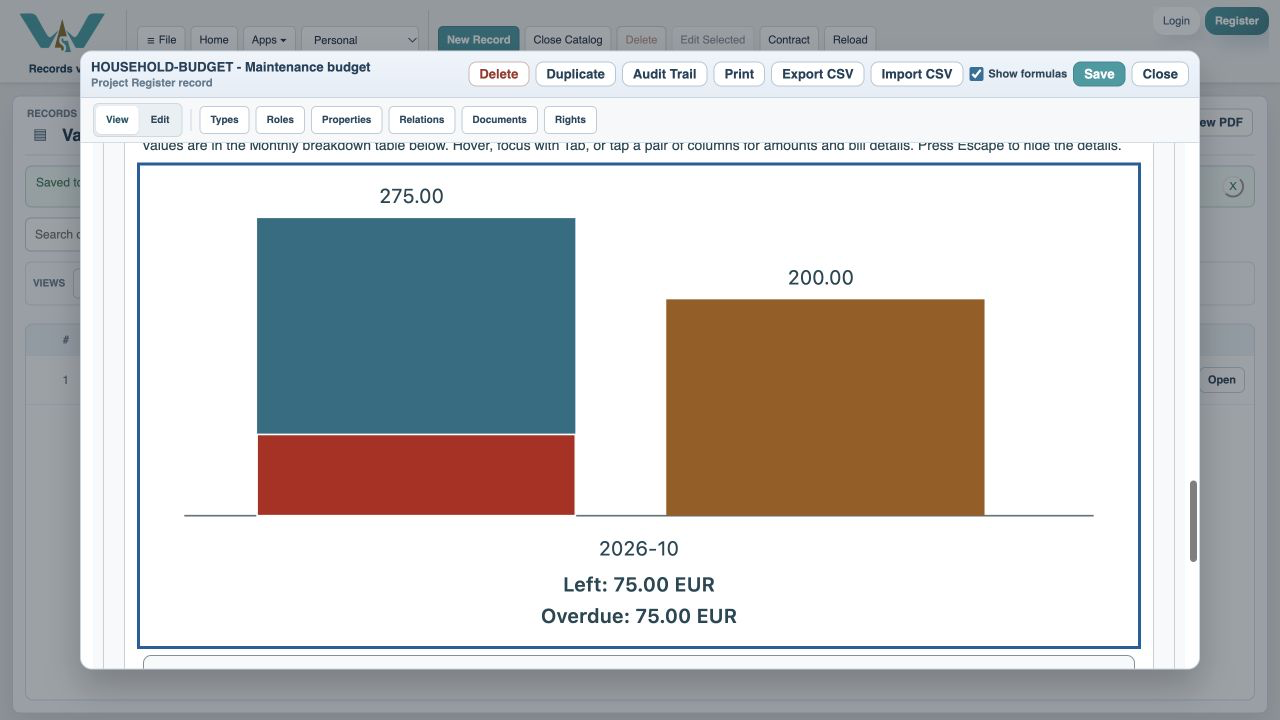
A red segment within the due column represents the remaining confirmed amount on bills whose due date is earlier than today. Bills due today are not overdue yet. A late bill that is now fully paid has no remaining red segment. Awaiting-bill estimates are never shown as confirmed red debt.
Act on the row, then save
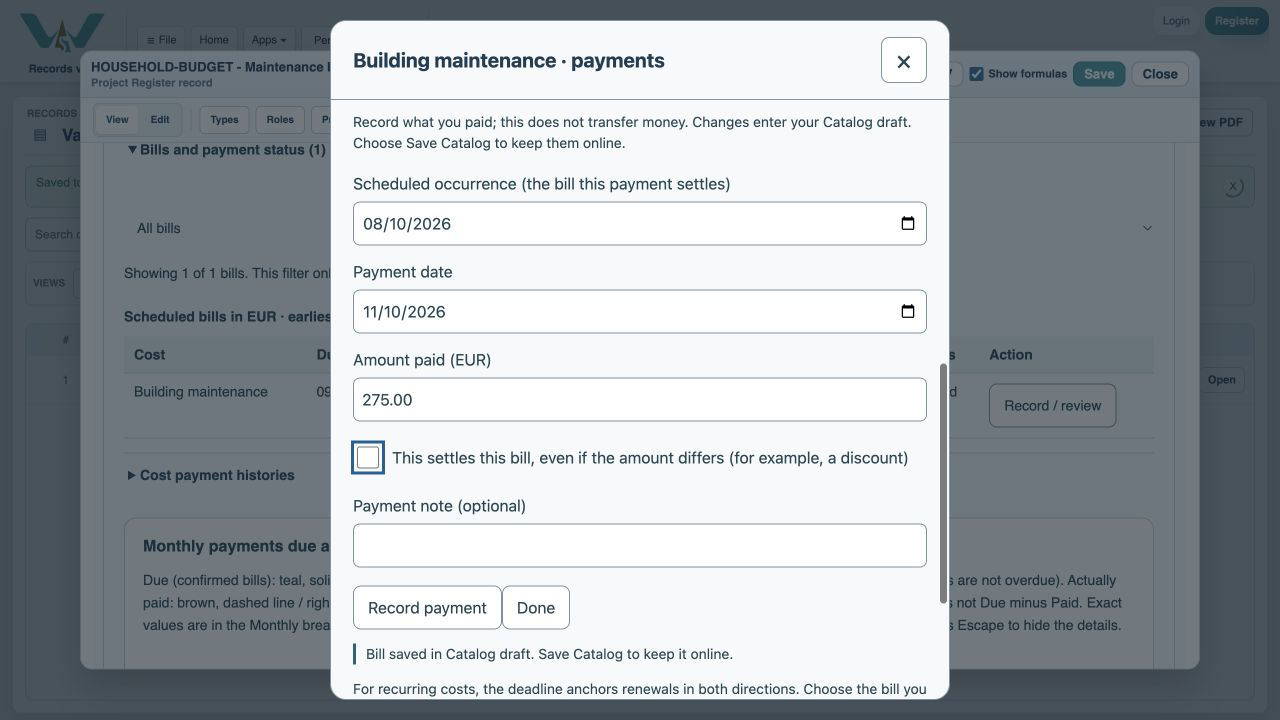
Use Record / review to enter a missing invoice or payment. For an invoice not yet available, leave it awaiting a bill rather than inventing a number. A zero actual invoice can be recorded when there is genuinely nothing to pay. Review the refreshed status, then Save Catalog to retain the change online.
Enable JavaScript to use reading progress and usefulness ratings.