Illustrated transcript
Record a payment correctly
Partial payments and an agreed discount
Silent walkthrough · fictional EUR examples · October 2026. Every action is described below.
0:00 · Record a payment correctly
Partial payments and an agreed discount
A budget-themed illustration accompanies the WorkStudio film title. The ending adds “Thank you for watching.”
0:06 · Find the right bill
Expand Bills and payment status and locate Business email.
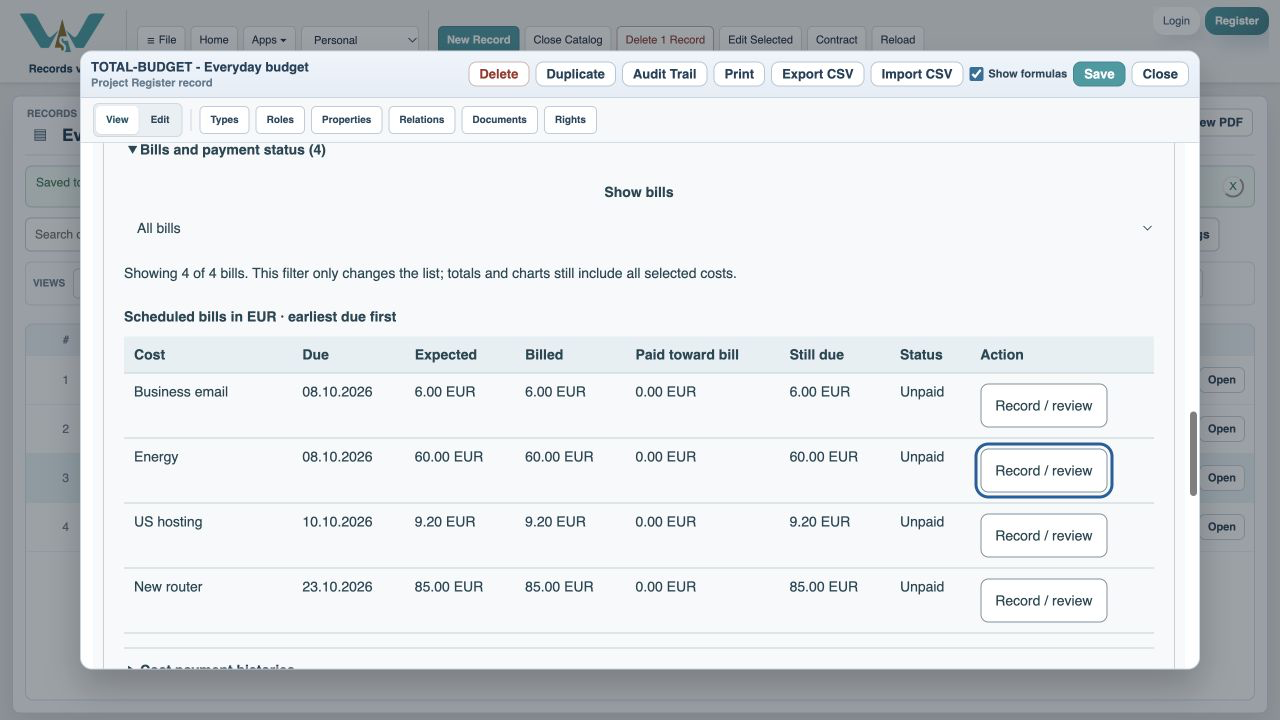
0:16 · Open Record / review
Confirm which bill the payment belongs to.
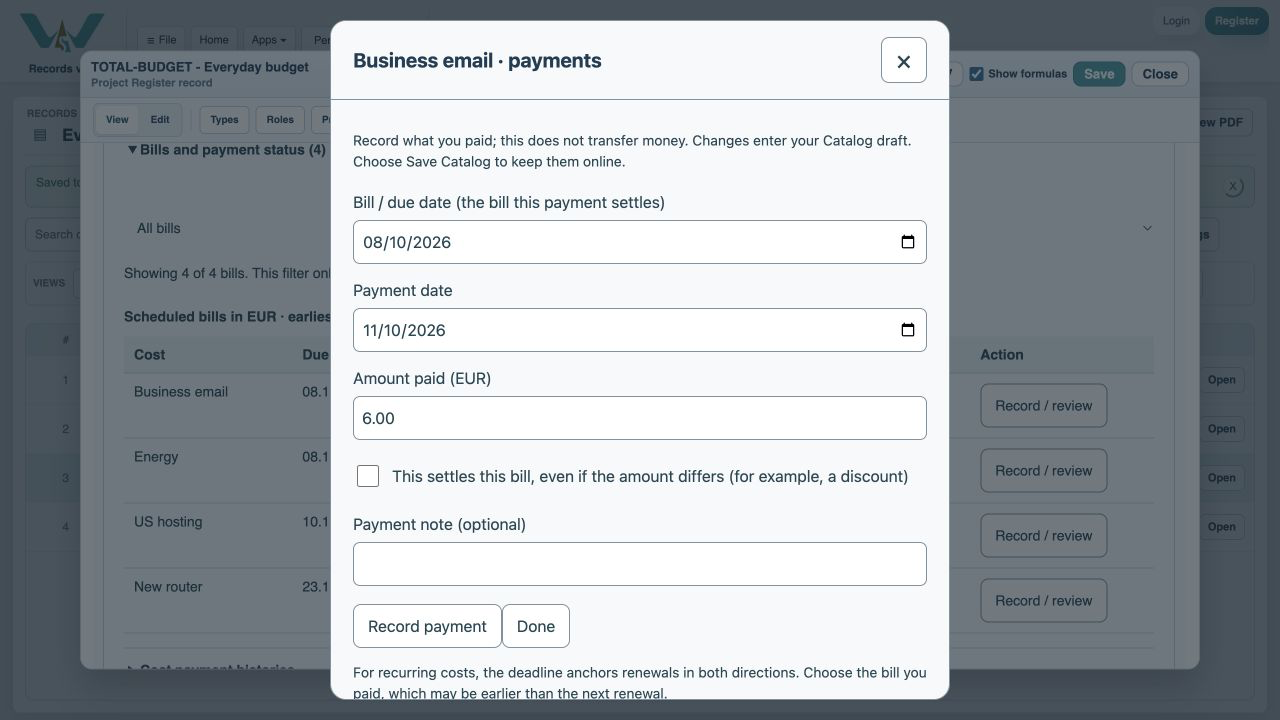
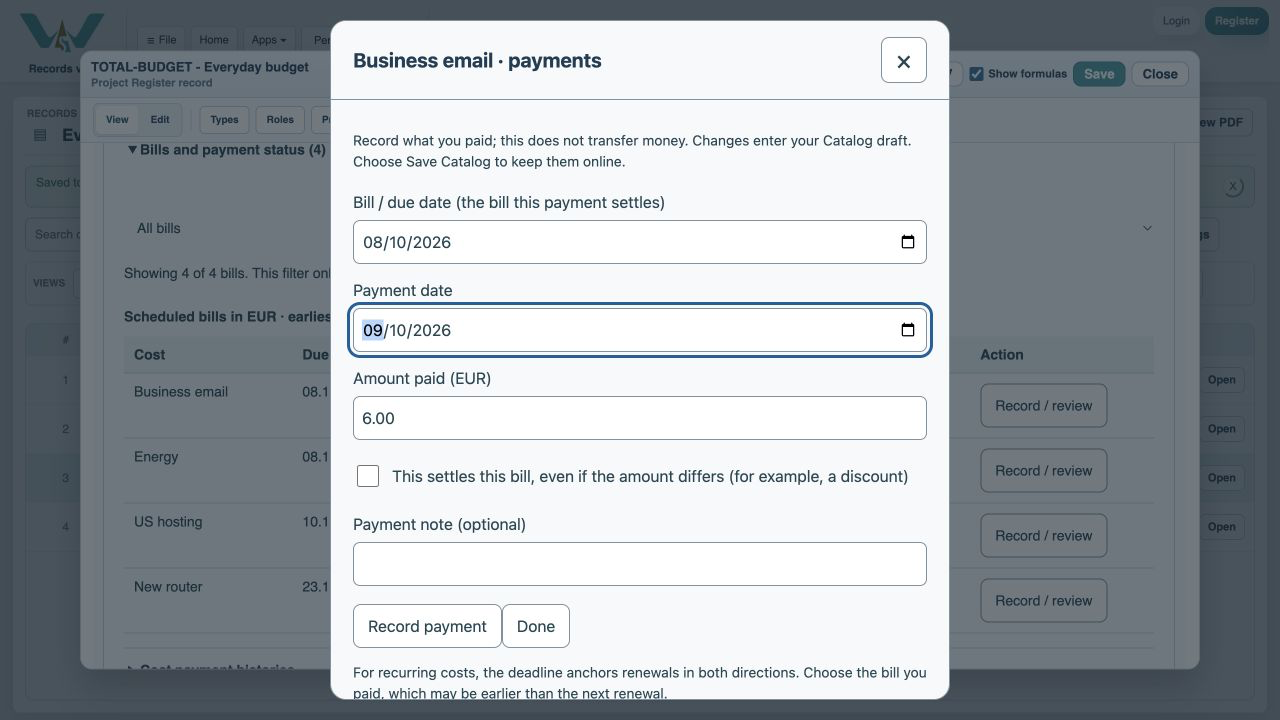
0:26 · Use the actual payment date
The bill date and cash payment date may differ.
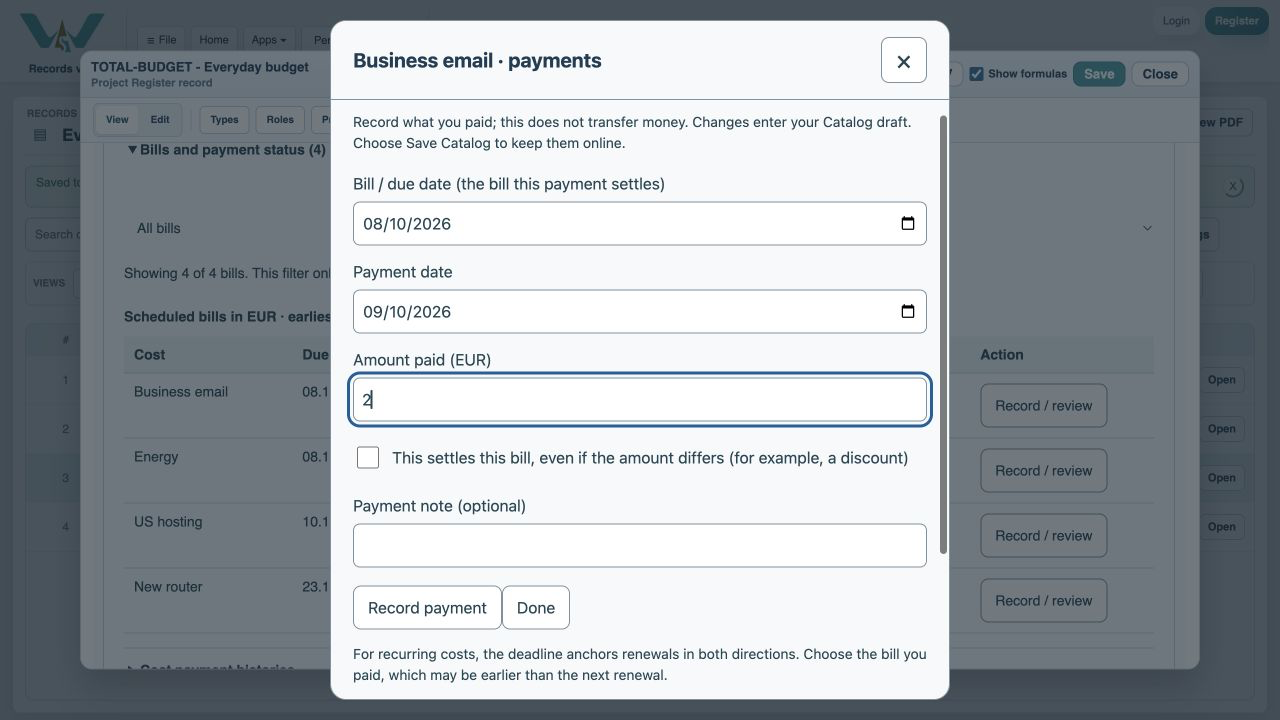
0:36 · Pay part of the bill
Enter 2 EUR and leave the settlement checkbox unchecked.
0:46 · Check the remaining amount
The 6 EUR bill is Part-paid, with 4 EUR left.
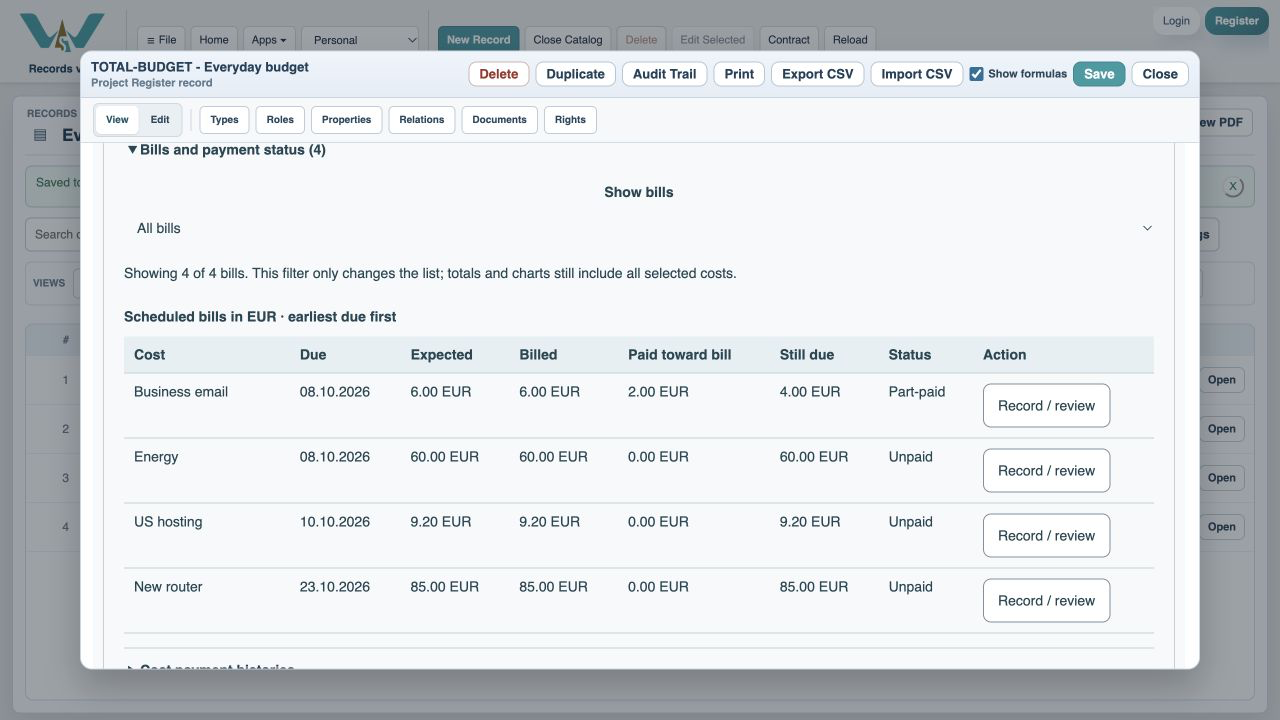
0:56 · Record the final 3 EUR
The supplier agreed a 1 EUR reduction on this example bill.
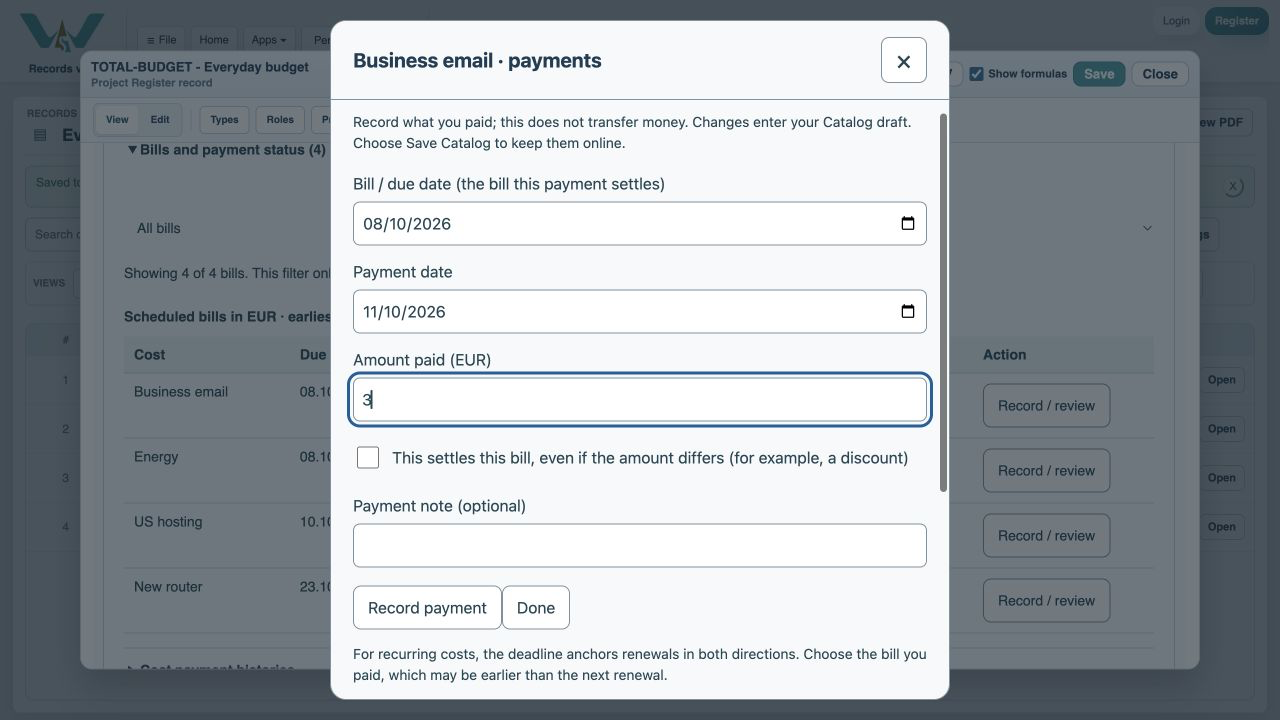
1:06 · Confirm settlement
Check This settles this bill only when nothing more is owed.
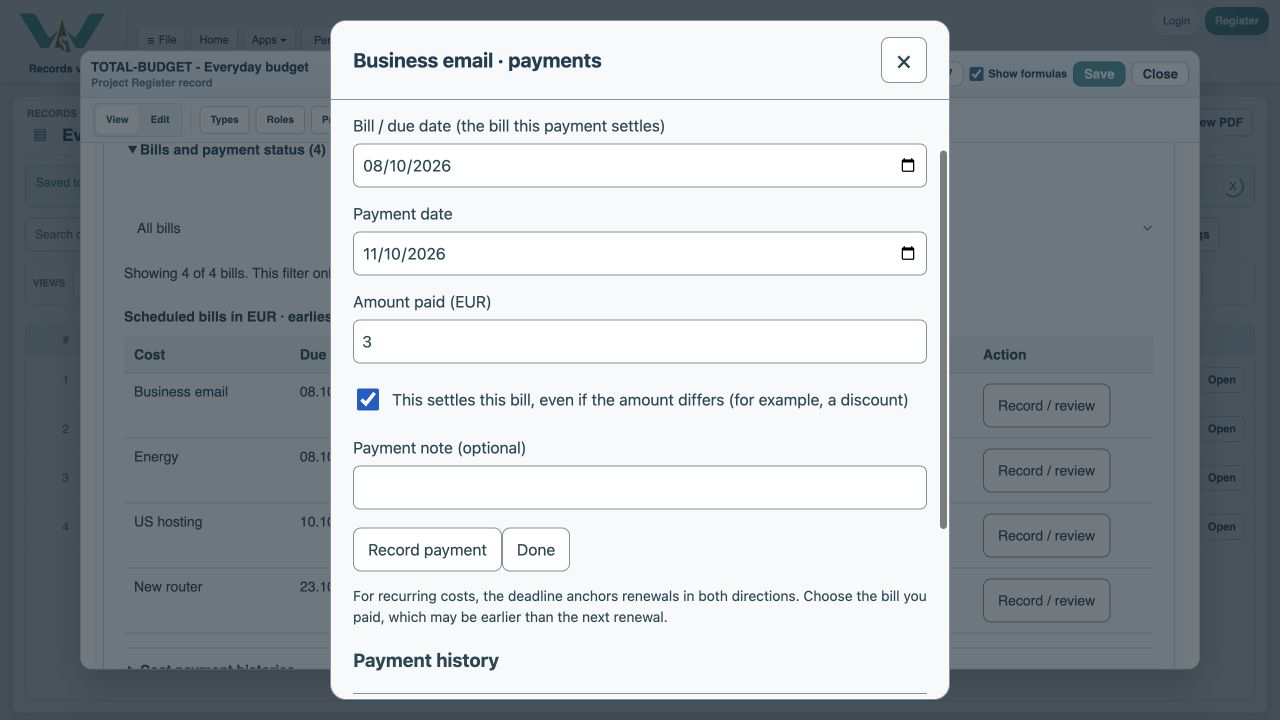
1:16 · Explain why
A payment note records the reason for the discount.
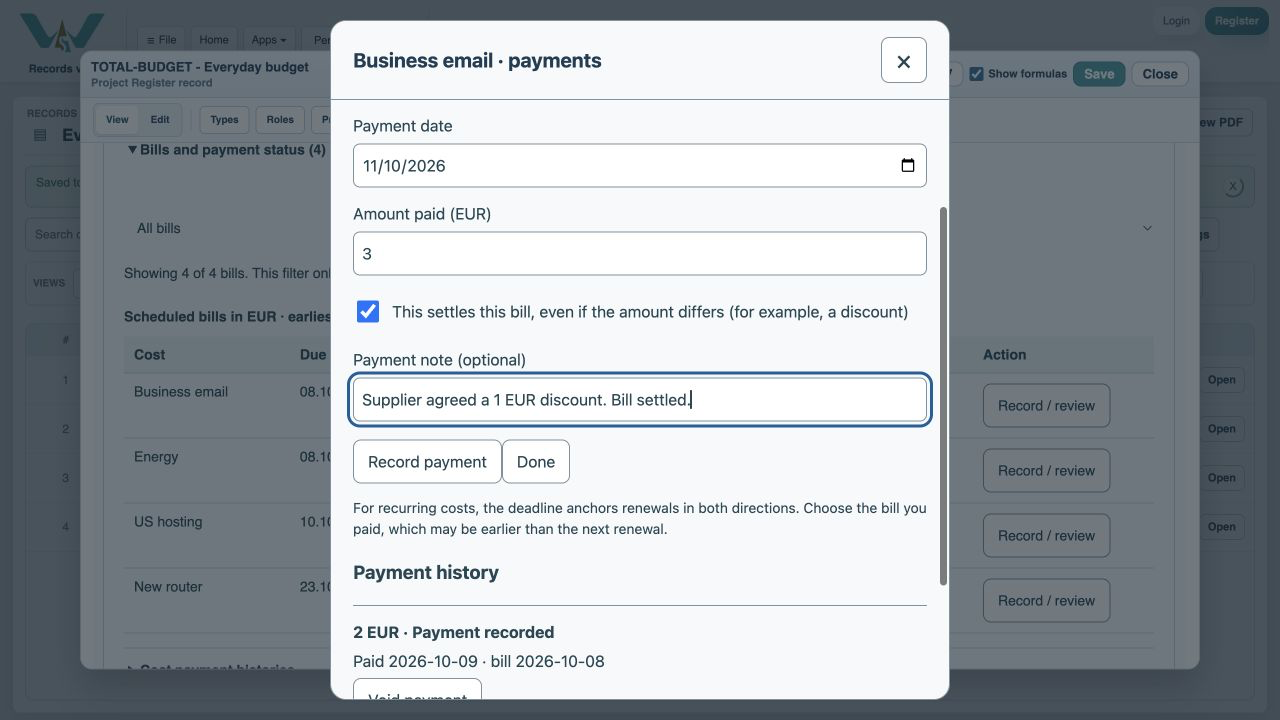
1:26 · Verify and save
The bill is Paid, with 5 EUR recorded and zero remaining.
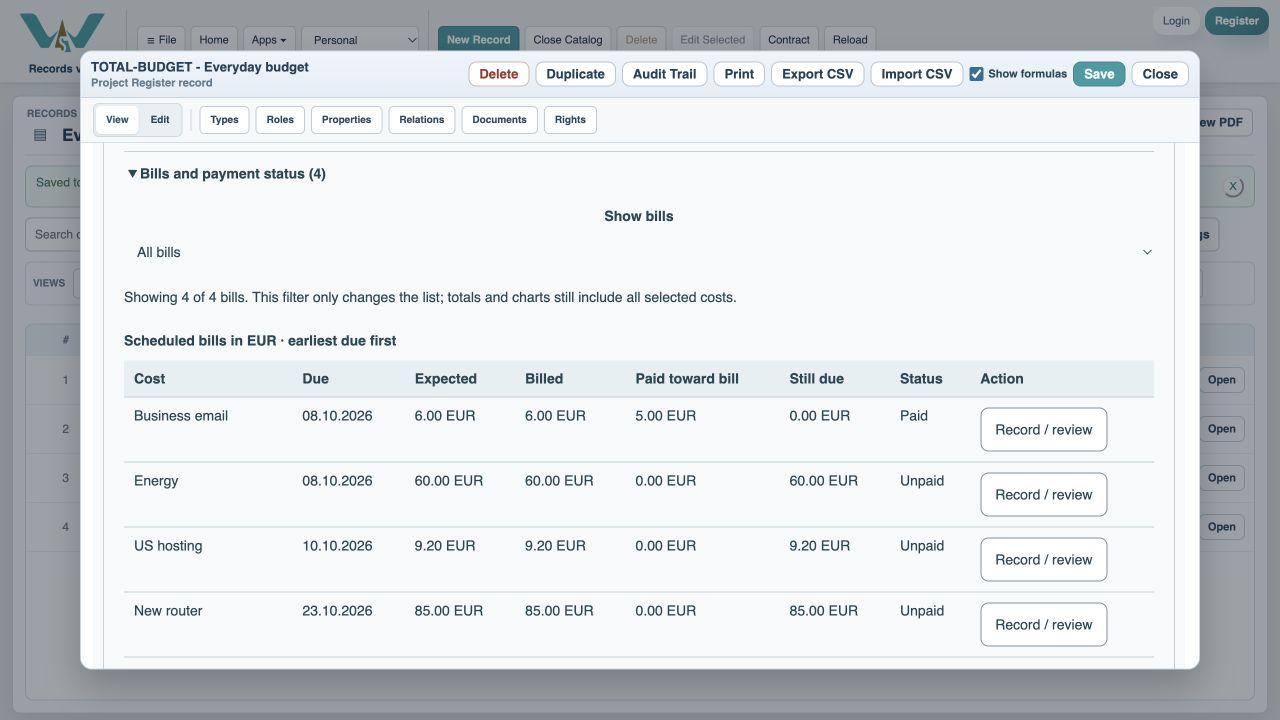
1:36 · Record a payment correctly
Thank you for watching. Keep building a clearer picture of your costs.
A budget-themed illustration accompanies the WorkStudio film title. The ending adds “Thank you for watching.”