
One-time, recurring and variable costs
Price certainty and billing frequency answer different questions.
These guides use fictional practice data and generic EUR amounts. The screenshots show the October 2026 interface. Adapt example dates and planning periods if practicing later. Recording bills and payments does not transfer money.
Start with Create a cost and your first Budget or Handle a variable bill.
Next: Build your first Budget / Estimate.
Read the illustrated film transcript.
A subscription price changes
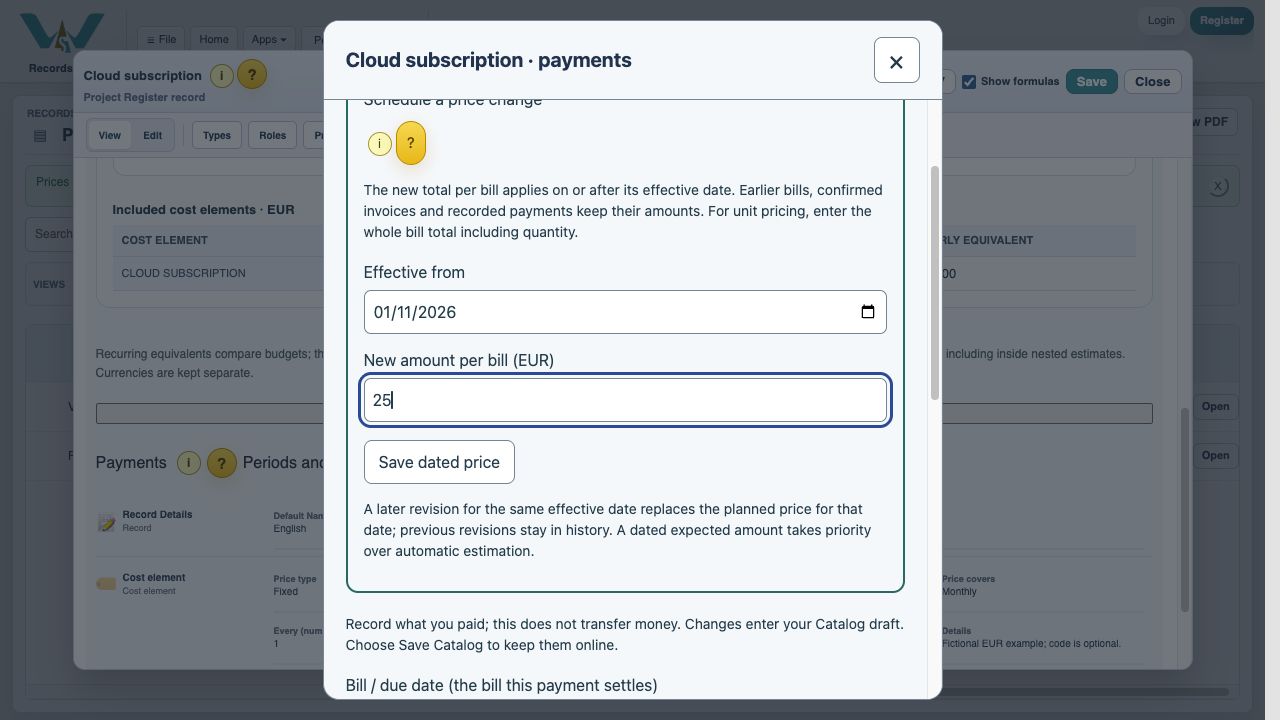
Open the Cost element, choose Record / review payments, then expand Schedule a price change. Enter Effective from (today or a future date) and the new amount per bill, then choose Save dated price. Finish with Save Catalog. For example, a fictional subscription can stay at 20 EUR through October and become 25 EUR for bills scheduled from 1 November. Use this dated action instead of replacing the original Value. For unit pricing, enter the entire bill total, including quantity. Earlier bills, recorded payments, confirmed invoices and prepaid bills keep their amounts. Price history retains revisions. A later revision for the same date supersedes that planned price. The scheduled occurrence, not a corrected invoice due date, chooses the price.
Optional automatic expected amounts
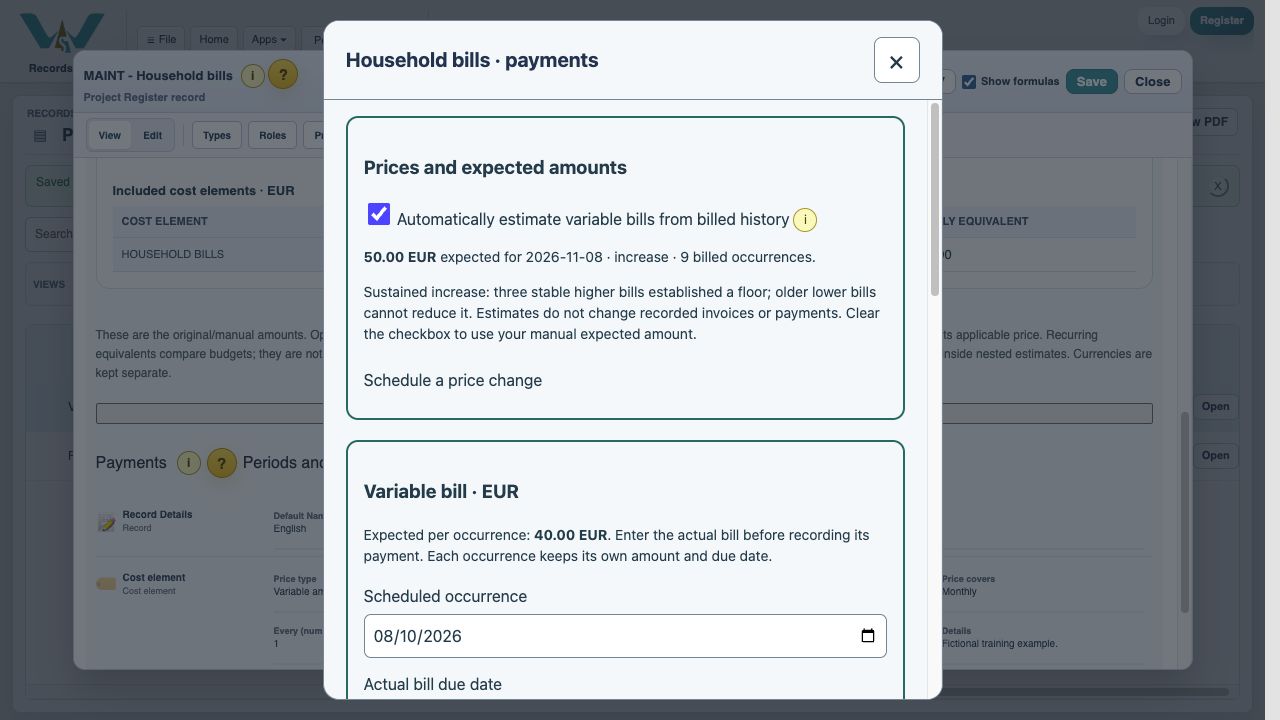
For Variable amount, check Automatically estimate variable bills from billed history. The checkbox is available in the Cost element fields and in Record / review payments. Only entered billed totals train the estimate; payments, discounts and partial payments do not. The original manual amount stays available when you turn the option off.
With fewer than three distinct billed occurrences, the manual amount remains. Ordinary variation uses a recent weighted average of up to six bills and limits isolated extremes. Three stable higher bills can establish a higher baseline: old lower bills cannot drag that baseline down. Two consecutive years of monthly invoices are required before a repeating seasonal pattern is used; normal summer costs may then be lower than winter costs. These are transparent heuristics, not a guarantee that a future invoice will match. The panel names the method and history count. If a genuine permanent reduction occurs, turn automatic estimation off and enter a dated lower expected amount.
A dated expected-price revision takes priority over automatic estimates. Confirmed invoices retain both their billed amount and their expected-at-entry amount; unbilled future expectations may change as new invoices arrive.
One-time, recurring or variable?
A silent, paced screen presentation using real Catalog captures and fictional EUR examples. Outlines and Click / Type / Look here arrows identify the action. The decorative title artwork is AI-generated. Open the full guide for the illustrated transcript.
How often is the charge due?
One-time is a single purchase. Monthly repeats every month, Quarterly every three months and Yearly every twelve months. Every multiplies that frequency: Monthly with Every 2 means every two months. A yearly price is the full renewal charge, not one twelfth of it.
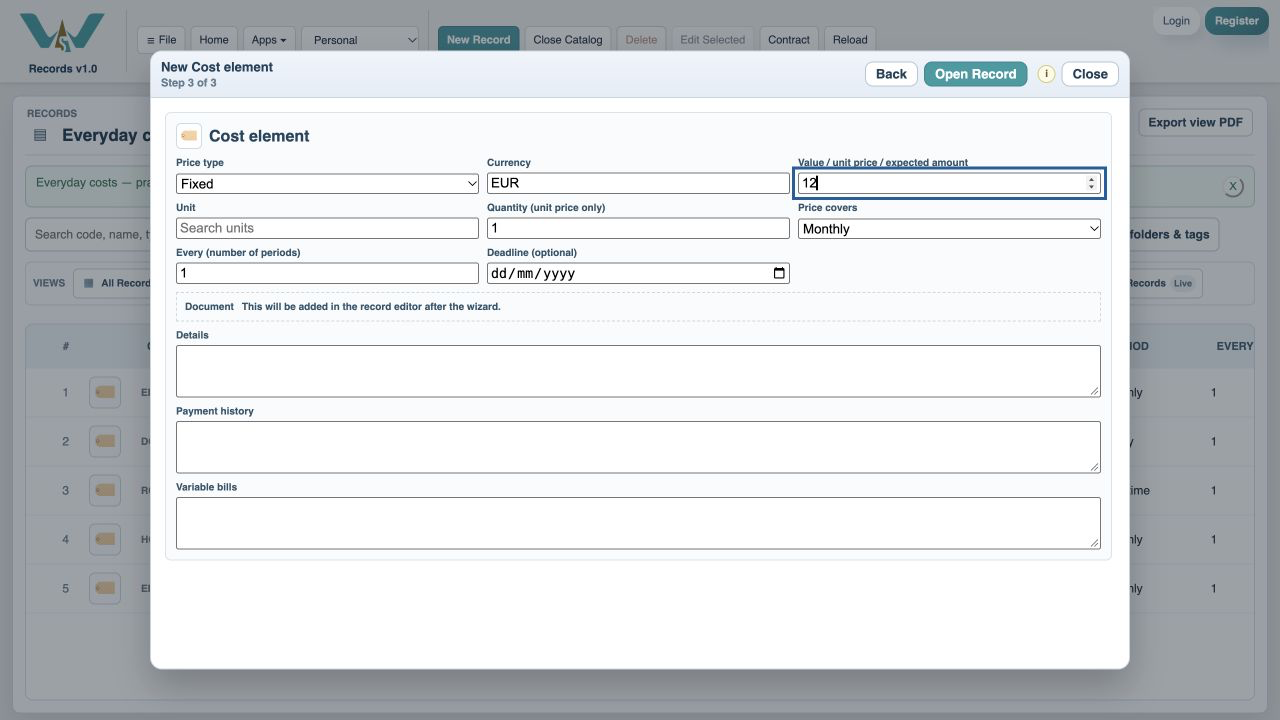
The deadline anchors the schedule
For recurring costs, Deadline / renewal date anchors the repeat pattern. Billing starts on is filled automatically for new costs: today, or the attached event deadline. While creating the cost, choosing a deadline updates this start until you edit or clear the start yourself. Review it to prevent bills before the first billing date. For a new yearly cost first due on 9 October 2027, set both dates to 9 October 2027: no October 2026 bill is created. Leave Billing starts on blank only to include earlier renewals. Keep the original start when renewing; recorded invoices and payments retain their dates. Dates at month end are clamped to the last valid day when necessary. One-time costs never repeat backward.
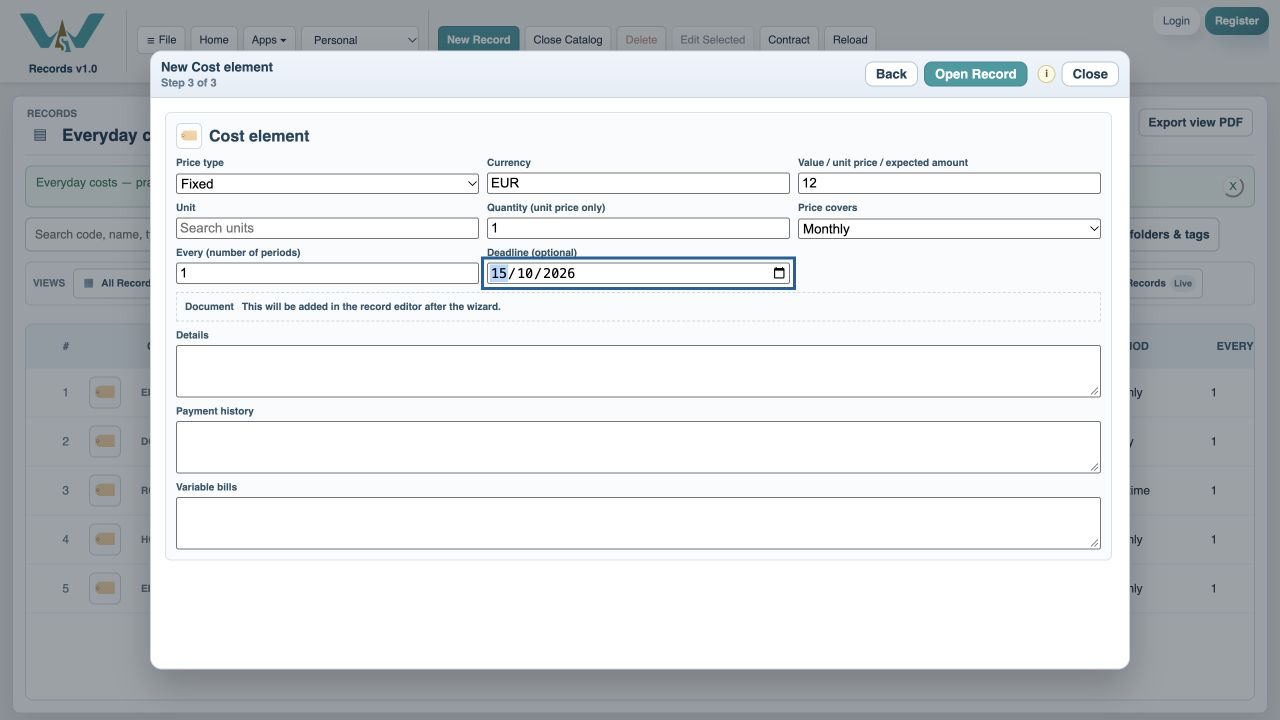
When the amount changes
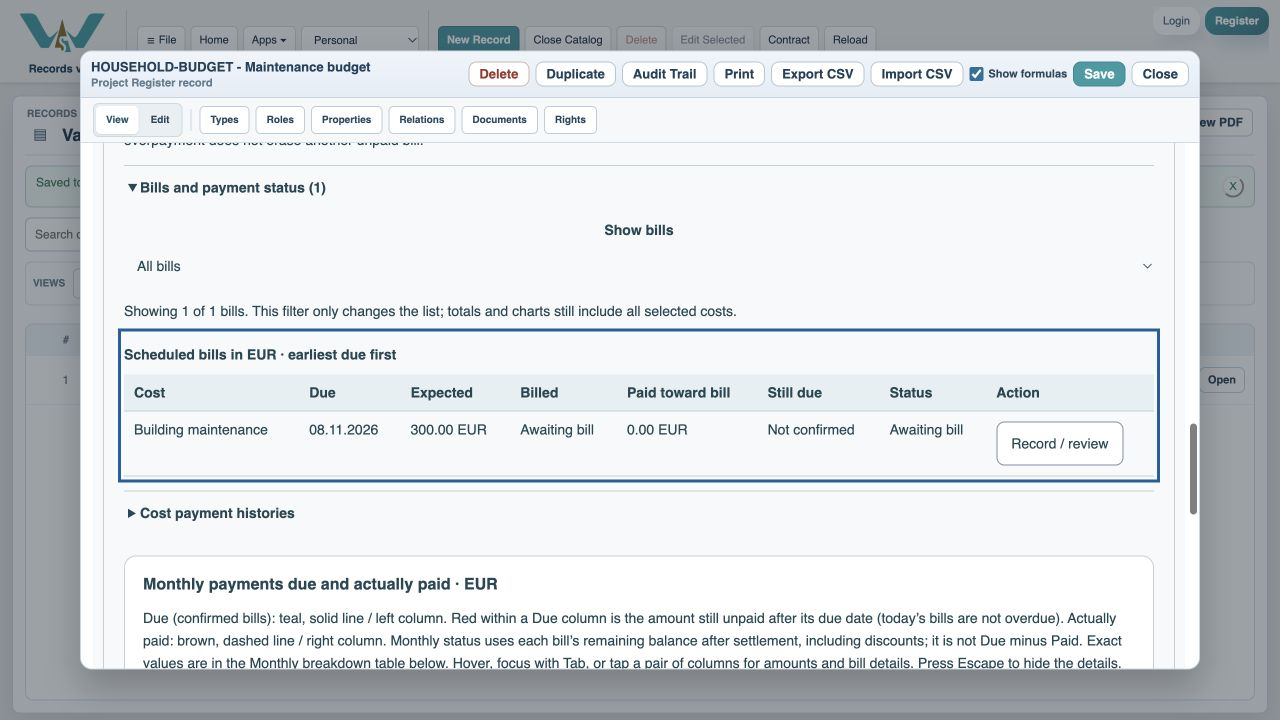
Choose Variable amount for utilities, phone charges or building maintenance (întreținere). Keep a typical expected amount in the cost record. Each scheduled occurrence starts as Awaiting bill; after its expected date passes, it says Bill amount needed. An estimate is not counted as confirmed overdue debt. Enter the actual bill amount and its due date from Record / review payments.
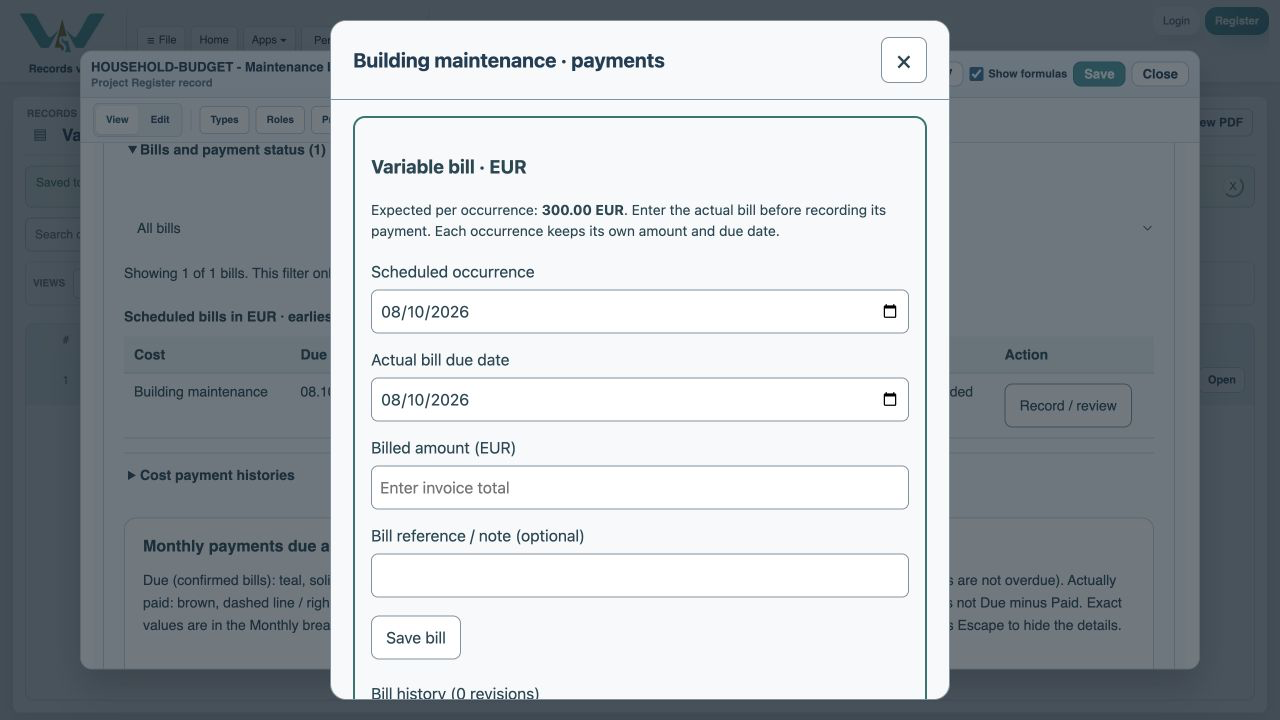
Keep the next month independent
With automatic estimation off, entering 275 EUR for October does not replace November’s 300 EUR expected amount. With it on, later unbilled expectations can adapt to billed history. Bill corrections retain revision history. Changing a bill’s actual due date moves it to the appropriate month; its stable scheduled occurrence still links the payment to the right bill. Avoid changing the recurring schedule to correct just one invoice. Review warnings if the schedule or currency changes after history exists.
Schedule the new subscription price
Expand Schedule a price change, choose an effective date and enter the total per bill. The original amount is retained for earlier occurrences.
Let billed history guide the next expectation
The optional checkbox uses invoices, not payments. This fictional history has a sustained increase from 40 to 50 EUR; the panel explains the new baseline.
Review and save the revision
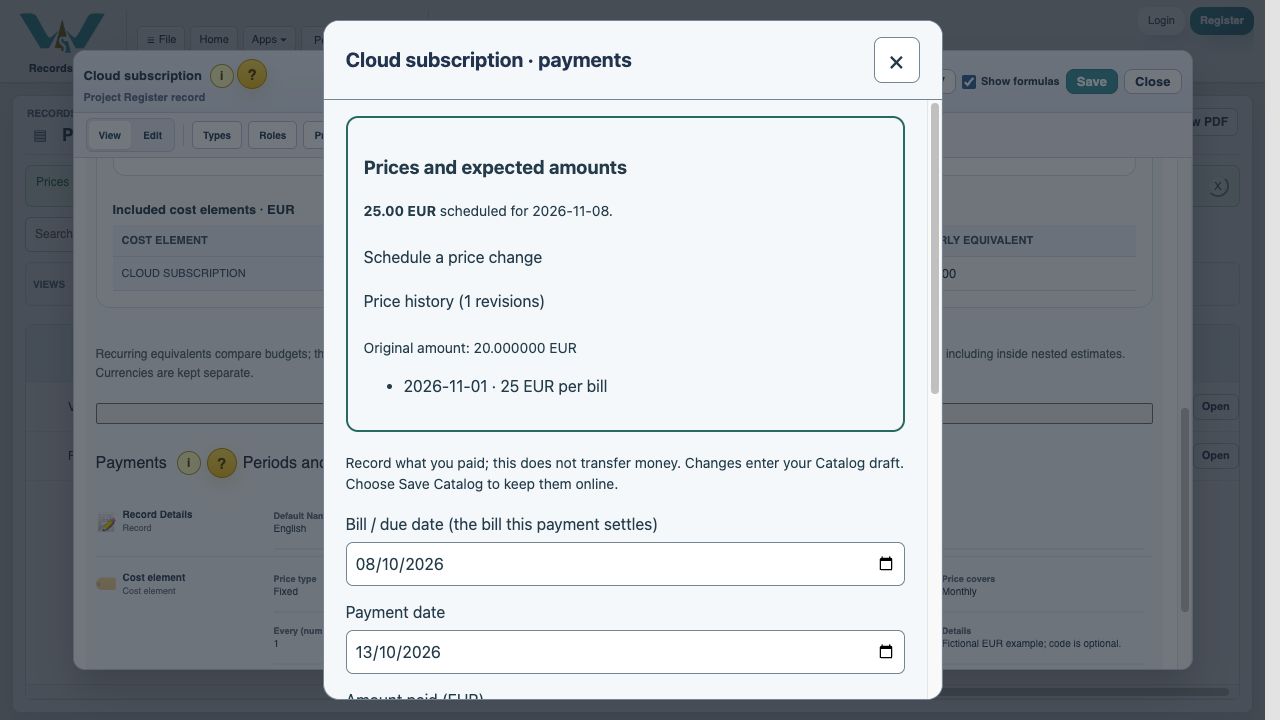
After Save dated price, open Price history to check the effective date and amount. Close payments, then Save Catalog to keep the revision online. Code is optional; no payment is made by this action.
Enable JavaScript to use reading progress and usefulness ratings.