
Gantt Column Settings
Detailed reference for Gantt column settings, including data mapping, activity display, timeline display, and sample data generation.
Gantt column settings control how the chart reads the table, how activities are drawn, how links are displayed, and how the timeline header behaves.
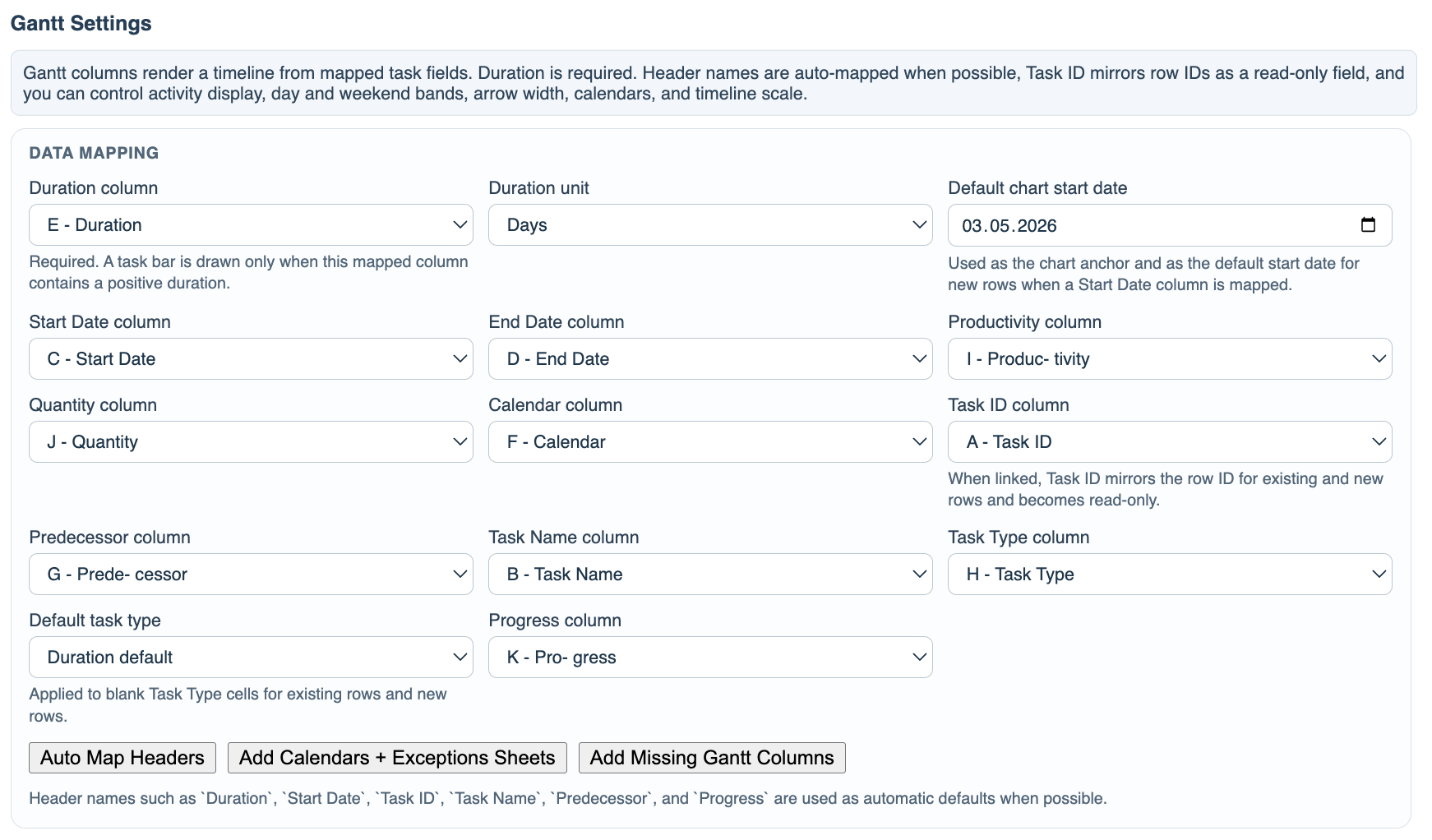
Data Mapping connects the chart to table columns. Duration column is required. The most common mapped columns are Start Date, End Date, Productivity, Quantity, Calendar, Task ID, Predecessor, Task Name, Task Type, and Progress.
Duration unit controls how numeric duration values are interpreted. The default is days. If a predecessor lag omits a unit, TimeLine uses the configured duration unit as the fallback.
Default chart start date anchors the chart and is also used as the default start date for new rows when a Start Date column is mapped.
Default task type fills blank Task Type cells for existing and new rows. Use Duration default for normal schedules or Productivity default when most tasks should derive duration from productivity and quantity.
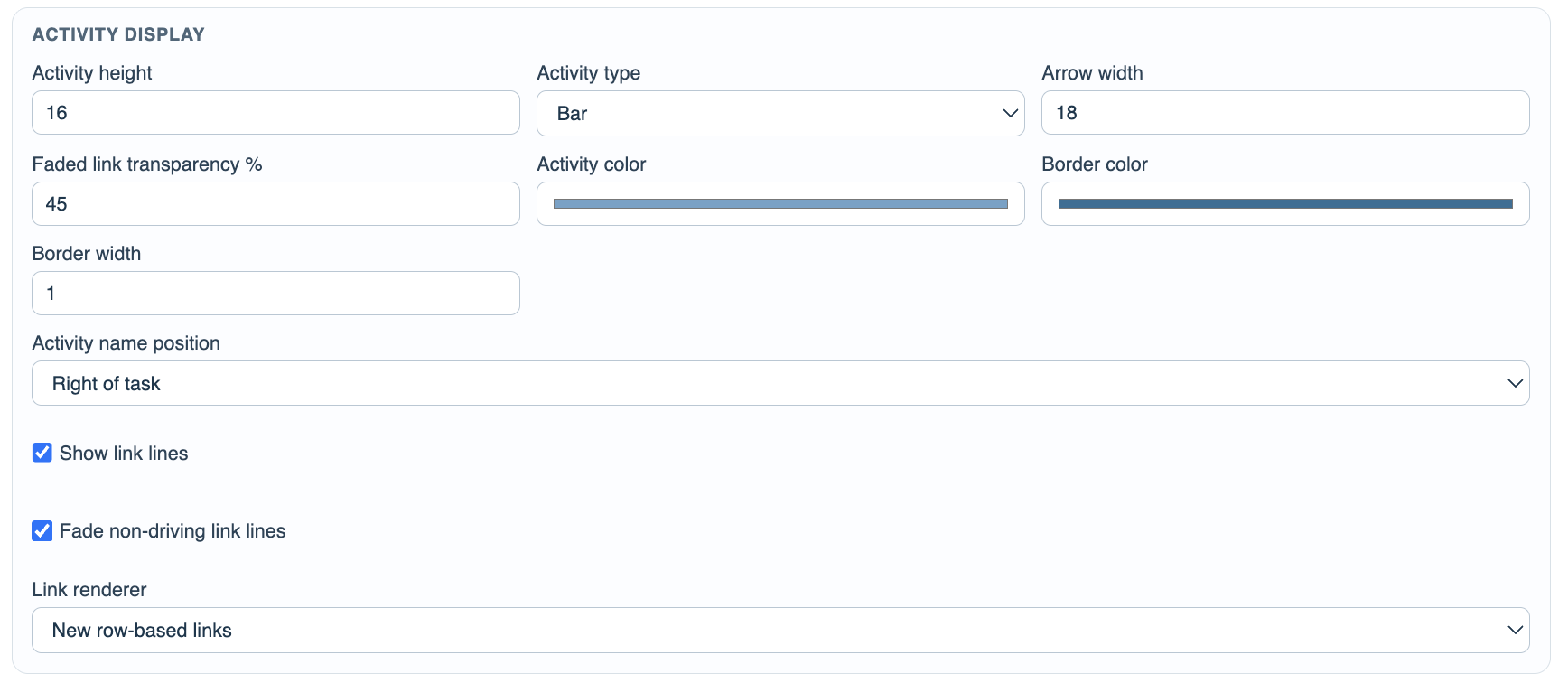
Activity Display controls height, bar or arrow shape, arrow width, colors, border width, task-name label position, link visibility, faded non-driving links, and the link renderer.
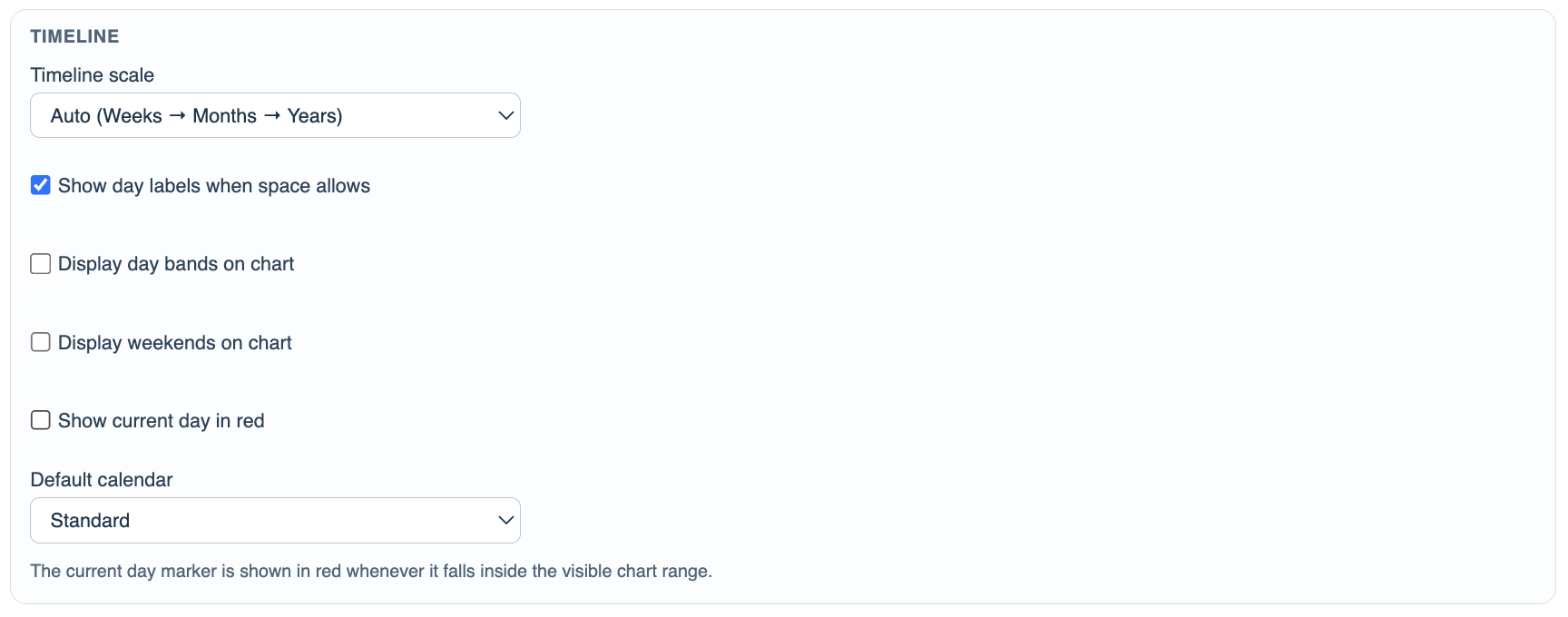
Timeline controls the scale, day labels, day bands, weekends, current-day marker, and default calendar.
Sample Data can replace the current table rows with randomized sample tasks. When support sheets are present, sample calendars and calendar exceptions are refreshed too.
Related: Gantt Column in TimeLine, Display Options, Generate Sample Rows, Link Display.
Data Mapping
Map each Gantt function to the table column that stores that value. Duration is the required mapping.
Activity Display
Control activity height, bar or arrow type, colors, labels, link lines, faded links, and row-based link rendering.
Timeline
Choose scale behavior and whether day labels, day bands, weekends, and the current day are displayed.
Sample Data
Generate randomized sample rows for visual testing, calculation checks, and performance checks.

Enable JavaScript to use reading progress and usefulness ratings.