
How a Record Is Built
Learn how Name, Type, properties, Roles, Documents, Relations, Project membership, and WBS placement work together.
Every record begins with a Name. The name has a language, and optional names in other languages store both the translated name and its language. A Code is optional unless a workflow or numbering system requires one.
A Type explains what the record is. Company, Person, Note, Drawing, Task, Material, Breakdown and Container are examples. A record can have more than one Type when that is genuinely useful. Selecting a Type adds its default property section and can activate a purpose-built reading view.
Properties store the details. They can be ordinary text and numbers, dates, searchable references to other records, history values, prices, files, coordinates, formulas, or other controls appropriate to the Type. Additional properties can be added later.
Roles describe how a record acts in the current context, such as Supplier, Contractor or Client. Documents attach evidence from the computer or FileStudio. Relations connect records in both directions, for example a Person to a Company.
Project membership says which Project owns or uses the record. WBS or Phase placement controls where it appears in a hierarchy. These are separate choices.
Related: Records Overview, Views, Search, and Project Filters, Build a Project, WBS, and Phase Structure.
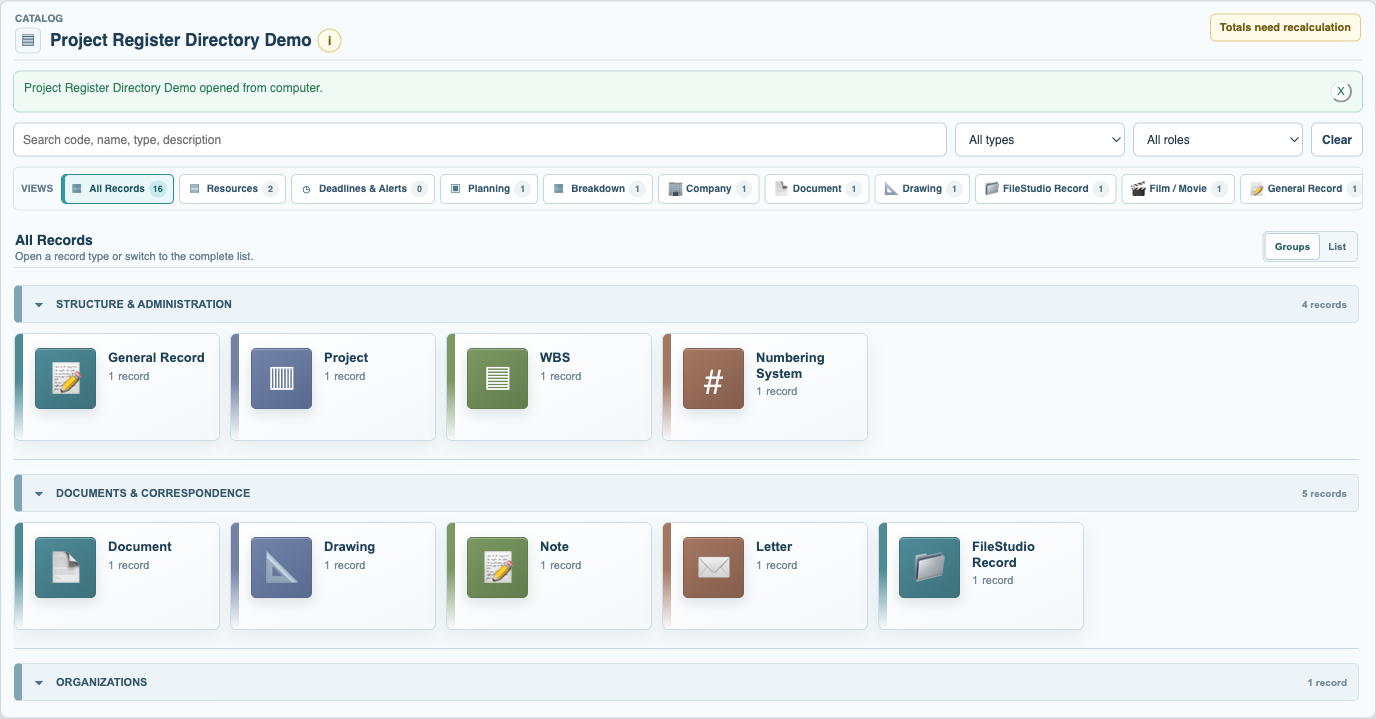
Browse record Types as groups
The grouped All Records view provides a clear entry point to each Type available in the current collection.
Enable JavaScript to use reading progress and usefulness ratings.