
Your First 10 Minutes in Records
Create a useful first record, understand its parts, and know when your work is saved.
Records gives different kinds of information a common home. A person, a note, a project and a supplier can each have their own properties and still be connected. You can begin with one useful entry; there is no need to design a complete database first.
Start with something small
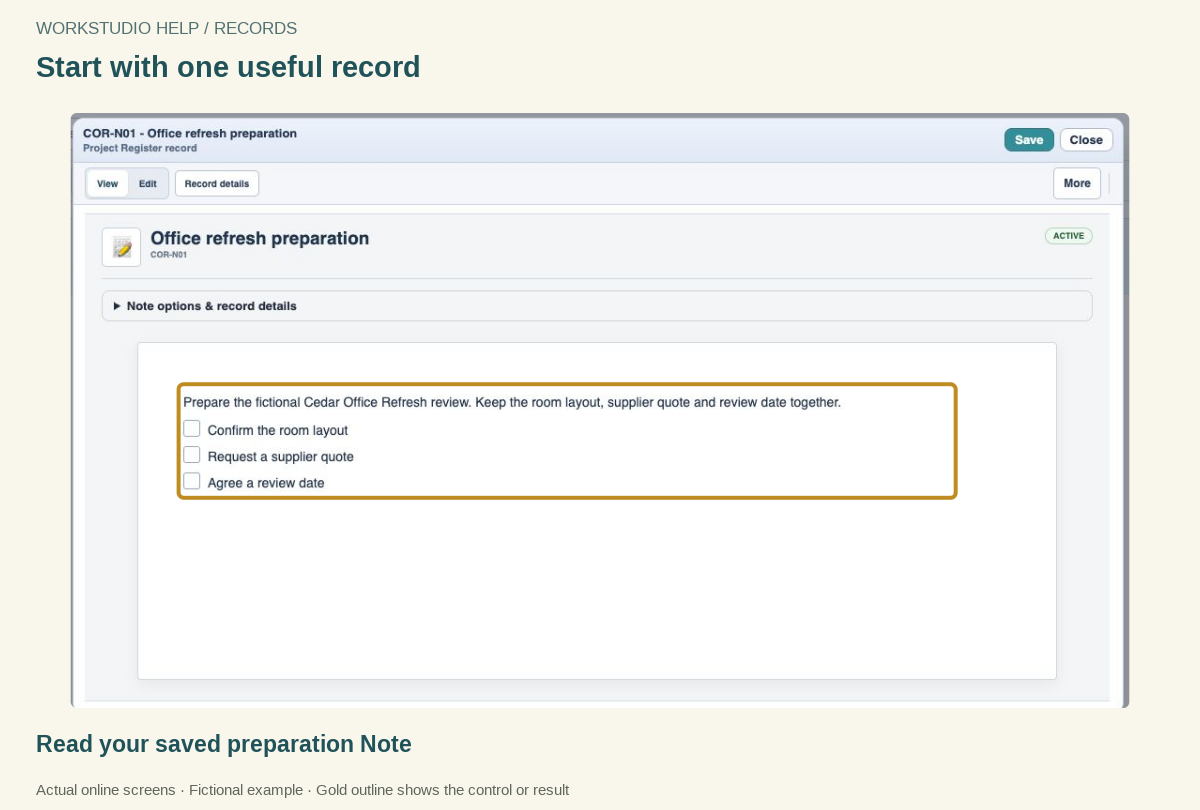
In this example, we are preparing a fictional office refresh. Our first record is a Note called Office refresh preparation. It holds three tasks: confirm the room layout, request a supplier quote and agree a review date.
If you need an empty practice collection, choose File → New Catalog. In Catalog Settings, give it a clear name and select Project Register as the Kind, then click Save. This applies the settings to the local draft.
Before entering information, check Context and the collection name. Context identifies the working area; the collection is the Catalog open inside that area. A company-themed example can be practised in your Personal area without creating a shared Company context.
The parts you will meet
- Type tells Records what kind of information this is and which properties or specialized editor to offer. Choose Note for this exercise.
- Name is the readable title. Code is an optional short reference, such as
COR-N01. - Properties hold structured values. A Person may have contact details; a Project may have dates. Start with values you actually know.
- Documents hold supporting files. Use a clear file name so you can recognize the attachment later.
- Relations connect this entry to other records. They are useful when a person, supplier or note belongs in more than one explanation.
A record can carry several kinds of information. Do not add every possible field simply because it exists. A short, accurate record is easier to maintain than a long, speculative one.
A ten-minute practice
- Open Records and confirm where you are working.
- Create the Note, enter its name and optional code, then open its editor.
- Write a short introduction and add three checklist items.
- Save the record, then use File → Save Catalog to keep the collection on WorkStudio when signed in.
- Check the save result and reopen the Note to see the saved work.
If you are using Records without signing in, use File → Export .ca to Computer for a portable copy. A browser draft is useful during editing, but it is not a substitute for a confirmed online save or a downloaded file you can locate.
What to do next
Once the first record makes sense, connect it to the rest of the work. The connected project example adds a project, people, a supplier, a document and a dated review without turning the Note into a list of duplicated contact details.
Follow Create Your First Record for the marked screenshots and film. Read Where Is My Information Saved, and Who Can See It? before using shared information.
All people, companies, dates, documents and project details in this example are fictional. Any resemblance to real people or organizations is coincidental.
Enable JavaScript to use reading progress and usefulness ratings.