
Review unfinished work at a glance
Find remaining tasks and outstanding bills without treating them as the same number.
These guides use fictional practice data and generic EUR amounts. Costs, tasks & dates is the second learning series; start with Costs & budgets if you are new to cost elements. The screenshots show the October 2026 interface. Adapt example dates and planning periods if practicing later. Recording bills and payments does not transfer money.
Start with A monthly phone bill: expected, billed, paid and checked or Review unfinished work.
Find what still needs attention
A silent, paced screen presentation using real Catalog captures and fictional EUR examples. Outlines and Click / Type / Look here arrows identify the action. The decorative title artwork is AI-generated. Open the full guide for the illustrated transcript.
Use the closed-section badge
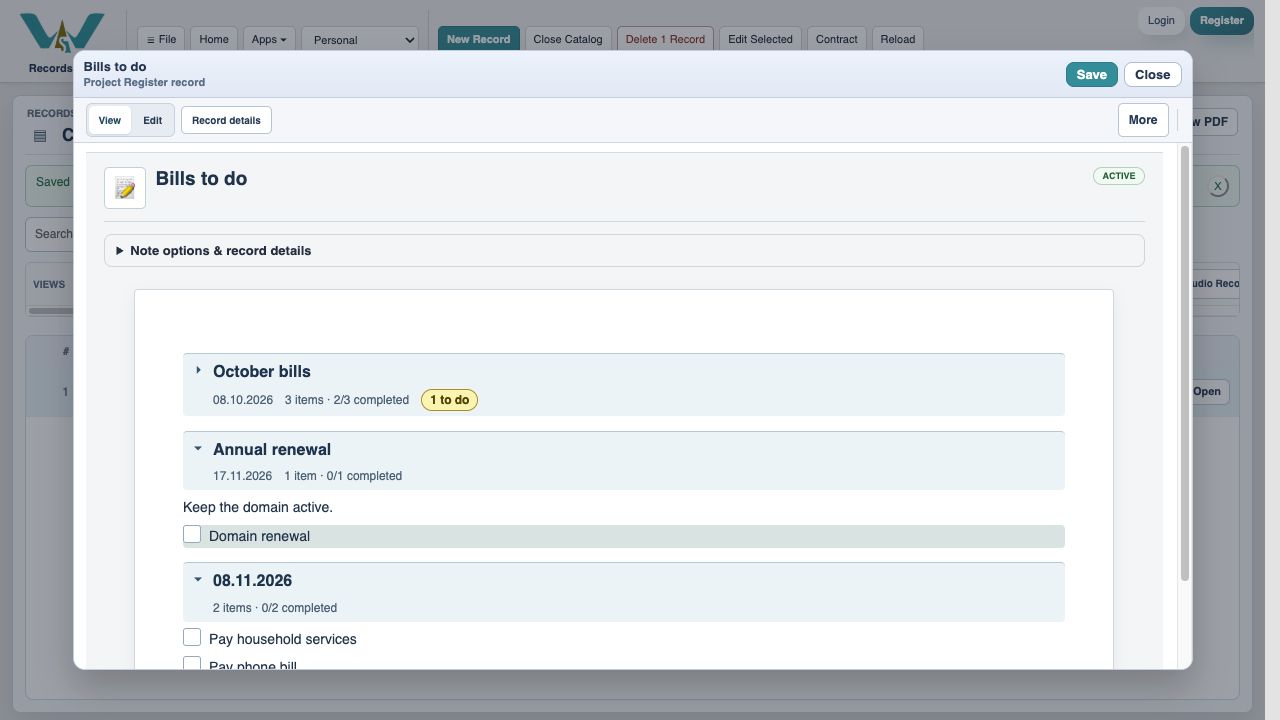
A collapsed section with unchecked checklist items shows an amber N to do badge and an accessible expansion label. The October example has two payment tasks completed but still needs File the receipt, so its badge says 1 to do. Expand it to see exactly what remains.
Choose the useful Notes view
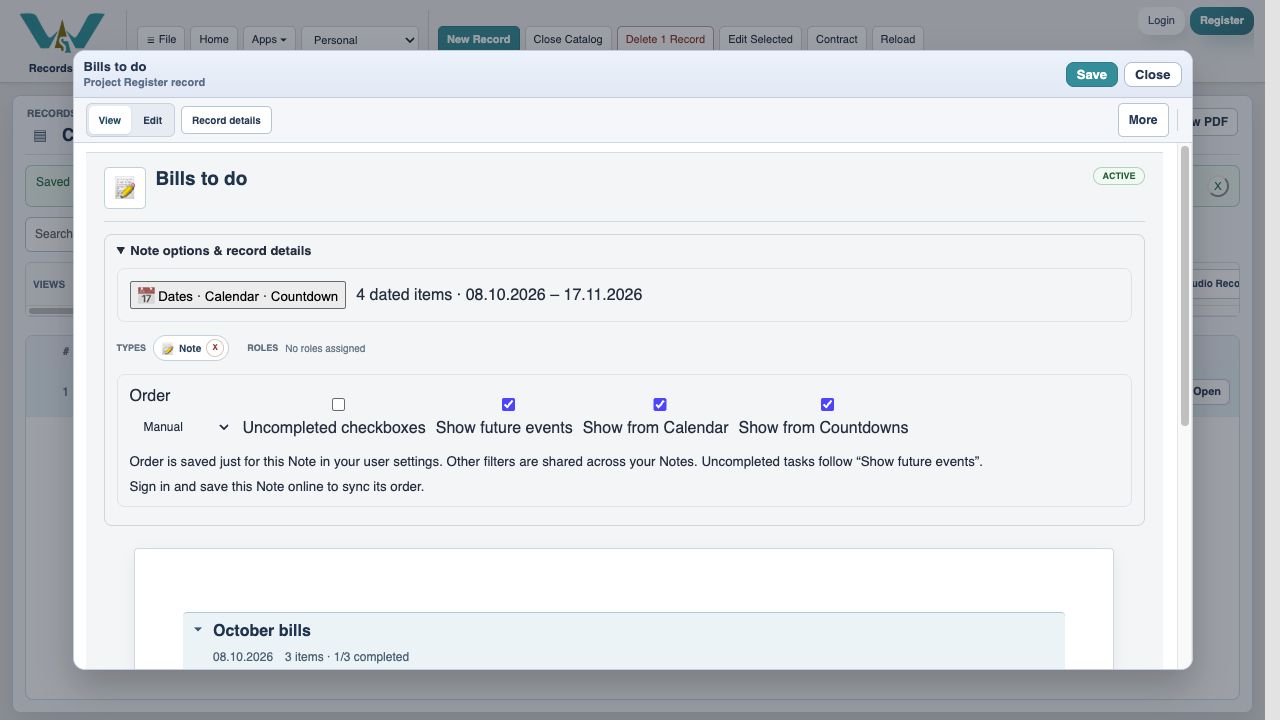
Open Note options & record details. Order changes section order. Uncompleted checkboxes narrows the task view. Show future events controls whether future dated content is displayed; Show from Calendar and Show from Countdowns control linked sources. These filters hide items without deleting or completing them. Account-backed preferences can sync after signing in and saving the Note online.
Review money still due
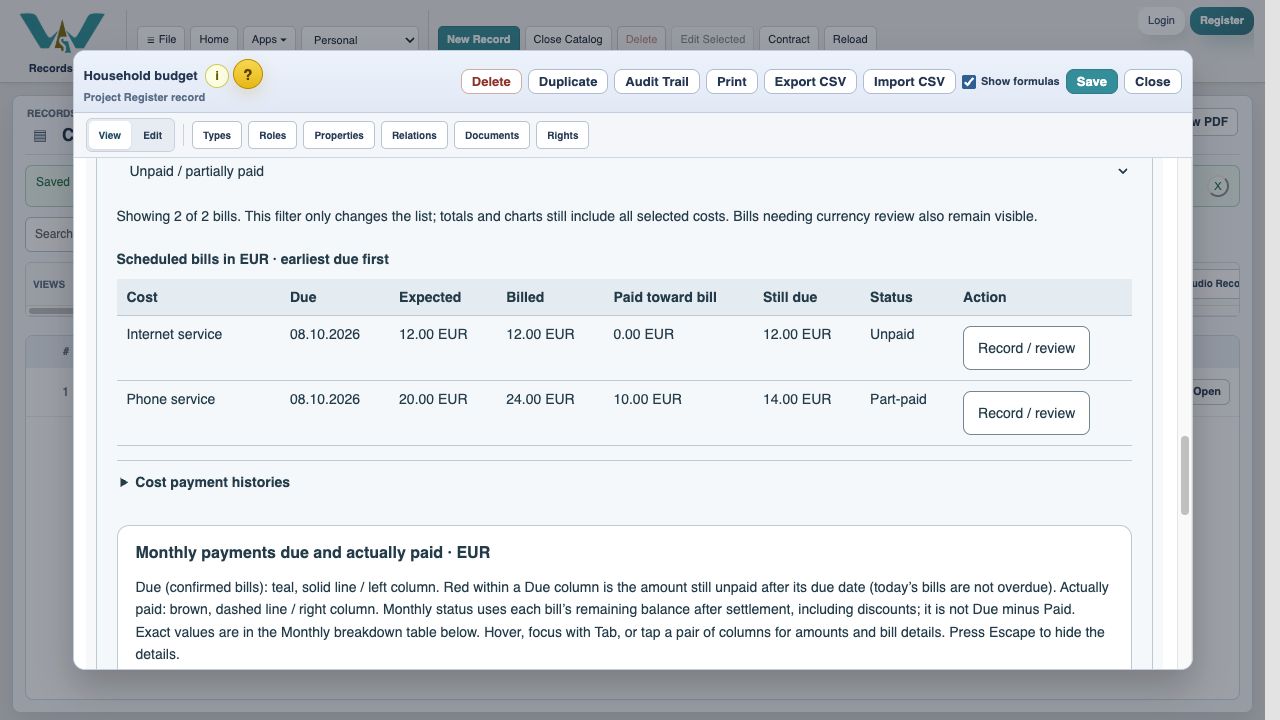
In Budget / Estimate choose This month, expand Bills and payment status, then choose Unpaid / partially paid. This changes the list, not the totals or charts. Variable costs awaiting their invoice still need attention, even though an expected amount is not confirmed debt. Review them before deciding everything is paid.
Read overdue amounts and adjustments correctly
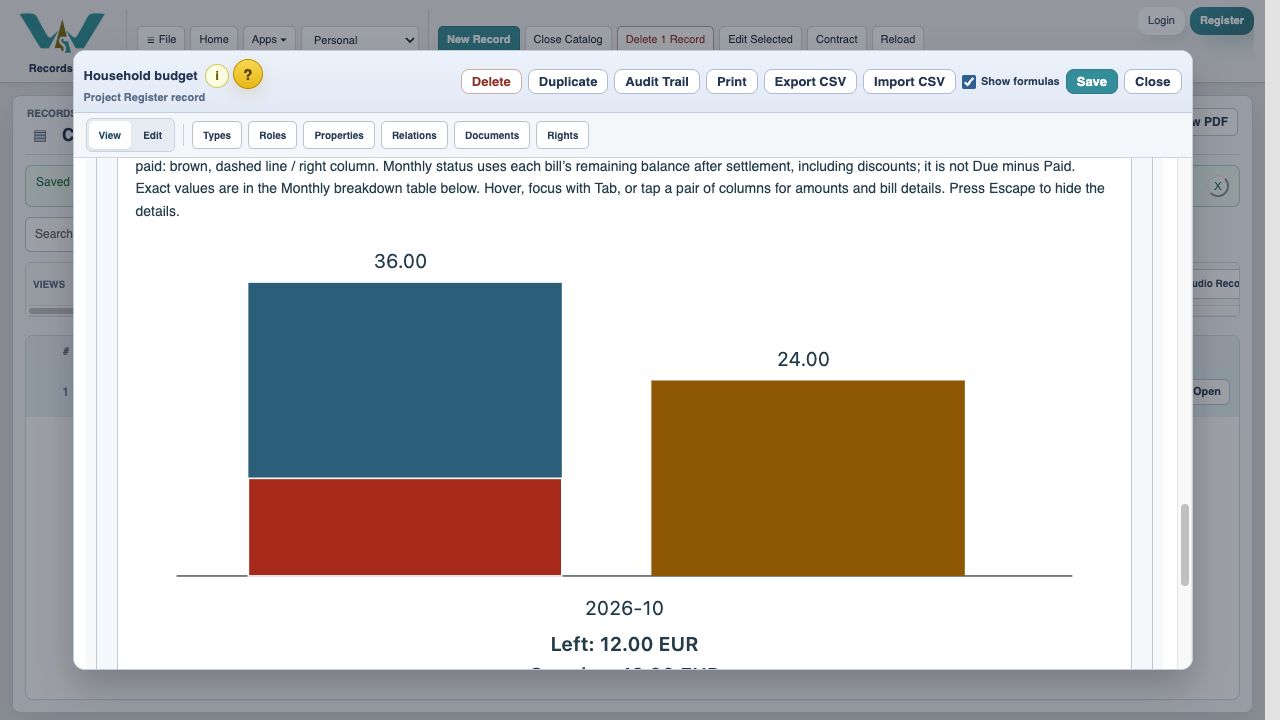
Red within a Due column shows the currently unpaid balance after the due date; bills due today are not overdue. Click or tap a month, or press Enter or Space on its chart button, to inspect its figures, or use Monthly breakdown. A settled discount can leave Due above Paid with nothing left to pay. Look at Still due and settlement status, not subtraction alone.
Enable JavaScript to use reading progress and usefulness ratings.