
Why didn’t my payment check the task?
A short diagnostic for linked costs and Notes tasks. This is about record links, not desktop pairing or iPhone sign-in.
These guides use fictional practice data and generic EUR amounts. Costs, tasks & dates is the second learning series; start with Costs & budgets if you are new to cost elements. The screenshots show the October 2026 interface. Adapt example dates and planning periods if practicing later. Recording bills and payments does not transfer money.
Start with A monthly phone bill: expected, billed, paid and checked or Review unfinished work.
Check the exact cost and date
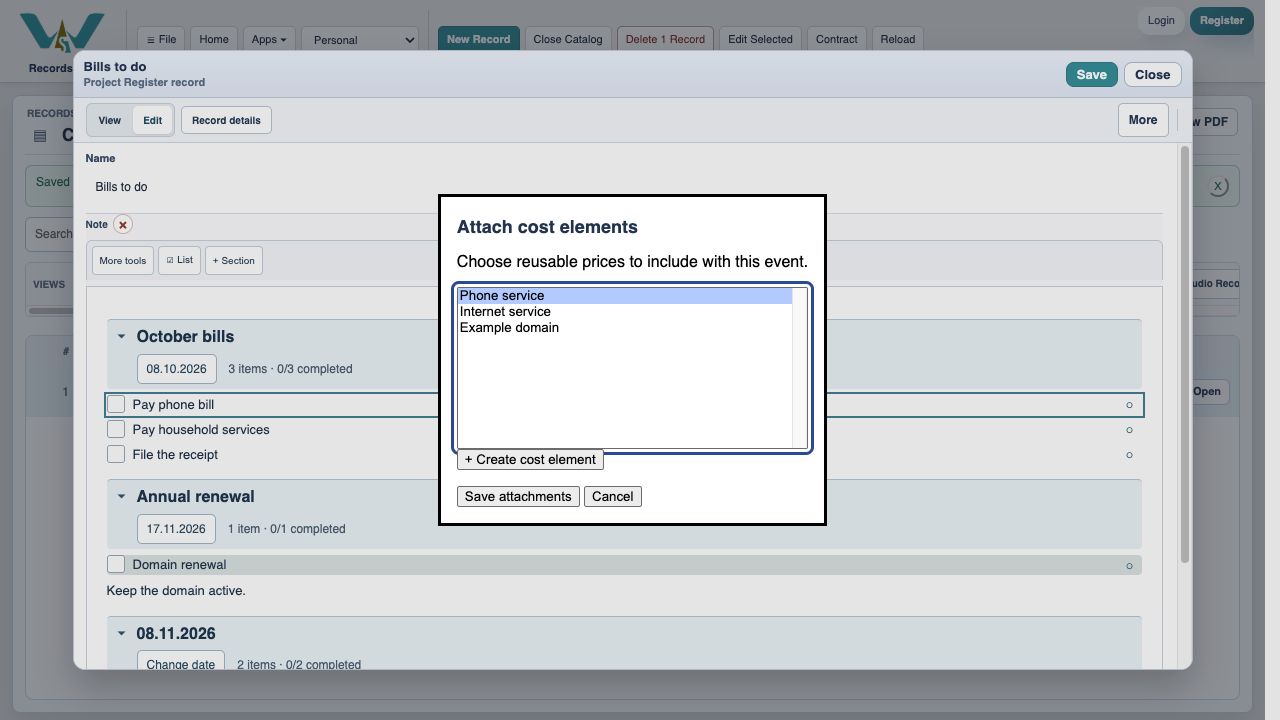
Open the task’s Attach / create cost elements dialog. Confirm the actual cost record is selected; matching titles are not enough. Compare the task’s own date or section date with the actual bill due date. For a recurring task, check the specific occurrence. The payment date is not the matching key.
Check whether the bill really is settled
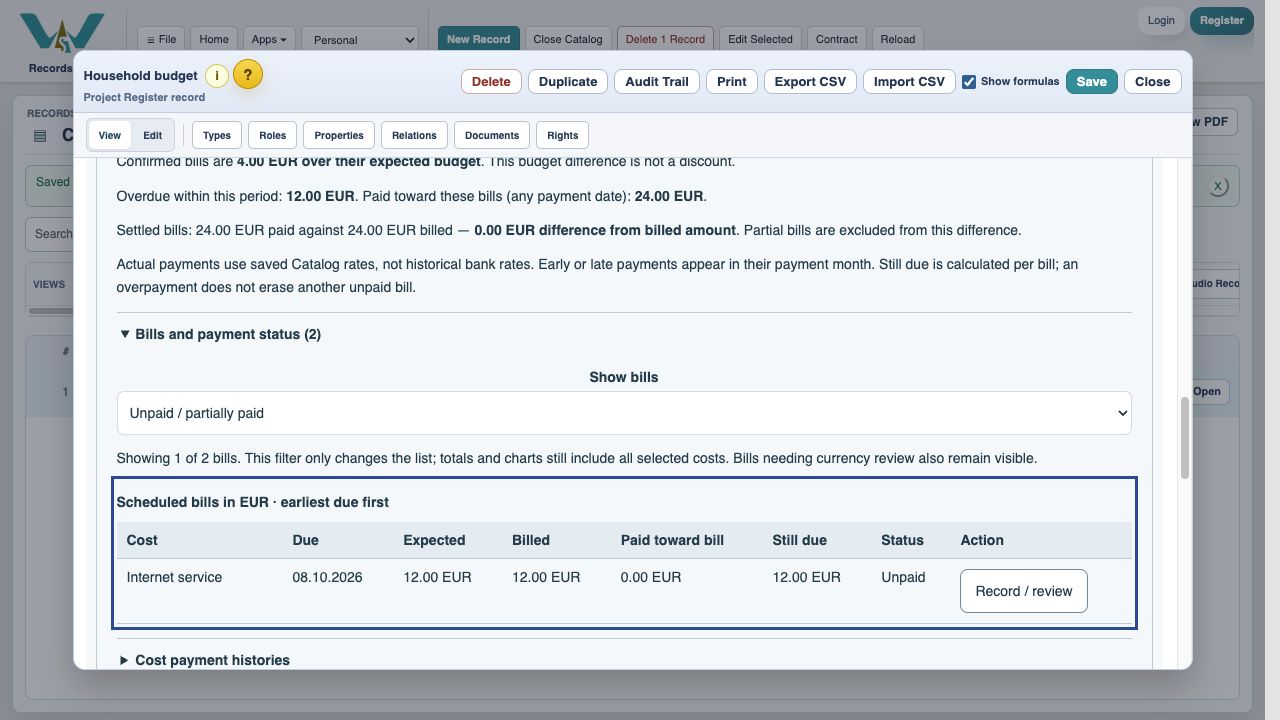
A partial payment leaves the task open. For a variable cost, save the invoice amount first. If a task has several attached costs, each must be settled for that task date. The combined household task stays open after paying only Phone service because Internet service remains due.
Check the task can be updated
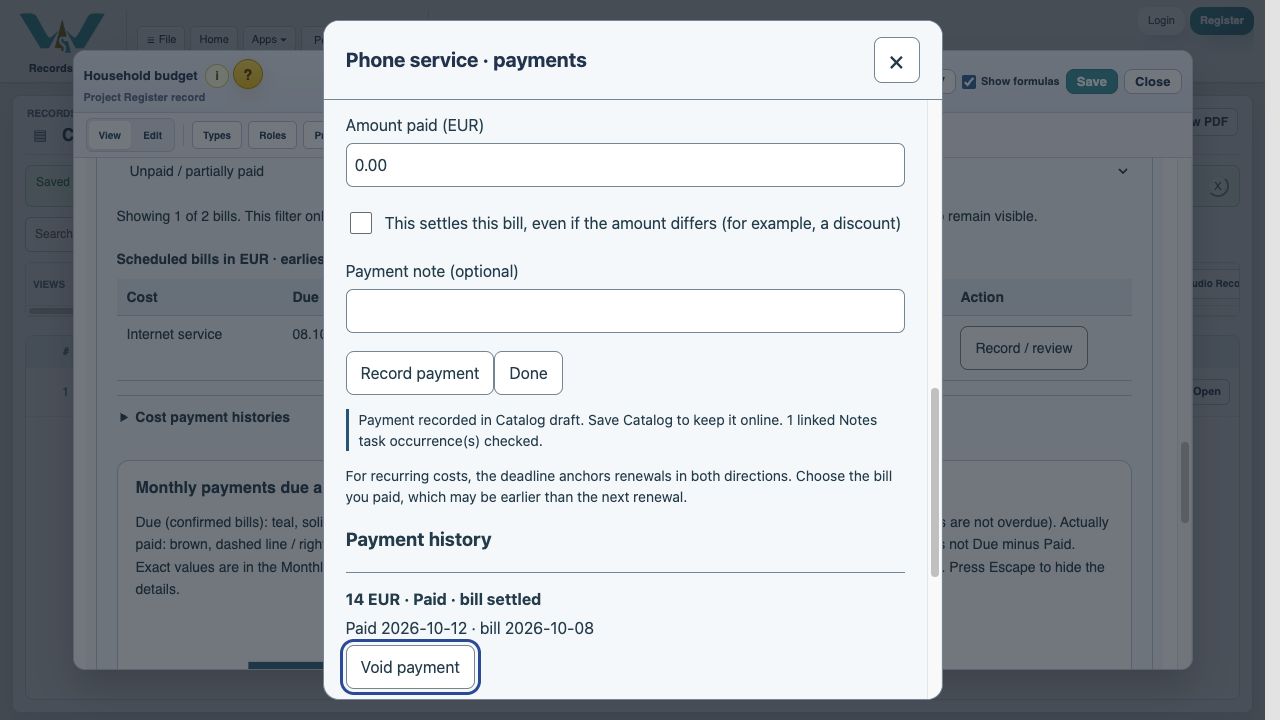
Read the payment result message. The system may leave tasks unchanged if their source is hidden/read-only, linked edits are pending, or a parent has unfinished children. Save the Note’s edits and inspect the source record. Do not record the same payment twice just to force a checkbox.
Save and review each correction
Save the Note and Catalog, then reopen the correct dated section with the relevant visibility filters enabled. If the payment was allocated to the wrong bill, correct its bill date in history. If it was wrong, void it and record the correct payment. Voiding does not reopen a task automatically; check that task separately. If still unresolved, report the cost, task date, bill date and result message without sending private payment details.
Enable JavaScript to use reading progress and usefulness ratings.