
Attach a cost to a Notes task
Make an explicit link between a dated checklist row and the cost it represents.
These guides use fictional practice data and generic EUR amounts. Costs, tasks & dates is the second learning series; start with Costs & budgets if you are new to cost elements. The screenshots show the October 2026 interface. Adapt example dates and planning periods if practicing later. Recording bills and payments does not transfer money.
Start with A monthly phone bill: expected, billed, paid and checked or Review unfinished work.
Attach a cost to a task
A silent, paced screen presentation using real Catalog captures and fictional EUR examples. Outlines and Click / Type / Look here arrows identify the action. The decorative title artwork is AI-generated. Open the full guide for the illustrated transcript.
Start with the date and task
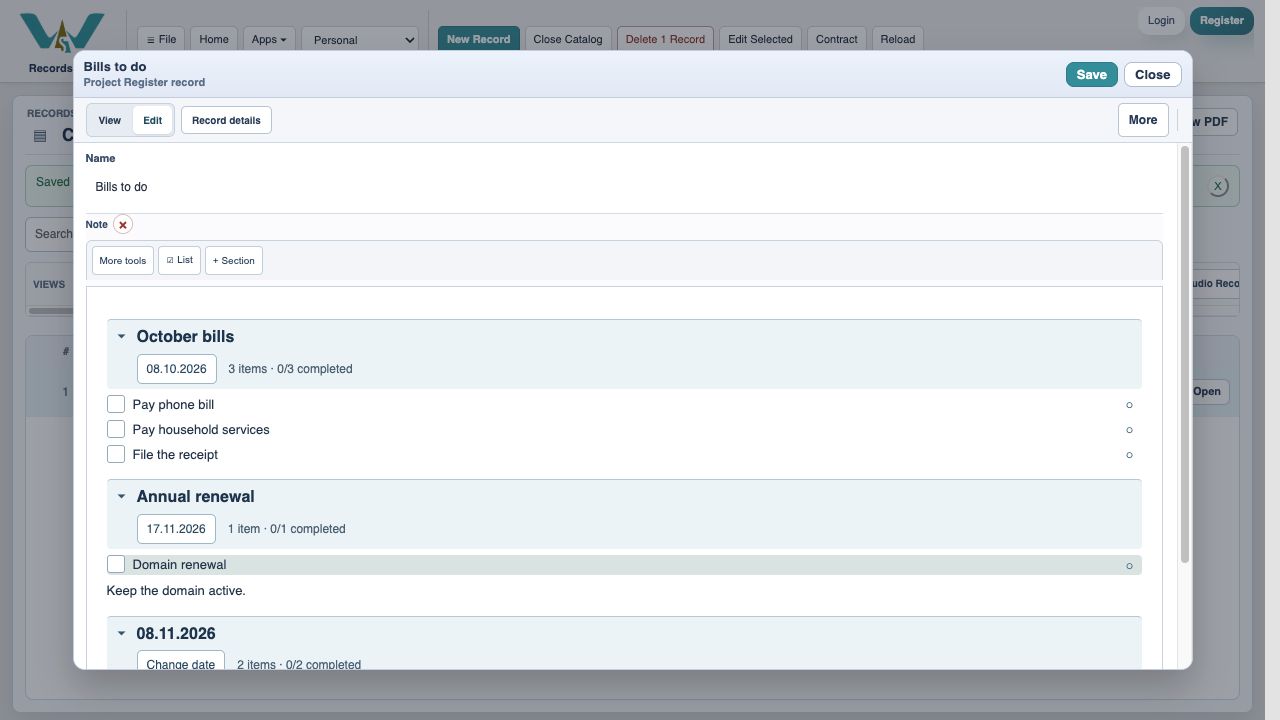
Open the Note and choose Edit. Put the checklist row under the section for its bill due date, or give the row its own date. In the example, Pay phone bill belongs to 8 October 2026. A row without its own date uses its section date. Avoid an undated payment task because a recurring bill needs an identifiable occurrence.
Choose an existing cost
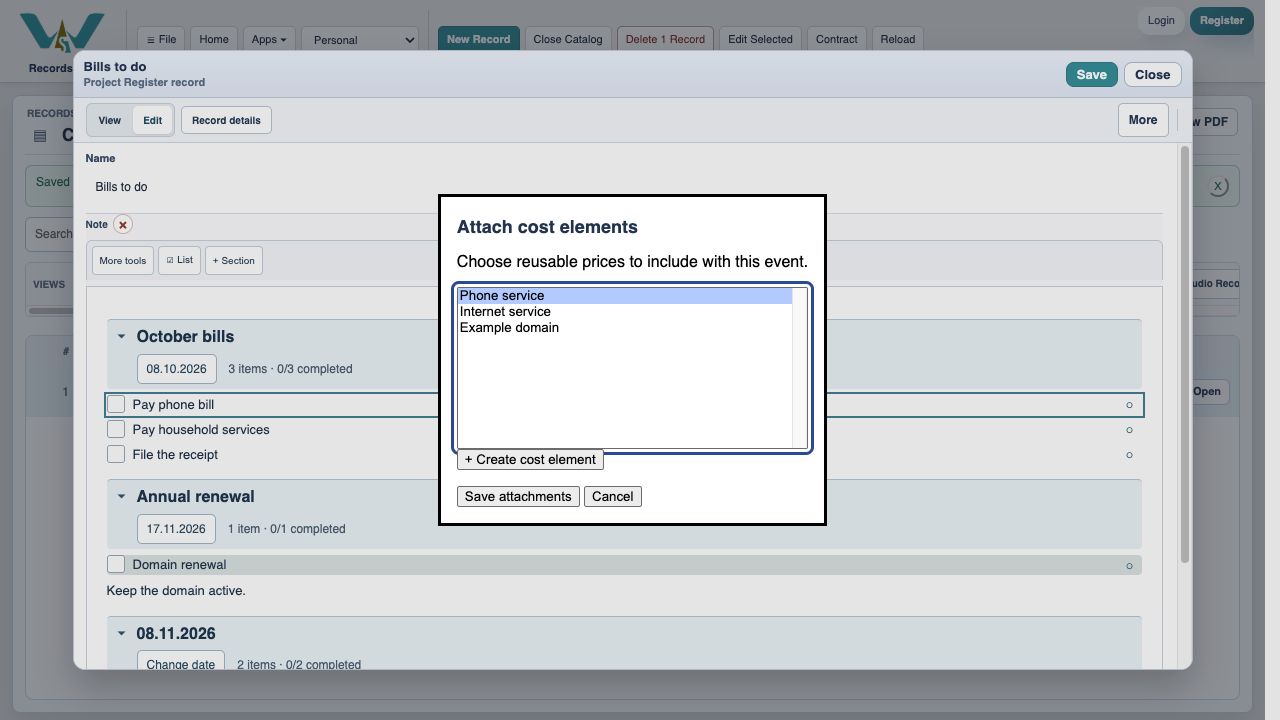
Open the row context menu and choose Attach / create cost elements…. Select Phone service and choose Save attachments. Then Save the Note. Reusing one cost keeps its bill history and Budget / Estimate totals together. On a Mac native multi-select, Command-click adds another cost; keyboard users can use the platform’s multi-select keys.
Or create the cost where you need it
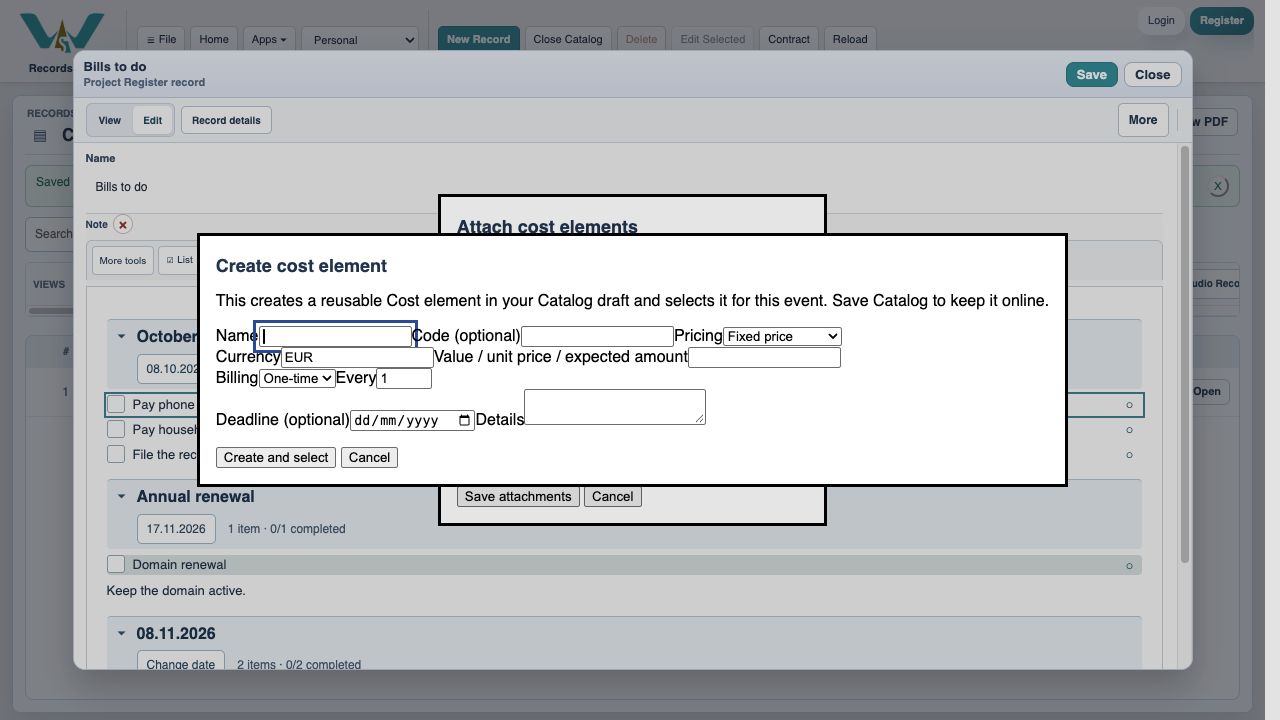
Choose + Create cost element from the attachment dialog. Enter Name, choose Currency EUR, and set Pricing, value, Billing and Deadline. Code is optional. For a phone bill choose Variable amount and an expected value, then Create and select. Save attachments and Save the Note. The new cost is a reusable record; add it to the intended Budget / Estimate as well.
One row can cover several bills
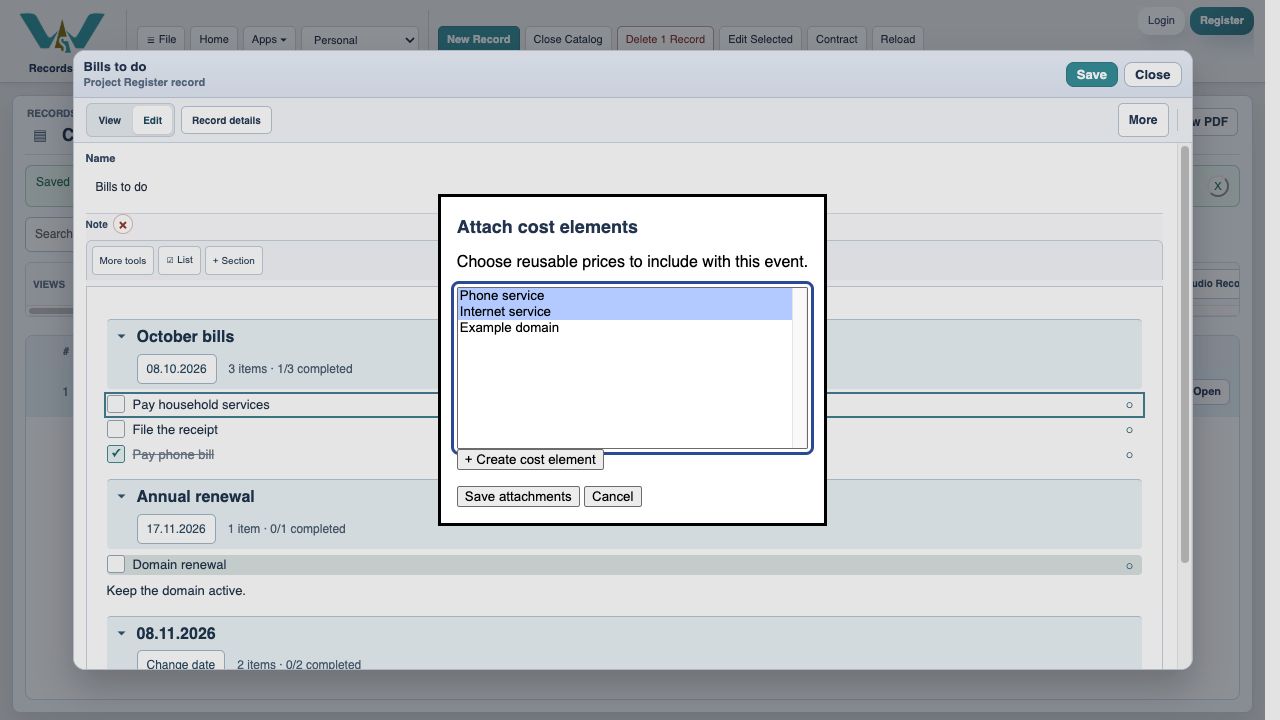
Pay household services links Phone service and Internet service. A settled phone bill alone leaves this combined task open. After the internet bill is also settled for the same task date, the row is checked. A parent with unfinished child tasks is left for you to review rather than silently completing its children.
Enable JavaScript to use reading progress and usefulness ratings.