
Holiday Request Template
Explains the built-in annual leave request template, its language choices, the employee source, and the fields used to generate the document.
The built-in holiday request template is a ready-made annual leave request with one template card and three language versions: English, Romanian, and Italian.
The layout is already prepared with:
- placeholder logo
- request title
- employee request paragraph
- date area
- signature area
- management approval area
The main fields are:
- Company
- Department
- Employee code
- Employee name
- Job title
- Leave day count
- Leave start date
- Leave end date
- Request date
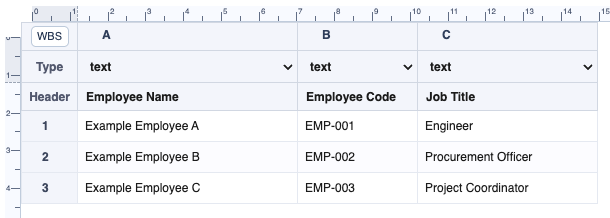
The employee-related values come from the embedded employee source. When you pick an employee, the linked fields fill from that source instead of being typed again.
Use this template when the request form stays the same but the employee and leave details change.
Open it from Templates, choose the language you need, fill the values, and then finish the document as a normal DocStudio file.
Related: Use a Template in DocStudio, Create a Template in DocStudio, Generate a Holiday Request from a DocStudio Template.
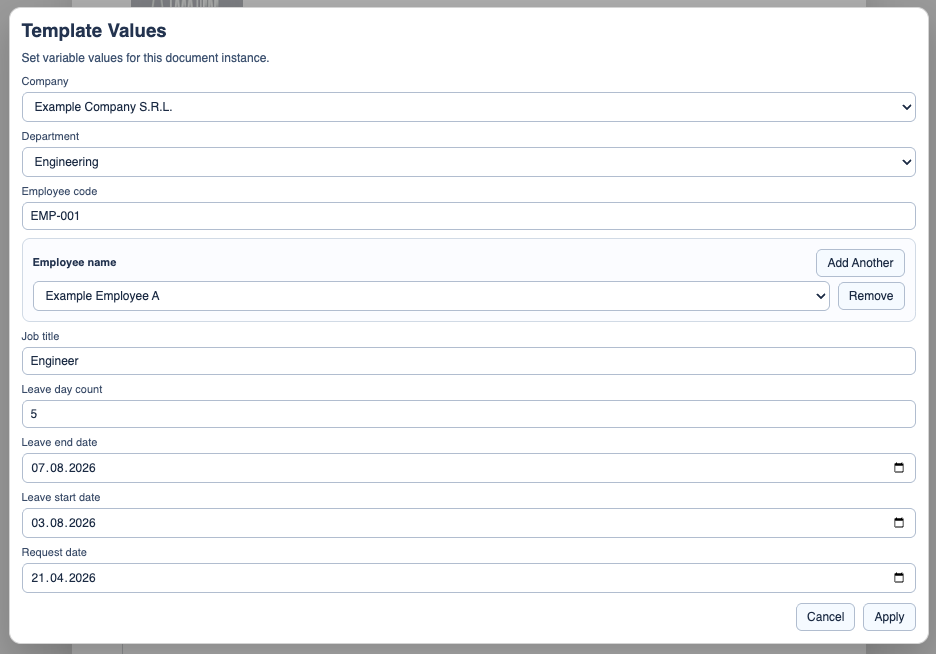
Template Values for the leave request
The built-in template collects the company, employee, leave dates, and leave duration in one place before the document is generated.
Embedded employee source
The template carries its own employee source so names, codes, and job titles can stay coordinated.
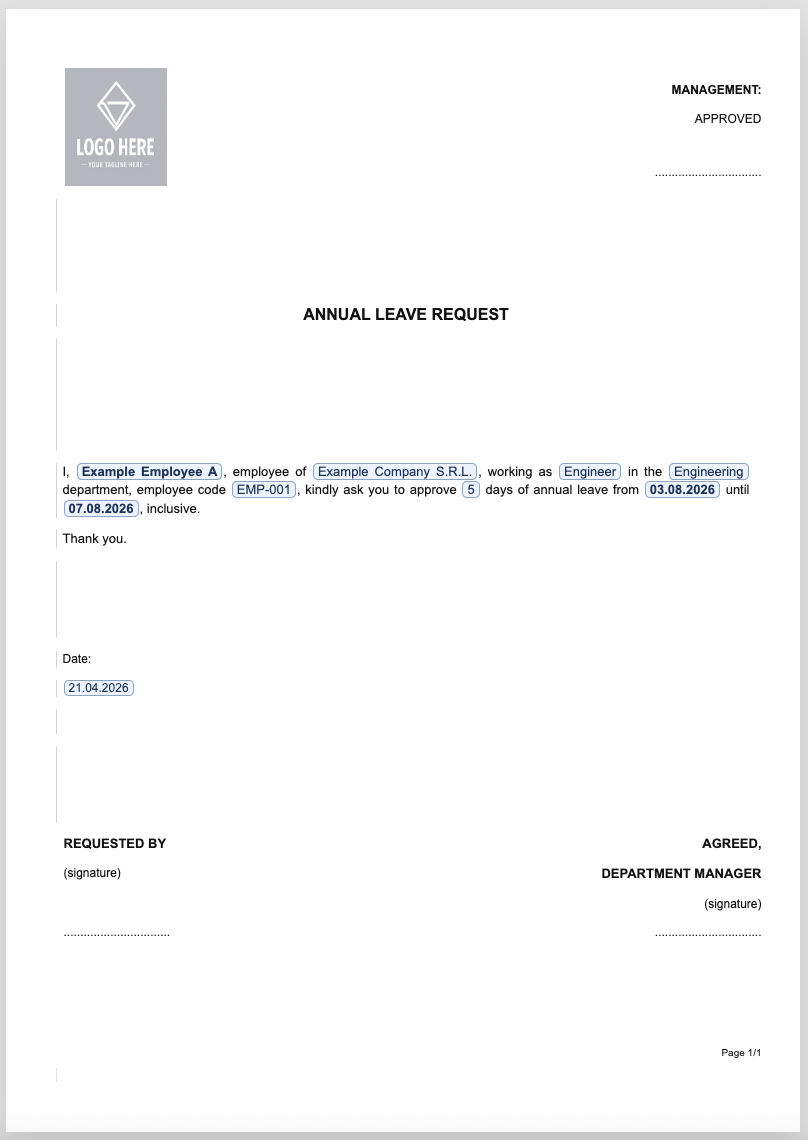
Generated request document
After Apply, the request is already laid out and only needs review, print, or saving.
Enable JavaScript to use reading progress and usefulness ratings.