
Display and Render PDF Documents
Choose whether an attached PDF is shown as a text reference, rendered pages, a crop, or kept only in the document object list.
A PDF attached to DocStudio does not have to appear only one way.
Open Object Settings from the document reference context menu.
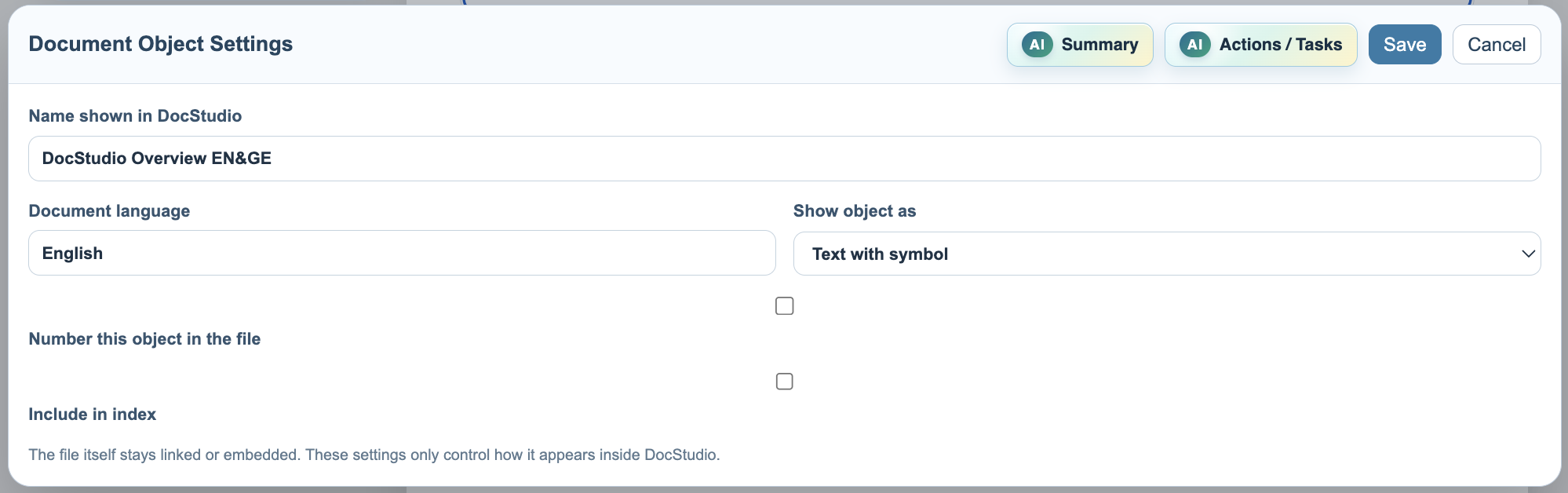
Show object as controls the main display mode:
Text with symbolkeeps the PDF as a compact reference in the document text.
Rendered PDF pagesplaces PDF pages into the DocStudio page flow.
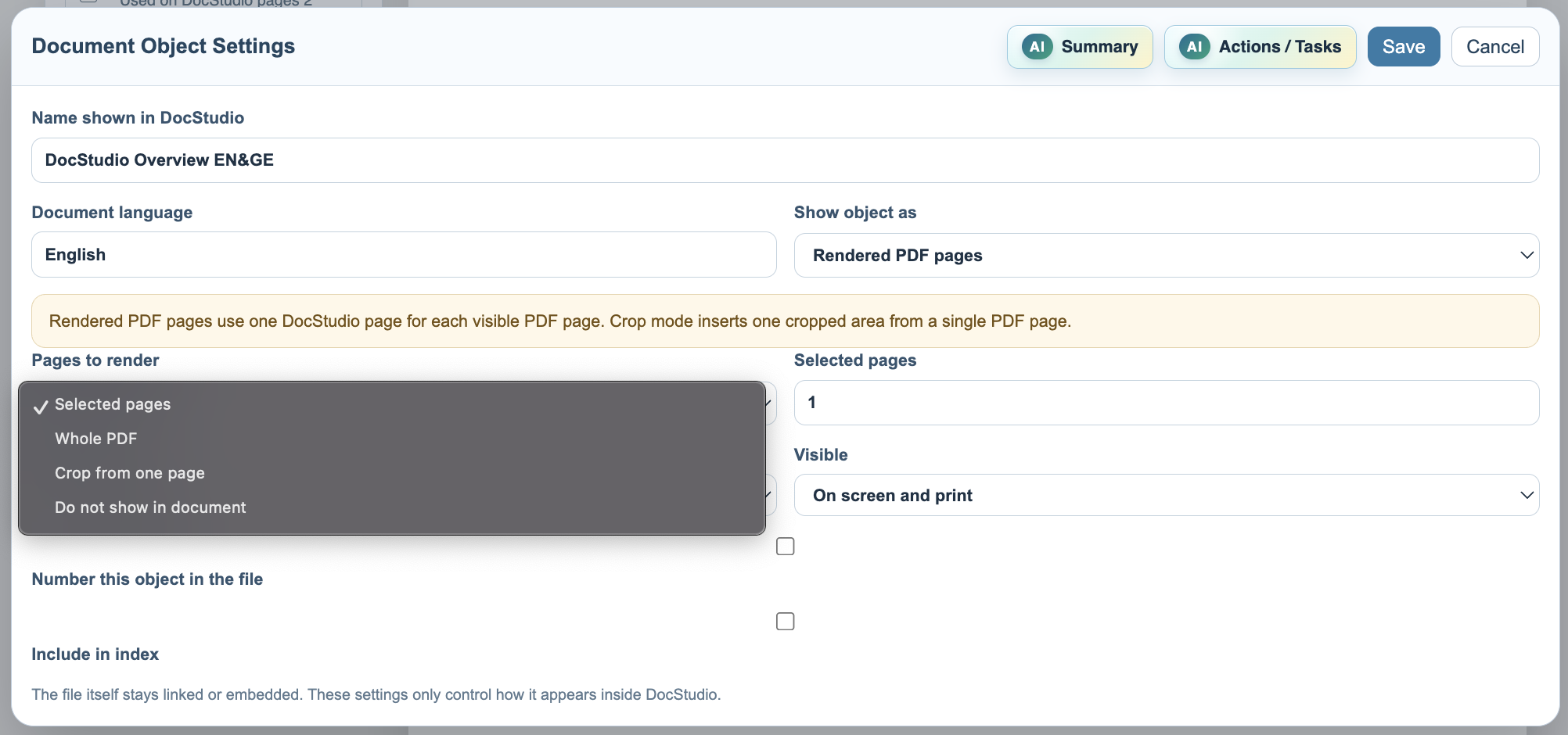
When pages are rendered, Pages to render controls what appears:
Selected pagesrenders a page range such as1,1,3, or2-4.
Whole PDFrenders the full PDF, with each PDF page filling one DocStudio page.
Crop from one pageinserts only a selected part of one PDF page.
Do not show in documentkeeps the document available inDocuments In This Filewithout placing it in the page body.
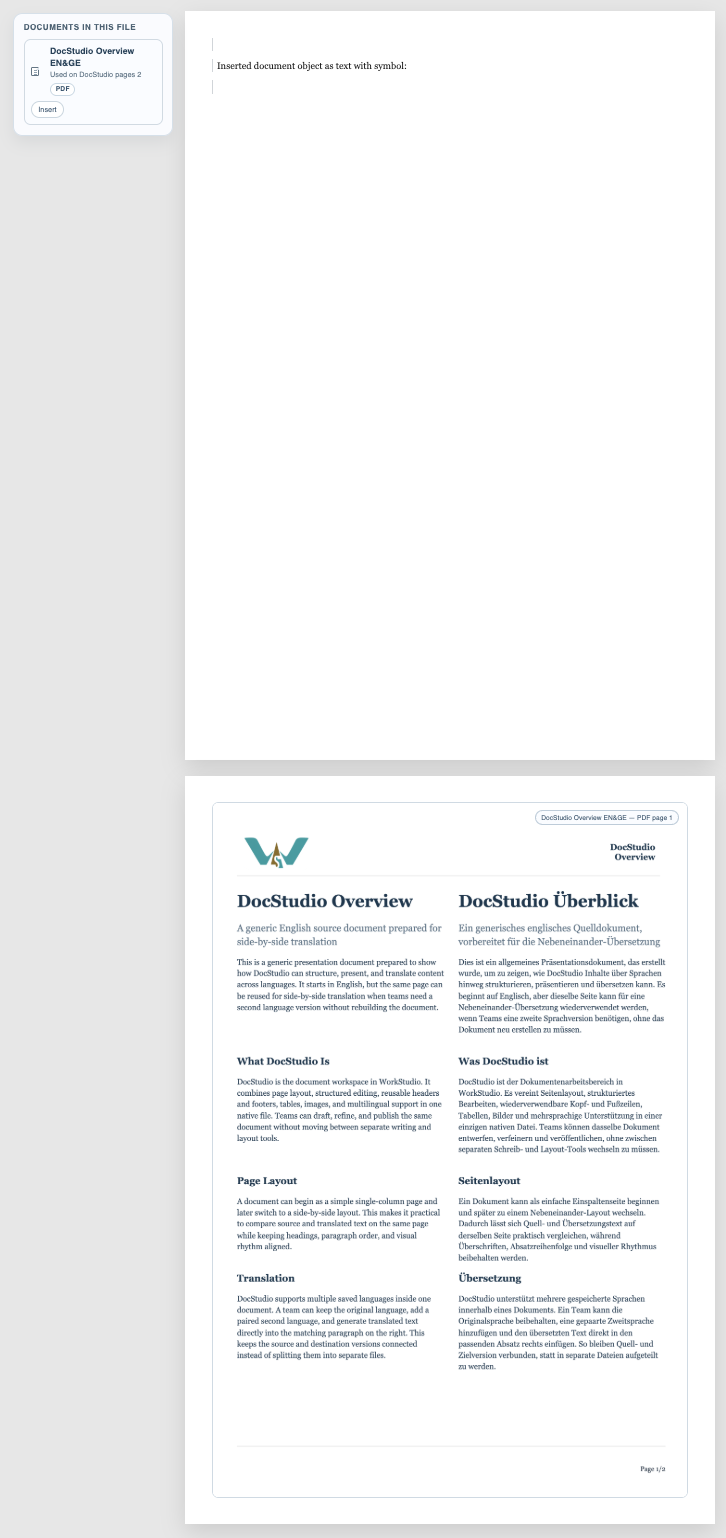
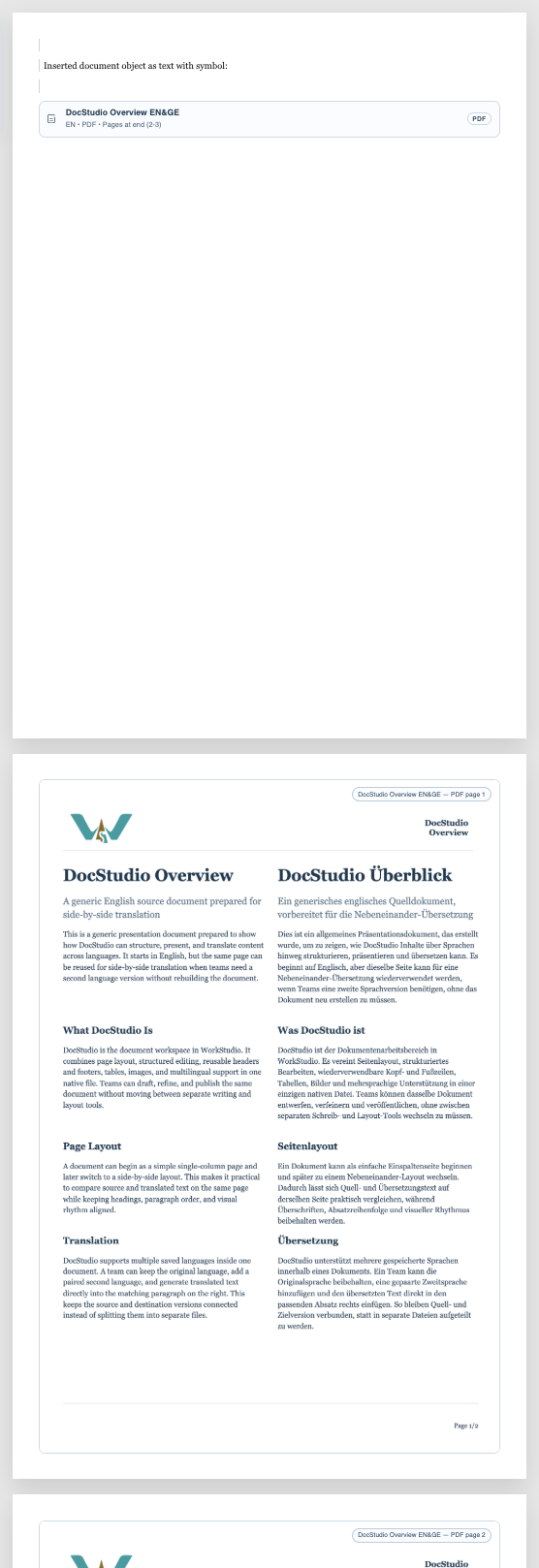
Placement decides where rendered pages go. Use After this object when the PDF pages should appear where the reference is inserted. Use At end of file when the document should stay referenced in the body but the rendered PDF pages should appear after the written content.
Related: Attach Documents to a DocStudio File, Crop and Reuse PDF Pages, Use OCR for Scanned PDFs.
Object Settings
Object Settings controls the title, language, display mode, render mode, placement, numbering, and index behavior.
Pages to render
Selected pages, whole PDF, crop mode, and hidden document mode are chosen from Pages to render.
Rendered after the object
Rendered PDF pages can appear immediately after the document reference.
Rendered at the end
When rendered at the end, the document reference stays in place and the PDF pages appear after the file content.
Enable JavaScript to use reading progress and usefulness ratings.