
Selection, Properties, Notes, Tags, and Materials in CADStudio
How object properties work in CADStudio, including notes, tag pills, material pills, point screen scaling, and multi-selection reports.
Select one object to edit its specific properties.
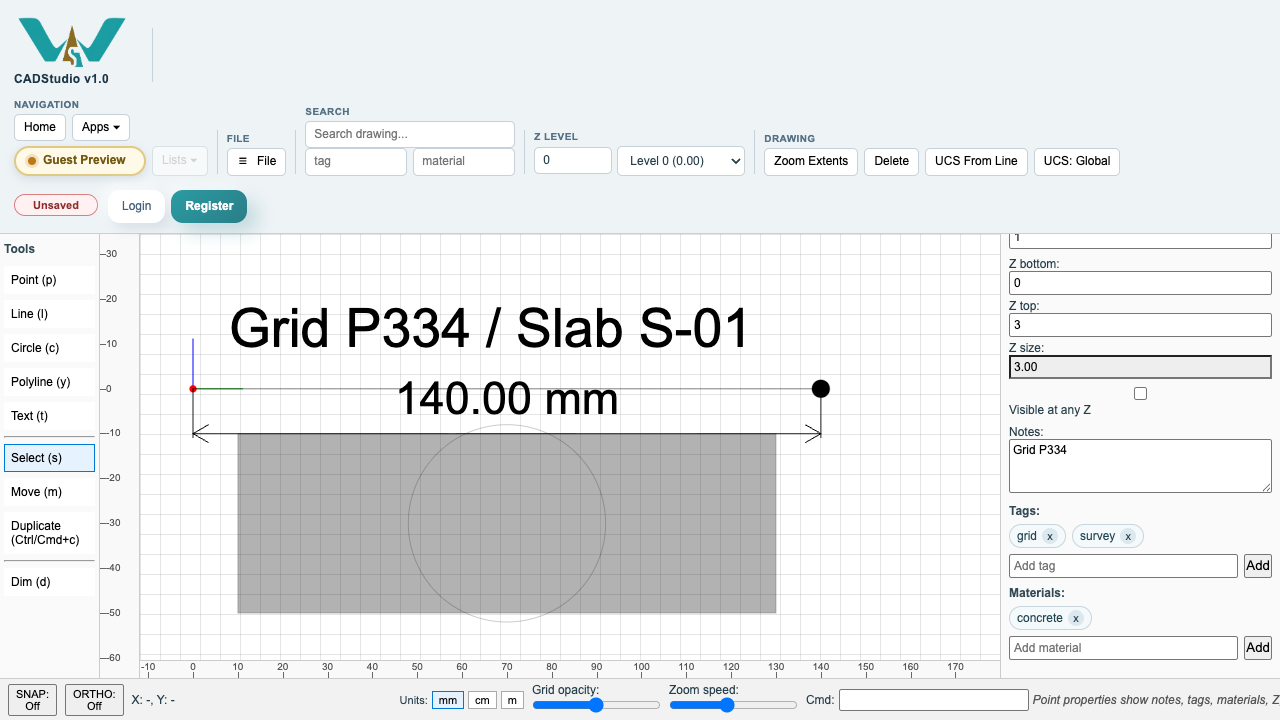
Point objects include local and global coordinates, layer, style, point scaling, Z values, notes, tags, and materials.
Notes are free text. Tags and materials are stored as removable pills so one object can carry several classifications.
Select several objects to edit shared fields together. If the selected objects have different values, CADStudio shows that difference instead of hiding it.
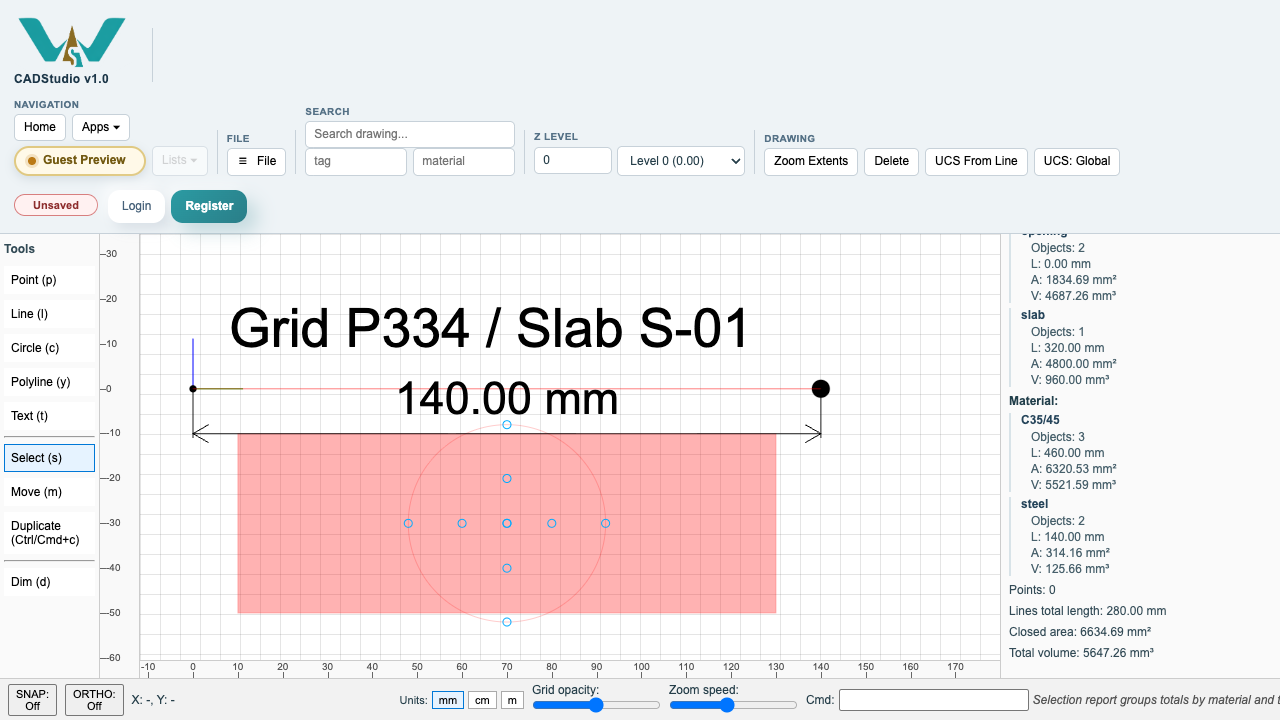
The lower part of the multi-selection Properties panel contains a report: object count, type count, total line length, closed area, total volume, and totals grouped by tag and by material.
Related: Z Levels and Selection Reports in CADStudio, Search and Filters in CADStudio, Layers in CADStudio.
Point metadata
A point can store Z values, notes, tag pills, material pills, and whether it stays screen-scaled while zooming.
Selection report by tag and material
Multi-selection reports summarize length, area, volume, and grouped totals by tag and material.
Enable JavaScript to use reading progress and usefulness ratings.