
SEAP Monitoring — step-by-step guide
Order your package, set criteria and read tenders matching your business.
€12/month or €120/year. Get tenders matching your criteria, award points and formulas, qualifications, funding and advance-payment information. The initial SEAP data sheet, when available, can be previewed and downloaded from the table or the link in your PDF report.
We analyse main notices worth more than RON 100,000. Research starts around 10:00 and 16:00 Europe/Bucharest; distribution follows analysis and translation. Details are initial information; only submission deadlines are monitored later. Check official documents and clarifications before bidding.
The account, company and identifiers in the form examples are demonstrative; enter your own details. The example tenders are real.
Before you begin
ROMANIAN BUSINESSES AND PFA You need a Romanian CUI / CIF, checked with ANAF. INDIVIDUALS IN ROMANIA You need a CNP, usual residence and a billing address in Romania, your own Romanian IBAN, and you must be at least 18.
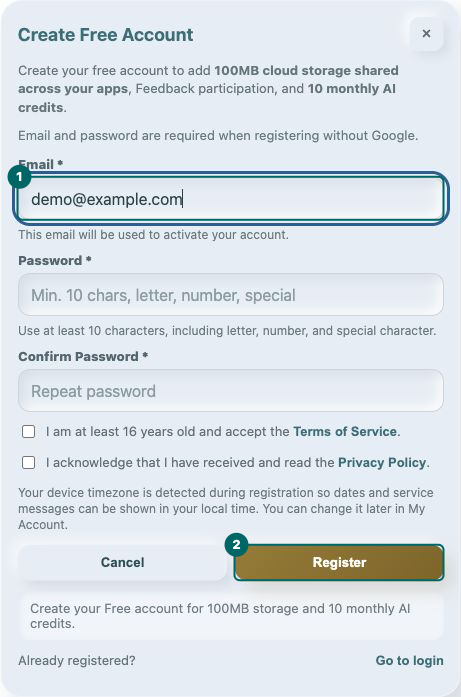
Create your account
Open workstudio.online and choose to create a free account. Enter your email address and password, then confirm the password. Read and accept the terms and privacy policy, then follow the activation instructions sent by email. If you already have an account, sign in.
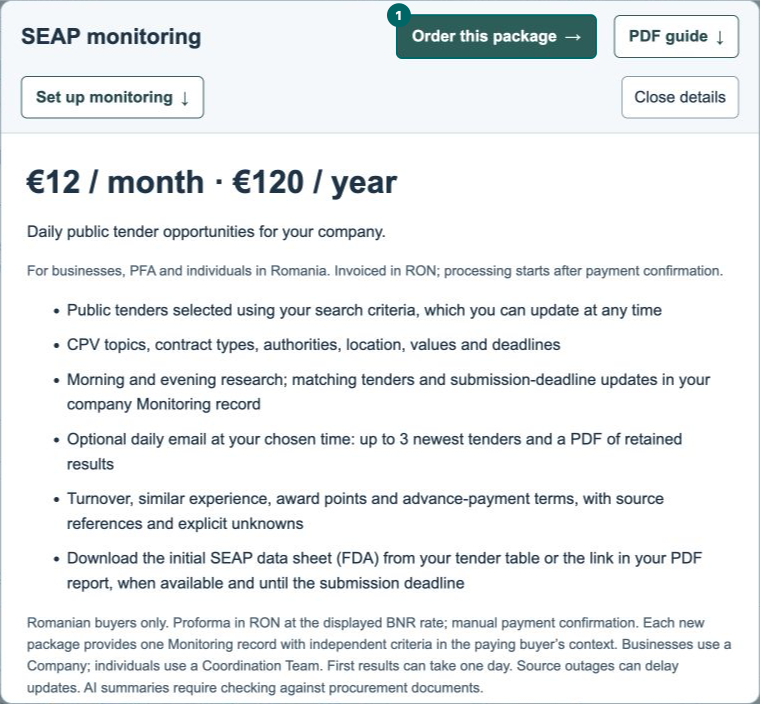
Choose SEAP Monitoring
Go to services.workstudio.online. Find the SEAP Monitoring card and choose “Package details”. Read what is included, then select “Order this package” in the top bar.
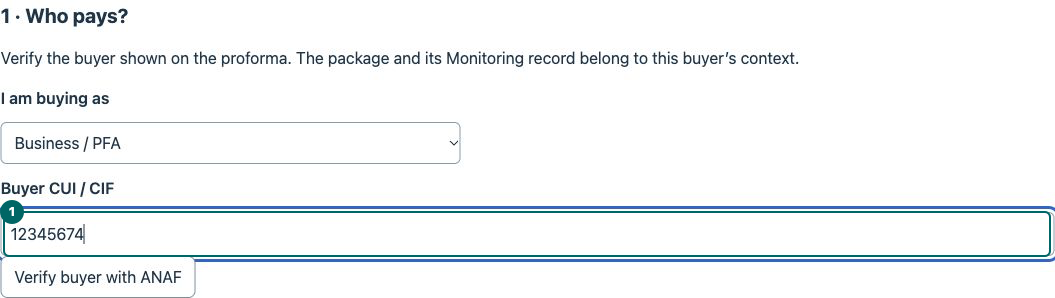
Order as a business / PFA
Under “I am buying as”, choose Business / PFA. Enter your company’s Romanian CUI / CIF or your PFA’s professional CIF and select “Verify buyer with ANAF”. Check the returned name and address, then select “Next”. VAT registration is not required.
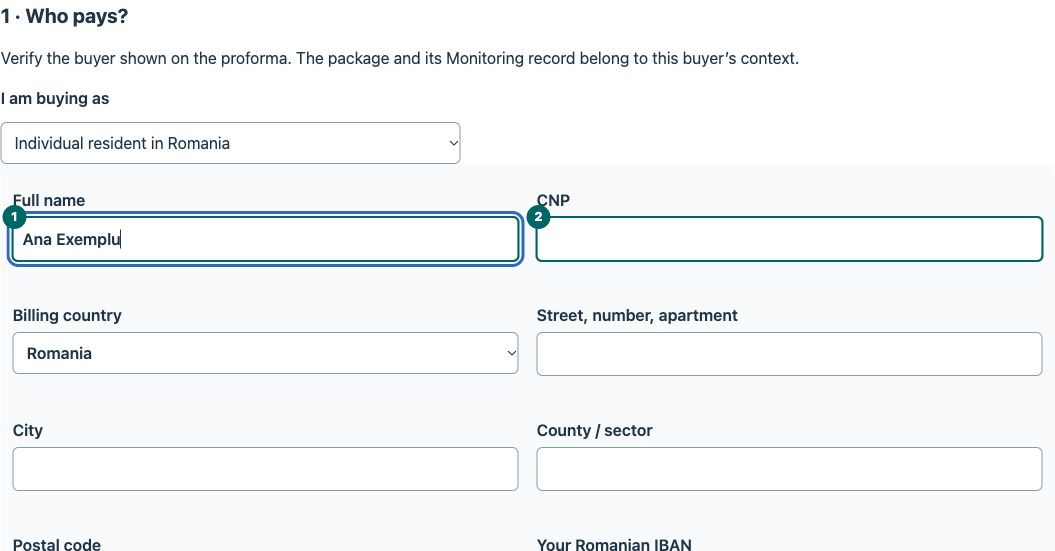
Order as an individual
Under “I am buying as”, choose Individual resident in Romania. Enter your name, CNP, address, postal code and your own Romanian IBAN. Read the residence and early-start declarations, check them if they are true, then select “Next”.
Choose a plan and order
1. Name the Monitoring record and choose €12 / month or €120 / year. Annual billing saves €24 compared with 12 monthly payments. To renew, select the existing package. 2. Review the buyer, subscription and RON amount. Read the declarations and terms and confirm them if you agree. 3. Select “Create order” and wait for the proforma. Open the order to find the proforma, bank details and payment reference.
Payment and activation
Pay the proforma by bank transfer using the amount and reference shown in the order. WorkStudio checks receipt manually, approves the payment and activates the package. Activation can take up to 24 hours. Return to “Your SEAP packages and orders” and select “Refresh”. Once active, select “Start monitoring setup”.
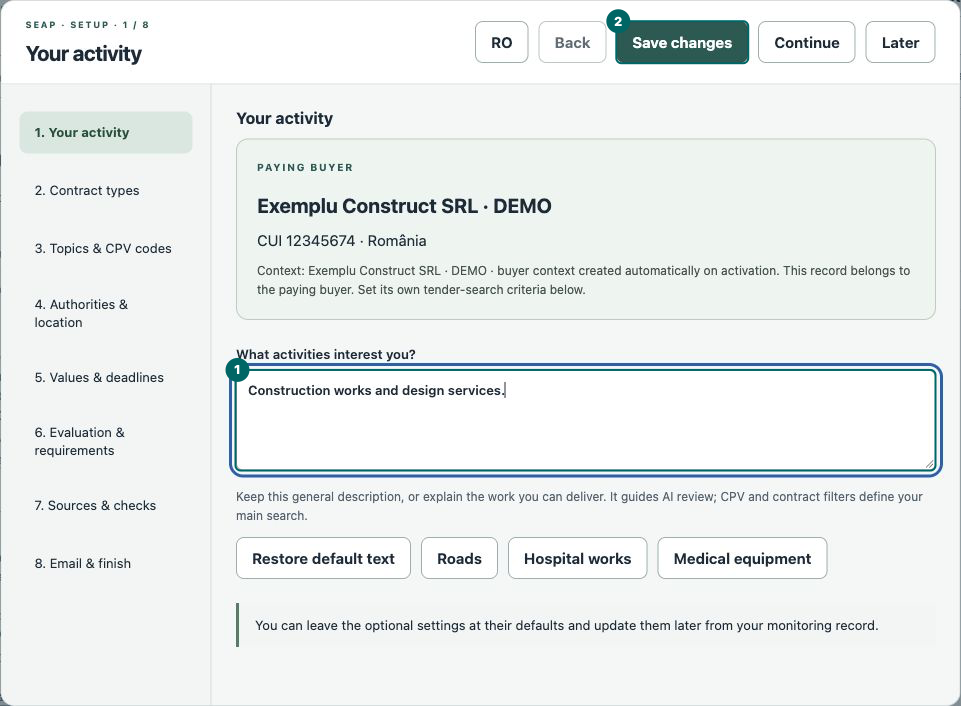
Set up your monitoring
In setup, describe your activity and choose contract types, CPV topics, authorities, locations, values and deadlines. Add exclusions where useful and set your email preferences. Save your criteria. Later, open Records → Monitoring in the paying buyer’s context for results and reports. You can change the criteria; initial results may take longer if sources are unavailable.
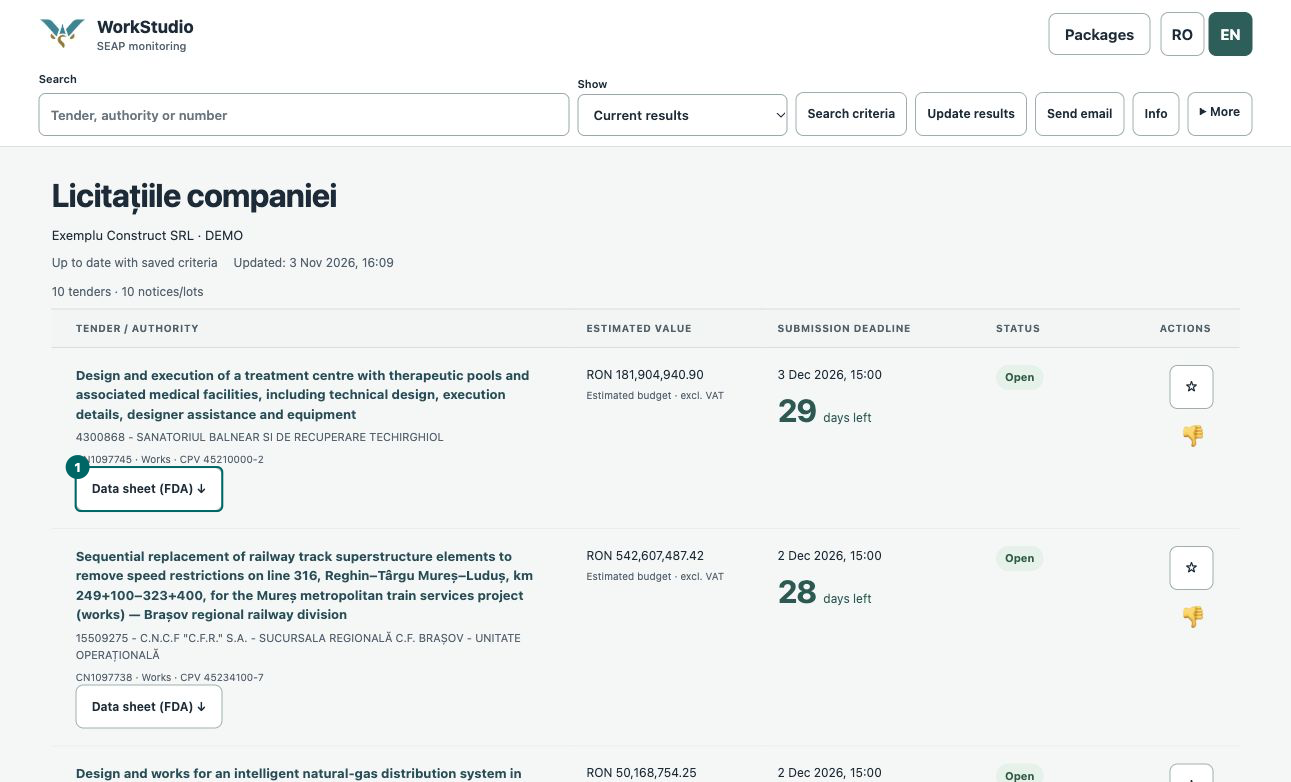
Download the data sheet
In the table, select “Data sheet (FDA) ↓” below the tender title. The same button is in the details, and the PDF report includes its link to the WSO preview and download page. You receive the initial sheet in its original language, when available. The link works without signing in, including for someone receiving your PDF.
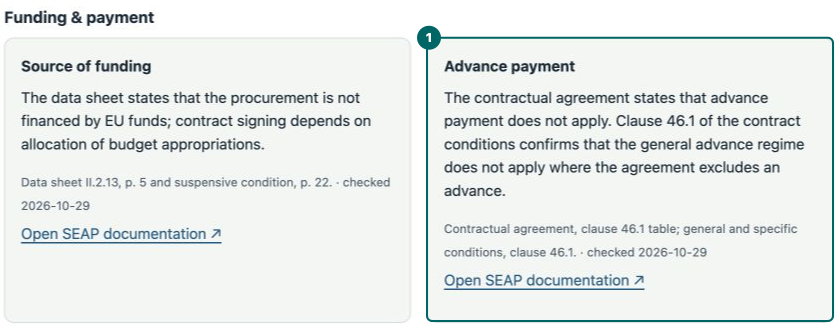
Scoring and advance payments
Open a tender to see award factors, weights and formulas, alongside qualification requirements, funding and advance terms identified in the data sheet and contract. An unclear advance or unavailable contract is stated explicitly; it does not mean zero advance. The PDF report retains these details and their source references.
Multiple users and MFA
MFA (multi-factor or two-step authentication) adds a short-lived code from an authenticator app to your password. When you work alone in a new restricted context, solo mode is automatic and MFA is optional. Before inviting or sharing access, enable MFA; owners and administrators of shared contexts need it. Existing contexts may have their own security requirements. In your account, open Security → 2-Step Authentication. Follow the steps, scan the QR code and keep your recovery codes in a safe place.
Explore a sample report
These examples show what results might look like for a fictional company’s criteria. The tenders are real; always consult the official source and clarifications. Open the complete examples using the links below.
Enable JavaScript to use reading progress and usefulness ratings.