
Set up SEAP Monitoring
All eight search-criteria steps, explained with screenshots.
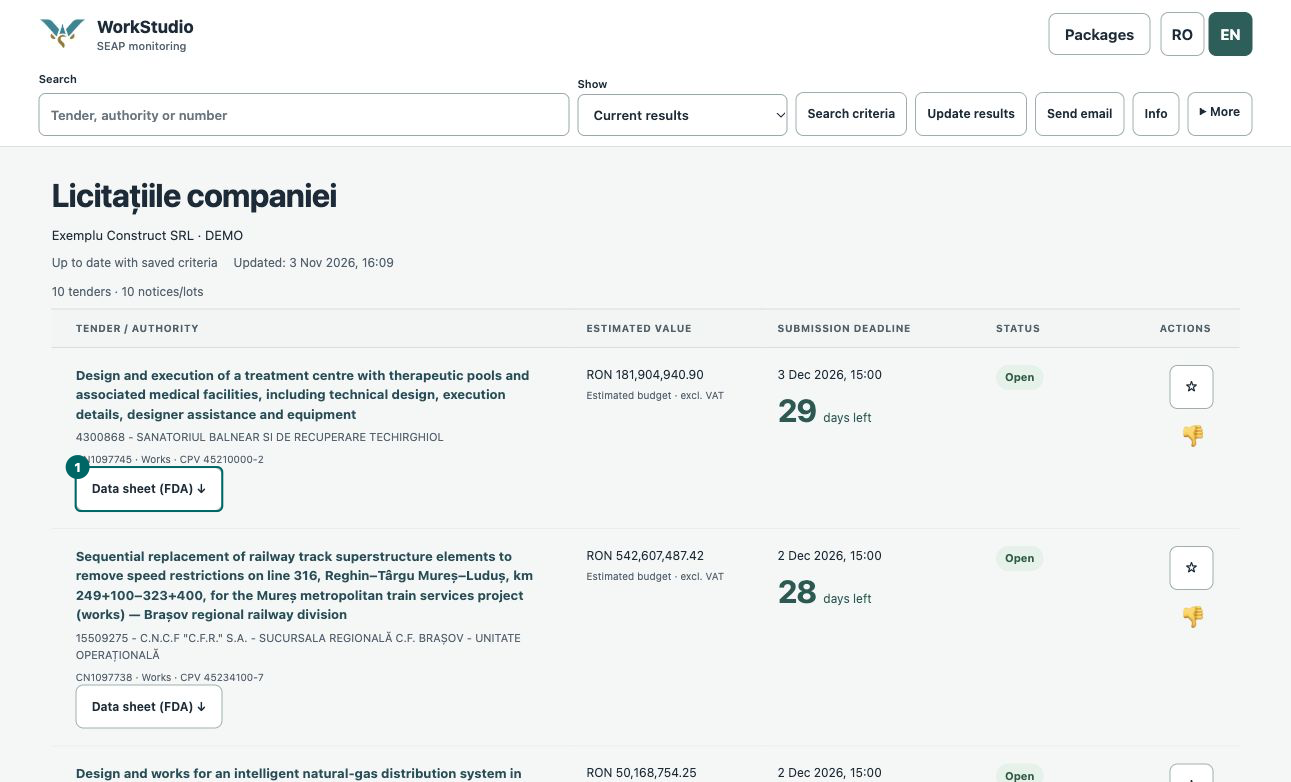
€12/month or €120/year. Get tenders matching your criteria, award points and formulas, qualifications, funding and advance-payment information. The initial SEAP data sheet, when available, can be previewed and downloaded from the table or the link in your PDF report.
We analyse main notices worth more than RON 100,000. Research starts around 10:00 and 16:00 Europe/Bucharest; distribution follows analysis and translation. Details are initial information; only submission deadlines are monitored later. Check official documents and clarifications before bidding.
The account, company and identifiers in the form examples are demonstrative; enter your own details. The example tenders are real.
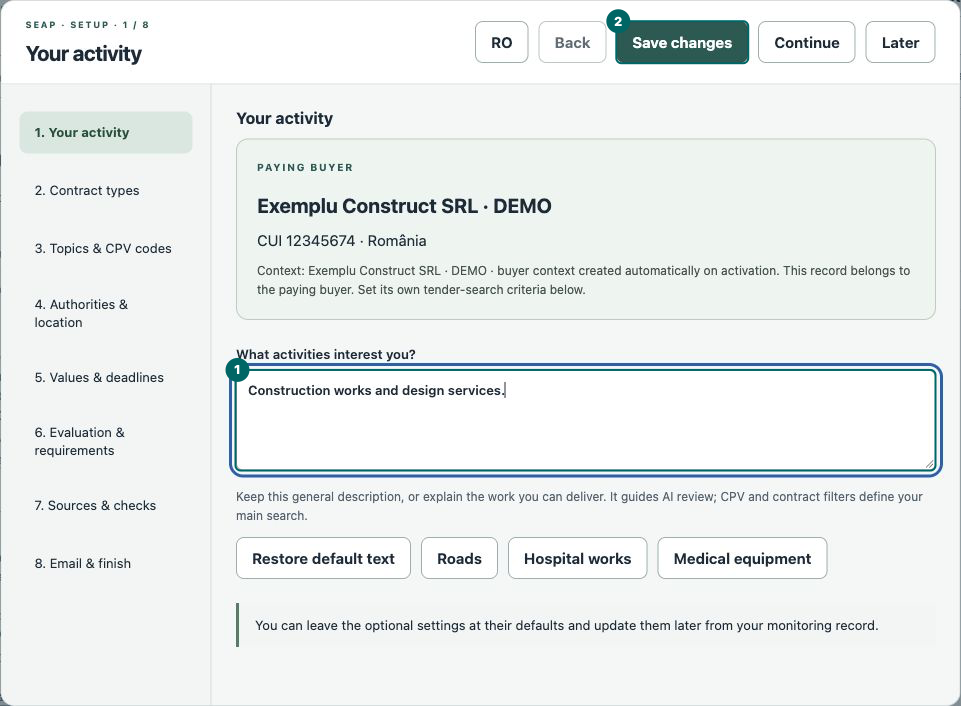
Your activity
Describe the works, services or supplies you want. You can restore the default text. 1. Enter your activity. The buyer is the subscription’s buyer. 2. Save from the top bar without visiting every step. Use navigation 1–8 to return to a section.
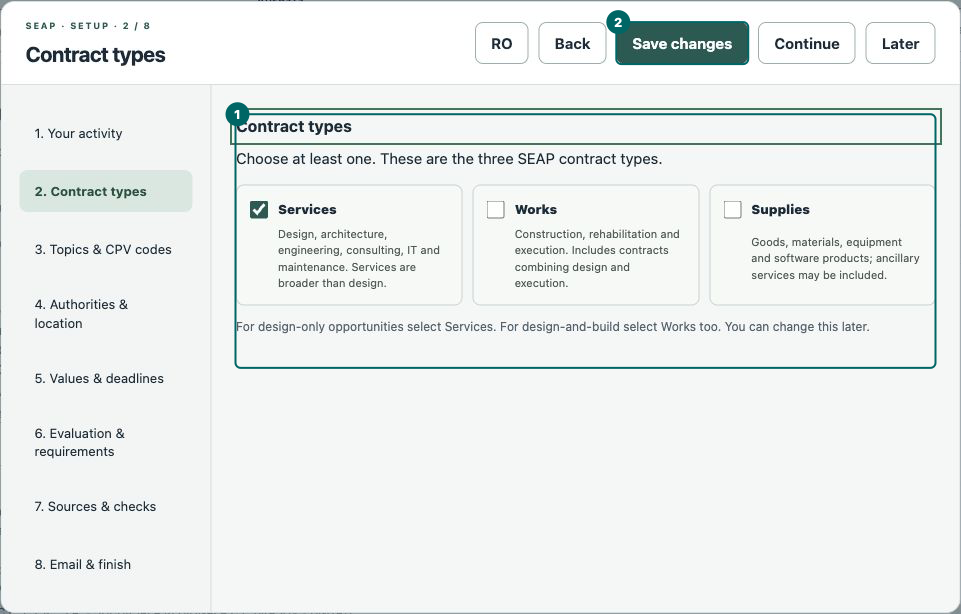
Contract types
1. Select at least one type: Services, Works or Supplies. You may combine them. Design-only opportunities are Services. Include Works for design-and-build. 2. Save the changes or continue to topics.
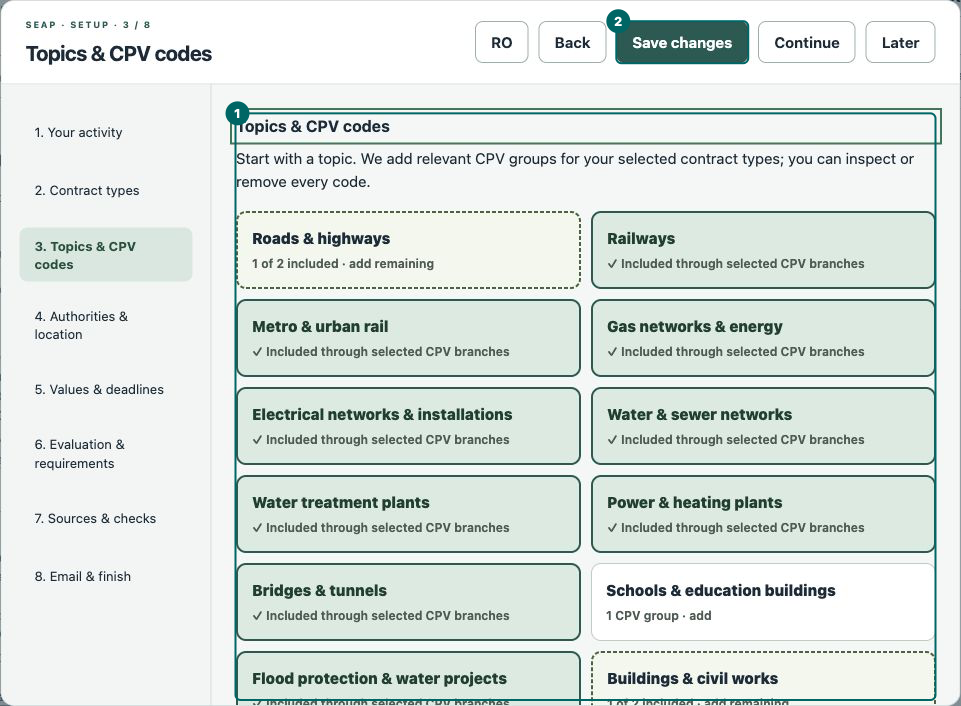
Topics and CPV codes
1. Choose relevant topics. Selected topics are highlighted; a broader CPV branch may already include them. Scroll down to search by name/code and inspect selected codes. Check subcodes. “Search all CPVs” broadens the search. 2. Save your selection.
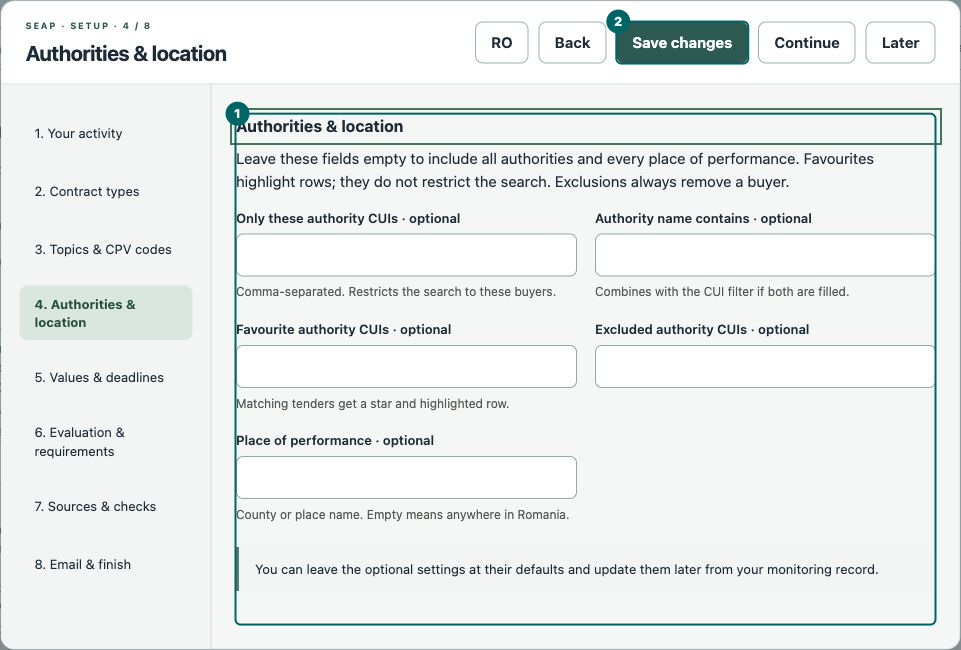
Authorities and location
1. These fields are optional. Leave them empty for all authorities and locations. “Only these CUIs” restricts results. Favourites highlight rows without restricting the search. Excluded authorities are removed. 2. Check buyer identifiers and location, then save.
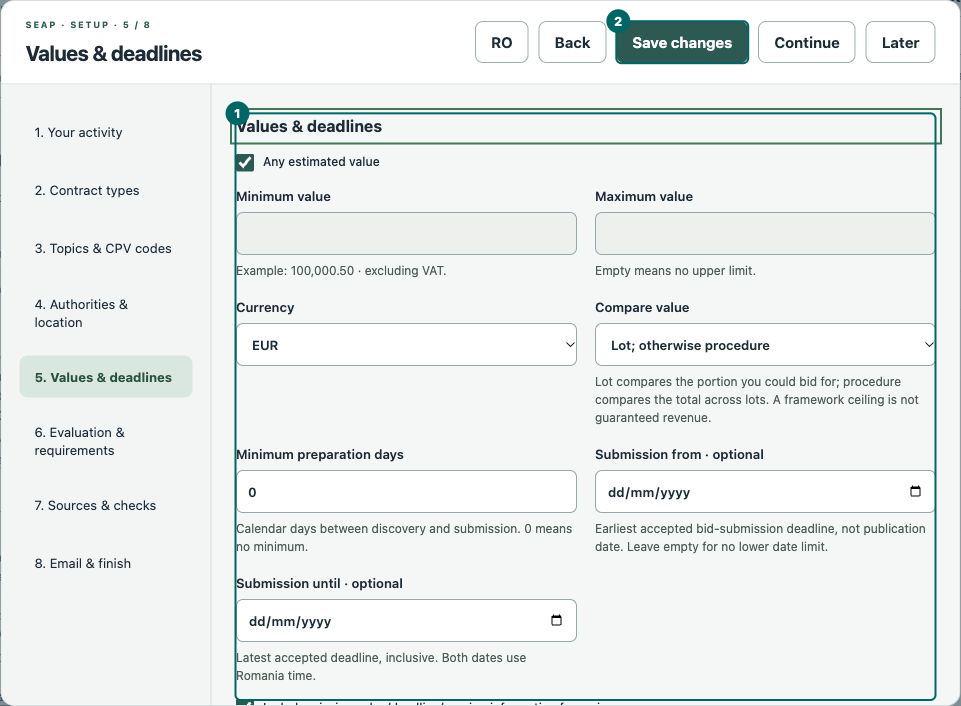
Values and deadlines
1. Clear “Any value” to enter a range. Choose currency and lot/procedure comparison. A framework ceiling is not guaranteed revenue. Minimum preparation days filter selection. Date limits concern submission, not publication. 2. Check whether to include unknown information, then save.
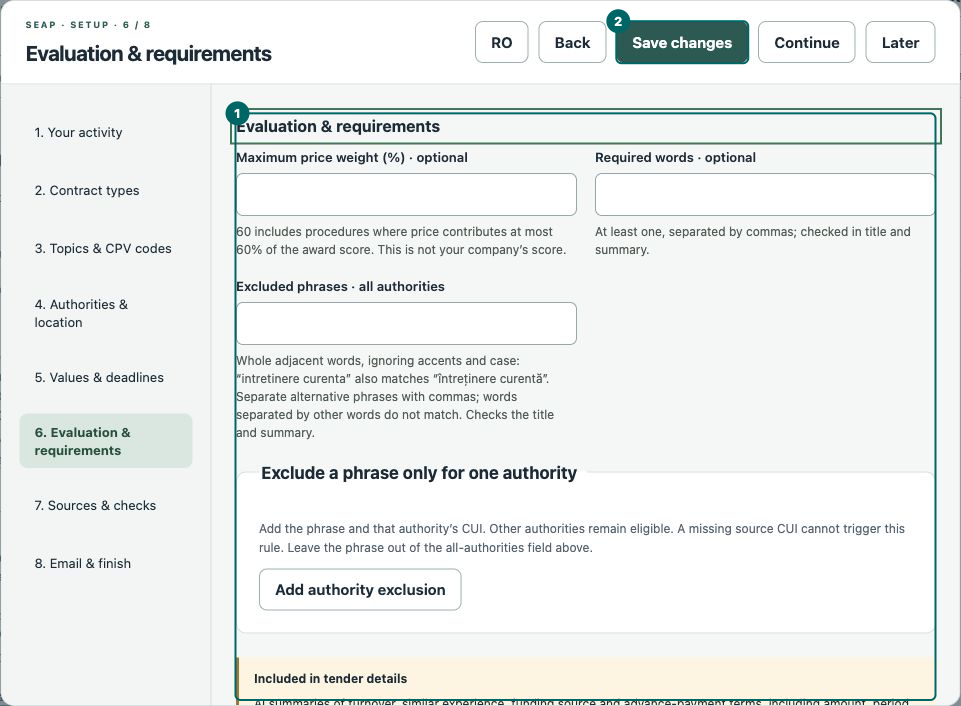
Evaluation and exclusions
1. Price weight is its share of the award score, not your company’s score. Separate excluded phrases with commas. “intretinere curenta” also matches “întreținere curentă”, as adjacent words. For one authority, add its CUI and phrase in the dedicated rule; omit that phrase from global exclusions. 2. Save.
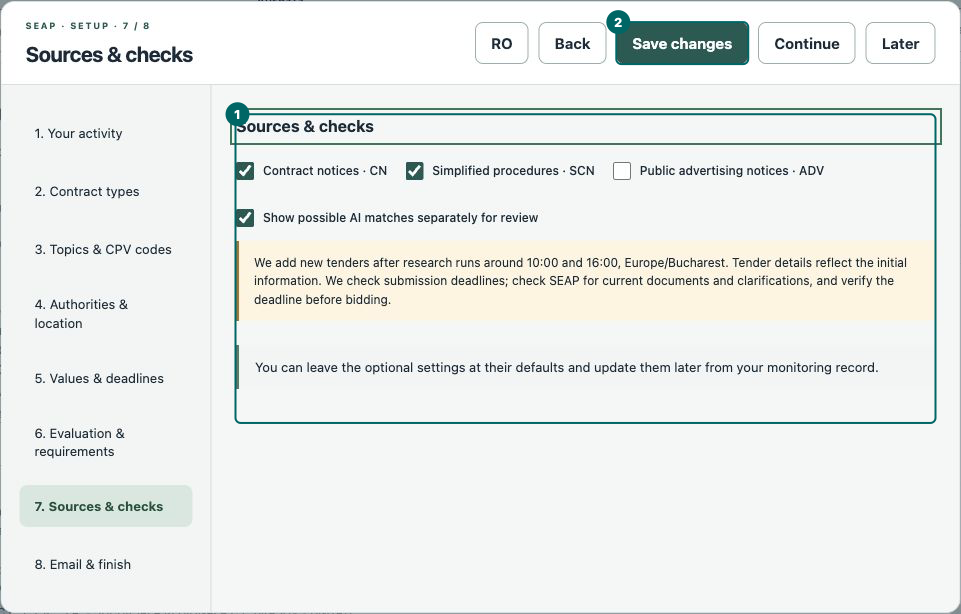
Sources and information limits
1. Choose notice types and whether to include possible matches for review. Availability depends on collected sources. Details come from the initial data-sheet and contract review. Only submission deadlines are followed later. Check official documents and clarifications before bidding. 2. Save.
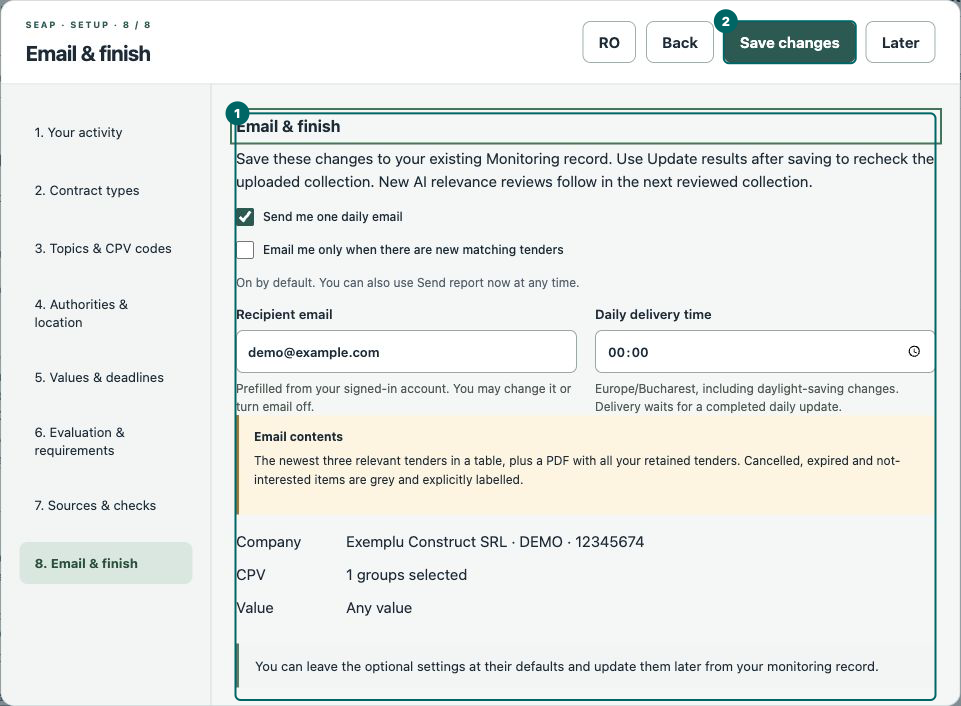
Email and applying criteria
1. Choose email delivery, recipient and Romania time. Keep “only when there are new matching tenders” enabled to avoid unchanged reports. 2. Save changes. In the table select “Update results” to apply criteria to the uploaded collection. New analyses arrive after the next research run.
Results, data sheets and reports
Open the Monitoring record from Records in the buyer’s context. Use “Search criteria” to configure it. The FDA opens on a WSO page with preview and download. The report PDF includes the same link. Under “More”, the day cutoff moves unstarred tenders close to submission to the end; it does not remove them.
Enable JavaScript to use reading progress and usefulness ratings.