
Track Your Weight Over Time
Add dated weight values to one Person record, keep older measurements compact, and inspect the complete trend in a larger chart.
Measurements are repeatable properties on a Person record. They are intended for personal record keeping and do not provide medical advice.
Related: Person Measurements and Weight History, How a Record Is Built.
Open or create the Person
Open the Person view, choose Personal mode, and open the relevant Person. Create the Person first if it does not yet exist.
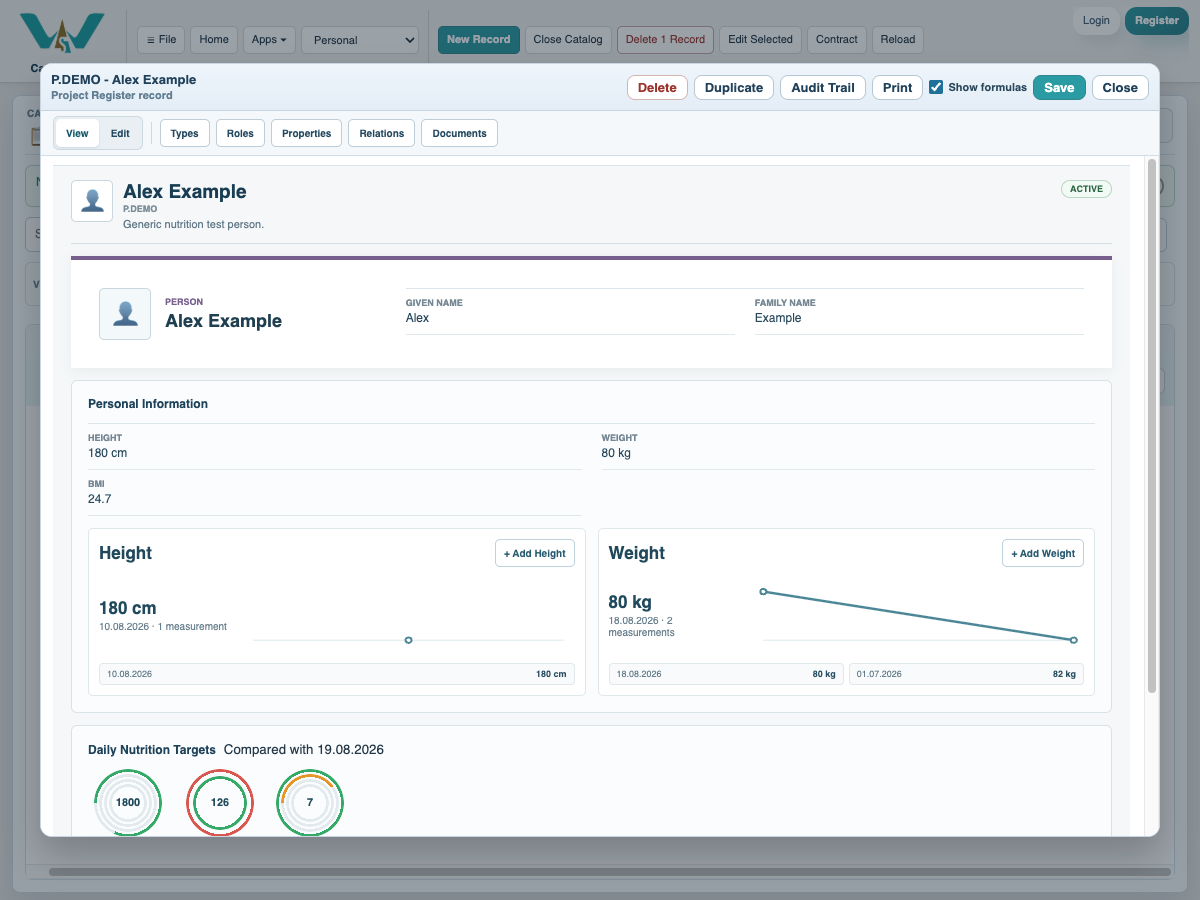
Add the newest measurement
In Edit mode, use Add Weight, enter the value and measurement date, and save. The newest pair stays visible in the compact editor.
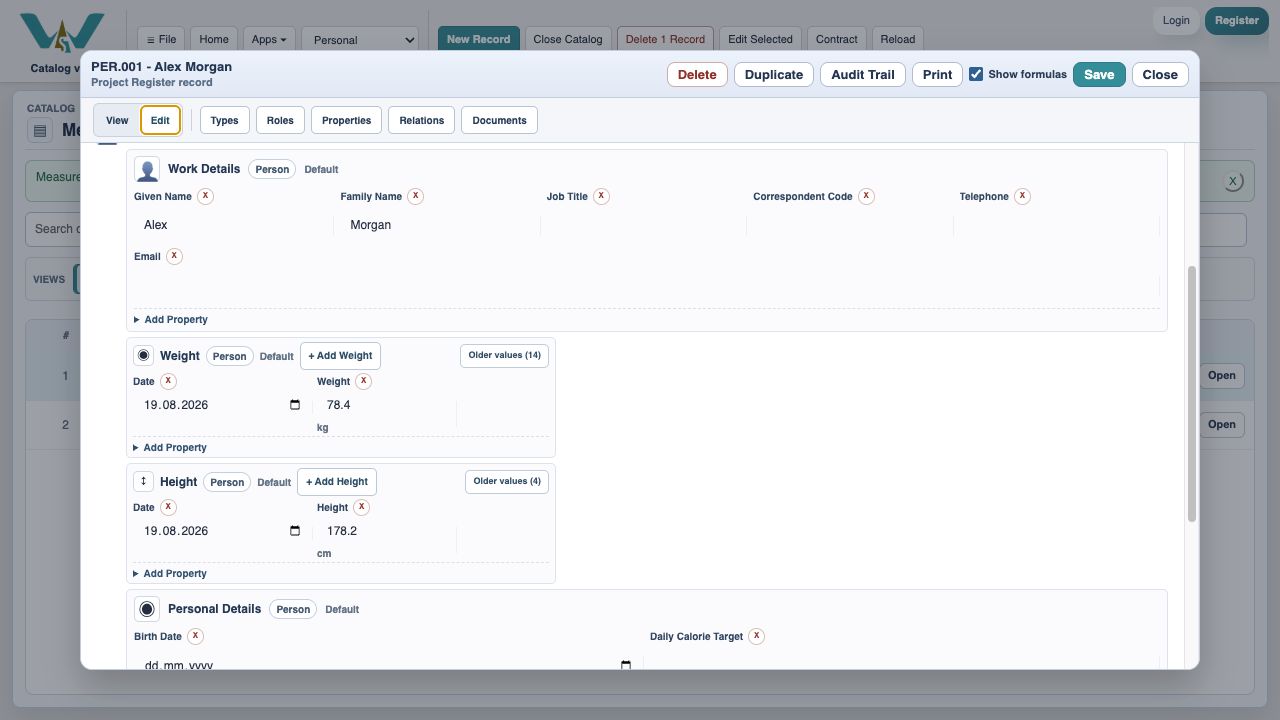
Review and maintain older values
Open Older values to add, correct, or remove dated measurements. Newest values are listed first.
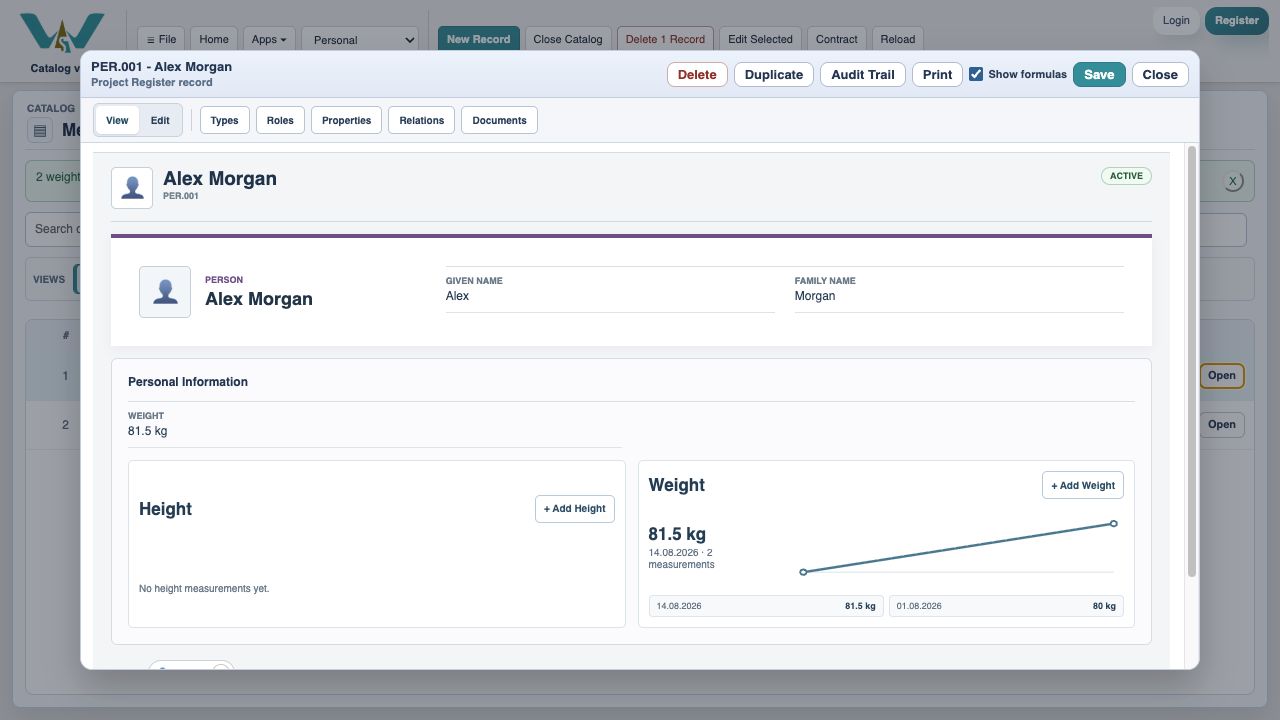
Choose a chart style
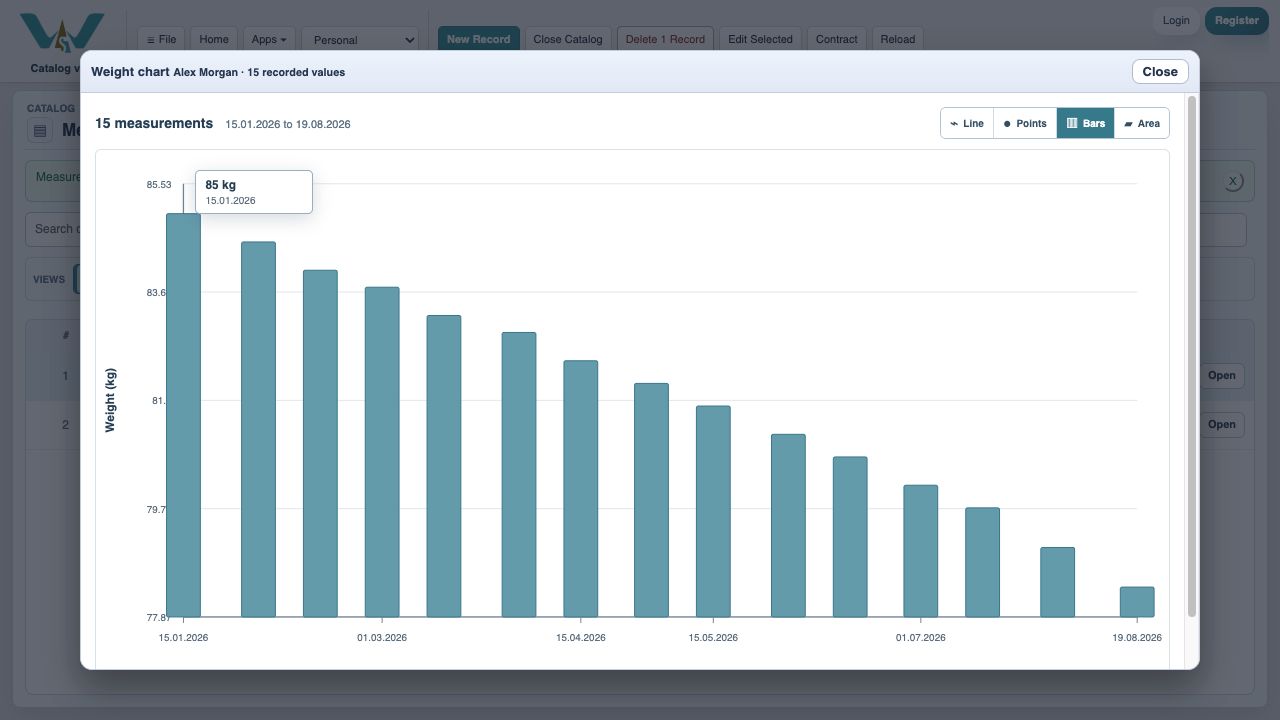
Expand the Weight chart and choose Line, Points, Bars, or Area. The compact record view keeps only a representative preview for faster opening.
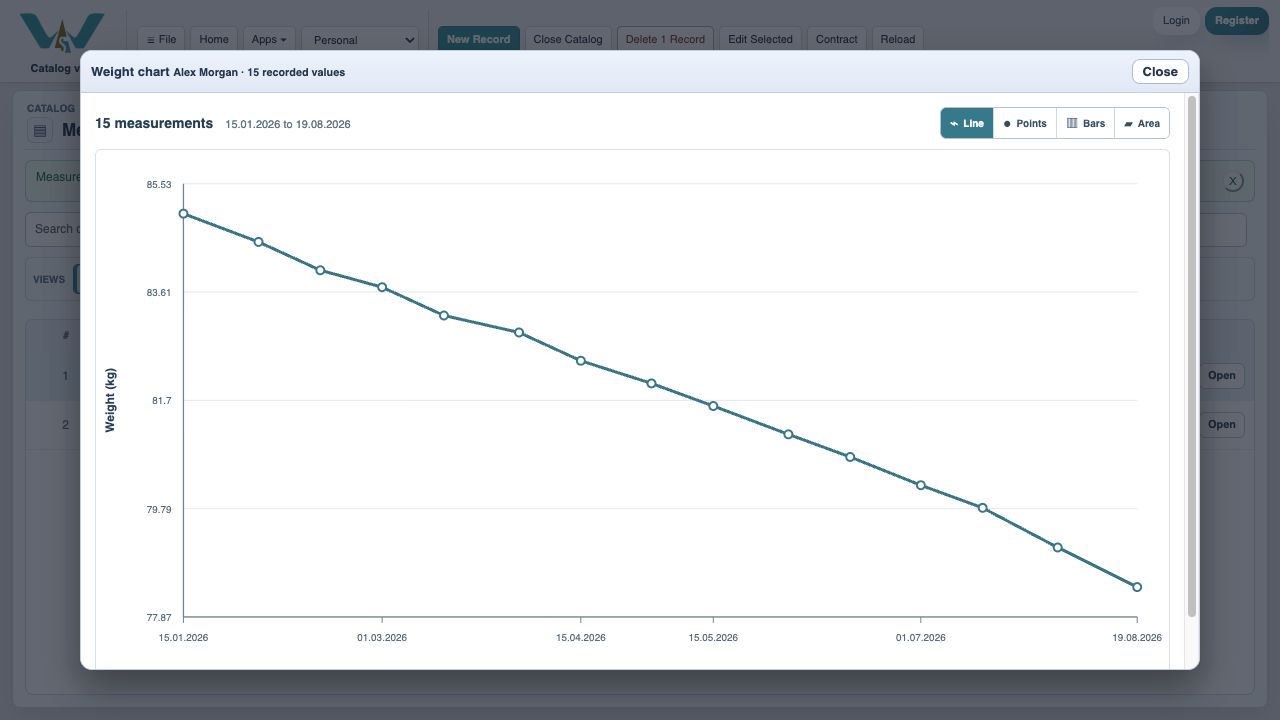
Read exact values
Move over a point or bar to see the precise date and value while keeping the whole trend visible.
Import an existing history when needed
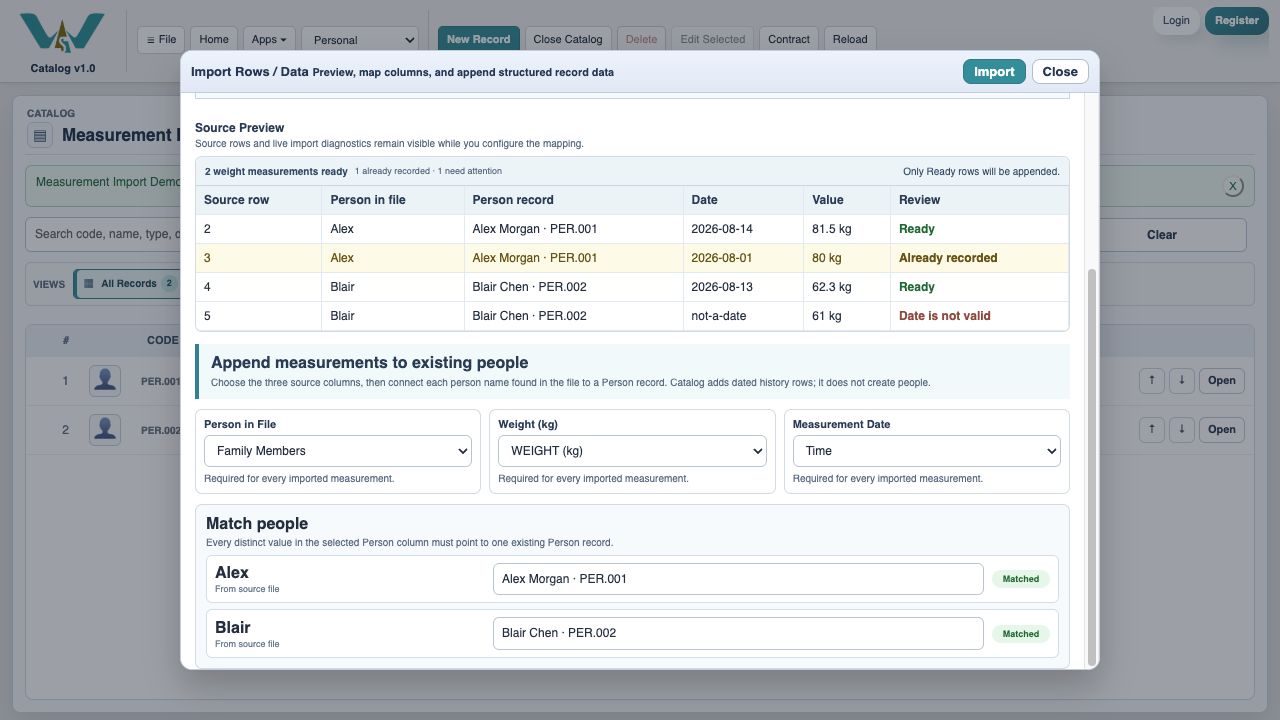
Use File > Import Rows / Data, choose Weight, map Person, value, and date, connect source names to Person records, and import only reviewed rows.
Enable JavaScript to use reading progress and usefulness ratings.