
Register Foods, Build Recipes, and Track Daily Intake
Create Ingredient, Food, and Beverage records, combine them in a Recipe, log a Person's day, and review calories and nutrient limits.
This personal workflow keeps source nutrition data, calculated Recipes, dated intake, and Person targets connected in one Records collection. AI is optional; local nutrition-table import and manual entry remain available.
Review serving units and nutrient values carefully. Records supports personal tracking but does not provide medical advice.
Related: Foods, Recipes, Daily Intake, and Nutrition Targets, How a Record Is Built.
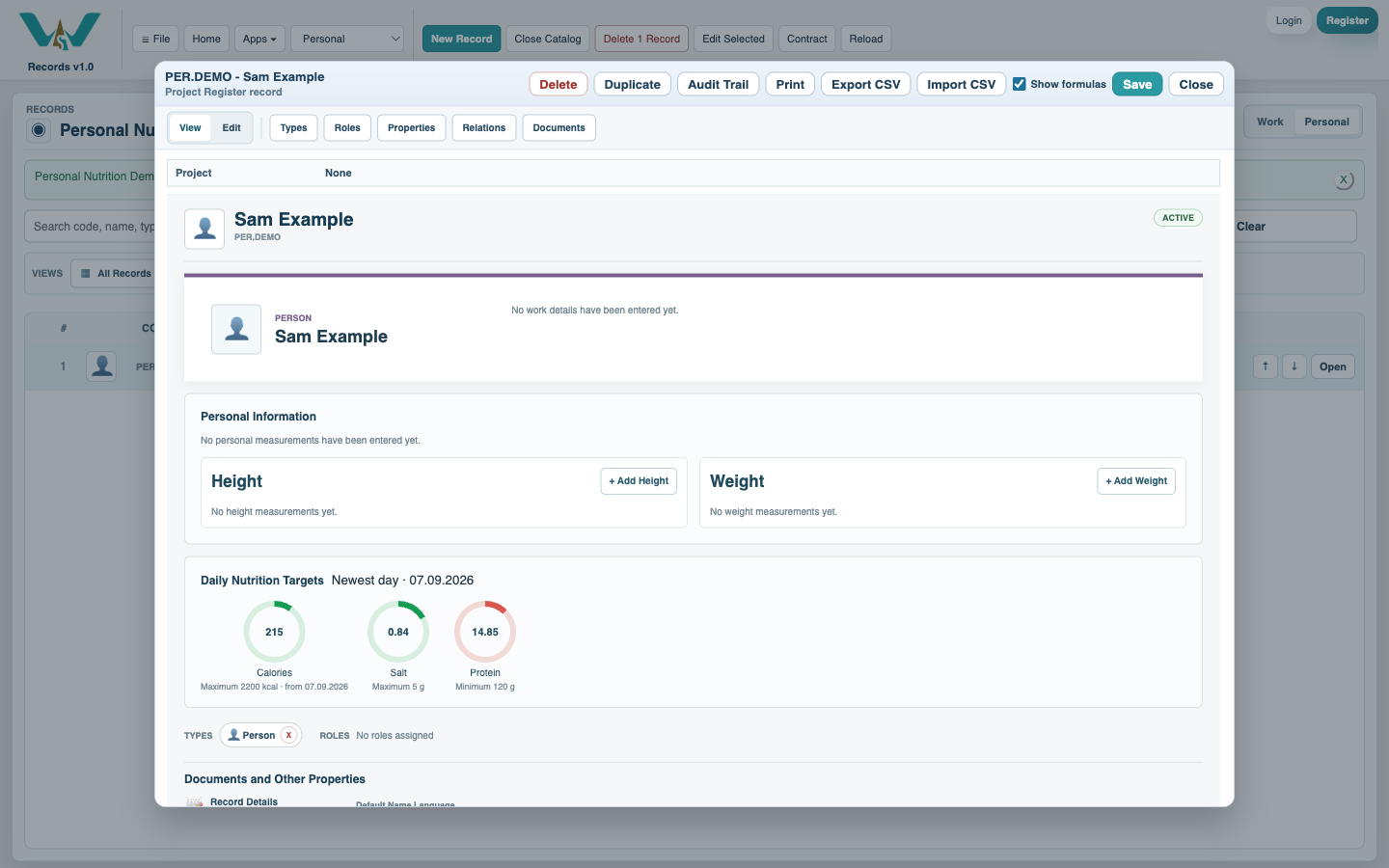
Set the Person's daily targets
Open or create the Person, switch to Personal information, and set the Daily Calorie Target. Add repeatable Nutrition Targets: choose Minimum for a goal such as protein and Maximum for a limit such as salt, with optional effective dates.
Register ingredients, foods, and beverages
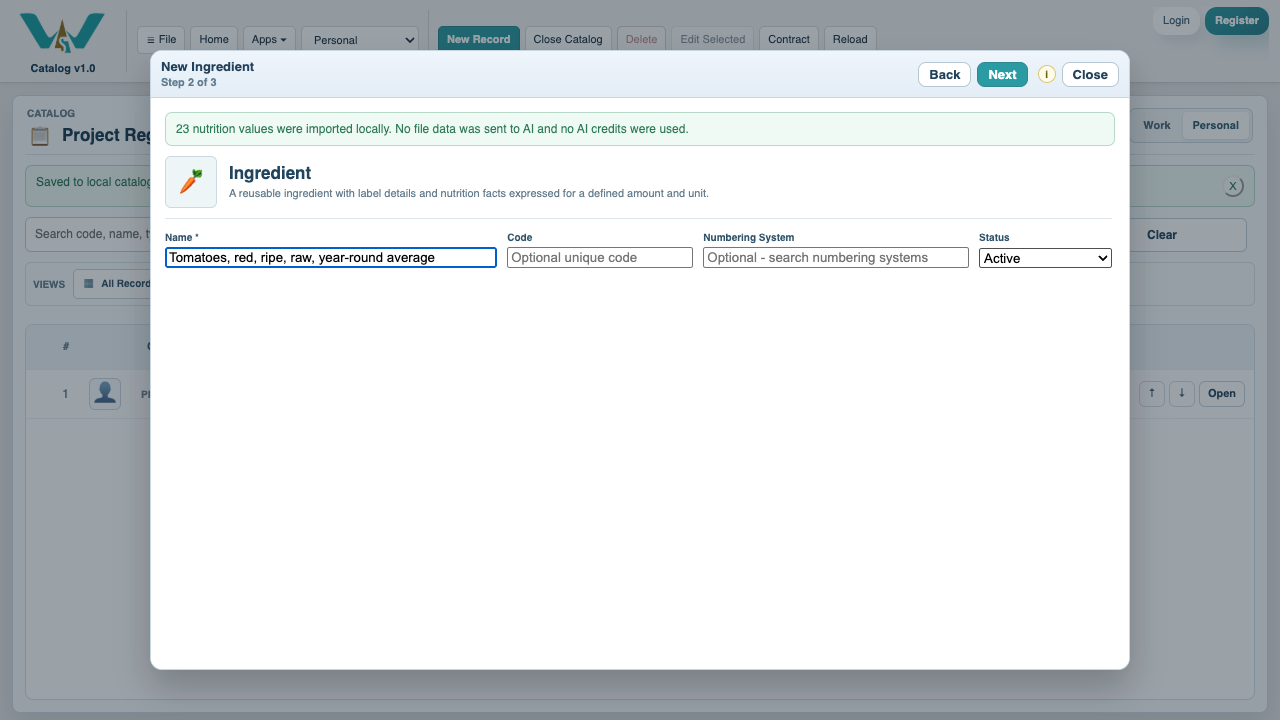
Create the appropriate Type and define the nutrition basis, amount, and unit. Enter the label manually or import a supported CSV, XLSX, XLSM, or XML nutrition table locally; map and review the values before creating the record.
Use AI Assist for a package label when useful
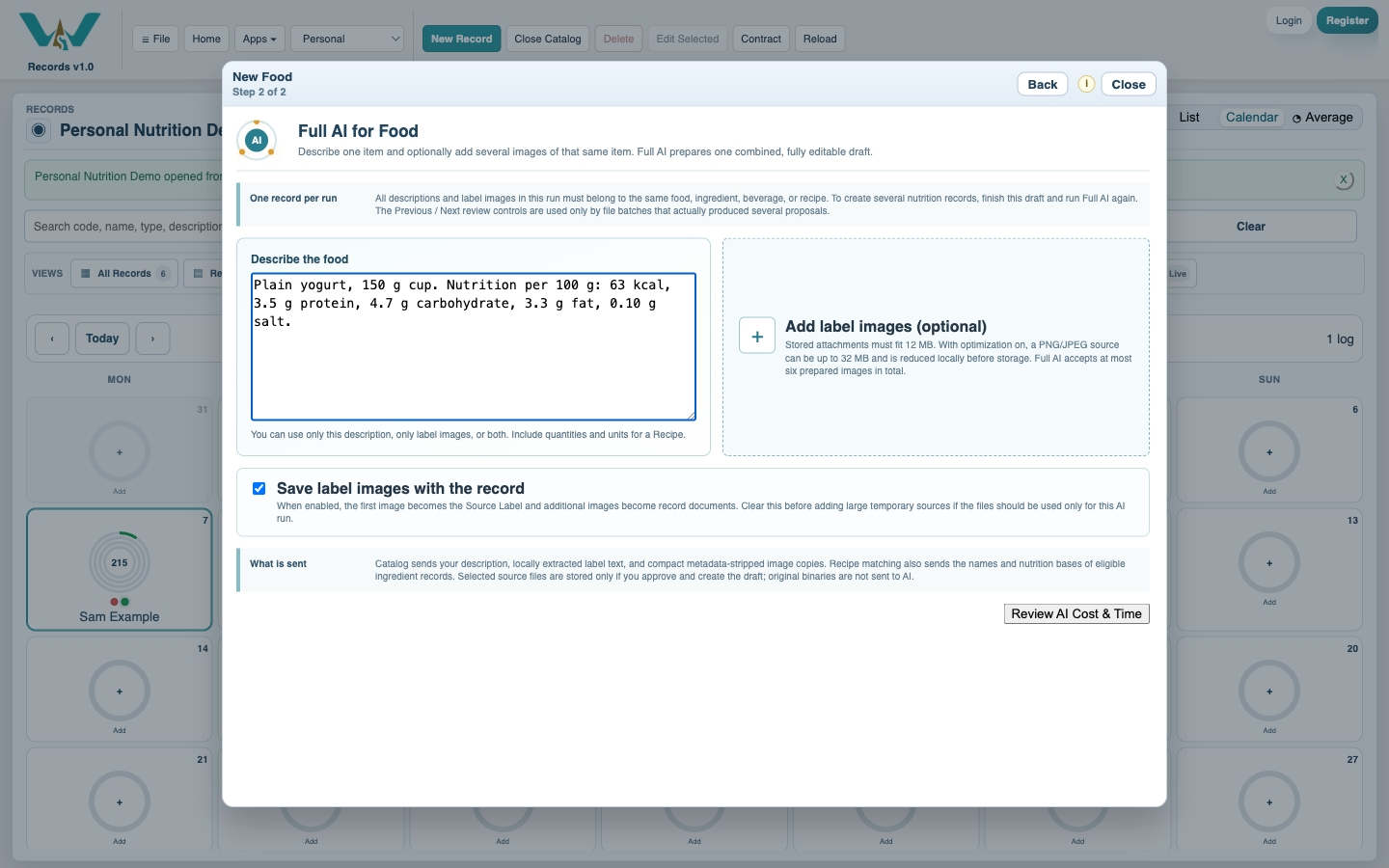
For a supported nutrition Type, choose AI Assist and select one or more clear label or package images. Review the credit estimate and data-transfer warning, then verify the suggested name, language, serving basis, ingredients, allergens, and nutrients.
Build a Recipe from registered components
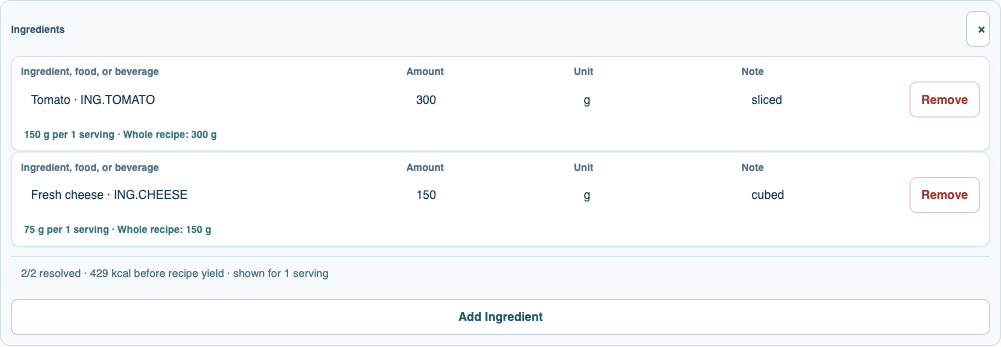
Create a Recipe, set its servings or finished yield, and add registered Ingredients, eligible Foods, or eligible Beverages with whole-recipe quantities. Review the calculated nutrition basis and instructions before saving.
Log the day in Daily Intake
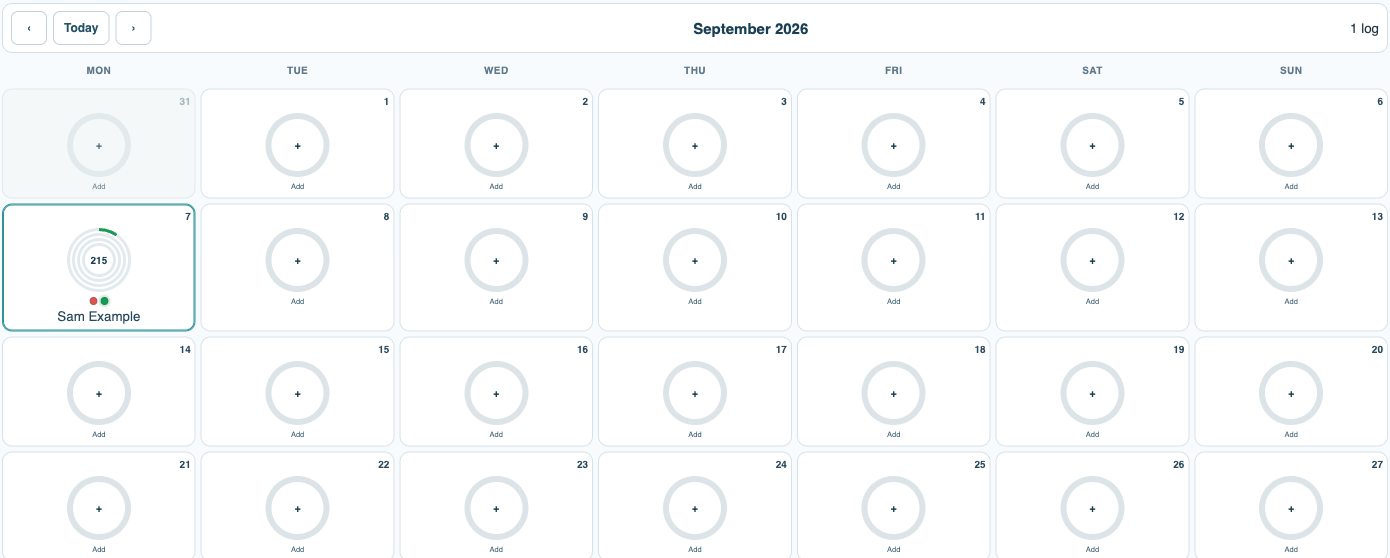
Open Daily Intake, choose the Person and date, then add consumed Food, Ingredient, Beverage, or Recipe entries with amount, unit, and meal. The calendar keeps each day separate and opens the selected day for review.
Review calories, nutrients, and coverage
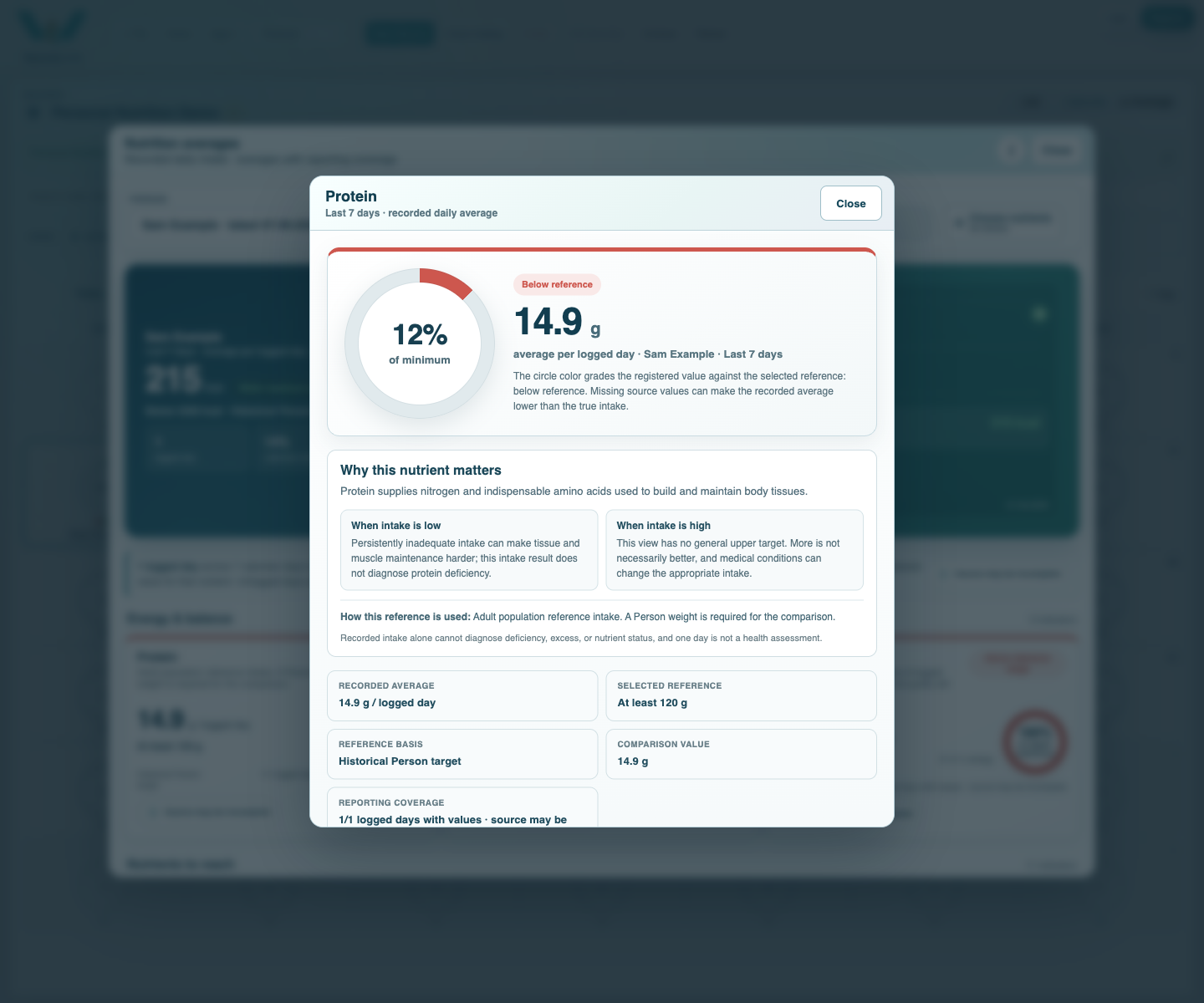
Open the day's totals or the Person's nutrition summary. The rings compare values with targets active on that date; nutrient details explain minimum or maximum status and identify incomplete reporting where source records lack values.
Enable JavaScript to use reading progress and usefulness ratings.