
Foods, Recipes, Daily Intake, and Nutrition Targets
Register nutrition sources, calculate recipes, log what a Person consumes, and compare daily totals with personal minimum or maximum targets.
Use Ingredient for reusable raw components, Food for prepared foods, Beverage for drinks, and Recipe for a calculated combination of registered ingredients, foods, or beverages. Every nutrition record defines the amount and unit its values describe, for example 100 g, 500 ml, one piece, or one serving.
You can enter values manually, import a supported nutrition table locally, or use AI Assist with a label or package image. AI use always shows an estimate and data-transfer warning first. Treat suggestions as editable: verify the name, language, serving basis, ingredients, allergens, and every nutrient before creating the record.
A Recipe stores whole-recipe component quantities, finished yield, servings, and instructions. Records calculates the selected serving or weight basis from its registered components. A Daily Intake belongs to one Person and one date; add Food, Ingredient, Beverage, or Recipe entries with their consumed amounts and meal.
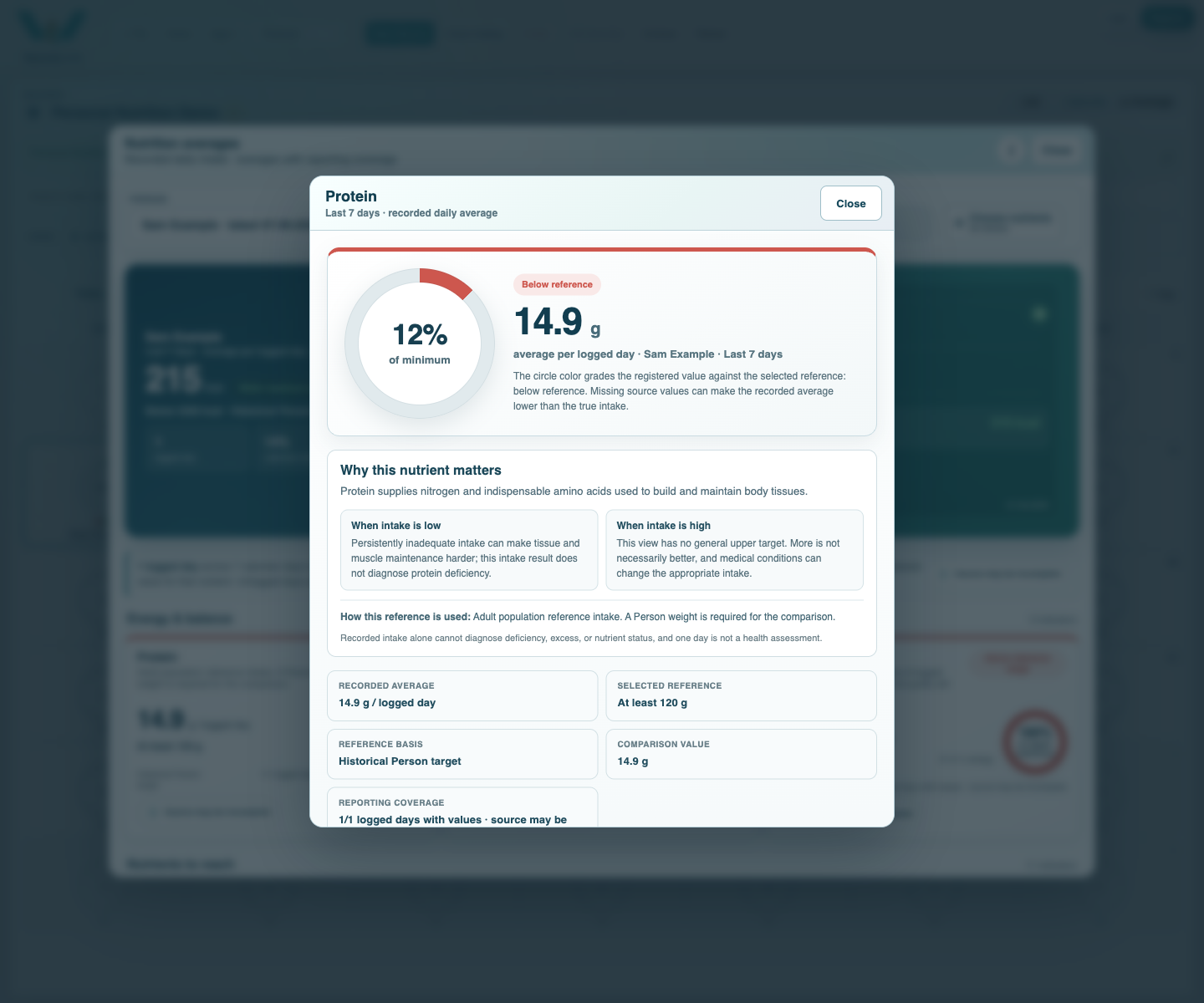
On the Person, set a Daily Calorie Target and repeatable Nutrition Targets. Use Minimum for goals such as protein and Maximum for limits such as salt. Optional start and end dates let targets change without rewriting earlier days. Daily Intake rings and nutrient details compare the registered values with the target active on that date.
Nutrition records support personal tracking and do not replace medical advice. Tutorial: Register Foods, Build Recipes, and Track Daily Intake.
Compare registered intake with a selected reference
The nutrient detail explains the registered average, the selected minimum or maximum, and the reporting coverage.
Enable JavaScript to use reading progress and usefulness ratings.